Plaky: Project Management With Unlimited Users – for Free
Tim Wittke · Updated: Jul 18, 2026
Short verdict
Ideal for
- Freelancers who want to organize client projects in boards — without a subscription from day one
- Small teams for whom monday.com or Asana gets too expensive per seat
- Agencies that want clients to follow along via the free viewer role (5 viewers per seat)
- Clockify users who want to add project management inside the same CAKE.com account
Not ideal for
- Anyone who needs an interface in a language other than English
- Teams expecting Gantt views on the free plan
- Freelancers who want time tracking in the same tool
- Entry price
- Free plan · paid from $3.99 / month
- Free to start?
- Yes — 7-day trial of all paid features (no credit card); the free plan stays free forever
- Stands out for
- Unlimited users, boards and items on the free plan — the monday.com playbook without the per-seat price tag
Plaky is the project management tool from CAKE.com — and it follows the same logic as its siblings Clockify and Pumble: a generous free plan that undercuts the category's usual per-seat pricing. Work lives in boards with groups and items, color-coded and sortable by drag and drop.
What is Plaky?
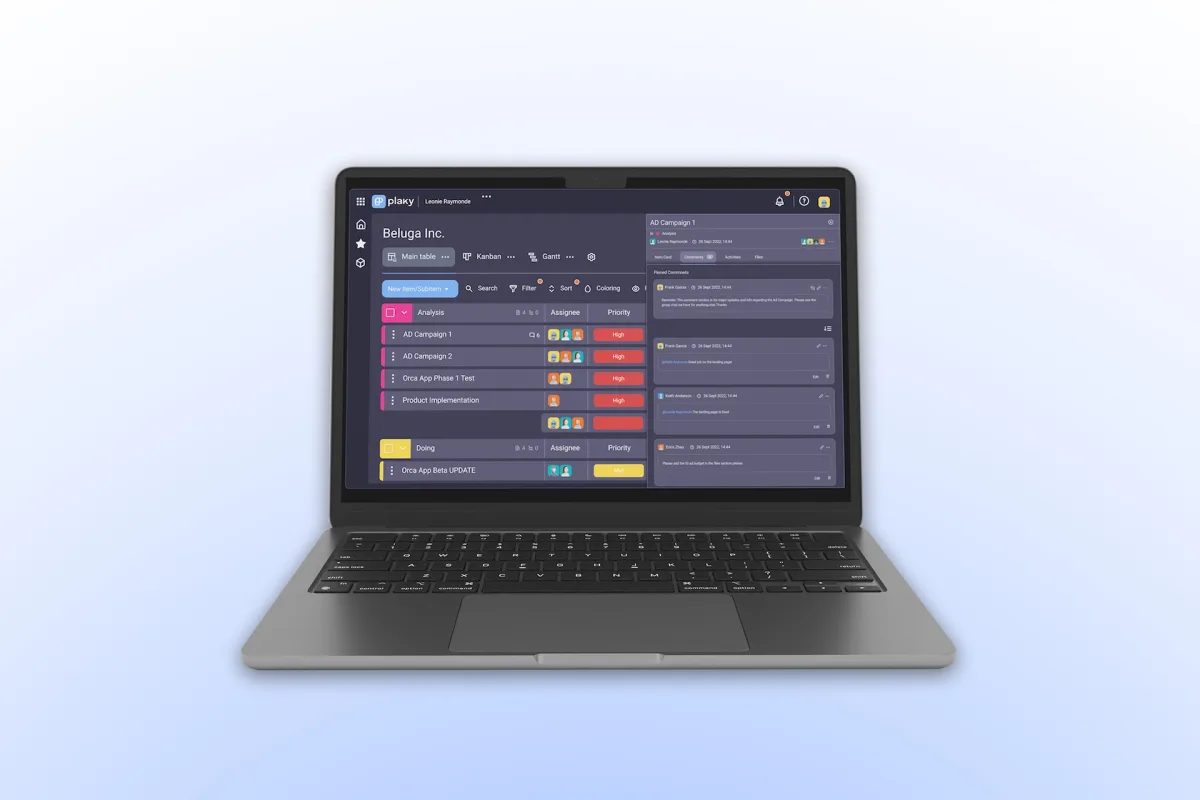
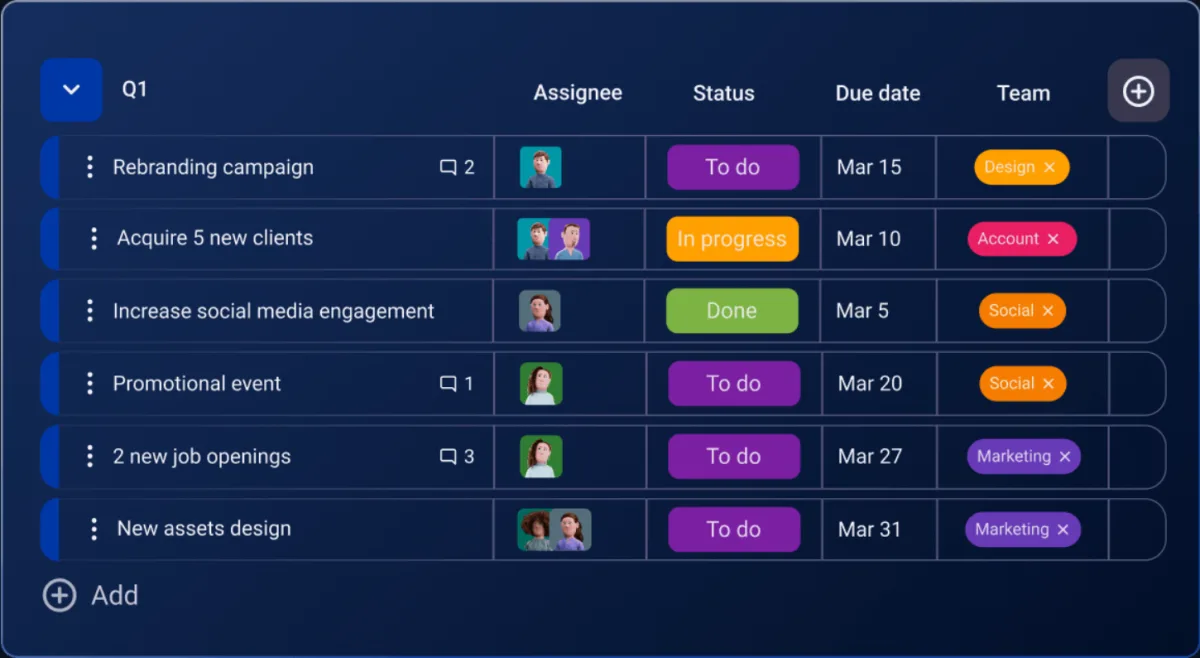
Plaky organizes projects in boards: each board holds groups (say "Analysis", "Doing", "Done") with items enriched by custom fields — assignees, priority, deadline, status. Views switch between table, kanban and (from Pro) Gantt. Ready-made templates for marketing, HR, sales, software development and non-profits save you from starting on a blank page. The interface is currently English-only.
The free plan: unlimited users as the headline feature
Where monday.com, Asana and friends bill per seat, Plaky's free plan allows unlimited users, spaces, boards and items. The constraints sit in the depth instead: a maximum of 6 custom fields per board, a 7-day activity log, 10 MB per file upload — and automations, private boards and the Gantt view stay behind the paywall. For straightforward client projects and content calendars, the free tier stretches surprisingly far.
Pro plan: Gantt, automations and the viewer role
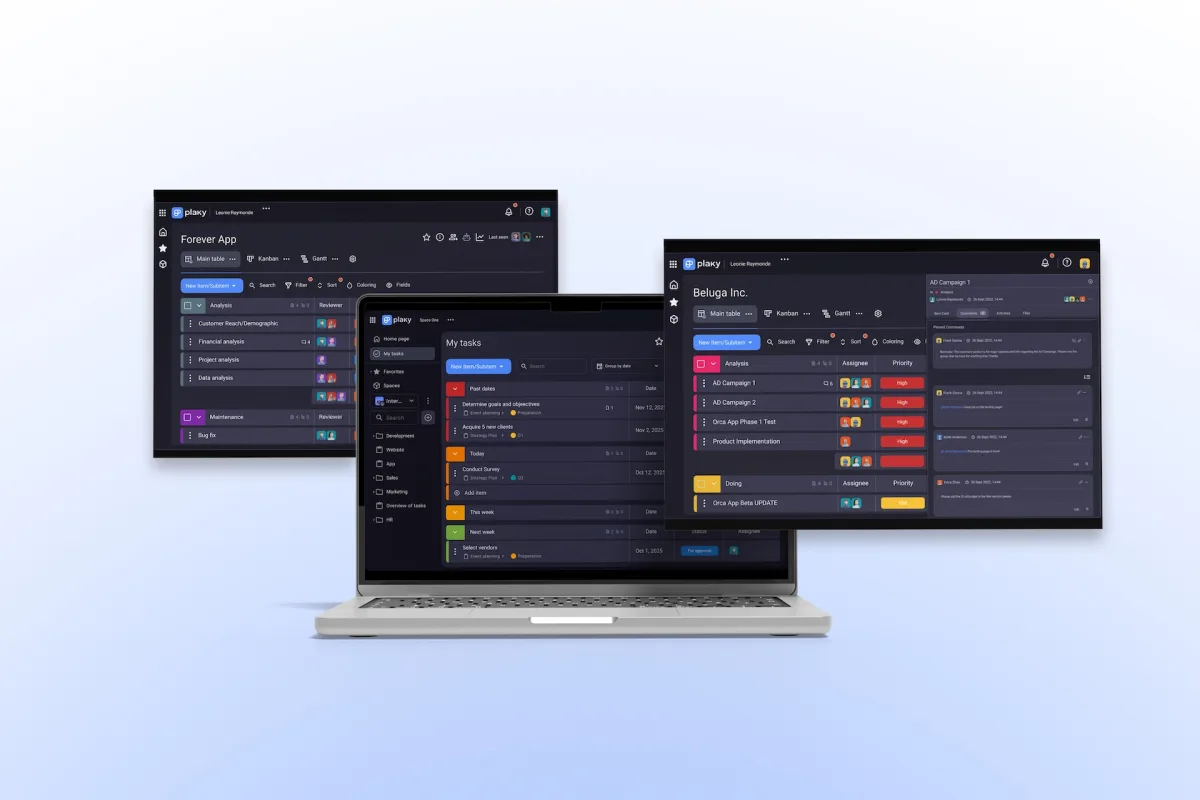
The Pro plan ($3.99 per seat/month, annual) lifts the field limit and adds Gantt view, chart widgets and 1,000 automation actions per month — plus the feature that matters most for freelancers: the viewer role. Each paid seat can invite up to 5 viewers for free; they see all open boards and can edit nothing. Clients follow project progress live without costing you seats. The Enterprise plan ($8.99) adds SSO, board permissions and unlimited automations.
Time tracking and the CAKE.com ecosystem
Plaky has no native time tracking — that is what the integration with Clockify is for, the time tracker from the same company. Together with the team chat Pumble, all three tools run under one CAKE.com account; the bundle packs the Enterprise plans of all three products for $12.99 per seat/month (annual) — 53% less than the individual prices, according to the vendor.
Who should pick Plaky?
Plaky fits freelancers and small teams who want to structure client projects in boards without paying per seat from day one — and agencies that let clients follow along via the viewer role. If you need maximum automation depth, in-tool documents or a large integration ecosystem, you'll be happier with ClickUp or Notion — our project management overview has the full comparison.
Pros & Cons
Pros
- Unlimited users on the free plan
- Cheaper than monday.com or Asana
- Free viewer role for clients
- Table, kanban and Gantt views
- 24/7 live-chat support
Cons
- Interface is English-only
- Free-plan limits: 6 fields, 7-day log
- No native time tracking, Clockify only
Pricing
Free
Free
free forever
- Unlimited users, spaces, boards & items
- Up to 6 custom fields per board
- Table and kanban views
Pro
$3.99
per seat/month billed annually (monthly: $4.99)
- Unlimited custom fields
- Gantt view & chart widgets
- 1,000 automation actions per month
Enterprise
$8.99
per seat/month billed annually (monthly: $10.99)
- Unlimited automations
- Board permissions & ownership management
- Single sign-on (SSO) & custom subdomain
Prices may change — check the official website for current plans.
Alternatives by use case
- Trello If an established kanban board is the safer pick
- Monday.com If templates and automations decide it
- Clockify If time tracking is the actual job
- ClickUp If more features on the free plan matter



Frequently Asked Questions
What is Plaky?
Plaky is the project management tool from CAKE.com — the company behind Clockify and Pumble. Work is organized in boards with groups and items, viewable as a table, kanban board or (from Pro) Gantt chart. It runs in the browser and as an app for iOS and Android.
Is Plaky really free?
Yes — the free plan allows unlimited users, spaces, boards and items, which is rare in this category. The limits sit elsewhere: a maximum of 6 custom fields per board, a 7-day activity log, 10 MB per file, and no automations, private boards or Gantt view. Those unlock with the Pro plan from $3.99 per seat/month (billed annually).
Plaky vs. monday.com — which one fits better?
Plaky if price matters: the free plan has no user limit and Pro costs $3.99 instead of monday.com's roughly $9–12 per seat — with a similar board concept. monday.com counters with far more integrations, automation depth and views. For freelancers and small teams structuring tasks and client projects, Plaky is usually plenty.
Can I invite clients to Plaky for free?
Yes — via the viewer role: on paid plans you can invite up to 5 viewers per paid seat at no cost. Viewers see all open spaces and boards (closed ones only by invitation) but cannot edit — ideal for clients who want to follow project progress without you paying for their seats.
Does Plaky have built-in time tracking?
Not natively — Plaky relies on its integration with Clockify, the time tracker from the same company. All three tools (including the team chat Pumble) run under one CAKE.com account; the bundle packs all three at Enterprise level for $12.99 per seat/month. See our Clockify review for the time-tracking side.
Verdict
Plaky is the quiet value pick among board-based PM tools: unlimited users on the free plan, fair Pro pricing, and a viewer role that makes client collaboration free. Its limits — English-only, a slimmer integration lineup, time tracking only via Clockify — are easy to live with for freelancers and small teams. If you don't need the feature depth of monday.com or ClickUp, you get a lot of project management here for very little money.