Trello: Visual Task Management with Kanban Boards
Fastlancer Team · Updated: Jun 28, 2026
Short verdict
A board everyone understands without training, so clients and small teams actually use it
- Solo freelancers who want a visual task system instead of nested lists
- Small teams (2–10) with simple workflows and no deep dependencies
- Freelancers collaborating with clients on shared boards
- Projects with many dependencies and date chains
- Anyone who needs views beyond kanban without paying
Compare all project management tools
Trello is the reference for visual Kanban task management. Built in 2011 and acquired by Atlassian in 2017 for $425 million, it remains the lowest-friction PM tool on the market — anyone gets it in 30 seconds, and the free plan covers most solo setups for years.
While many competitors quietly shrank their free tiers in 2023–2025, Trello still allows 10 boards, 10 collaborators, and 250 automation runs per month at zero cost — a level of generosity that has become almost unique in 2026. If you still bump into those limits, our roundup of free Trello alternatives shows what else you can get at $0.
As of June 2026. Confirm current pricing on trello.com/pricing before subscribing.
What is Trello?
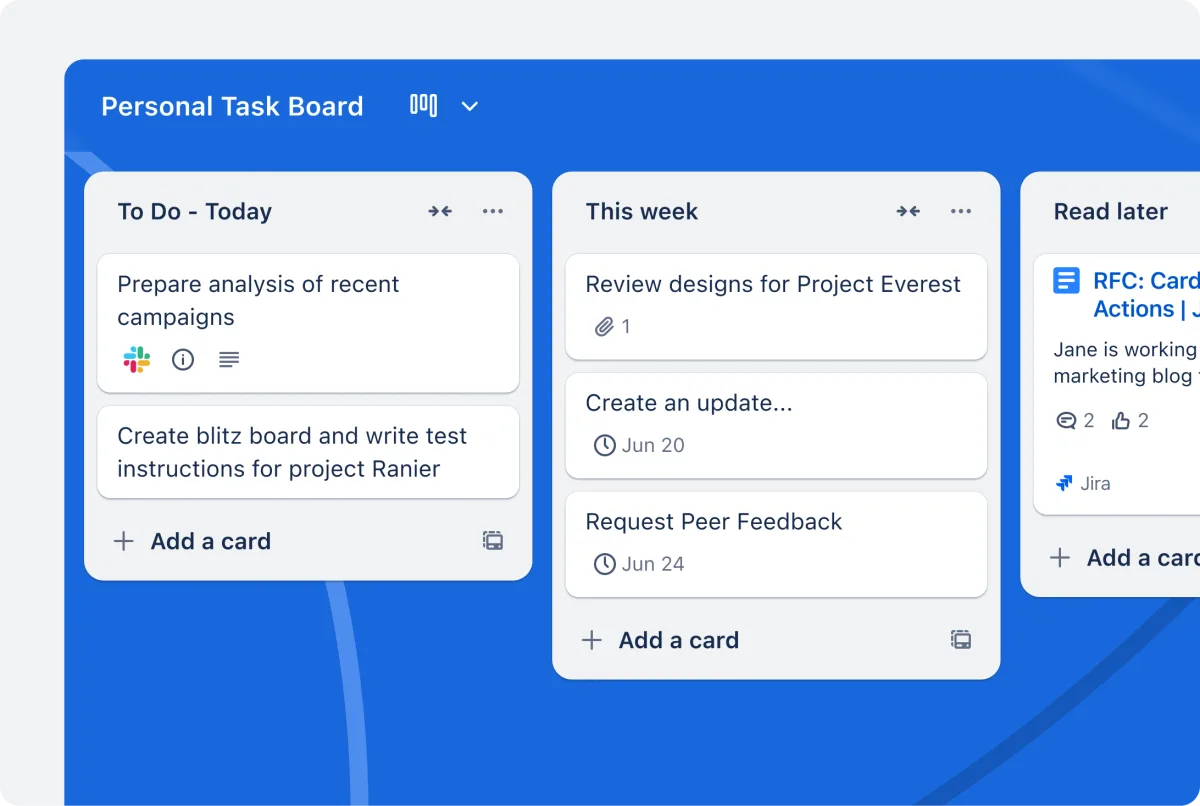
Trello is a web and mobile app for visual task management based on the Kanban method. Work lives as cards on a board divided into lists — typically „To Do“, „In Progress“, and „Done“, but fully customizable. Founded in 2011 by Joel Spolsky and Michael Pryor under Fog Creek Software, Trello was acquired by Atlassian in 2017 for $425 million and now lives in the Atlassian portfolio alongside Jira, Confluence, and Bitbucket.
Key features of Trello
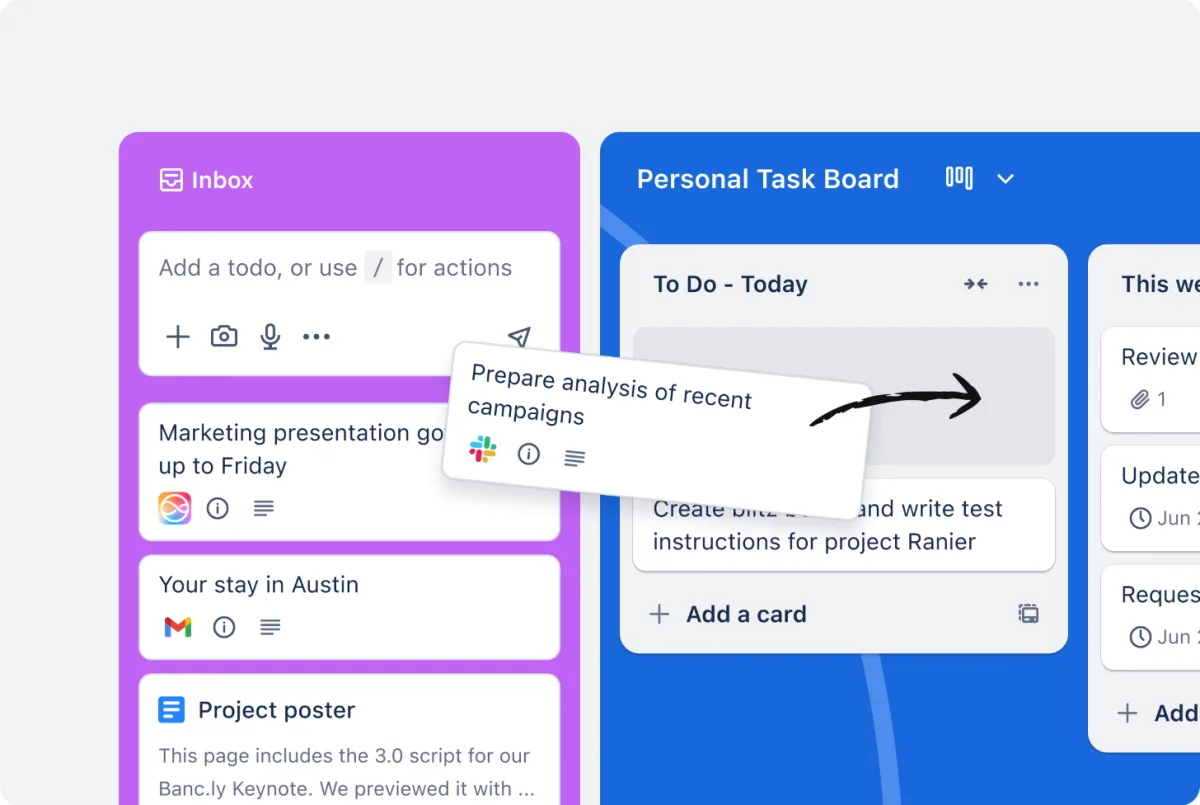
Drag-and-drop Kanban boards: Cards move between lists with drag-and-drop — visual immediacy is Trello's strongest single argument.
Cards with depth: Each card carries checklists, attachments, labels, due dates, members, comments, and custom fields.
200+ Power-Ups: Slack, Google Drive, Jira sync, time tracking (Toggl, Clockify), burndown charts. Unlimited Power-Ups per board on the free plan.
Butler automation: Rule-based automation („When a card moves to 'Done', tag it 'Shipped' and notify the requester“). 250 runs/month on Free, unlimited on Premium.
Additional views (Premium): Calendar, Timeline, Table, Dashboard, and Map — same data, different lenses.
Atlassian Intelligence (Standard/Premium): Quick Capture on Standard, full brainstorming and content-generation suite on Premium.
Who Trello is for
Trello fits three audiences well: solo freelancers who want a visual system instead of nested lists; small teams with straightforward workflows; and freelancers collaborating with clients, who can invite external stakeholders directly into a board without paying for extra licenses.
Trello is a weaker fit when projects involve heavy task dependencies, sub-tasks with their own assignees, or cross-project reporting. For those use cases, Asana or ClickUp tend to be the better tools.
Trello pricing 2026: which tier fits whom
Four tiers. Atlassian publishes prices in US dollars; purchases in other currencies convert at the live rate.
The free plan carries most solo setups indefinitely — ten boards, ten collaborators, a monthly allowance of automation runs. The first paid tier becomes necessary past roughly ten boards and lifts that allowance. The second pays off for multi-view project work and regular AI use. One trap at the top: SSO and SAML are not included there but run through a separate Atlassian Guard subscription per user.
Pros & Cons
Pros
- Generous free tier: 10 boards, 10 collaborators
- Drag-and-drop Kanban with lowest onboarding curve
- 200+ Power-Ups for Slack, Drive, Jira
- Atlassian Intelligence: AI content generation, brainstorming
- Native apps for Web, iOS, Android, Windows
Cons
- Extra views gated behind Premium
- Free plan caps uploads at 10MB
- Kanban model limits complex dependency-heavy projects
Trello vs alternatives
Asana — more structured with native sub-tasks, dependencies, and Timeline. Thinner free plan, paid from $10.99/user/month. Best when you need milestones and dependencies.
ClickUp — the most feature-rich PM tool on the market: custom fields, statuses, Goals, Docs, time tracking in one app. From $9/user/month. If ClickUp feels like too much, our ClickUp alternatives guide ranks the lighter options.
Notion — docs + tasks + wiki with a database-first model. Best when notes, knowledge, and tasks belong in the same tool. See Notion vs Trello.
monday.com — the most polished UI in the category, from $9/user/month. Best when visual finish is the priority and budget allows.
For a complete overview of all major project-management tools for freelancers and small businesses, see our Project Management Tools overview.
Pricing
Free
$0
- 10 boards per Workspace, 10 collaborators
- 250 automation runs per month
- Unlimited Power-Ups per board
Standard
$5 / user / month
- Unlimited boards
- 1,000 automation runs per month
- Quick Capture with Atlassian Intelligence
Premium
$10 / user / month
- All views (Timeline, Calendar, Table, Dashboard, Map)
- Unlimited automation runs
- Full Atlassian Intelligence suite
Enterprise
$17.50 / user / month
- Advanced admin controls and audit logs
- Organization-wide permissions
- 24/7 Enterprise admin support
Prices may change — check the official website for current plans.
Price history
Checked Nov 1, 2026 · 3 plans unchanged since Sep 14, 2026
Alternatives by use case




Frequently Asked Questions
What is Trello?
Trello is a web and mobile app for visual task management based on the Kanban method. Tasks live as cards on a board divided into lists — typically „To Do“, „In Progress“ and „Done“. Cards are dragged between lists as work progresses. Trello was built in 2011 by Fog Creek Software and acquired by Atlassian in 2017 for $425 million.
What does Trello cost in 2026?
Four tiers. The free plan carries most solo setups indefinitely — ten boards, ten collaborators, a monthly allowance of automation runs. The first paid tier becomes necessary past roughly ten boards. One trap at the top: SSO and SAML are not included in Enterprise but cost extra as Atlassian Guard.
How good is the Trello free plan, really?
Still one of the most generous on the market: 10 boards per Workspace, 10 collaborators, and 250 automation runs per month. That covers most solo freelancers and small teams. You only hit the ceiling on very large attachments (10 MB per file limit) or more than 250 automated actions per month.
What are Power-Ups?
Power-Ups are board-level extensions — Slack notifications, Google Drive attachments, Jira sync, time tracking (Toggl, Clockify), burndown charts. The marketplace has 200+ Power-Ups. The free plan allows unlimited Power-Ups per board, which is almost unique among major PM tools.
Trello vs Asana — which is better?
Trello is Kanban-first with low onboarding friction and strong drag-and-drop flow. Asana is project-oriented with native sub-tasks, dependencies, and Timeline. Rule of thumb: visual task management — Trello. Project management with milestones and dependencies — Asana. Asana starts at around $10.99/user/month with a far thinner free plan.
Is Trello Premium worth the upgrade from Standard?
Premium ($10) vs Standard ($5) pays off in two cases: (1) you need views beyond Kanban (Timeline, Calendar, Dashboard, Table), or (2) you use Atlassian Intelligence (AI card descriptions, brainstorming) regularly. If pure Kanban is fine, Standard wins and saves $60 per user/year.
How does Trello handle GDPR and data residency?
Trello is run by Atlassian (Australia) but operates EU data centers for European customers and offers a DPA for GDPR-compliant processing. Atlassian Cloud is SOC 2, ISO 27001, and ISO 27018 certified. For solo freelancers and small teams, the standard configuration is sufficient.
Verdict
Trello remains the right pick in 2026 for anyone who wants visual Kanban without a learning curve and either works solo or runs a small team with straightforward workflows. The free plan covers most solo setups indefinitely. The first paid tier makes sense once you outgrow the ten-board ceiling; the next unlocks additional views and full Atlassian Intelligence. The moment your projects involve heavy dependencies or nested sub-tasks with their own owners, ClickUp or Asana is the better fit. For visual task management at solo or small-team scale, there is simply no easier tool to operate.