awork Review 2026: German Project Management with Time Tracking, Tested
Fastlancer Team · Updated: Jul 22, 2026
Short verdict
Ideal for
- Agencies and service teams that log project hours directly on tasks and bill them
- Teams of 2–20 people who want a tidy tool instead of a feature monster
- Companies with strict GDPR requirements — customer data stays in Germany (Azure Frankfurt, ISO 27001)
- Freelancers embedded in client teams — externals join free via awork Connect
Not ideal for
- Solo freelancers — the feature set targets teams
- Anyone who wants to work free of charge permanently
- Teams that want maximum depth rather than clarity
- Entry price
- From €8 / month
- Free to start?
- Yes — free trial without a credit card, plus a 30-day money-back guarantee
- Stands out for
- Project management, time tracking and capacity planning in one tool — hosted in Germany, built for service teams
What is awork?
awork is project management software from Hamburg that merges three things most teams pay for separately: task and project planning, time tracking, and capacity planning. Its audience is service businesses — agencies, consultancies, studios — where tracked hours end up on invoices.
The second pillar is location: awork hosts customer data on Azure servers in Frankfurt, is ISO 27001 certified, and its team supports you in English and German. If your compliance officer frowns at US tools, that alone settles half the decision.
Tasks and projects: tidy instead of overloaded
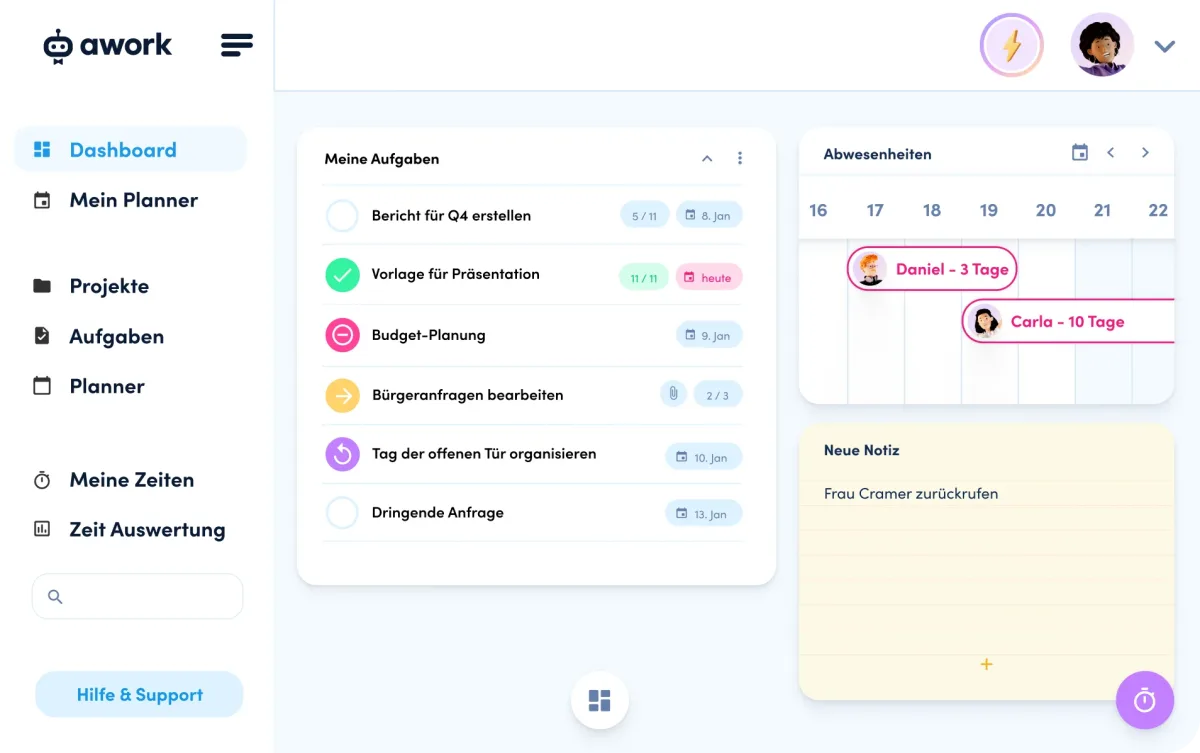
Projects can be viewed as lists, Kanban boards or a timeline (Gantt); tasks support subtasks, dependencies and recurring schedules. awork visibly optimizes for clarity over feature count: new team members find their way around in days, where ClickUp setups often take weeks. Project templates and the autopilot absorb routine work — the latter sends automatic reminders and status emails, for example on approaching deadlines or exhausted budgets. Externals collaborate for free via awork Connect: clients, freelancers or partner agencies get the project shared into their own free workspace — on every plan at no extra cost.
The USP: time tracking and capacity built in
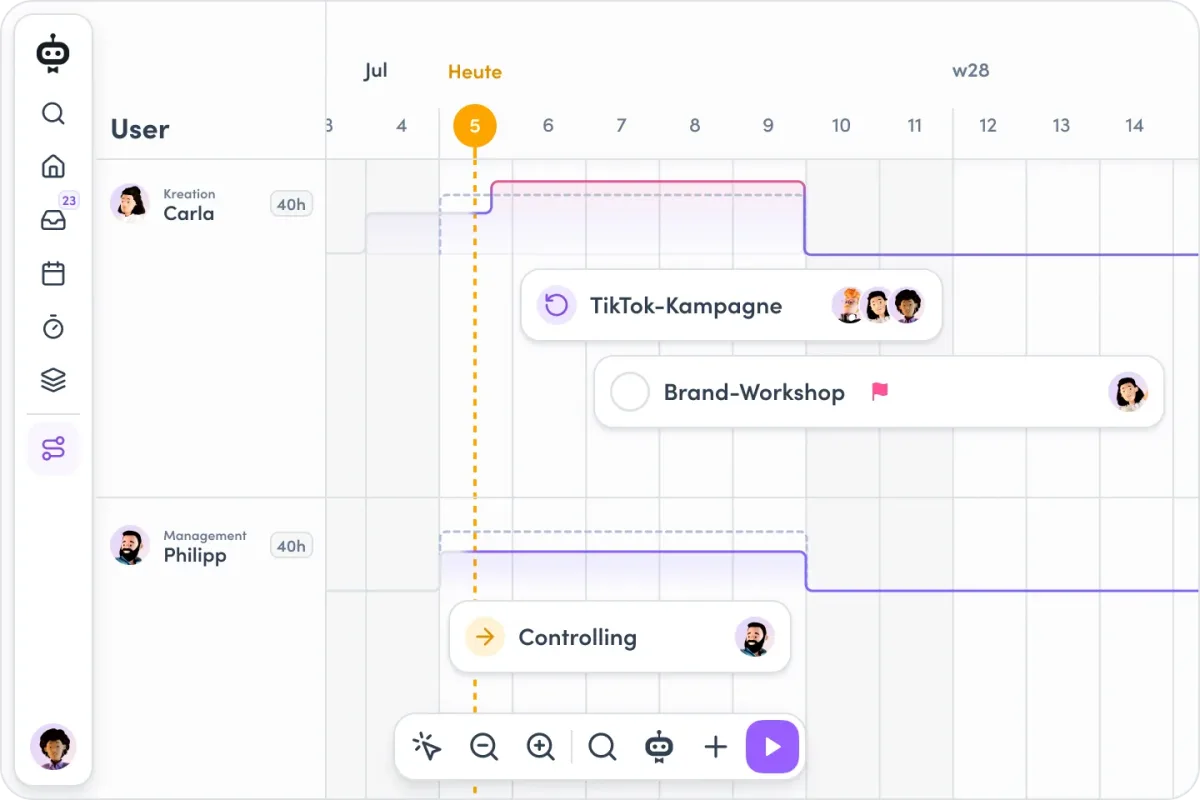
The real reason to pick awork is the integration: every tracked hour (timer or manual) is attached to a task and a project. Without any extra tool you get reports per project, client and person — and the workload view shows who still has capacity next week and who is overbooked. If you currently combine Asana plus Toggl plus a capacity spreadsheet, awork replaces all three. For billing, hours export as reports or flow onward via integrations.
Pricing: fair, but no free tier
awork bills per user. The entry plan covers tasks, boards, timeline and time tracking — complete for a small team running projects and logging hours. The middle tier is the sweet spot: it adds the workload overview and project documentation, which is what separates agency work from a task list. The top tier brings comprehensive time reports, advanced integrations and phone support.
There is no forever-free plan; the trial requires no credit card, and a 30-day money-back guarantee applies.
awork vs. ClickUp and Asana
The honest comparison: ClickUp offers more — more views, docs, automations, plus a free plan. If you want maximum feature depth and can live with US hosting, you'll be happier there. awork wins in three situations: when tracked hours need to be billed (native time tracking beats any Toggl integration), when data protection is a buying criterion, and when the team needs a tool that just runs without admin overhead. Asana sits in between — pretty and fast, but without native time tracking. For the broader picture, see our project management overview.
Who is awork worth it for?
The biggest winners are service teams of 2–20 people — agencies, consultancies, dev studios — that want to track, analyze and bill project hours cleanly. Freelancers permanently embedded in client teams also fit well, since externals collaborate for free via awork Connect. If you work solo and just need a task list with a timer, you'd pay for team features you never use — a free tool is the smarter pick then.
What we like about awork and what we don't
Pros
- Native time tracking on tasks and projects
- Capacity planning shows who's free
- German data hosting, ISO 27001 certified
- Clean interface, fast team onboarding
- Free external collaboration via awork Connect
Cons
- No forever-free plan
- Overkill for solo freelancers
- Fewer features than ClickUp
Pricing
Basic
€8
per user/month · €5 billed yearly
- Tasks, lists, boards and timeline
- Built-in time tracking
- Resource timeline
Standard
€16
per user/month · €12 billed yearly
- Workload overview
- Project documentation
- Standard integrations
Professional
€25
per user/month · €22 billed yearly
- Comprehensive time reports
- Advanced integrations
- Phone support
Prices may change — check the official website for current plans.
Price history
Checked Oct 20, 2026 · 3 plans unchanged since Aug 31, 2026
Alternatives by use case




Frequently Asked Questions
How much does awork cost?
awork bills per user per month, with annual billing noticeably cheaper. There is no permanently free plan. The middle tier is the right one for most teams because it adds the workload overview and project documentation. Trials need no credit card, and a 30-day money-back guarantee applies.
Is there a free version of awork?
No — there is no forever-free plan, only the free trial without a credit card and the 30-day money-back guarantee. If you need a permanently free PM tool, our project management comparison lists alternatives with free plans like ClickUp or Trello.
awork or ClickUp — which fits better?
ClickUp offers more features, more views and a free plan — but it is more complex and hosts data in the US. awork counters with built-in time tracking plus capacity planning, EU hosting and fast support. For European agencies and teams that bill tracked hours, awork is usually the rounder pick; for feature maximalists, ClickUp.
Is awork GDPR-compliant?
Yes — awork is a German company based in Hamburg, customer data is hosted on Azure servers in Frankfurt, and the company is ISO 27001 certified. A data processing agreement is included. That makes awork one of the cleanest options for teams with strict data protection requirements.
Does awork have built-in time tracking?
Yes, and that is its biggest difference from most PM tools: hours are tracked directly on tasks and projects (timer or manual), flow into reports and capacity planning, and can be exported for billing. For many teams, it replaces a separate time tracking tool entirely.
Verdict
awork is the most convincing German answer to ClickUp and Asana: not the tool with the most features, but the one with the best interplay of project management, time tracking and capacity planning — plus EU hosting. For agencies and service teams that bill project hours, it earns its price. Solo freelancers without team needs are usually better served by a free tool.