Toggl Track Review 2026: Best Free Time Tracker for Freelancers?
Fastlancer Team · Updated: Aug 17, 2026
Short verdict
Ideal for
- Solo freelancers who want tracking with as little friction as possible
- Anyone who needs clean reports for client billing
- Freelancers juggling several client projects at once
Not ideal for
- Anyone who needs invoicing and dunning in the same tool
- Businesses that must document attendance for labour law
- Entry price
- Free plan · paid from $9 / month
- Free to start?
- Yes — free for up to 5 users, paid tiers with a 30-day trial
- Stands out for
- The lowest-friction time tracker in everyday use
As a freelancer, time is literally money — yet many lose track of how much they actually spend on different projects. Without accurate tracking, you can't calculate realistic quotes or optimize productivity. Toggl Track solves this with one of the most intuitive time-tracking apps available: one click starts the timer, categorizes your tasks, and generates detailed insights into your work habits.
What is Toggl Track?
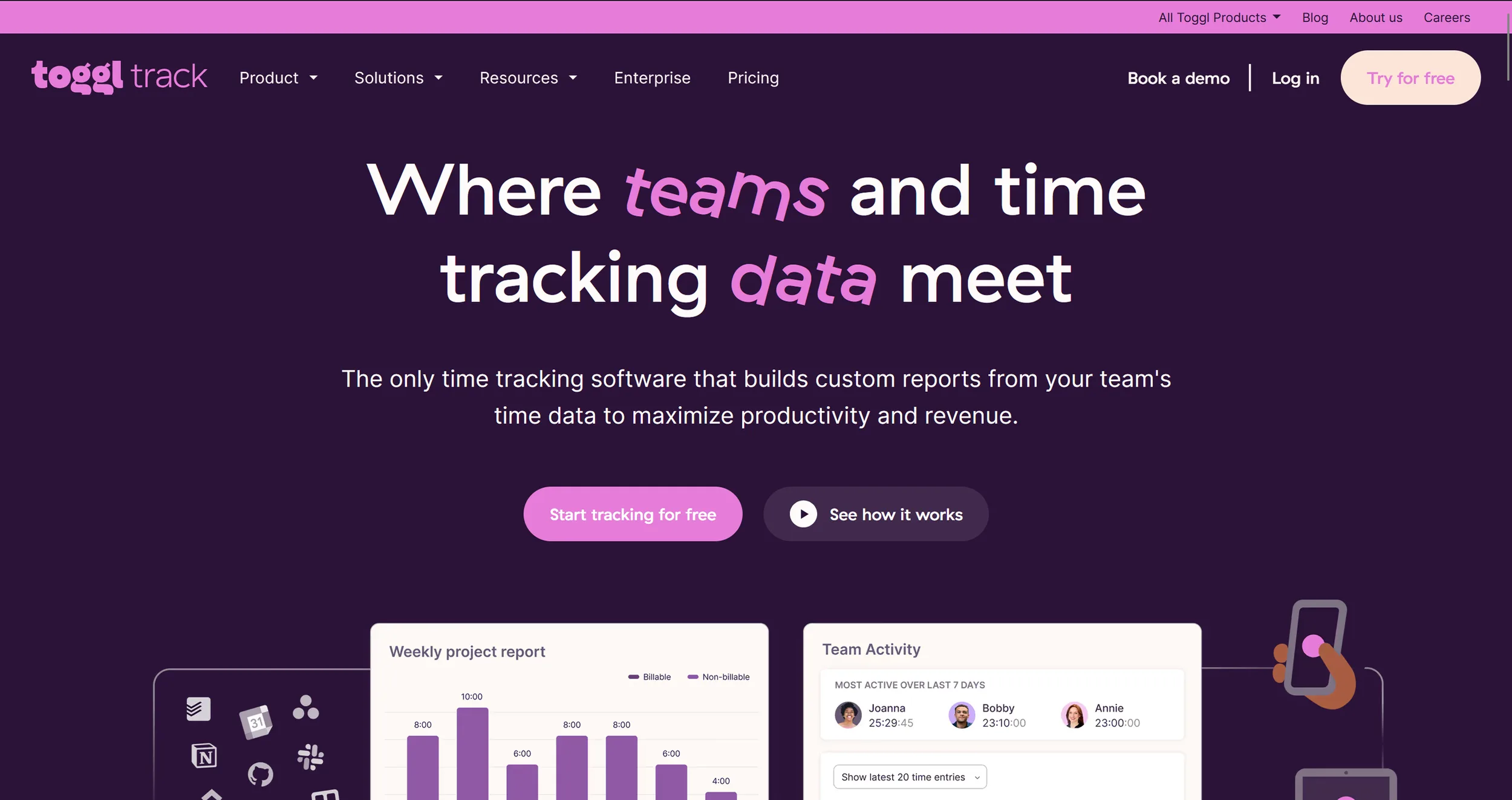
Toggl Track is a web-based time tracking tool launched in 2006, now used by over 5 million people. It runs in the browser and as a native app on desktop, iOS, and Android. Beyond basic timers, it offers project organization, team collaboration, detailed reporting, and 100+ integrations — all in a clean, distraction-free interface.
Key Features of Toggl Track
One-click timer with start/stop/pause
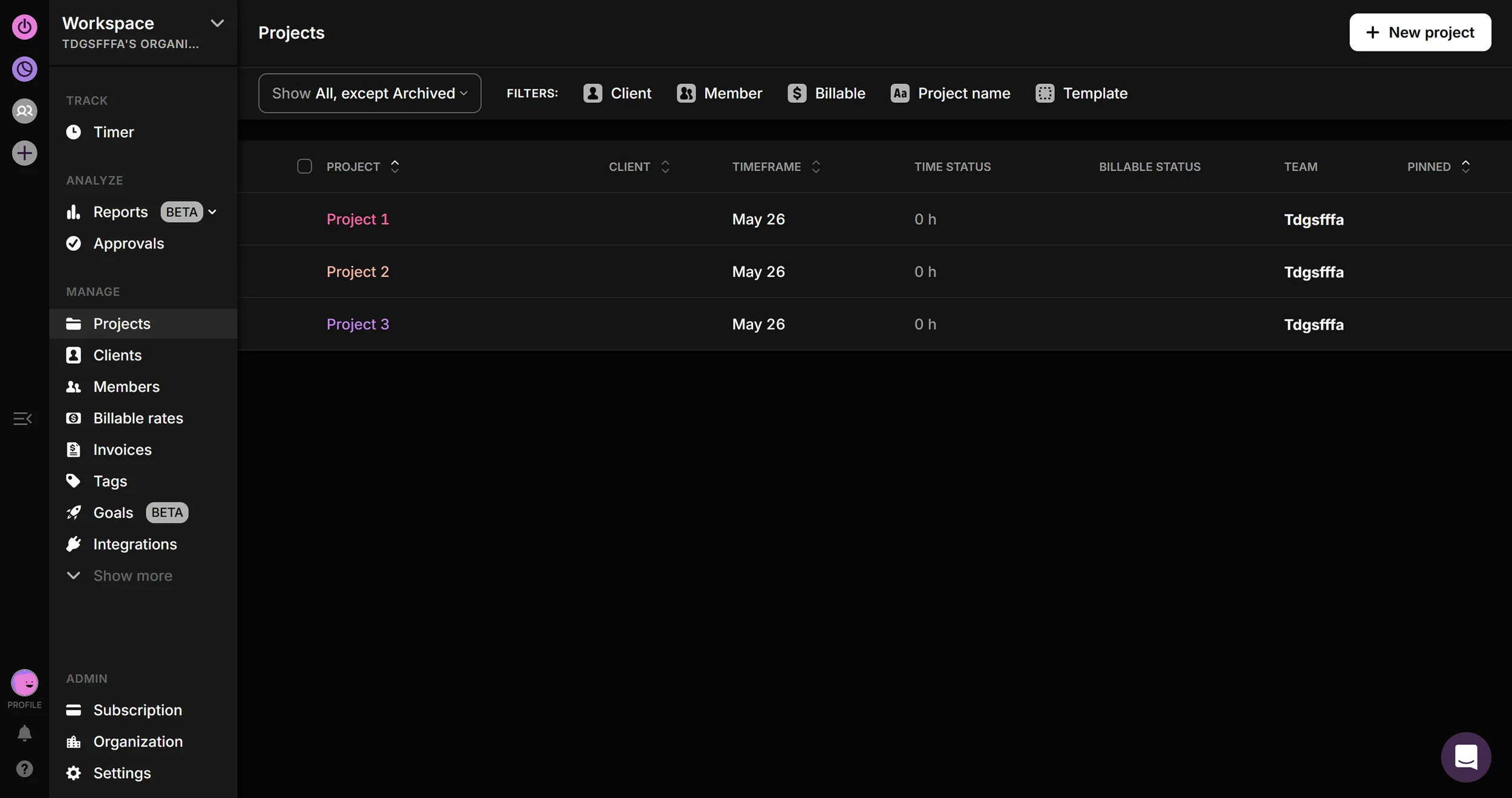
Project organization with client and task assignment
Offline tracking with automatic sync
Pomodoro timer for focused work sessions
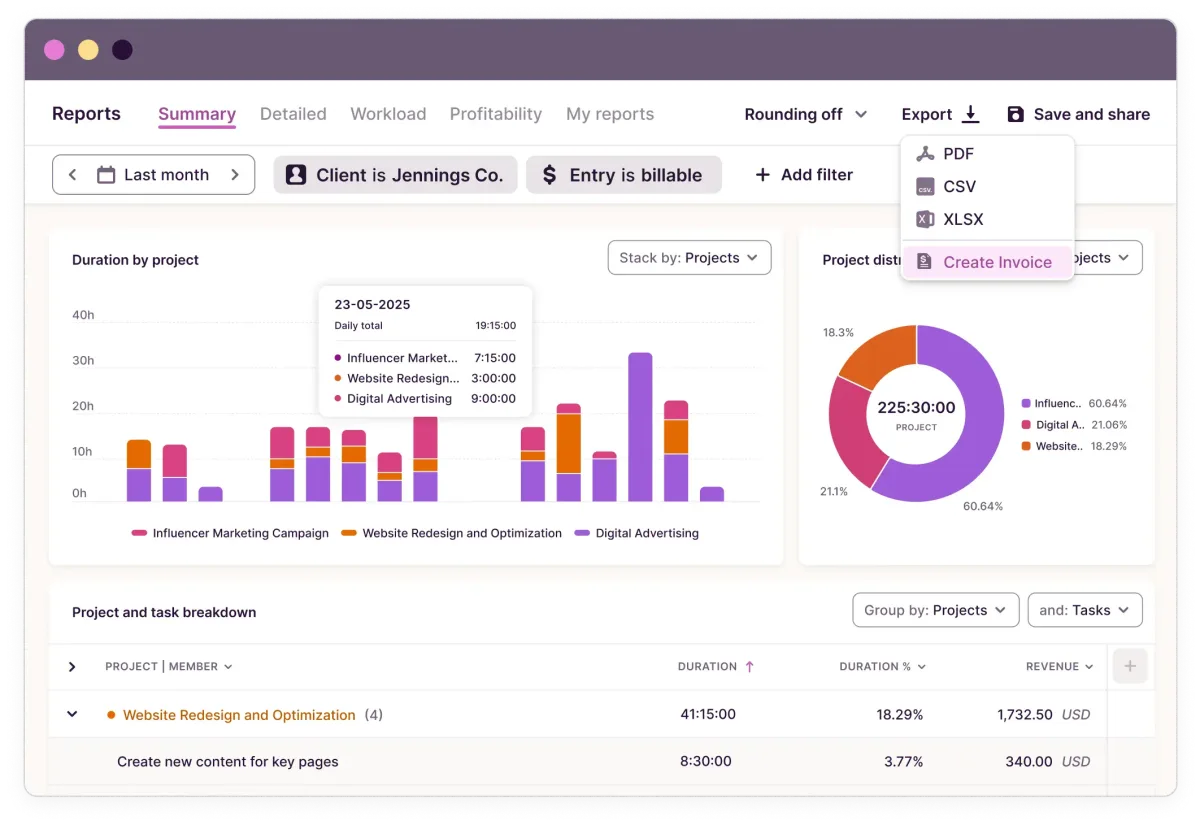
Detailed reports and analytics with export options
Automatic reminders and notifications
Team features for collaboration and management
Browser extension for seamless integration
Mobile apps for iOS and Android
100+ integrations (Asana, Trello, Slack, and more)
Time estimates and budget tracking
Idle detection for automatic break logging
Bulk editing for retroactive adjustments
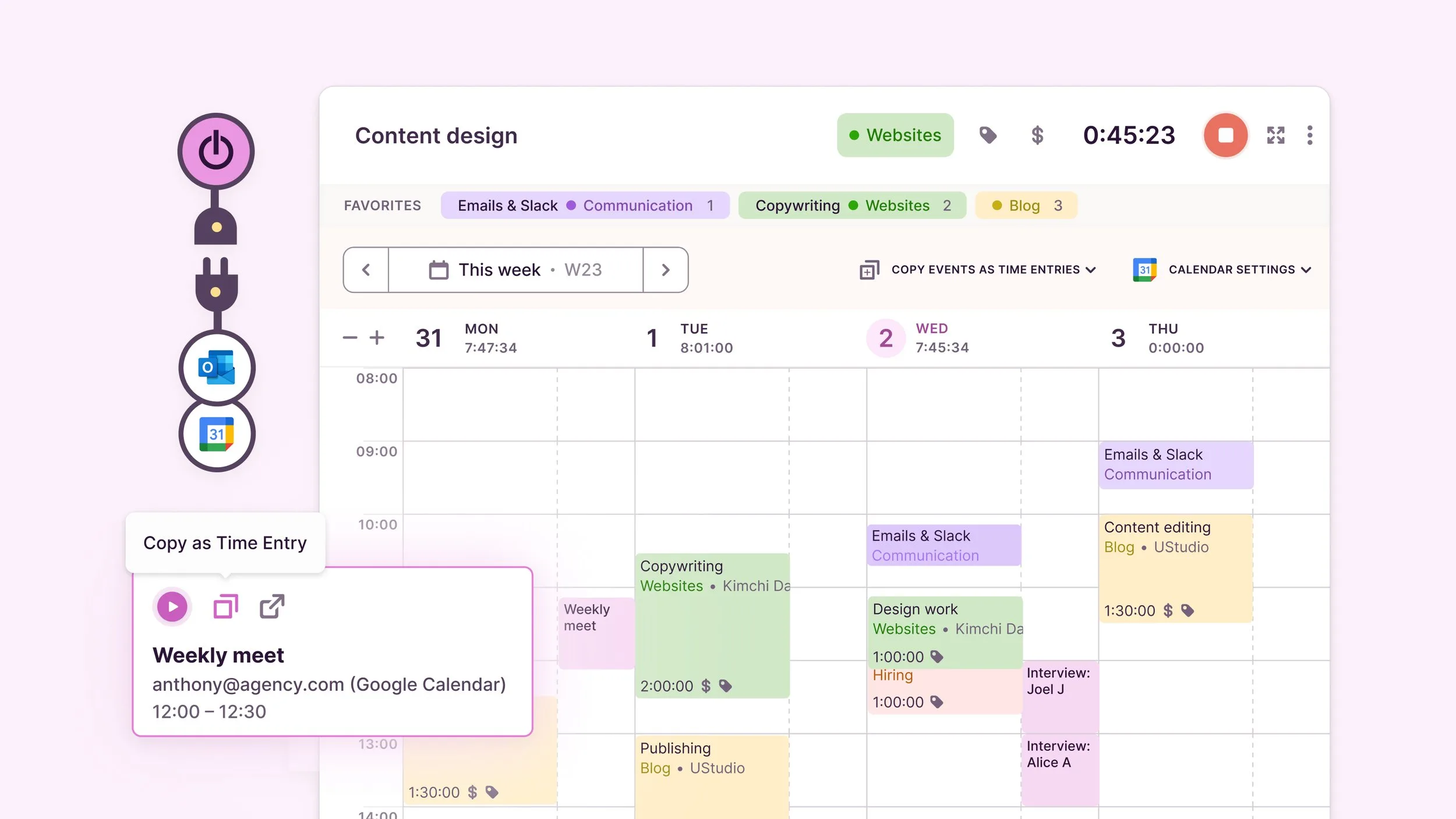
Calendar integration and timeline view
Rounding functions for clean time entries
Why Toggl Track Works Well for Freelancers and Side Business Owners
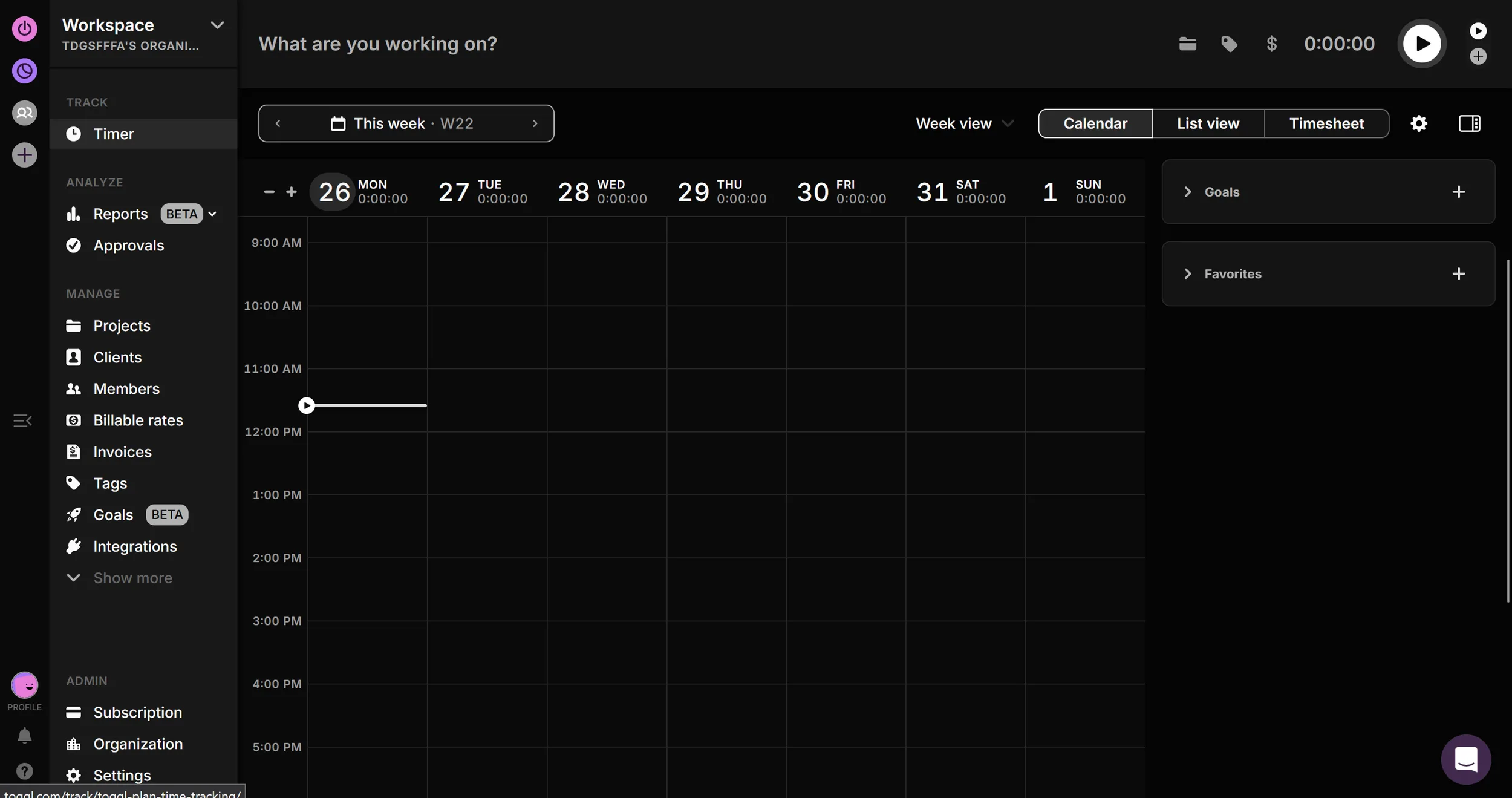
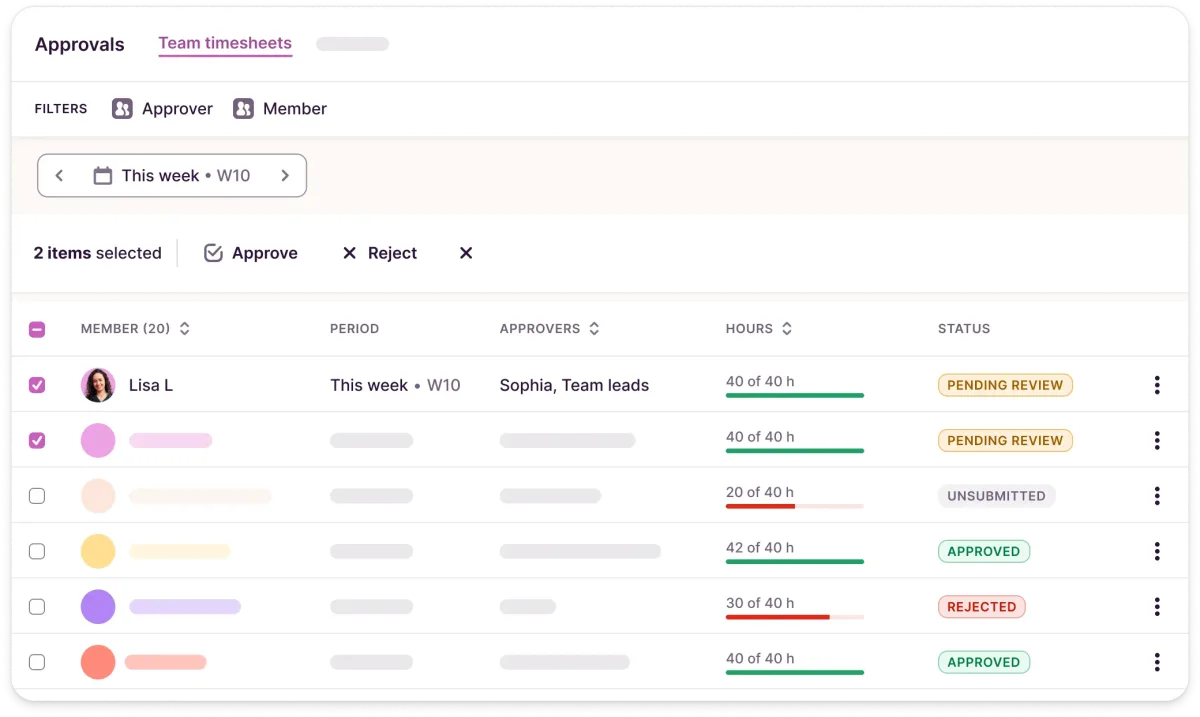
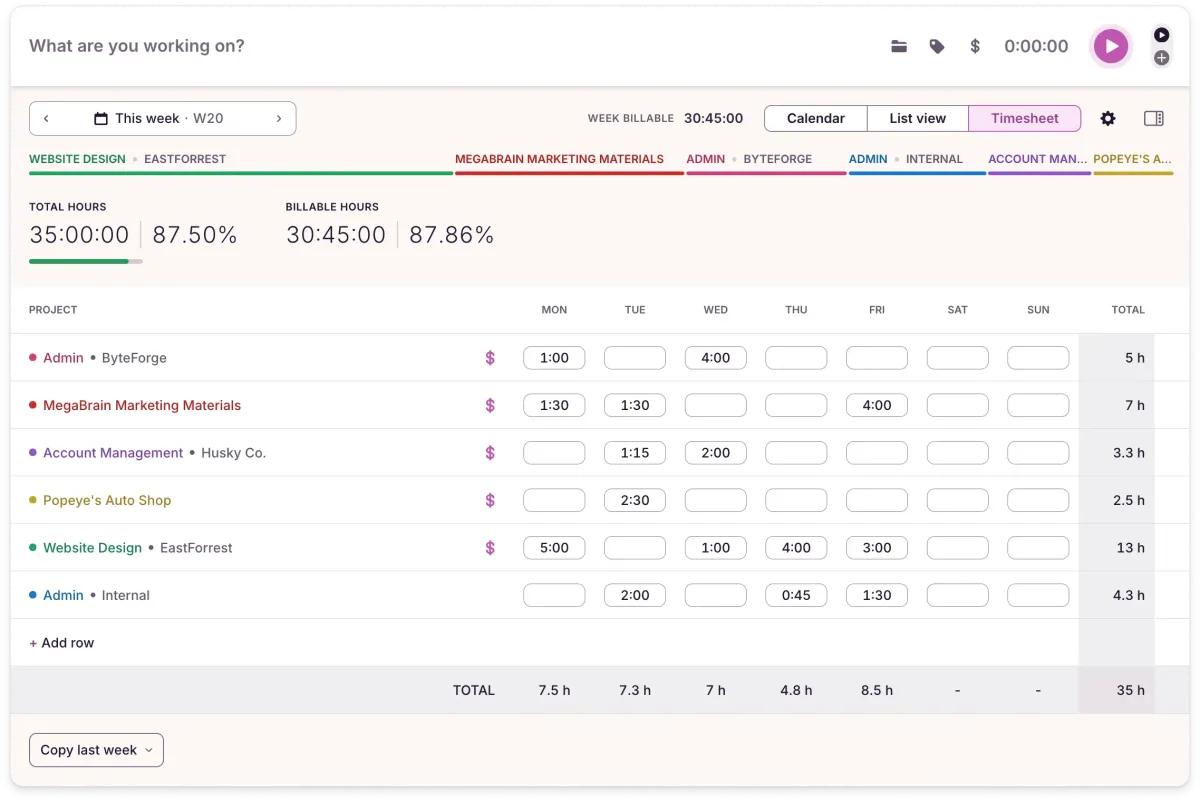
Toggl Track makes it easy to see exactly how much time goes into each project. Reports help with invoicing and scoping future work — you'll quickly spot which tasks run over and adjust rates accordingly. The mobile app lets you track on the go, the Timeline view shows how your workday was structured, and Productivity Insights reveal when you do your best work. With 100+ integrations, it fits whatever stack you're already using.
What We Like — and What We Don't
Pros
- Most intuitive time tracking app
- Free plan for up to 5 users
- Detailed reports for clients and tax purposes
- Works on desktop, browser, and mobile
- 100+ integrations with business tools
Cons
- Only basic invoice creation from reports
- Automatic background tracking only in desktop app
- No budget control on free plan
Toggl Track Pricing 2026: Free vs Premium
Toggl Track is genuinely free for up to five users — no time limit, no card, and the core job is not throttled: unlimited time tracking, projects and clients, all apps, basic reports. What free does not do is help you bill: no billable rates, no estimates, no rounding, no saved reports — that is the jump to Starter, and it is the one most freelancers make. Premium adds custom report filters, profit and labour costs and fixed-fee projects; the number to watch there is the renewal: the first-year rate on the annual plan steps up by about 29 % after twelve months, quietly. Starter has no such step, which makes it the more predictable choice. Monthly billing costs roughly 20 % more than annual across the board, and paid plans come with a 30-day trial.
Verdict: Is Toggl Track Worth It?
Toggl Track is a strong pick for freelancers and independent business owners who want professional time tracking without workflow disruption. The free plan takes you far; upgrading only becomes necessary as needs grow. If you've been estimating hours until now, precise tracking will change how you price and plan — and Toggl Track is easy enough that you'll actually stick with it.
Your next step
- Compare all time trackers side-by-side — our time-tracking comparison table puts Toggl, Clockify, Harvest & Co. next to each other (free plans, invoicing, team features).
- Need invoicing built into tracking? Harvest turns tracked hours into invoices directly.
Pricing
Free
Free
free forever, up to 5 users
- Unlimited projects and clients
- Reports and export
- Timer on web, desktop and mobile
Starter
$9
per user/month billed annually · $12 monthly
- Billable rates
- Time estimates and rounding
- Saved reports
Premium
$16
per user/month billed annually · $24 monthly
- Project budgets and cost control
- Scheduling and approvals
- Scheduled report emails
Enterprise
On request
for larger teams
- Single sign-on
- Custom contract terms
- Named point of contact
Prices may change — check the official website for current plans.
Price history
Checked Oct 8, 2026 · 2 plans unchanged since Sep 16, 2026
Alternatives by use case



Frequently Asked Questions
Is Toggl Track free?
Yes. Toggl Track's free plan supports up to 5 users, unlimited time tracking, unlimited projects and clients, autotracker, idle detection, Pomodoro timer, calendar integration, 100+ integrations, and CSV/PDF report exports — fully sufficient for solo freelancers and small freelance teams. The free plan has no time limit and no credit card required. Paid plans from $9/user/month unlock billable rates, project time estimates, rounding, and saved reports.
What does Toggl Track cost in 2026? Full pricing breakdown
Toggl Track has four tiers in 2026: Free (up to 5 users, unlimited projects, autotracker, idle detection, 100+ integrations — fully usable for solo freelancers and small teams); Starter ($9/user/month annual, $12 monthly — adds billable rates, project time estimates, tasks and rounding); Premium ($14/user/month for the first year on annual, then $18; $20 monthly — adds fixed-fee projects, profit and labor cost tracking, team dashboards, time audits, locked time entries, SSO); Enterprise (custom pricing, priority support, dedicated success manager). For solo freelancers the Free plan covers nearly everything except invoicing-friendly billable rates. Final pricing on toggl.com/track/pricing.
Toggl Track free vs Premium — what's the real difference?
The free plan (up to 5 users) already includes unlimited tracking, projects, clients, autotracker, idle detection, calendar view and CSV/PDF exports — for most solo freelancers it's genuinely enough. Paid plans add what matters once you bill by the hour at scale: billable rates and project time estimates (Starter, $9/user/month), then custom report filters, profit/loss insights and priority support (Premium, $14/user/month in year one, then $18). Rule of thumb: stay free until you regularly send hour-based invoices to multiple clients — then Starter pays for itself; Premium is a team-lead feature set, not a solo upgrade.
Is Toggl Track worth it for freelancers?
Yes for almost any freelancer who bills by the hour or wants to understand where their week actually goes. The Free plan is genuinely useful and many solo freelancers stay on it for years; the upgrade to Starter ($9/month) makes sense once you want billable rates baked into reports, project templates for repeat client work, or rounding rules. The real value isn't the timer — it's the reports. A few weeks of tracking show you which clients are profitable, which task types take longer than you estimated, and where your week leaks. Worth the 30 seconds of friction per timer.
Toggl Track reviews: is it actually the best time tracker?
Honest take: best is overstated, but Toggl Track is consistently the most polished daily-use experience in the category. It wins on autotracker (best in class), idle detection, calendar integration, and shareable reports. It loses on per-user pricing (Clockify is half the cost) and full-featured invoicing (Harvest beats it — Toggl only creates simple invoices from reports). On free-plan user count the two are now even: since April 2026 Clockify Free is capped at 5 users, same as Toggl. For solo freelancers and small teams that prioritize polish over budget, Toggl Track is the right pick. For teams of 6+ on a tight budget, Clockify is the value winner.
Toggl Track vs. Clockify — which is better for freelancers?
Toggl Track is the better daily-use experience: cleaner UI, best-in-class autotracker, native Google + Outlook calendar integration, polished shareable reports. Clockify is the better value: a broader free feature set (though its free plan is also capped at 5 users since April 2026) and billable rates from $3.99/user/month vs Toggl's $9/user/month. Beginners and solo freelancers often prefer Toggl Track; multi-freelancer teams on a budget often prefer Clockify. See our full Clockify vs Toggl comparison for a deeper breakdown.
Can I create invoices with Toggl Track?
Yes — Toggl Track now creates simple invoices directly from reports (Reports → “Create Invoice”), even on the Free plan (there the PDF carries Toggl branding). What's still missing: recurring invoices and payment reminders. For full-featured invoicing, export time reports (CSV, PDF) and process them in your accounting or invoicing tool — Toggl Track integrates directly with FreshBooks, QuickBooks, Xero, and most other invoicing tools, so billable hours flow through automatically. If you want complete invoicing in the same tool, consider Harvest or moco.
Which tools does Toggl Track integrate with?
Toggl Track offers 100+ integrations including Asana, Trello, Jira, GitHub, Notion, Basecamp, Salesforce, FreshBooks, QuickBooks, Xero, Zapier, and more. The browser button lets you start time tracking directly from project management tools without switching apps.
Does Toggl Track work offline?
The Toggl Track desktop app stores entries locally and syncs when reconnected — ideal for working from cafés, flights, or anywhere with unreliable connectivity. The browser version requires an active internet connection. Mobile apps work offline and sync on reconnect.
How accurate is Toggl Track's autotracker?
Toggl Track's autotracker runs in the background on the desktop app and quietly logs which apps and websites you spend time on, in 10-minute resolution. At the end of the day or week, you review the timeline and assign blocks to projects. It's not a 'real-time' tracker that auto-categorizes work — you still make the call on what to bill. The accuracy is on the data capture side (very high); the categorization accuracy depends on how disciplined you are about reviewing daily. Most freelancers find it the strongest 'forgot to start the timer' safety net in any tool in this category.