Jibble Review 2026: Free Time Tracking for Unlimited Users, Tested
Fastlancer Team · Updated: Sep 2, 2026
Short verdict
Ideal for
- Small teams that need attendance tracking without a per-user bill
- Businesses with on-site staff — kiosk mode, GPS and geofencing are in the free tier
- Anyone exporting hours to payroll: Xero, QuickBooks and Deel are supported
- Freelancers who want a clock-in timer rather than a project-billing tool
Not ideal for
- Anyone billing client hours — there is no invoicing
- Freelancers analysing project time rather than clocking in
- People who expect a public price list before buying
- Entry price
- Free plan available
- Free to start?
- Not needed — the core product is free forever for unlimited users
- Stands out for
- Unlimited users on the free plan — the only attendance tracker that does not charge per head to get started.
Attendance tracking that feeds payroll
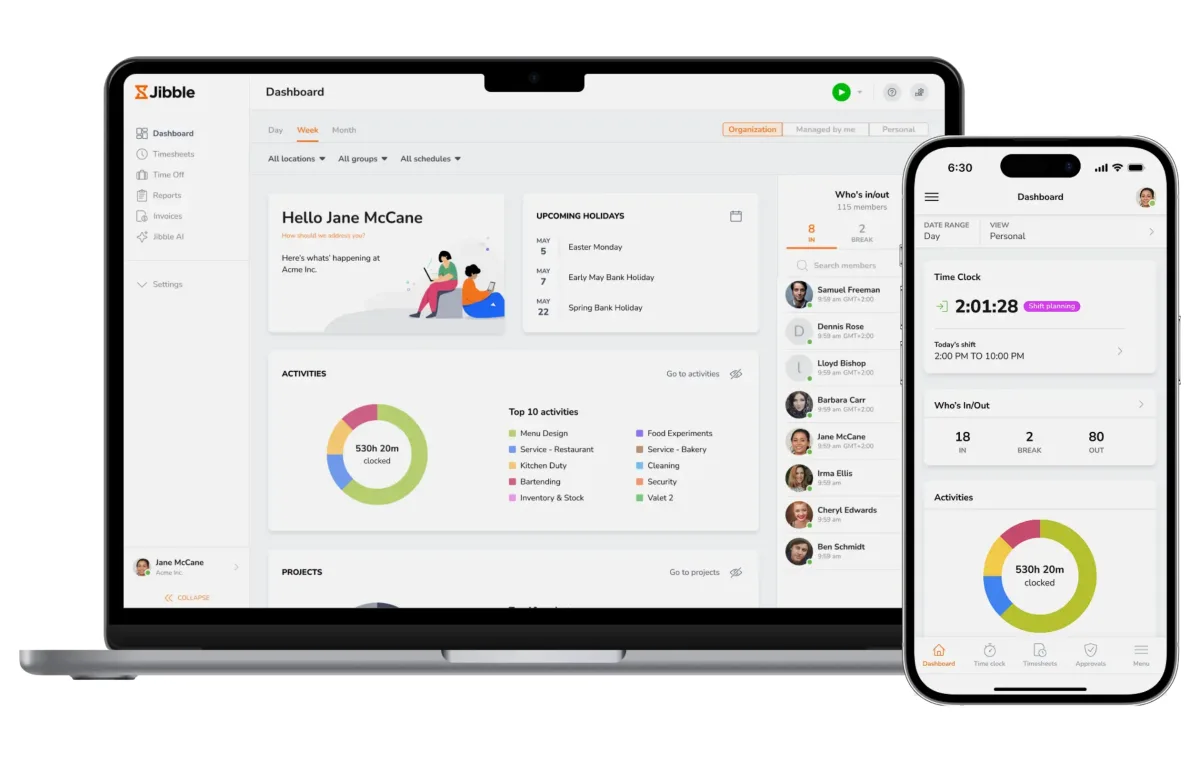
Jibble records who started work, when, from where, and how those hours reach payroll. It replaces the paper sign-in sheet and the spreadsheet. The company keeps the scope deliberately narrow and explains why in its own FAQ: it would rather do time tracking really well than several HR things adequately.
For the buying decision that means: judged as an attendance tracker, Jibble is generously equipped. If you need to invoice those hours afterwards, that takes a second tool.
The free plan is the product
Most attendance trackers charge per user, which is exactly the wrong shape for a small business — every hire raises the bill. Jibble's free tier removes that: unlimited users, forever. Its own FAQ lists what that includes — clock-in from mobile and web, basic timesheets, and integrations with Slack, Microsoft Teams and QuickBooks.
The verification features are the surprising part, because this is usually where competitors put the paywall:
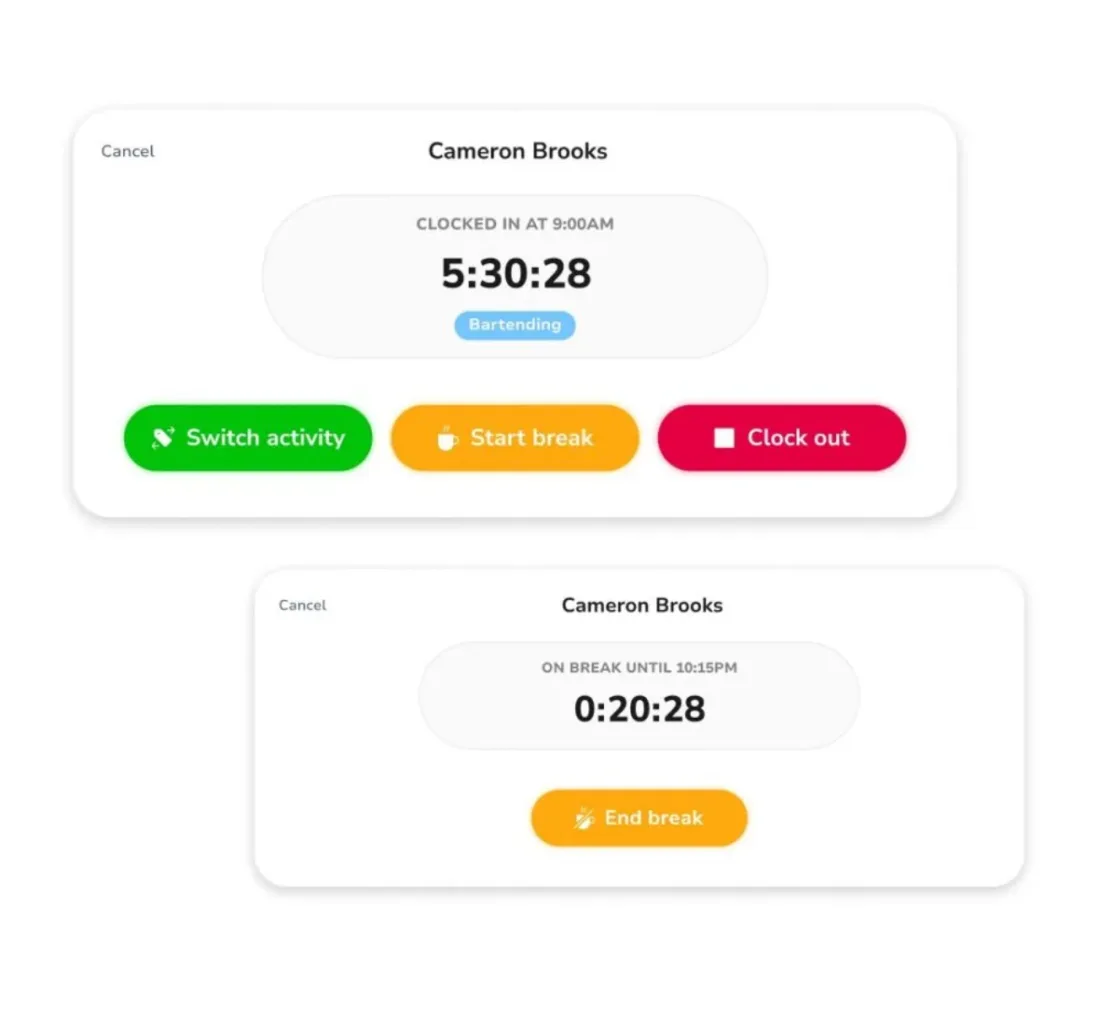
- GPS tracking — location stamped on every clock-in and clock-out
- Geofencing — clock-ins restricted to approved locations
- Selfie capture — a photo attached to each entry
- Face recognition kiosk — a shared on-site device staff clock in on, with spoofing prevention
- Offline mode — entries recorded without internet and synced later
For a business with people on sites, in vans or across shifts, that combination normally costs money. Staff can also clock in from inside Slack or Microsoft Teams, which in practice is the difference between a system people use and one they forget.
The prices you cannot see
Jibble has paid tiers. It no longer tells you what they cost.
Checked on 2 September 2026: jibble.io/pricing redirects to the homepage. So do /plans, /compare-plans and the German /de/preise. The Help Centre still links to a pricing page; that link lands on the homepage too. There is no archived 2026 snapshot of a Jibble price list either. The rates appear once you create an account.
Comparison sites do quote figures, and we deliberately do not repeat them: the two most prominent contradict each other by several dollars per user per month for the same plan. Quoting a price we cannot verify is worse than admitting we cannot. If the paid tier decides your purchase, open a free account and read the number in the app — it costs nothing and takes a few minutes.
As a judgement: for a product whose entire pitch is honest, verifiable hours, hiding the price list is an odd choice, and it is the main reason this review does not rate higher.
Where Jibble fits — and where it doesn't
- you employ people and need hours that survive a payroll audit
- staff work on site, in the field or across shifts
- you want to add people without the bill rising per head
- you are a freelancer who needs to invoice the tracked time
- you need project-level profitability rather than attendance
- deep custom reporting is a requirement — that is where users hit the ceiling
The honest split against the tool most people compare it to: Toggl Track answers "which client, which task, how much do I bill." Jibble answers "who was working, when, and where." A freelancer needs the first. An employer needs the second. A small agency with staff often ends up running both, and neither replaces the other.
Reputation, with a caveat on the numbers
Jibble advertises 4.8 out of 5 across more than 20,000 verified reviews, aggregated across review platforms and app stores. On Trustpilot specifically the figure is more modest: 4.1 from 131 reviews. Both can be true — app-store ratings skew higher and dominate a 20,000-review average — but the smaller, more scrutinised sample is the one worth reading.
What the reviews agree on: the interface is easy, the mobile app is good, and the free tier is genuinely generous for small teams. What comes up as criticism: the desktop application crashing or feeling buggy, and limits on advanced customisation and specific reporting requirements. Nothing there is disqualifying, but if your team lives in the desktop app rather than on phones, test that part first.
What we like about Jibble and what we don't
Pros
- Unlimited users on the free plan
- GPS, geofencing, selfie and face verification
- Clock-in works from Slack and Teams
- Deliberately narrow scope: time tracking only
Cons
- No public price list for paid tiers
- Tracks hours only, no invoicing
- Desktop app reliability questioned in reviews
Pricing
Free
Free
forever, unlimited users
- Unlimited users — no per-head charge
- Clock in from mobile, web, desktop, Slack and Teams
- Basic timesheets and offline mode
Paid tiers
On request
no longer published on the website
- Jibble redirects /pricing to its homepage — verified 02.09.2026
- Rates are shown inside the app after signup
- Third-party sources contradict each other; we do not quote them
Prices may change — check the official website for current plans.
Alternatives by use case
- Clockodo If project time and working time belong together
- Toggl Track If project reporting matters more than clocking in
- Papershift If shift rosters come with it
- Clockify If a free team tool with reports is the need



Frequently Asked Questions
Is Jibble really free?
Yes, for the core product. Jibble's own FAQ puts it plainly: unlimited users, clock-in from mobile and web, basic timesheets, and integrations with Slack, Microsoft Teams and QuickBooks — at no cost, forever. Unlimited users is the part that matters: almost every competitor charges per head, so a team of ten costs nothing here and £40–70 a month elsewhere.
What do the paid plans cost?
We cannot tell you, and that is the honest answer. Jibble no longer publishes a price list — as of 2 September 2026, jibble.io/pricing redirects to the homepage, as do /plans and the German /de/preise. The rates appear inside the app after you create an account. Third-party comparison sites quote figures, but they contradict each other by several dollars per user, so we do not repeat them. If the paid tier matters to your decision, create a free account and read the number there.
Jibble or Toggl Track?
Different jobs. Jibble is attendance tracking — who clocked in, from where, verified by GPS or face recognition, exported to payroll. Toggl Track is project time tracking — which client, which task, how much to bill. If you employ people and need hours for payroll, Jibble. If you are a freelancer billing by the hour, Toggl. Jibble has no invoicing at all.
Which verification features are free?
The ones competitors usually put behind a paywall: GPS stamping on every clock-in, geofencing to restrict where staff can clock in, selfie capture, and a face-recognition kiosk for a shared on-site device. Combined with offline mode — entries sync once the phone is back online — that covers site work and field teams without a subscription.
Does Jibble work for payroll?
That is what it is built for. Approved timesheets export to Xero, QuickBooks and Deel among others, and Jibble calculates regular hours, overtime, paid breaks and PTO before the data leaves — so the payroll provider receives finished figures rather than raw punches.
Verdict
Jibble does one thing and says so: it tracks attendance, exports hours to payroll, and does not pretend to be an HR suite or an invoicing tool. The free plan is the reason to look — unlimited users, plus GPS, geofencing and a face-recognition kiosk that competitors charge for. Two caveats. It will not bill anyone, so a freelancer invoicing by the hour wants Toggl Track instead. And Jibble has quietly stopped publishing prices for its paid tiers — you find them after signing up, which is a poor look for a product whose whole pitch is transparency about hours.