Miro Review: Best Online Whiteboard for Freelancers?
Tim Wittke · Updated: Aug 11, 2026
Short verdict
Ideal for
- Teams developing workshops and concepts together on one surface
- Freelancers bringing clients into the concept phase visually
- Anyone using templates for retrospectives, roadmaps and user journeys
Not ideal for
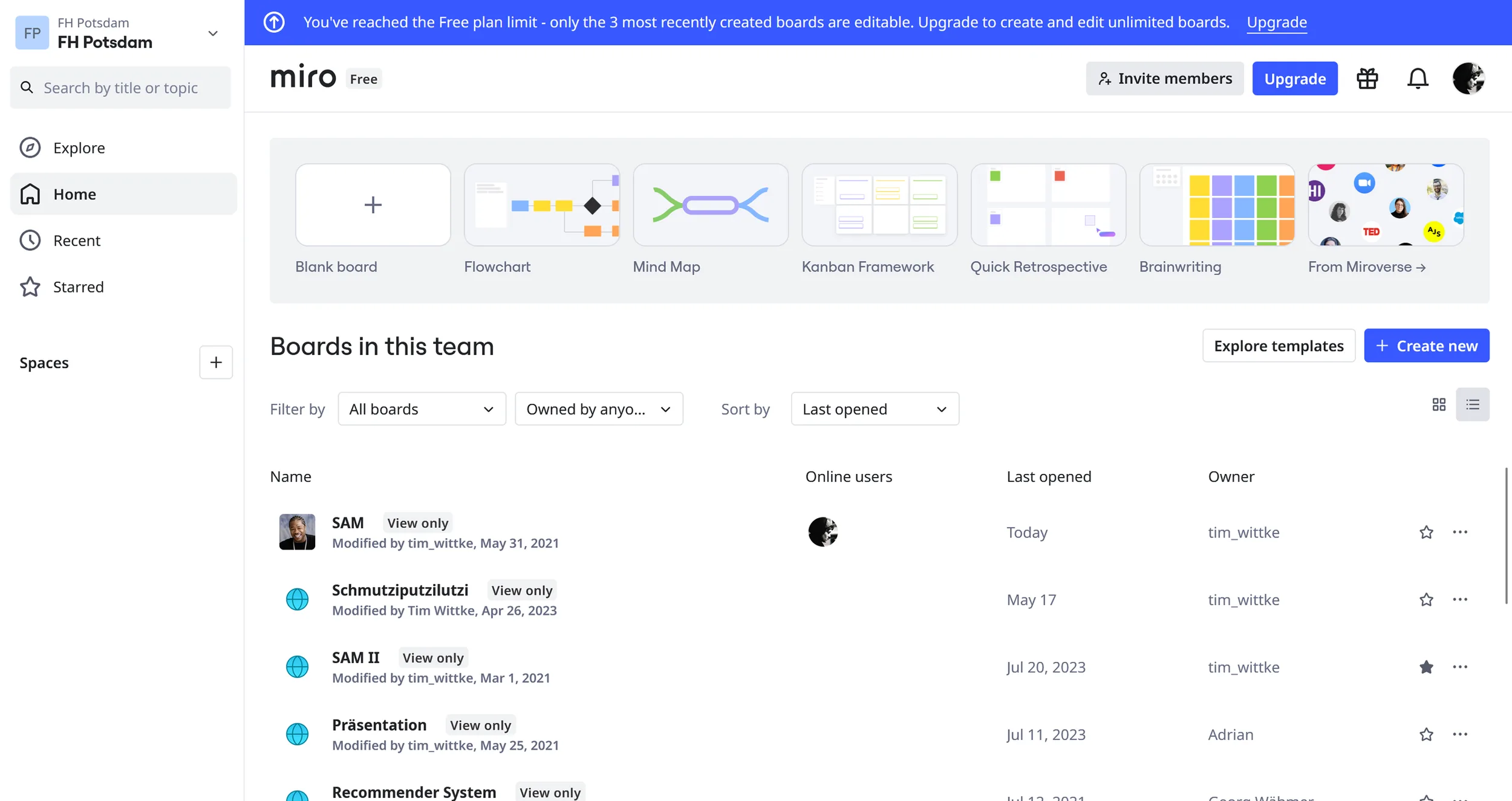
- Anyone who needs more than three boards for free
- Teams managing tasks rather than collecting ideas
- Entry price
- Free plan · paid from €8 / month
- Free to start?
- Yes — a free plan with three boards, paid tiers with a 14-day trial
- Stands out for
- The whiteboard where distributed teams actually think together
Managing multiple projects, client expectations, and creative processes simultaneously is part of life as a freelancer. Brainstorming over email is inefficient, complex project management tools overwhelm clients, and analog whiteboards can't be shared. Miro solves this with a browser-based online whiteboard featuring over 5,000 templates, real-time collaboration, and visual project planning. Free for up to 3 boards, or from $8/month for unlimited features.
What is Miro?
Miro is a workspace where teams manage projects, design products, and collaborate visually. It runs entirely in the browser with no installation required and offers infinite canvas space for brainstorming, project planning, or design workflows.
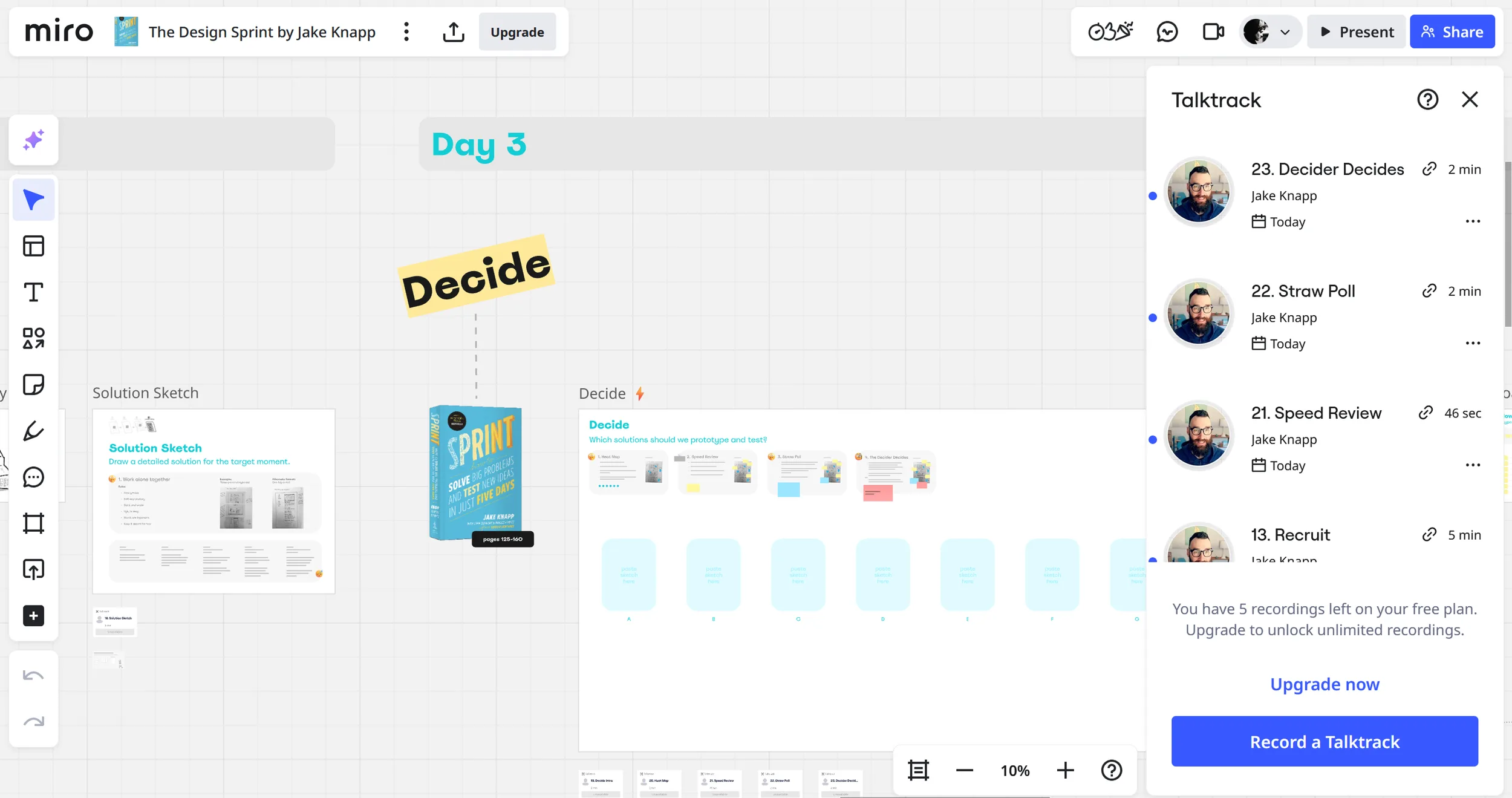
With over 5,000 pre-built templates covering mind maps to wireframes, Miro suits visual thinkers well. Real-time collaboration lets freelancers work directly with clients or teams, and integrated video chat can replace external meeting tools.

Key Features of Miro
Infinite digital whiteboards with zoom and pan functionality
5,000+ templates and customizable frames for every use case
Real-time collaboration with cursor tracking and live updates
Built-in video chat for remote meetings
Drag-and-drop for images, documents, and external content
Sticky notes, shapes, arrows, and drawing tools
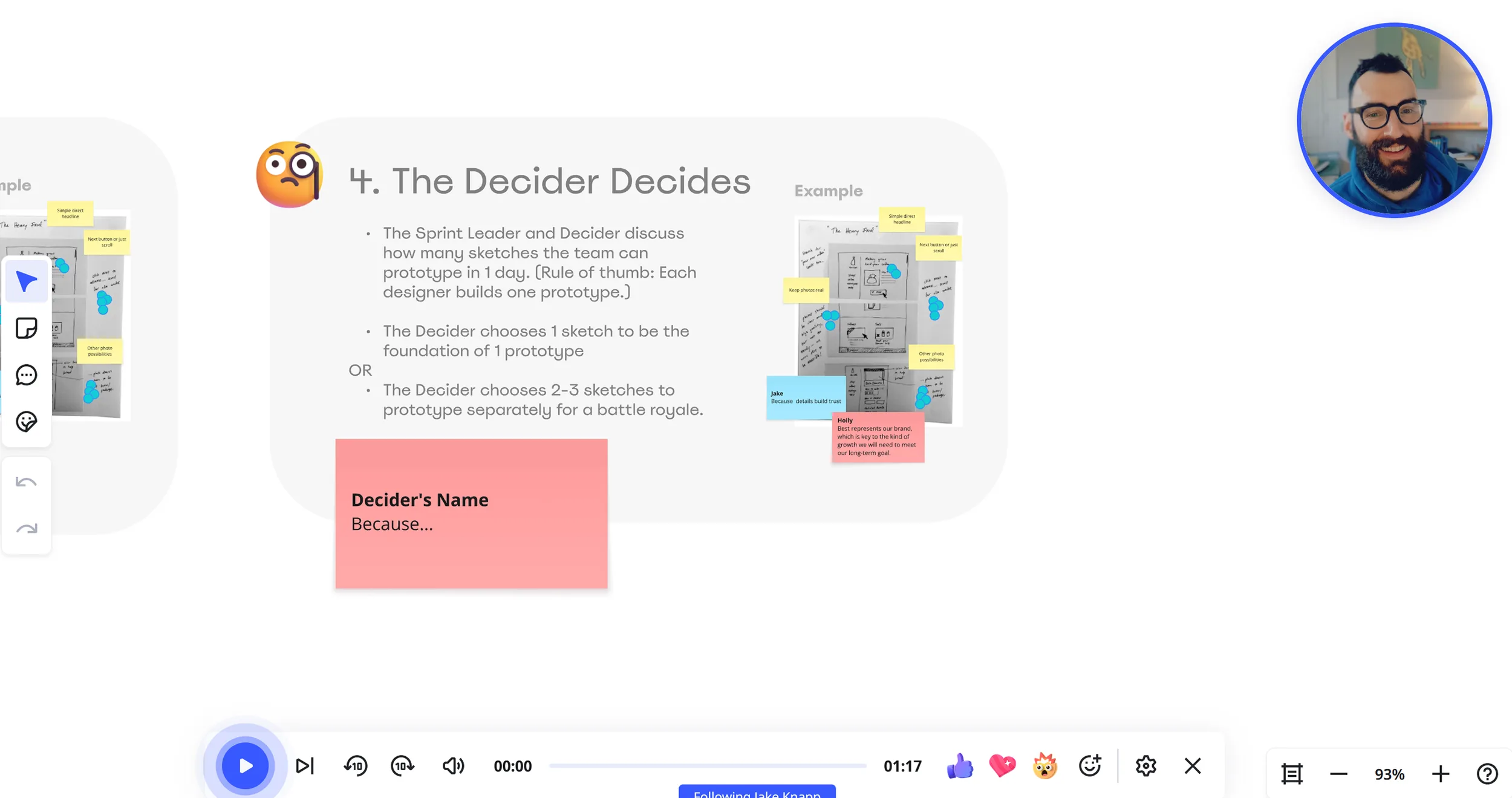
Voting and timer functions for structured workshops
Presentation mode for client demos and pitches
Comment and feedback system directly on the board
Export options as PDF, PNG, or to other tools
Mobile apps for iOS and Android with sync
Integrations with Slack, Microsoft Teams, Google Drive, and more
Templates for Agile, Design Thinking, and project management
User and access management for different stakeholders
History function for tracking changes
Why Miro Works Well for Freelancers and Side Business Owners
Freelancers regularly need to share complex ideas with clients or collaborators. Miro makes abstract concepts visually tangible and reduces misunderstandings. The browser-based approach means clients can join without installing anything — a key advantage with less technically confident clients. Templates save hours of preparation: project roadmaps, customer journey maps, wireframes — all pre-built.
Collaboration features turn one-sided presentations into interactive workshops, keeping clients engaged and reinforcing your expertise. All ideas, decisions, and feedback stay captured visually on the board. For design, marketing, or consulting freelancers, this makes complex strategies easier to communicate and keeps projects structured.
What We Like — and What We Don't
Pros
- Best whiteboard for remote team workshops
- Huge template library for brainstorming and retrospectives
- Real-time collaboration with unlimited attendees
- Deep integrations with Jira, Slack, Figma
Cons
- Free plan limited to 3 boards
- Performance can degrade on very large boards
- Overkill for simple meetings
Miro Pricing
The free plan includes 3 editable boards, often enough for solo freelancers. The Starter plan is the sweet spot for most freelancers — unlimited boards plus all key features for client projects. The Business plan adds advanced security and admin functionality for larger teams. Enterprise plans include white-label options and enhanced security; pricing on request.
Note: Prices reflect the date of publication and may have changed. Always check current pricing on the official Miro website.
Verdict: Is Miro Worth It for Freelancers?
Miro is a strong pick for freelancers who work visually and collaborate regularly with clients — turning meetings into interactive workshops and making complex projects easier to communicate. For design, marketing, consulting, and UX freelancers in particular, it has become close to essential. Its intuitive design makes even non-technical participants active contributors.
Pricing
Free
Free
free forever, 3 boards
- Unlimited members
- 2,500+ templates
- Core integrations
Starter
$8
per member/month billed annually · $9.60 monthly
- Unlimited boards
- Private boards
- Custom templates
Business
$20
per member/month billed annually · $24 monthly
- Unlimited guests
- Single sign-on
- Miro AI without limits
Enterprise
On request
from 30 members
- Advanced permissions
- Audit logs
- Named point of contact
Prices may change — check the official website for current plans.
Price history
Checked Oct 16, 2026 · 2 plans unchanged since Sep 14, 2026
Alternatives by use case



Frequently Asked Questions
What are the limits of the Miro free plan?
The free plan includes 3 editable boards — often enough for solo freelancers getting started. Even on the free plan, clients can join boards in real time directly in the browser without installing anything.
How much does Miro cost?
Miro is free for up to 3 boards. Paid plans start from $8/month: the Starter plan is the sweet spot for most freelancers with unlimited boards and all key features for client projects, the Business plan adds advanced security and admin functionality, and Enterprise pricing (with white-label options) is available on request.
What can you use a Miro whiteboard for?
Miro covers brainstorming, project roadmaps, customer journey maps, wireframes, and interactive client workshops. Over 5,000 pre-built templates, an infinite canvas, built-in video chat, voting and timer functions, and a presentation mode make it a strong fit for design, marketing, consulting, and UX freelancers.