Notion Review: Most Flexible Workspace for Freelancers?
Tim Wittke · Updated: Jul 19, 2026
Short verdict
Ideal for
- Freelancers who want notes, projects and a simple CRM in one workspace
- Anyone who wants to shape their own structure instead of a fixed tool
- Small teams sharing documents with clients
Not ideal for
- Anyone who works without structure — the flexibility turns into a trap
- Teams that need a ready-made project tool out of the box
- Entry price
- Free plan · paid from $10 / month
- Free to start?
- Yes — a permanently free plan for individuals
- Stands out for
- One workspace connecting notes, databases, wiki and projects
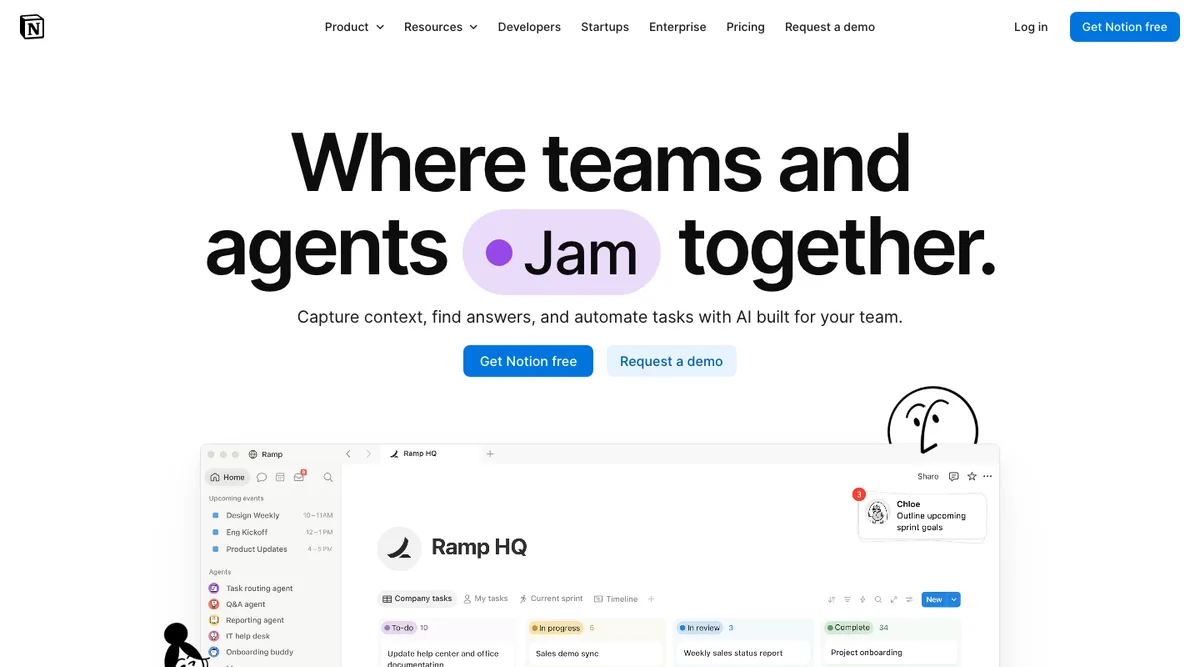
Notion is far more than a note-taking app. It's a flexible digital workspace that brings projects, tasks, databases, and notes together in one place. For freelancers, side business owners, and small teams, Notion can become the central hub for managing client work, business operations, and personal organization all at once. We took a closer look.
What stands out in daily use
Notion covers almost everything that does not have to be an accounting program: project planning, to-do lists, a simple CRM in table form, link collections, financial planning and sharing texts with clients for feedback.
The lever: The table formulas. Once you realize Notion tables work like a lightweight database — with filters, views, formulas, and relations — it changes how you structure your work. Plus the growing pile of app integrations makes the system progressively more powerful.
Where it gets annoying: Notion's specific text formatting clashes when copy-pasting to and from other text-based apps — formatting breaks, links vanish. Native offline support arrived very late, but it's solid now that it's here.
Who Notion is not for: Anyone who dumps everything into a single document without structuring it. Notion rewards organization and doesn't punish chaos — but the flexibility becomes a trap when nobody enforces a logic.
What is Notion?
Notion is an all-in-one workspace app that lets you combine text, databases, kanban boards, calendars, and much more in a single tool. The platform is fully customizable, making it suitable for individuals and teams alike. Whether you want to manage clients, plan projects, or build a digital knowledge base for your business — Notion gives you the foundation to do it.
Key Features of Notion
Customizable workspaces: Dashboards and pages can be freely designed so Notion fits your exact workflow.
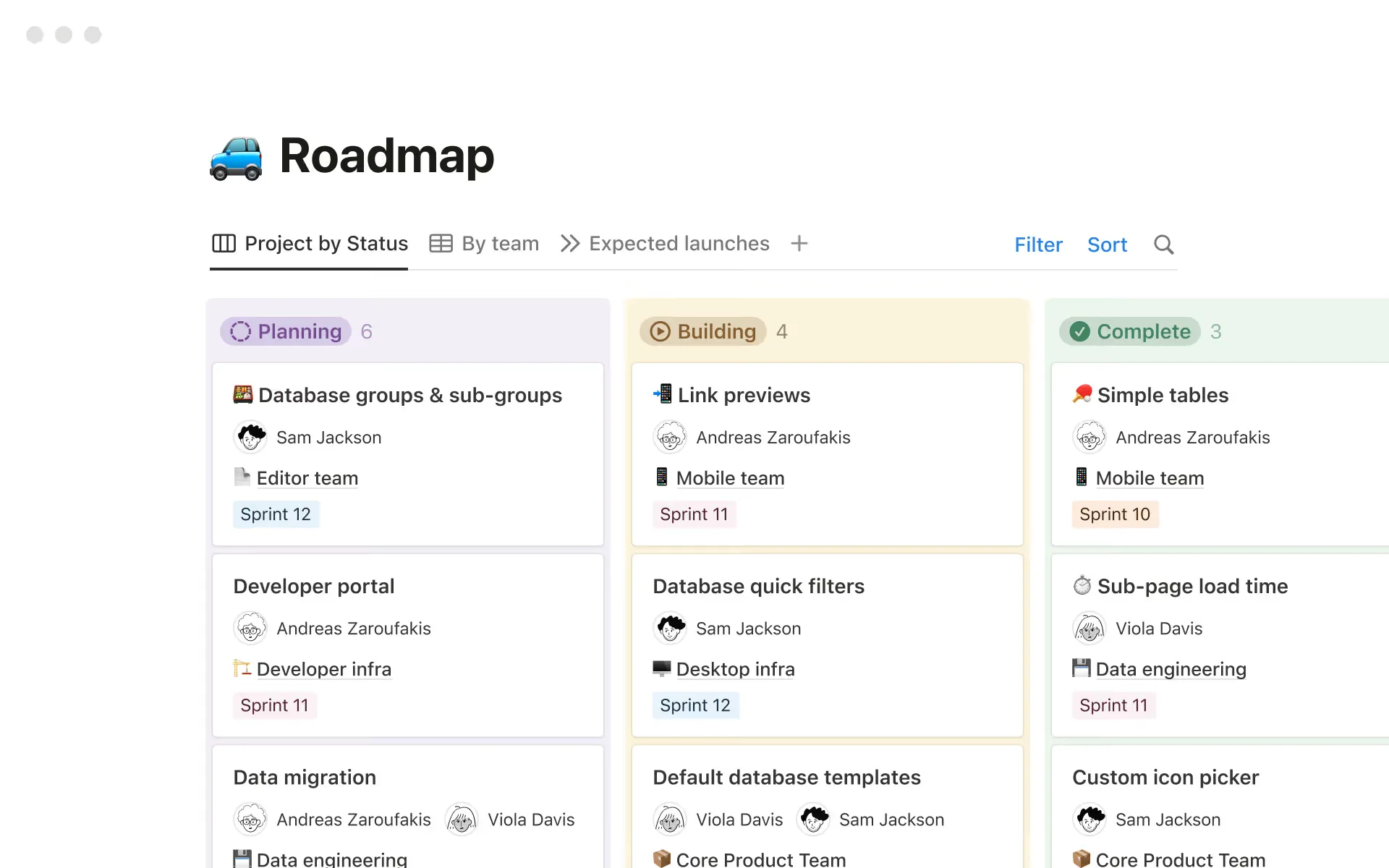
Project and task management: Create kanban boards, calendars, and to-do lists that give your projects clear structure.
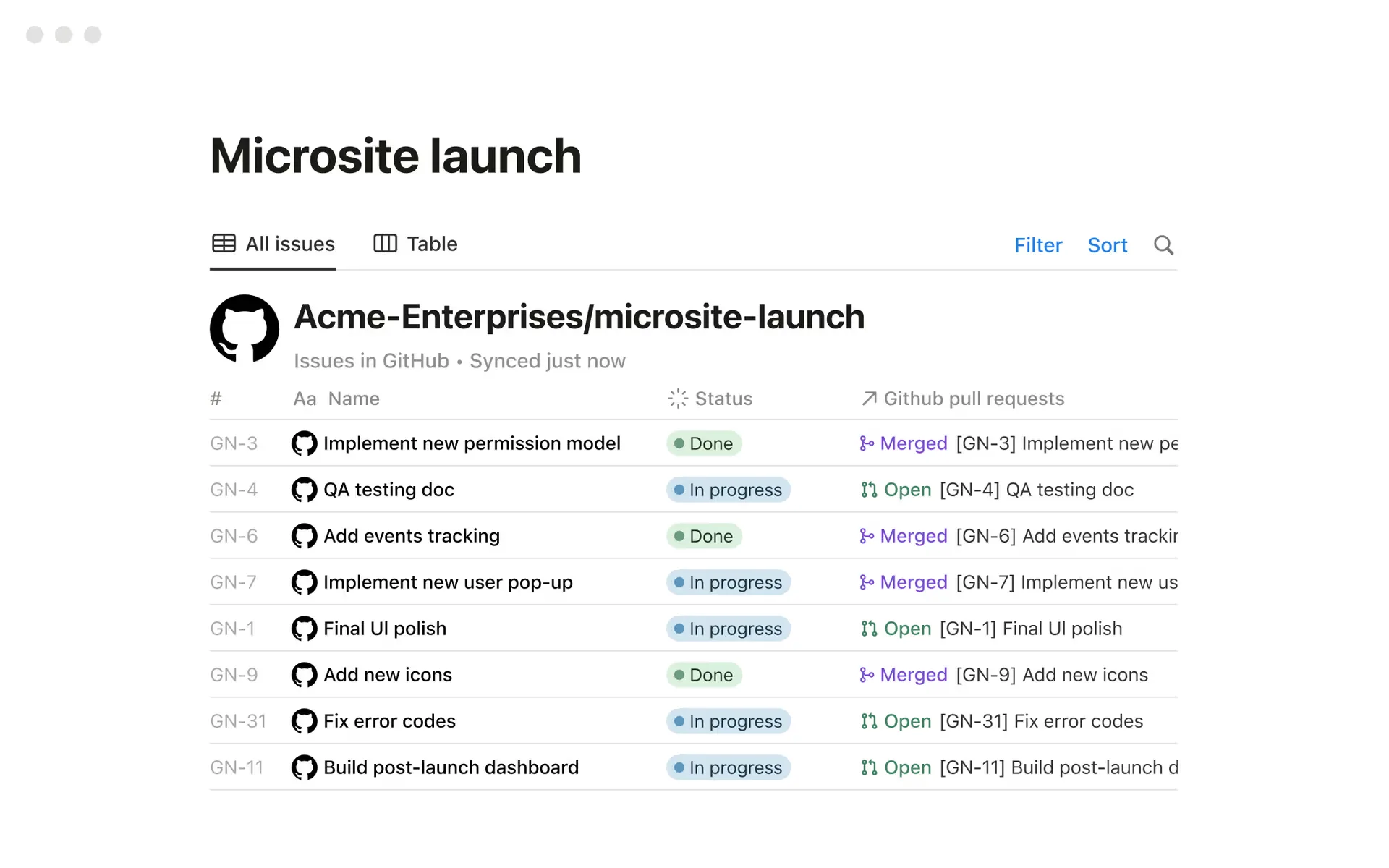
Databases and relations: Build your own CRM systems, financial overviews, or content plans using database functions and formulas.
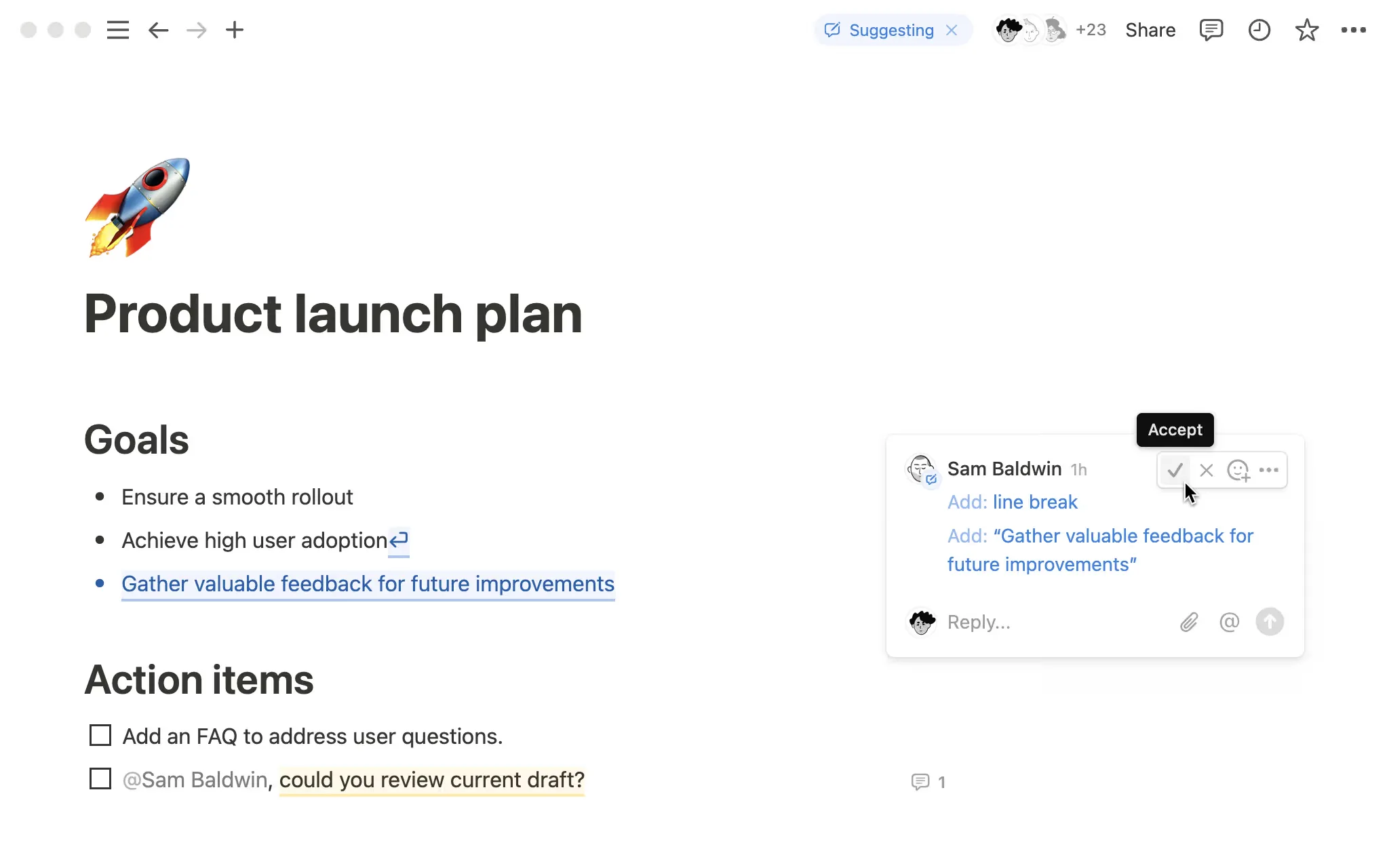
Real-time collaboration: Share pages with clients or team members and work together live.
Notion AI: The built-in AI helps with writing, sorting, and automating tasks.
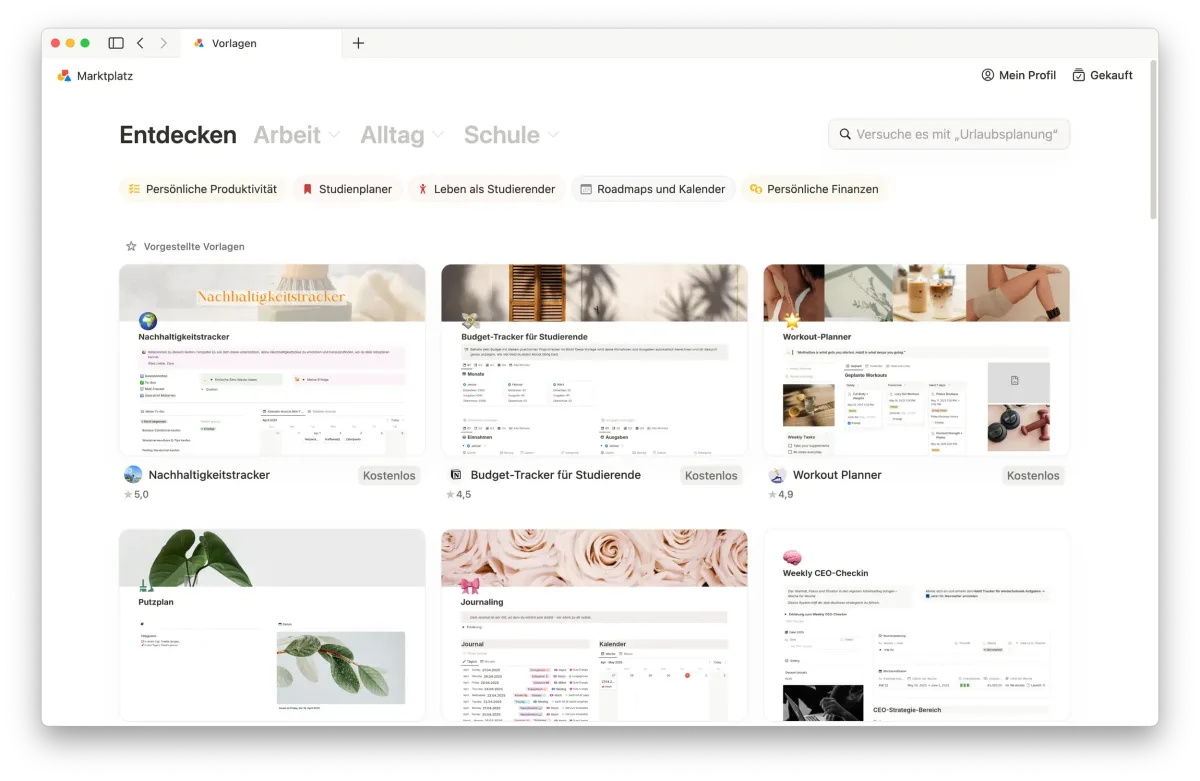
Template gallery: Use community templates or build your own to save time when starting new projects.
Why Notion Works Well for Freelancers and Side Business Owners
As a freelancer or online business owner, you're constantly juggling multiple roles: client communication, project management, invoicing — all on top of your actual work. Notion addresses exactly this and helps bring structure to the mix.
Client and project management: Build databases for clients, track deadlines, and stay on top of active work.
Finances and invoices: Use tables and formulas to manage income, expenses, and outstanding payments.
Portfolio: Turn your projects into interactive pages you can use directly as a portfolio.
Content planning: Ideal for creators and service providers planning social media posts, blog content, or campaigns.
Personal organization: To-do lists, journals, and goal trackers all fit naturally into Notion too.
Unlike traditional project management or note-taking apps, Notion combines everything in one interface. You don't need a separate kanban board, an external to-do app, or an additional wiki. For freelancers and small business owners especially, that means less tool-switching and more clarity in a single workspace. A huge range of free and affordable templates makes setting up new projects significantly faster.
What We Like — and What We Don't
Pros
- All-in-one: notes, databases, wikis, and project management
- Extremely flexible, replaces or connects everything
- Built-in AI features for writing and summarization
- Very generous free plan for individuals
Cons
- Overwhelming without a disciplined structure
- 5 MB file upload cap
- Performance can degrade on very large workspaces
Notion Pricing
Notion offers a free plan that already covers a lot for solo freelancers: calendar functionality, basic websites, forms, unlimited pages and blocks, core features, and the ability to collaborate with up to ten guests. It's one of the most generous free plans among the tools we've tested.
The Plus plan starts at around $10 per user/month (billed annually) and is suited for larger workflows with unlimited file uploads, pages, and blocks.
For bigger projects, the Business plan at $20 per user/month adds advanced admin and security features, premium integrations, and full Notion AI access — which is noticeably limited on the free tier.
Note: Prices reflect the date of publication and may have changed. Always check current pricing on the official Notion website.
Verdict: Is Notion Worth It for Freelancers and Small Business Owners?
Notion is one of the most flexible platforms available for freelancers, self-employed professionals, and small online businesses. It replaces several tools at once, adapts to any working style, and scales with your business. Real-time collaboration with colleagues and clients is one of its strongest features. If you're looking for a central solution to organize projects, finances, clients, and personal goals, Notion is a genuinely powerful everyday tool.
Pricing
Free
Free
free forever for individuals
- Unlimited pages & blocks (single user)
- Up to 10 guests
- 5 MB max file upload
Plus
$10
per seat/month (billed annually; $12 monthly)
- Unlimited file uploads
- Unlimited guests & team blocks
- Custom forms & sites with analytics
Business
$20
per seat/month (billed annually; $24 monthly)
- Full Notion AI (Agent, meeting notes)
- SAML SSO & granular permissions
- Enterprise search across connected tools
Enterprise
Variable
custom pricing
- All Business features
- Zero data retention with LLM providers
- Advanced admin & audit controls
Prices may change — check the official website for current plans.
Price history
Checked Sep 20, 2026 · 2 plans unchanged since Sep 20, 2026
Alternatives by use case




Frequently Asked Questions
Is Notion free?
Yes — Notion has a free plan for individuals with unlimited pages and blocks, enough for most solo use cases. Team workspaces (2+ members) hit a block limit on new content in the free plan. Advanced permissions, unlimited file uploads and team features are unlocked from the Plus plan (€9.50 / ~$10 per user/month, billed annually).
Notion vs. ClickUp — which is better for freelancers?
It depends on your workflow: Notion is more flexible for documentation, wikis, and structured knowledge storage. ClickUp is stronger for task and project management with features like Gantt charts and built-in time tracking. Many freelancers use both — Notion as their „brain” and ClickUp for daily task flow.
Can you use Notion offline?
Yes — Notion has had native offline functionality in its desktop and mobile apps since 2024. Pages can be opened offline, edited, and new pages created; changes sync automatically when you reconnect. For classic offline-first workflows (multi-day trips without internet) it works, but it doesn't quite match dedicated offline-first apps like Bear or Obsidian on very large workspaces.
What do freelancers use Notion for most?
The most common use cases: organising client projects and storing briefs, building a CRM-like client database, planning content calendars, maintaining a personal wiki with processes and templates, and tracking proposals and invoices.
Does Notion have AI features?
Yes — Notion AI is deeply integrated and can write, summarise, translate, and populate databases. Notion AI is now included in all plans (Free and Plus with a trial allowance; Business with full access). The previous standalone AI add-on (~$8/user/month) has been retired. Custom Agents, which run autonomous workflows in Notion, are billed separately via credits ($10 per 1,000 monthly Notion credits after a trial period).