Papershift Review 2026: Shift Planning and Time Tracking, Tested
Tim Wittke · Updated: Sep 5, 2026
Short verdict
Ideal for
- Small businesses running shifts: hospitality, retail, clinics, production
- Teams from roughly 5–10 employees combining time tracking and rosters
- Companies tracking hours via app, browser or an on-site terminal punch clock
- Businesses whose payroll expects DATEV or LODAS exports
Not ideal for
- Solo freelancers — there is no single-user plan
- Anyone who wants to stay on a monthly contract
- Businesses without shift work
- Entry price
- Free plan · paid from €64 / month
- Free to start?
- Yes — 14 days free, no payment details
- Stands out for
- Time tracking, shift planning and leave management in one German platform — with a punch-clock terminal, DATEV/LODAS payroll exports and an app for every team member
What is Papershift?
Papershift is a workforce management platform from Karlsruhe, Germany: track working hours, build rosters, manage absences and prepare payroll — all in one system that employees operate via app. The target group is businesses with shift and attendance logic: hospitality, retail, healthcare, production.
Important framing for this site: Papershift is team software. There is no solo plan — if you're an individual freelancer tracking project hours, this isn't your tool; check our time tracking overview instead.
Time tracking: app, browser or punch clock
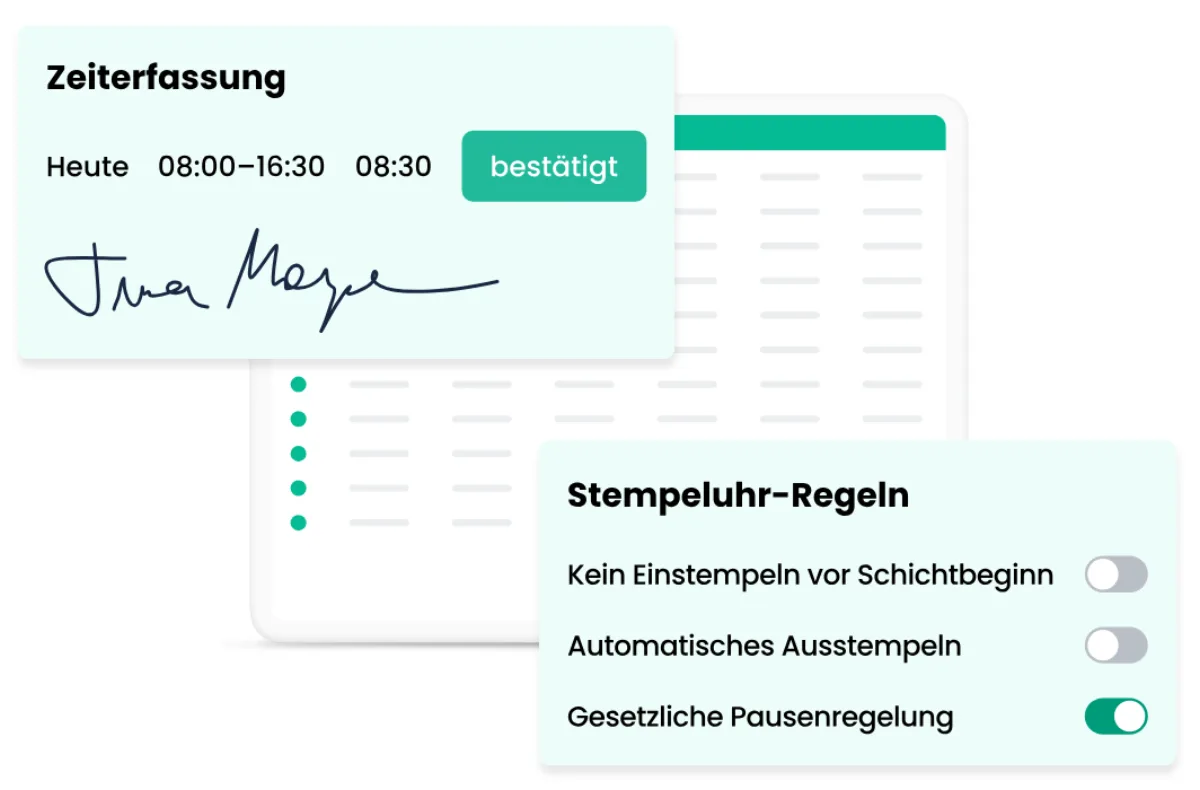
Hours are tracked three ways — smartphone app, browser, or a self-configured on-site terminal (a tablet as punch clock). That covers every working reality from field staff to the shop counter, which matters legally in the EU since the ECJ time-tracking ruling. Break rules and overtime are calculated automatically, and the data flows into reports and payroll prep without media breaks.
Shift planning and leave management
The roster is the heart of the product from the Premium plan: create shifts, assign them automatically by availability and qualification, across multiple locations. Employees see their shifts in the app, swap them with approval workflows and request leave digitally — absence management is already in Core. The 2025 pricing change drew its line exactly here though: Core is time tracking only; rosters cost Premium — a point existing customers flag critically in reviews.
Payroll export: the bridge to accounting
The Professional plan prepares payroll and exports to DATEV, LODAS, SBS Lohn plus and more — plus a data export for everything else. For businesses whose accountant expects DATEV, this is where the software pays for itself against point solutions. An API and integrations (including sevdesk and Personio) round it off.
Who is Papershift worth it for?
Papershift pays off for small and mid-sized businesses from roughly 5–10 employees where shifts are planned, punched and paid. User reviews (OMR 4.3/5, Capterra 92% recommendation rate) praise usability and fast setup; the main criticism is total cost — charged per employee, with an annual contract. Micro businesses up to 15 people can start with Papershift Light (from €40/month flat, 24-month term); solo freelancers should pick Toggl Track or Clockify.
What we like about Papershift and what we don't
Pros
- Flexible time tracking: app, browser, terminal
- Shift planning with automatic multi-location assignment
- Payroll exports for DATEV, LODAS, SBS
- German company (Karlsruhe), GDPR-compliant data processing
- Good user ratings for usability and setup
Cons
- No solo plan, unsuitable for freelancers
- Annual contract minimum, Light runs 24 months
- Per-employee costs plus mandatory €39/month support fee
Pricing
Core
64 €
per month on the annual contract (57.60 € billed yearly), plus €39 base fee/month, excl. VAT
- Digital time tracking (app, browser, terminal)
- Absence and leave management
- Employee profiles and documents
Premium
96 €
per month on the annual contract (86.40 € billed yearly), plus €39 base fee/month, excl. VAT
- Digital shift planning
- Automatic shift assignment
- Multi-location scheduling
Professional
144 €
per month on the annual contract (129.60 € billed yearly), plus €39 base fee/month, excl. VAT
- Payroll prep with DATEV/LODAS export
- Full automation
- Audit history
Prices may change — check the official website for current plans.
Price history
Checked Oct 20, 2026 · 3 changes since Sep 14, 2026
- Oct 20, 2026Professional discontinued
- Sep 20, 2026Core from €4 to €64 (+1500%)
- Sep 20, 2026Premium from €6 to €96 (+1500%)
Alternatives by use case
- absence.io If leave management matters more than the roster
- Jibble If clocking in is all that is needed, and free
- Clockodo If billable project hours are the actual need

Frequently Asked Questions
How much does Papershift cost?
Three tiers, each per employee per month excluding VAT on an annual contract — plus a mandatory monthly support fee on top, which for a small team roughly doubles the effective price. There is no solo plan, and the minimum term is a year.
Is there a free Papershift plan?
No — there is no free tier, but a 14-day free trial without payment details. After that, the main product runs as an annual contract with monthly or yearly billing.
Is Papershift suitable for solo freelancers?
Honest answer: no. Papershift is workforce software for teams — shift planning by definition needs multiple employees, and there is no single-seat plan. Solo freelancers are far better served by Toggl Track or Clockify. Papershift becomes interesting from roughly 5–10 employees with shifts or attendance tracking.
How do employees track time in Papershift?
Three ways: via smartphone app (iOS/Android), in the browser, or at a self-configured on-site terminal — typically a tablet acting as a punch clock. Break and overtime rules are applied automatically, and tracked hours flow straight into reports and payroll preparation.
Papershift or Clockodo — which fits better?
Clockodo is project-based time tracking for freelancers and service businesses — billing by client and project. Papershift is staff software: plan shifts, punch attendance, manage leave, prep payroll. Rule of thumb: billable project hours = Clockodo; rosters and a punch clock for a team = Papershift.
Verdict
Papershift is a solid German workforce package for businesses that run on shifts and attendance: time tracking, rosters and leave interlock cleanly, and the payroll exports save real work. For solo freelancers it's the wrong tool — no single-seat plan, annual lock-in, team DNA. Small businesses from a handful of employees should calculate the true per-head cost (the 2025 pricing change moved shift planning into Premium), but get one of the most established solutions in the DACH market in return.