Brevo Review 2026: The Best Free Email Marketing Tool for Freelancers?
Tim Wittke · Updated: Sep 4, 2026
Short verdict
Ideal for
- Freelancers and solo business owners building their own newsletter
- Solopreneurs with a large contact list who email infrequently
- Coaches and consultants who want email marketing combined with CRM
Not ideal for
- Anyone who does not want another brand under their emails
- Lists above 2,000 contacts that need automation on the free plan
- Entry price
- Free plan · paid from $9 / month
- Free to start?
- Yes — permanently free plan (≈9,000 emails/month)
- Stands out for
- Pricing driven by email volume — often cheaper than Mailchimp or ActiveCampaign for large lists (since 2026 with per-tier contact caps)
For freelancers, coaches and consultants, email is one of the most direct channels to your audience — no algorithms, no reach restrictions. Brevo (formerly Sendinblue) offers a genuinely free entry point as a GDPR-compliant European company.
What is Brevo?
Brevo is a French marketing platform, founded in 2012 as Sendinblue and rebranded in 2023. The core product is email marketing, but the platform also covers SMS marketing, transactional emails, an integrated CRM, forms, live chat and landing pages.
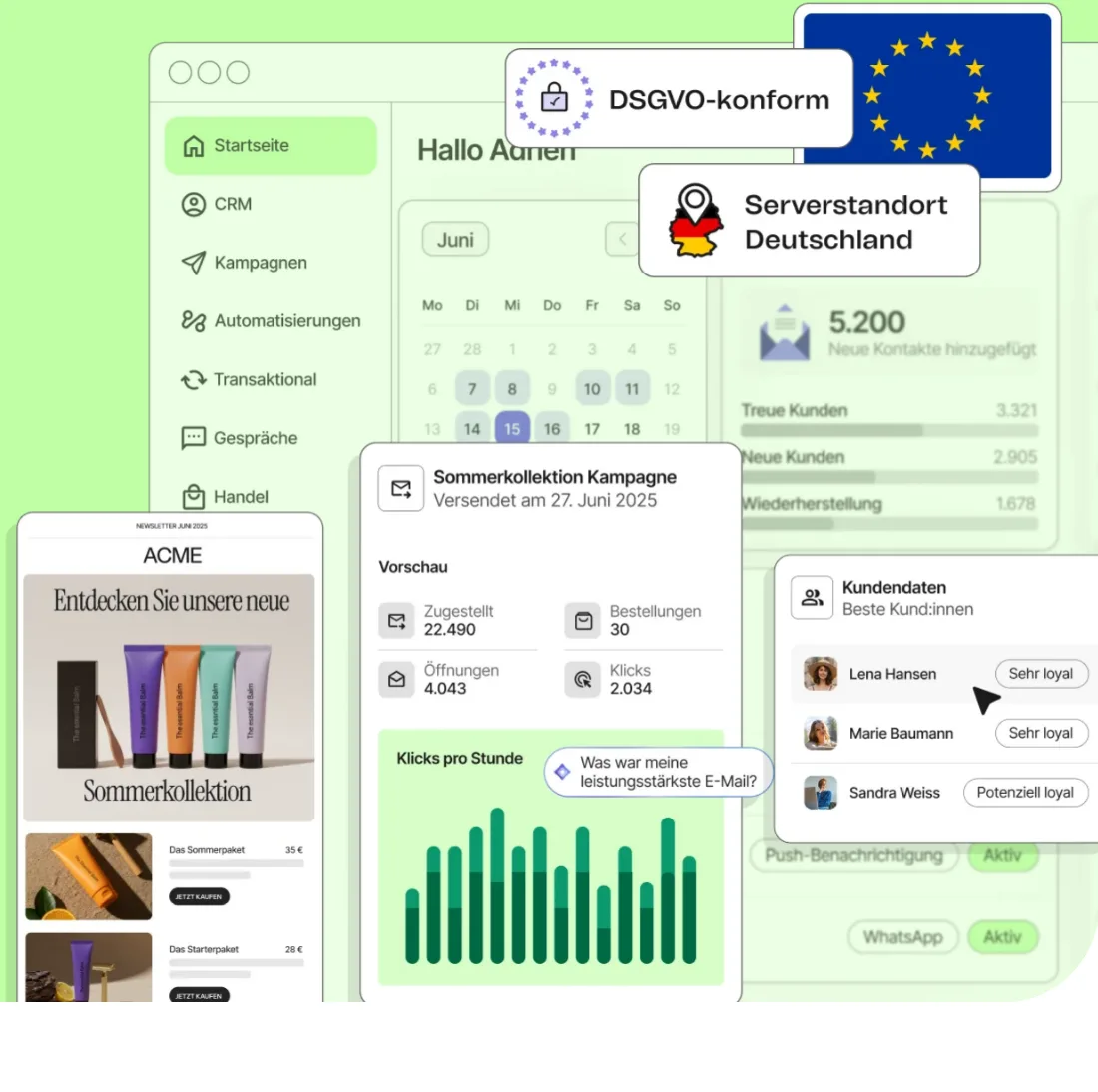
The key difference from competitors: Brevo charges by emails sent, not contact count. You can store a large contact list and only pay more when you actually email them — a real cost advantage over Mailchimp or ActiveCampaign for freelancers with growing lists and infrequent sending patterns.
Pros & Cons
Pros
- Free plan stores up to 100,000 contacts
- Volume-based pricing, cheaper for large lists
- CRM, forms and live chat included
- Transactional emails in same tool
- European company, GDPR-compliant by default
Cons
- Brevo logo in all free-plan emails
- Automation capped at 2,000 contacts
- A/B testing only on Standard plan
Key Features
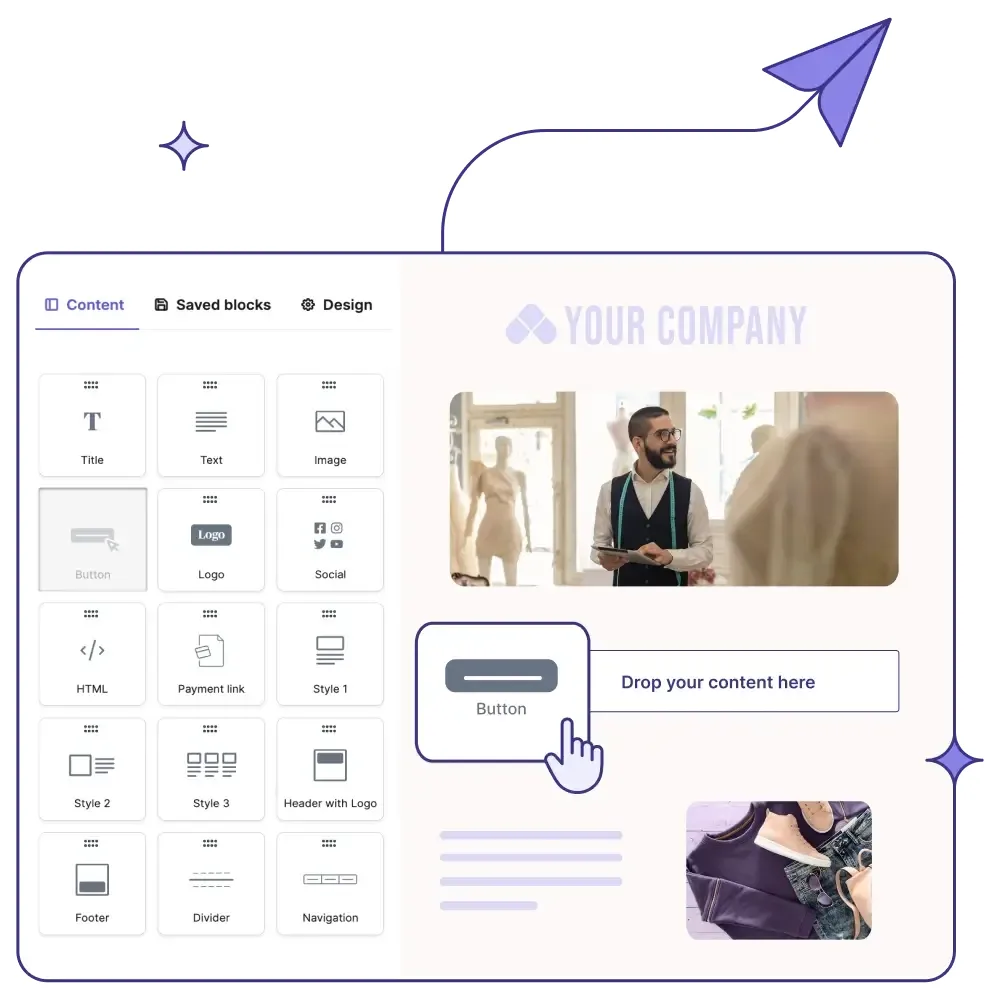
- Email campaigns: Drag-and-drop editor with responsive templates, segmentation by tags and attributes, send-time optimization (from the Standard plan).
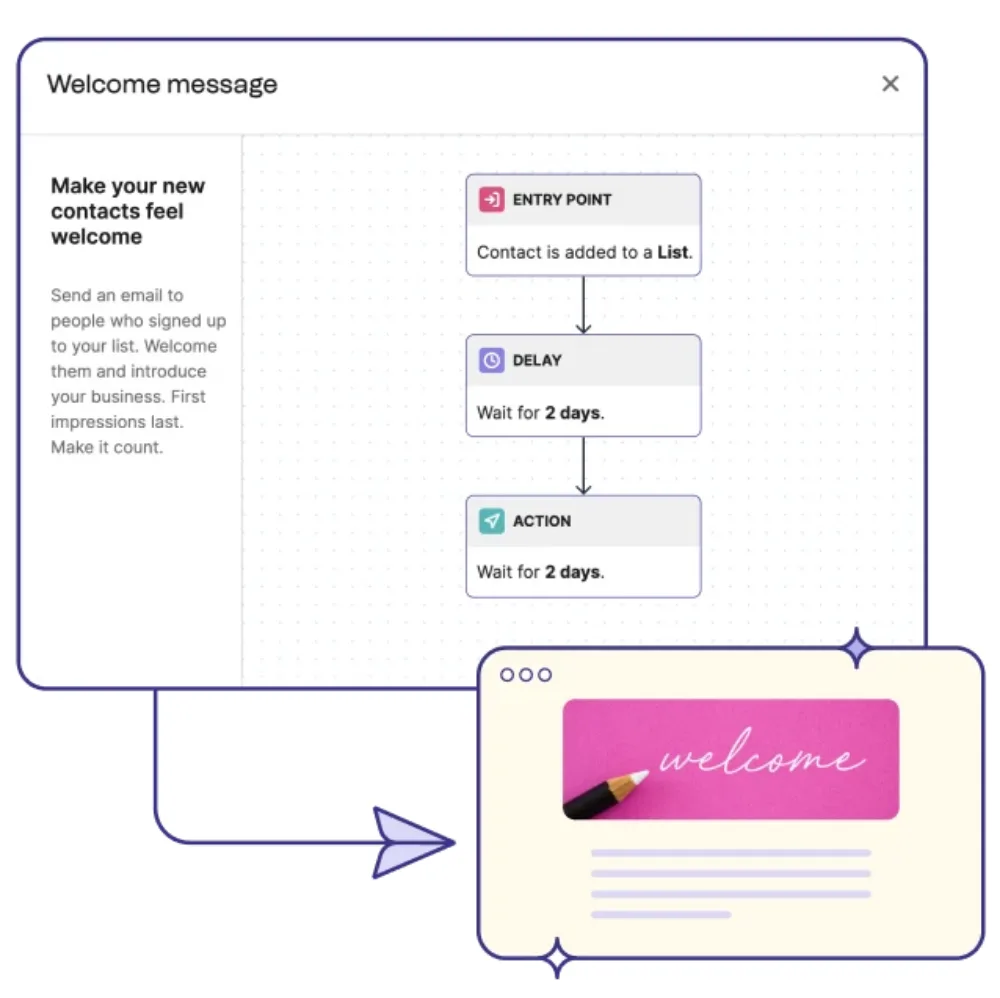
- Marketing automation: Automatic email sequences triggered by signup, click or date — free plan up to 2,000 contacts (unlimited from the Standard plan onwards).
- Transactional emails: Welcome emails, order confirmations, password resets via SMTP or API — ideal for selling courses or digital products.
- CRM: Contact management, deal pipeline and notes directly in Brevo — no extra tool needed for basic client management.
- Forms & landing pages: Embeddable signup forms; landing pages from the Standard plan.
- SMS & WhatsApp: Direct messages on the same platform for campaigns or transactional messages.
Why Brevo Makes Sense for Freelancers
The free plan is genuinely generous: up to 100,000 stored contacts, CRM and basic automation at no cost. Mailchimp's free plan caps at 250 contacts — a meaningful gap for a freelancer building a newsletter. You can see how Brevo compares with other free plans in our guide to free Mailchimp alternatives.
For European freelancers, Brevo's EU servers and ownership remove the data-transfer documentation burden that US services like Mailchimp require under GDPR.
Freelancers emailing infrequently can stay on the free plan for a long time and move to paid only when volume justifies it.
Your next step
- Compare all email marketing tools — our email marketing overview covers free tiers, automation depth and pricing side-by-side.
- Need funnels and webinars too? GetResponse bundles email, landing pages and webinars — our link includes 10 % off.
- Still comparing? The best email marketing tools for freelancers guide ranks them all.
Brevo free plan limits: what 300 emails a day actually means
Brevo's free plan gives you 300 emails per day and room for 100,000 contacts, permanently, with no credit card. The daily cap is the number people search for — but the contact allowance is what decides whether Brevo is right for you, because the cheapest paid tiers hold far fewer.
| Free plan limit | The number | What it means day to day |
|---|---|---|
| Contacts stored | 100,000 | Brevo charges for emails sent, not contacts held — a 5,000-name list costs nothing until you mail it, and the free plan holds more contacts than the cheapest paid tiers |
| Emails per day | 300 | Roughly 9,000 a month — but it is a daily cap, so one 400-person send breaks it even though the monthly total is fine |
 Brevo logo Brevo logo | in every email | The most visible limit. Removing it is a paid add-on on Starter, included from Standard |
| Automation | up to 2,000 contacts | Basic workflows work; beyond 2,000 contacts across your active automations you need Standard — Starter has the same cap |
The daily cap catches people out more than the volume does. 300 a day sounds generous, and 9,000 a month genuinely is for most freelancers — but the limit does not pool. If your list is 500 people and you send one newsletter, you are over the cap on that day regardless of how quiet the rest of the month was. The remaining recipients are not queued automatically: you resend the campaign by hand the next day, and you cannot schedule it in advance while the quota is used up. If that sending pattern doesn't match yours, our roundup of Brevo alternatives covers tools with different limits.
Brevo pricing 2026: when the free plan stops being enough
There are two distinct reasons to leave the free plan, and they cost different amounts.
The trap is Starter. Most people upgrade to remove the Brevo logo — and on Starter that is still a separate add-on of $12/month ($10.80 billed yearly), which takes the real cost past Standard's $18 while giving you less. If branding is your reason for upgrading, go to Standard directly. Starter only makes sense if your reason is volume and you genuinely do not mind the logo.
The second trap is the contact cap. Since Brevo's pricing change in October 2025 the email volume you buy also sets how many contacts you may store: the three cheapest tiers of Starter and Standard hold 500, 1,500 and 2,500 contacts, and only from the 20,000-emails tier does the ceiling jump to 500,000. Brevo warns you at 85 % and moves you to the next tier automatically once you cross the line — so a 4,000-name list that lived happily on the free plan can force a bigger paid tier than the sending volume alone would.
Pricing
Free
Free
free forever
- ≈9,000 emails/month (300/day)
- Up to 100,000 contacts stored
- CRM, forms & live chat
Starter
$9
per month · $8/month billed annually
- From 5,000 emails/month
- Drag-and-drop editor & templates
- AI content generator
Standard
$18
per month · $16/month billed annually
- Everything in Starter
- Marketing automation (unlimited)
- A/B testing
Professional
$499
new since Sep 18, 2026
Prices may change — check the official website for current plans.
Price history
Checked Oct 16, 2026 · 1 change since Sep 17, 2026
- Sep 18, 2026Professional added ($499)
Alternatives by use case
- Kit If creator workflows and digital product sales matter
- ActiveCampaign If automation needs to go deeper
- Klaviyo If an online store sits behind the list
- Mailchimp If templates and familiarity decide it


Frequently Asked Questions
What are the Brevo free plan limits?
300 emails per day and up to 100,000 stored contacts, permanently, with no credit card. The contact allowance is the part that matters most: Brevo charges for emails sent, not contacts stored, so a 5,000-name list costs nothing until you mail it — the opposite of Mailchimp's model. The catch is that 300 is a daily cap, not a monthly pool. It works out to roughly 9,000 a month, but one send to a 500-person list breaks it on that day no matter how quiet the rest of the month was (the remaining recipients are not queued — you resend the campaign by hand the next day). Two further limits: the Brevo logo appears in every email, and automation is capped at 2,000 contacts across all active automations.
Is there a Brevo coupon code or discount?
There is no public Brevo coupon code, and any site offering one is almost certainly recycling an expired promotion. The discount that actually exists is built into the pricing page: paying yearly instead of monthly takes up to 40 % off, applied automatically at checkout rather than through a code. Brevo labels it as a coupon in its own interface, which is where the search term comes from. If you are not ready to commit to a year, the free plan — 300 emails a day, no time limit — is the real way to pay nothing. Checked September 2026.
Was Brevo called Sendinblue?
Yes — Sendinblue rebranded to Brevo in 2023. Same company, same product, same account; only the name and domain changed. Old Sendinblue tutorials and integration guides still apply, and existing customers kept their logins and data. The rename reflected the product growing past email marketing into CRM, transactional email, SMS and live chat. You will still see the old name in third-party integration directories, which lag behind rebrands.
Is Brevo really permanently free?
Yes — the free plan runs without a time limit and without a credit card. You can store up to 100,000 contacts and send 300 emails per day. Limits: Brevo logo in all emails, automation capped at 2,000 contacts, and a campaign to more than 300 people has to be resent by hand the next day.
What's the difference between Brevo and Mailchimp?
The pricing model: Mailchimp charges by contact count — beyond 250 contacts you pay, and it gets expensive fast. Brevo charges by emails sent. Anyone with a large list who emails infrequently pays significantly less with Brevo — as long as the list fits the tier: the three cheapest Starter and Standard tiers hold only 500, 1,500 and 2,500 contacts, while the free plan holds 100,000. Mailchimp has a more intuitive interface; Brevo offers more in the free plan (storage for up to 100,000 contacts). Full head-to-head: our Brevo vs Mailchimp comparison.
What are the best free alternatives to Brevo?
If the 300-emails-per-day cap doesn't fit your sending pattern: MailerLite gives you 250 subscribers and 2,500 emails per month free since its July 2026 plan change, and Kit is free for up to 10,000 subscribers with a creator focus. Mailchimp's free plan was cut to 250 contacts in 2026 and is rarely the better pick. All options are compared in our email marketing tools guide.
Is Brevo GDPR-compliant?
Yes — Brevo is a European company headquartered in Paris that stores data on EU servers. This simplifies GDPR compliance compared to US providers like Mailchimp, where you document the transfer basis (Data Privacy Framework or standard contractual clauses) yourself.
When does upgrading from Free to Starter make sense?
Once you send more than 300 emails per day or want to remove the Brevo logo. Starter costs $9/month ($8.08 annual) for 5,000+ emails. Removing the Brevo logo in Starter is an add-on ($12/month, $10.80 billed yearly), and Starter's cheapest tier holds only 500 contacts. In Standard ($18/month) the logo is gone without an add-on, along with full automation and A/B testing — though its entry tier holds the same 500 contacts.
Brevo Free plan: how many emails per day in 2026?
Brevo's Free plan allows 300 emails per day — that's roughly 9,000 emails per month if you send daily. Other free-plan limits in 2026: up to 100,000 stored contacts (against Mailchimp's 250-contact free cap), marketing automation up to 2,000 contacts, transactional emails included, drag-and-drop builder, SMS marketing (pay-per-send), CRM with up to 100,000 contacts, sales pipeline. Brevo logo appears on all sent emails until you upgrade to Starter+ with the logo-removal add-on, or to the Standard plan and above where it's included.
Brevo vs Mailchimp vs Kit (ConvertKit) — which is best for freelancers?
Brevo is best when your contact list is large but you send infrequently — the email-volume pricing model is dramatically cheaper than Mailchimp's contact-count model at scale. Mailchimp wins on UX polish, template variety and integration ecosystem, but pricing scales aggressively past 250 contacts. Kit (formerly ConvertKit) is the strongest for creators and content-based freelancers — clean tag-based subscriber management, strong automation for digital products. For freelancers with newsletters and growing lists: Kit. For client work + transactional: Brevo. For e-commerce + visual heavy: Mailchimp.
Verdict
Brevo is especially attractive for freelancers with a growing contact list who do not email frequently. The free plan is fully sufficient for getting started and small newsletters. Anyone who keeps hitting the daily cap moves up — and should check the detour through the cheapest paid tier first: removing the logo costs extra there, which makes the next tier up barely more expensive for noticeably more. For unlimited automation and A/B testing there is no way around it anyway.