Mailchimp Review: Best Email Marketing for Freelancers?
Tim Wittke · Published: Apr 20, 2026
Short verdict
Ideal for
- Beginners who want a large template library and familiar handling
- Freelancers with a small list who send occasionally
- Anyone who needs many ready-made integrations
Not ideal for
- Anyone who needs predictable cost as the list grows
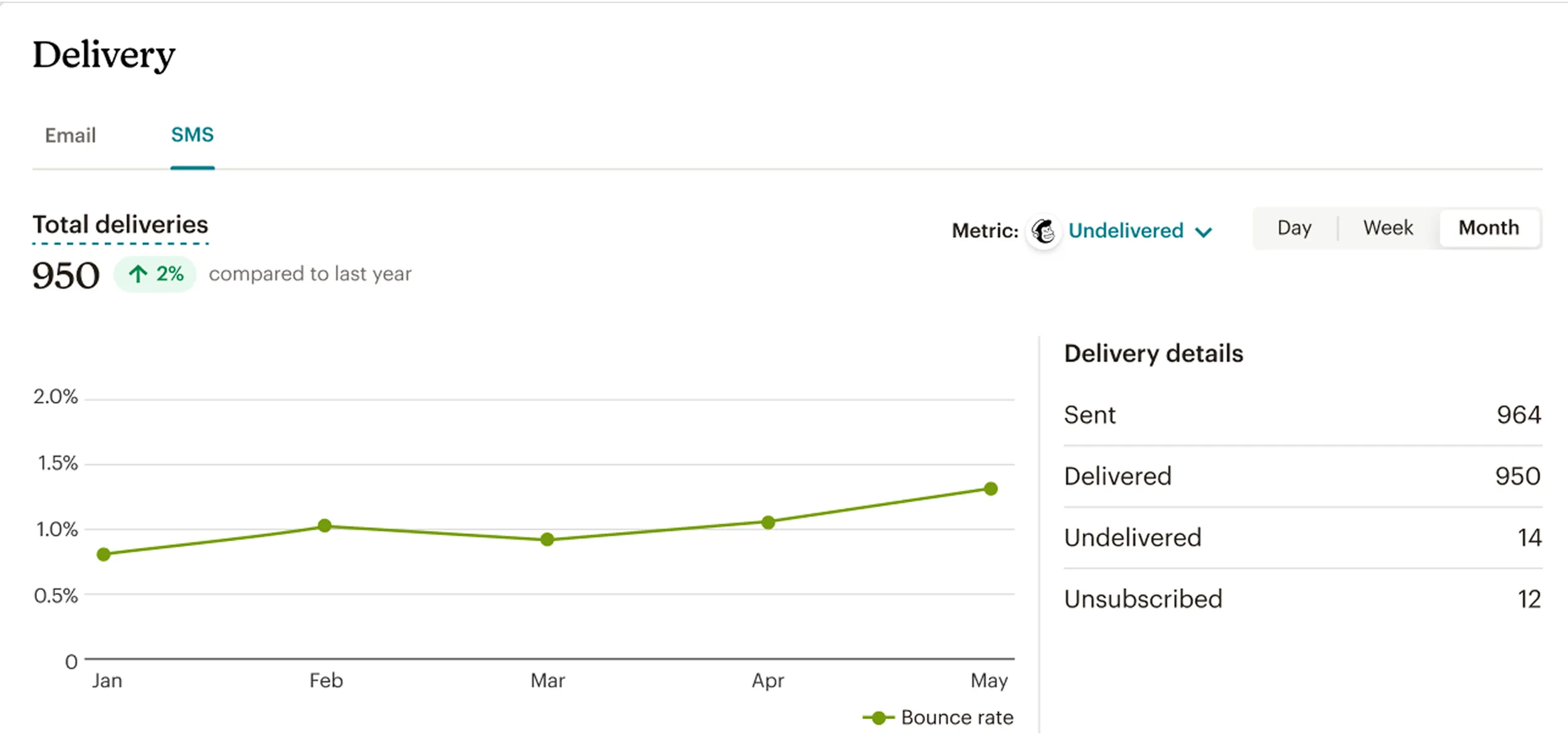
- Senders with many unsubscribed contacts still counting
- Entry price
- Free plan · paid from €1,129 / month
- Free to start?
- Yes — a permanently free plan with a contact cap
- Stands out for
- The largest selection of ready integrations and templates in email marketing
As a freelancer or online business owner, you know how important it is to stay connected with existing clients and attract new ones. Email marketing is one of the most cost-effective methods available — but many people put it off because it sounds technically demanding. Mailchimp removes that barrier and makes email marketing genuinely straightforward. With an intuitive drag-and-drop editor, ready-made templates, and smart automations, you can create professional newsletters and campaigns without any coding knowledge. Whether you want to promote your services, share blog content, or nurture client relationships — Mailchimp helps you get the right message to the right audience at the right time.
What is Mailchimp?
Mailchimp is one of the world's leading email marketing platforms, founded in 2001 and now used by over 13 million people worldwide. It lets you create, send, and measure the performance of professional email campaigns.
What started as a simple newsletter tool has grown into a comprehensive marketing platform covering email marketing, automation, audience segmentation, A/B testing, and detailed analytics. The drag-and-drop editor makes it easy to design polished emails without any design or coding background.
Key Features of Mailchimp
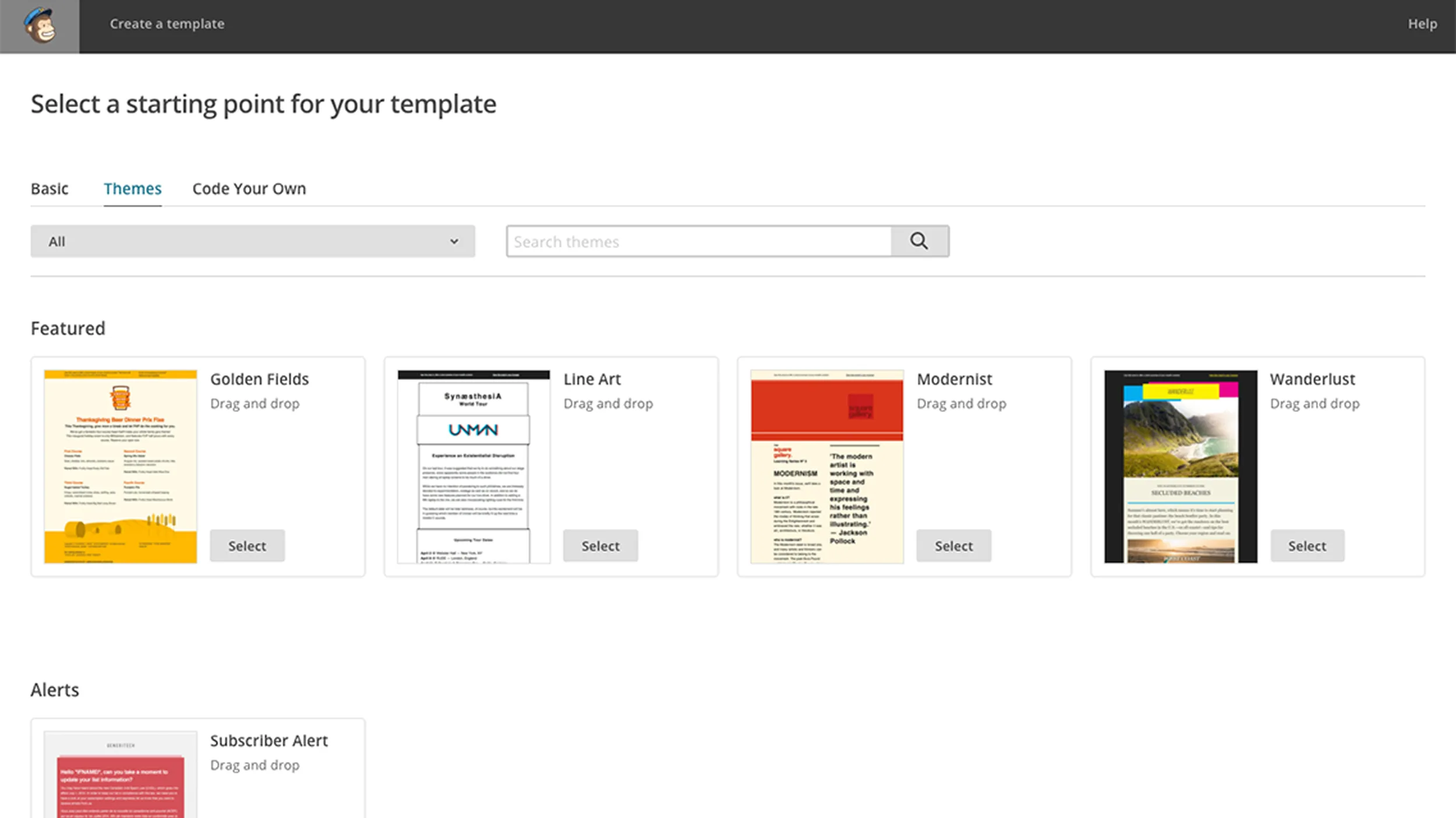
Drag-and-drop email editor with 100+ responsive templates
Automated email sequences and trigger-based campaigns
Advanced audience segmentation based on behavior and data
A/B testing for subject lines, content, and send times
Detailed analytics and reporting including open rates, click rates, and ROI
Landing page builder for lead generation
Social media management and ad placement
CRM features for contact management
Mobile app for on-the-go management
300+ integrations including WordPress, Shopify, and Facebook
Signup forms and pop-ups for website integration
Transactional emails for automated notifications
Why Mailchimp Works Well for Freelancers and Side Business Owners
As a freelancer or online business owner, you wear many hats — and marketing is one of them. Mailchimp makes it easy to run professional email campaigns without a dedicated marketing team. You can inform potential clients about your services, keep existing clients updated on new offerings, or send regular newsletters with valuable content.
The automation features are especially useful: you can set up a welcome sequence for new subscribers or automatically send follow-up emails after a project wraps up. Detailed analytics show you exactly what resonates with your audience, so you can continuously refine your approach. The landing page builder lets you create professional pages for specific offers or projects without needing separate website software.

What We Like — and What We Don't
Pros
- Market leader in email marketing
- Drag-and-drop editor with professional templates
- Free plan up to 500 contacts
- Comprehensive analytics and reporting features
- Reliable email deliverability
Cons
- Prices escalate quickly as your list grows
- Unsubscribed contacts still count toward list size
- Customer support limited on free plan
Mailchimp Pricing
Mailchimp's pricing is contact-based and scales with your business.
The Essentials plan is the first paid step and covers up to 500 contacts: email campaigns, A/B testing, pre-built templates and 24/7 support.
The Standard plan at around $20/month adds advanced automation, retargeting ads, custom templates, and expanded analytics including unlimited reports.
The Premium plan starts at around $350/month for 10,000 contacts and unlocks advanced segmentation, multivariate testing, and phone support.
For freelancers just starting out, the free plan covers up to 250 contacts and 1,000 emails per month — with Mailchimp branding and limited features, but perfect for testing the platform and building a small list.
Note: Prices reflect the date of publication and may have changed. Always check current pricing on the official Mailchimp website.
Verdict: Is Mailchimp Worth It?
Mailchimp is an excellent choice for freelancers and small business owners who want to professionalize their client relationships and grow their business systematically. It removes the technical barriers and lets you create engaging email campaigns without marketing expertise. The ability to start for free and invest more only as your business grows makes it especially low-risk.
The automation features keep you in touch with potential and existing clients even when your project schedule is full. If you communicate regularly with clients, want to bring in new work, or share your expertise through newsletters, Mailchimp is an investment that pays off quickly. The analytics also give you real insight into what your audience actually cares about — valuable intelligence for your broader business strategy.
Pricing
Free
Free
forever, limited contact count
- Email campaigns
- Ready-made templates
- Mailchimp logo in emails
Essentials
€11.68
per month, 500 contacts
- A/B testing
- 24/7 support
- Logo removable
Standard
€17.97
per month
- Advanced automation
- Custom templates
- Advanced analytics
Premium
€314.44
per month, from 10,000 contacts
- Advanced segmentation
- Multivariate testing
- Phone support
Prices may change — check the official website for current plans.
Price history
Checked Oct 12, 2026 · 6 changes since Sep 14, 2026
- Oct 12, 2026Essentials from €11.29 to €11.68 (+3%)
- Oct 12, 2026Standard from €17.55 to €17.97 (+2%)
- Oct 12, 2026Premium from €314.04 to €314.44 (0%)
- Oct 8, 2026Premium from €307.11 to €314.04 (+2%)
- Sep 25, 2026Standard from €17.36 to €17.55 (+1%)
- Sep 25, 2026Premium from €303.84 to €307.11 (+1%)
Alternatives by use case
- Brevo If billing by send beats billing by list size
- Kit If creator workflows come first
- ActiveCampaign If automation needs to go deeper
- Klaviyo If an online store sits behind the list