Beefree (now RGE Studio): The Visual Email Builder for Freelancers
Tim Wittke · Updated: Aug 17, 2026

Short verdict
Ideal for
- Anyone designing email templates and handing them to a separate sending tool
- Agencies producing client newsletters
- Freelancers without HTML skills who still want clean email design
Not ideal for
- Anyone who wants to send from the same tool — it does not send
- People expecting a large template library on the free plan
- Entry price
- Free plan · paid from €30 / month
- Free to start?
- Yes — a permanently free plan with a limited template selection
- Stands out for
- HTML export that works in every common sending tool
Pros & Cons
Pros
- Drag-and-drop builder with pro templates
- HTML exports compatible with major ESPs
- Collaborative template editing for teams
- Free starter plan for individuals
Cons
- Limited free plan, few templates
- No native email sending
- Automations need a separate ESP
Want to create professional emails or landing pages in minutes — without HTML or CSS? RGE Studio (formerly Beefree) — the tool was renamed in 2026, same product — makes that fast and intuitive with its visual editor.
What Is RGE Studio?
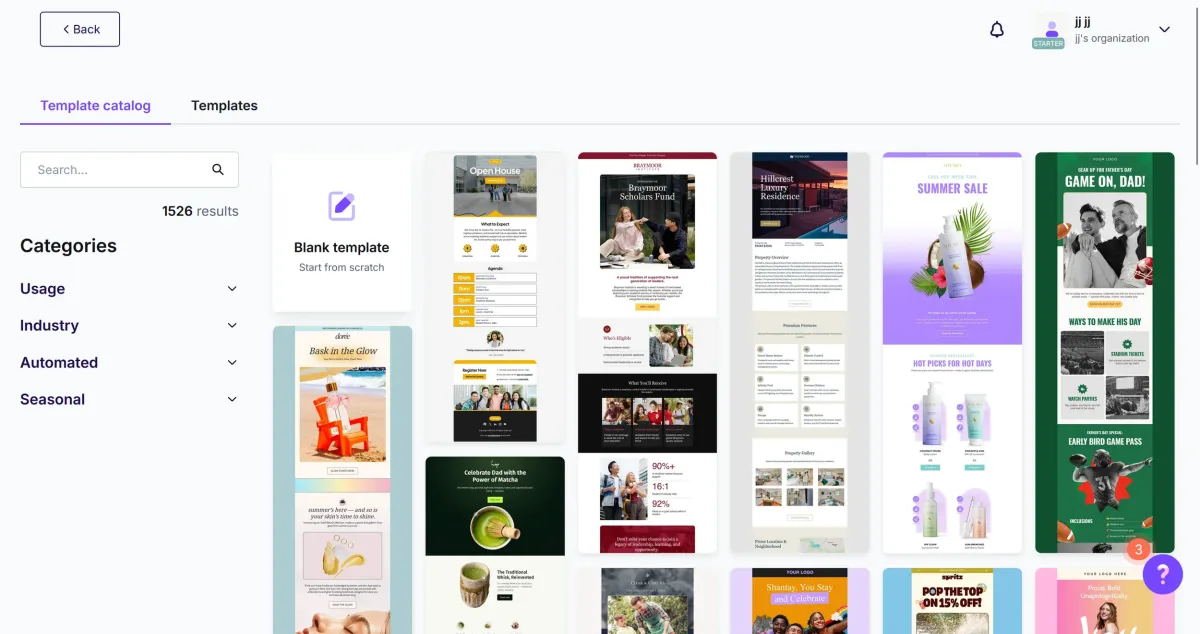
RGE Studio is a web-based drag-and-drop builder for responsive emails and landing pages, designed for freelancers, small teams, and agencies who want professional results without coding. It offers 1,700+ free templates and a clean interface for fast creation of marketing materials.
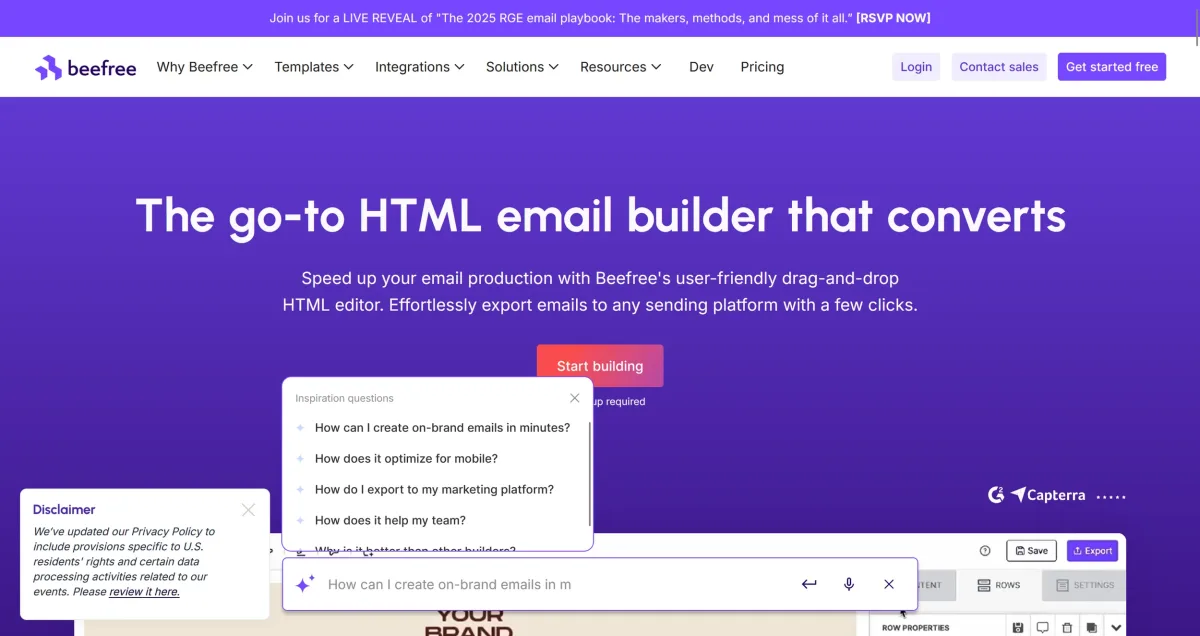
Beefree, RGE Studio, beefree.io — which is the real one?
They are the same product. Beefree was renamed RGE Studio, and RGE stands for Really Good Emails. If you learned the tool as Beefree, nothing about it changed except the name on the door — same drag-and-drop editor, same templates, same exports.
The confusion is understandable, because there are now two working addresses:
| Address | Where it leads | Use it for |
|---|---|---|
| beefree.io | Still live — the site now titles itself "RGE Studio (Formerly Beefree)" | The editor itself. Existing accounts and bookmarks keep working |
| rgestudio.com | Redirects to reallygoodemails.com/studio | The parent brand's presentation of the same tool |
Why it changed: Really Good Emails is a long-running email-design showcase and community. Folding the builder into that brand puts the tool next to the inspiration library rather than leaving it as a separate product with its own name — which is also why the editor now sits alongside RGE's template collection.
What this means practically: old Beefree tutorials and integration docs still apply, because the interface did not change. Third-party directories will list it under either name for a while yet. If you are searching for "the official Beefree website", beefree.io is still it — you have not landed on an impostor.
Key Features of RGE Studio
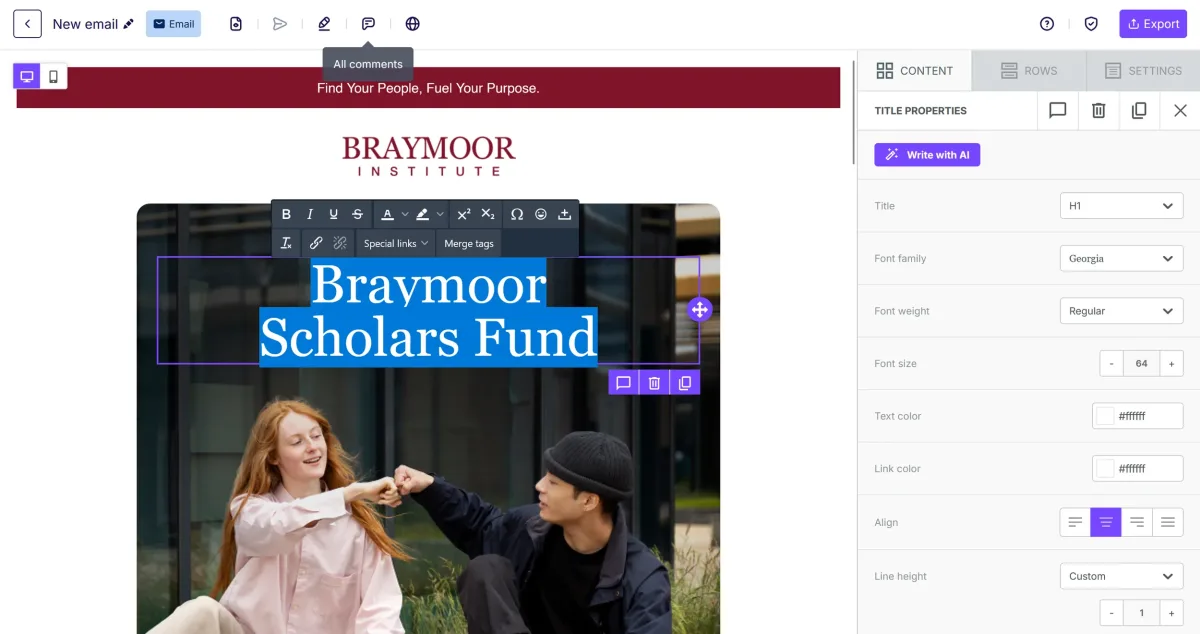
Drag-and-drop editor: Place content with your mouse — no coding required
1,700+ templates for emails and landing pages
Responsive design: Layouts are automatically optimized for mobile
Team collaboration & commenting: Work with clients or colleagues
Direct export: Connects with Mailchimp, Gmail, HubSpot, Brevo, and more
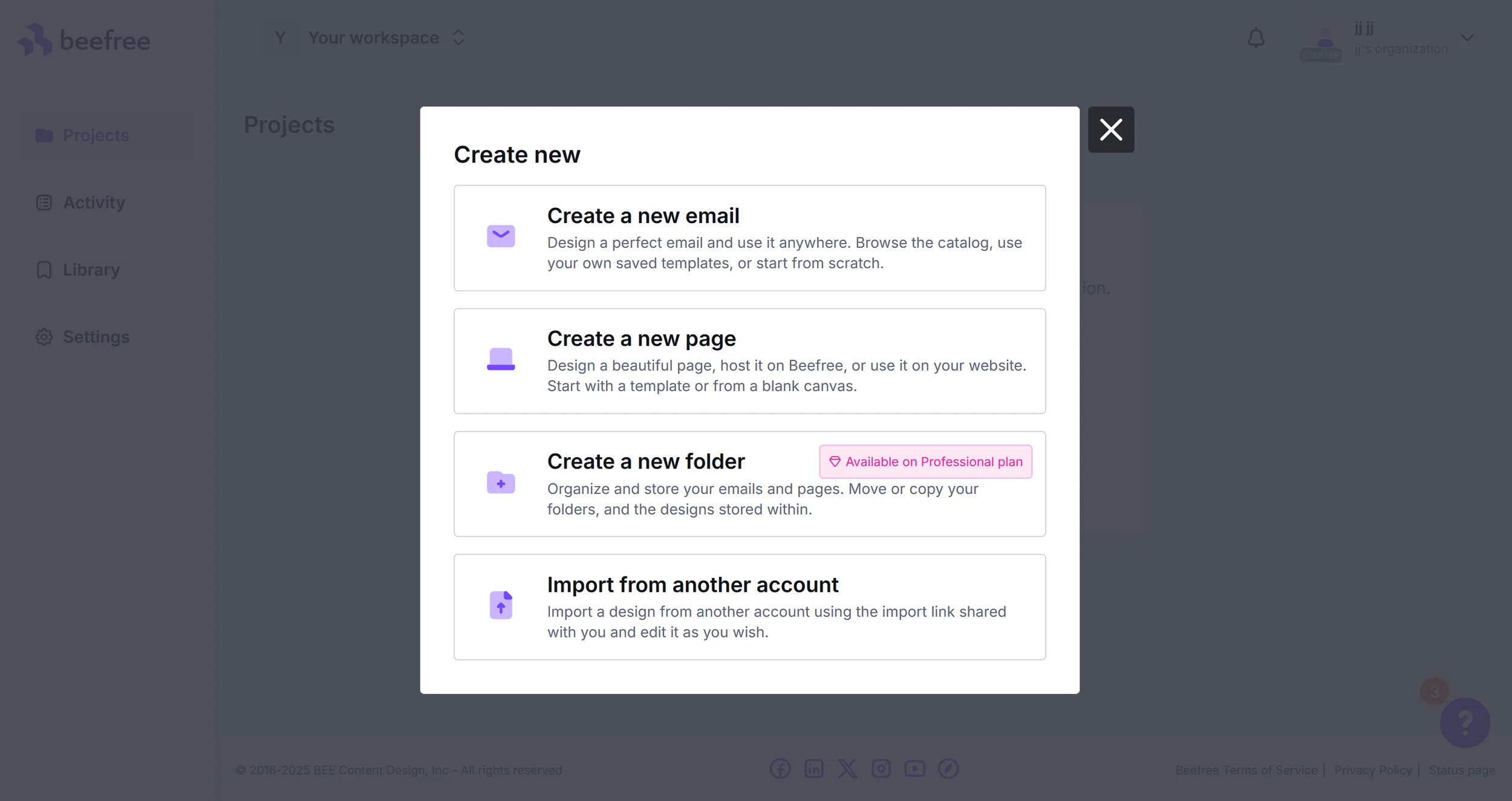
Why Is RGE Studio Ideal for Freelancers?
For freelancers designing emails or landing pages for clients, outreach, or portfolios, RGE Studio cuts production time without requiring technical skills. The 1,700+ responsive templates make it easy to find a starting point and adapt it to your branding. Reusable saved blocks keep visual identity consistent across recurring projects. Direct exports to Mailchimp, Gmail, and HubSpot slot it into existing workflows with minimal friction.
What We Like – and What We Don't
What We Like:
Easy to use, almost self-explanatory builder
Huge template selection
Strong export integrations
Automatic mobile optimization
What We Don't Like:
Many advanced features locked to paid plans
No native sending — editor only (test emails aside)
No built-in automation or marketing features
Is RGE Studio Affordable for Freelancers?
The free tier covers exports and core editing — enough to evaluate the tool fully. The Professional plan adds brand assets and live collaboration; Business adds workspaces, roles, and design systems for teams. Enterprise is custom-priced.
Note: Prices may change. Please check the official website for the latest details.
Final Verdict: Is RGE Studio Worth It for Freelancers?
RGE Studio is the strongest pick for freelancers and solo creatives who need polished email and landing-page designs without a steep learning curve. Its focused scope — design and export, not sending or automation — keeps it fast and uncluttered. If you need built-in sending or automation, pair it with Mailchimp or GetResponse.
Alternatives to RGE Studio
GetResponse: All-in-one marketing platform
Stripo: Email builder with stronger focus on export code and AMP emails
Mailchimp: Full solution including sending & automation
Moosend: Email marketing with CRM and automation focus
Canva (Websites): Simple visual one-pagers or newsletter designs
Pricing
Starter
Free
free forever, one user
- Up to 10 saved projects
- A selection of templates
- HTML export
Professional
$30
per month, billed monthly
- All templates
- Brand assets
- Live collaboration
Business
$160
per month, billed monthly
- Workspaces and roles
- Design systems
- Team management
Prices may change — check the official website for current plans.
Alternatives by use case


Frequently Asked Questions
Is Beefree the same as RGE Studio?
Yes — same product, new name. Beefree was renamed RGE Studio, where RGE stands for Really Good Emails. The drag-and-drop editor, the templates and the exports are unchanged; only the branding moved. Two addresses work today: beefree.io is still live and now titles itself "RGE Studio (Formerly Beefree)", while rgestudio.com redirects to reallygoodemails.com/studio, the parent brand's version of the same tool. Existing accounts, bookmarks and old Beefree tutorials all still apply, because the interface did not change. If you were looking for the official Beefree website, beefree.io is it — you have not landed on an impostor.
What exactly is RGE Studio?
RGE Studio is an online editor that lets you design email templates and landing pages using drag-and-drop — no coding required. The finished designs can be exported as HTML and used in your email service (Mailchimp, Brevo, HubSpot, etc.). RGE Studio doesn't replace an email sending service — it's a pure design tool.
Which email services work with RGE Studio?
RGE Studio supports direct export to 20+ popular email services including Mailchimp, HubSpot, Brevo (formerly Sendinblue), Campaign Monitor, Constant Contact, and ActiveCampaign. You can also export raw HTML and paste it manually into any platform.
Is RGE Studio free?
RGE Studio has a free plan for one user with access to some templates and up to 10 saved projects. Paid plans (from around $15/month) unlock all templates, collaboration features, and advanced export options.
RGE Studio vs. Stripo — which is better?
Both are email design tools in a similar niche. RGE Studio has a slightly more intuitive interface and better direct integrations. Stripo is stronger for AMP emails and offers more templates. For most freelance use cases both work well — RGE Studio is particularly good for a quick start.
What's the difference between Beefree and RGE Studio?
Beefree is the parent company; RGE Studio is their flagship drag-and-drop email and landing-page editor. People searching for 'Beefree' usually mean the editor — that's the product covered in this review. The same company also offers an embeddable SDK ('Beefree SDK') for SaaS products that want to integrate the editor into their own platform. For a freelancer designing email templates and landing pages, the right entry point is the RGE Studio editor at beefree.io.
Beefree pricing in 2026 — free plan and paid tiers
RGE Studio Free includes 1 user, 10 saved projects, basic templates, HTML export and 20+ ESP integrations — usable long-term for occasional template work. Freelancer ($15/month annual) adds unlimited projects, AMP for Gmail, premium templates and collaboration links. Team ($30/user/month annual) adds multi-user collaboration, approval workflows, brand styles and shared rows. Final pricing on beefree.io/pricing — the Freelancer plan is the typical right pick for solo email designers building templates regularly.