SocialBee Review 2026: Social Media Scheduler with Content Categories & AI
Tim Wittke · Updated: Jul 22, 2026
Short verdict
Ideal for
- Freelancers and creators who want to post consistently across several channels
- Small businesses that need a predictable content pipeline instead of ad-hoc posts
- Anyone who wants to re-share good content through recycling
- Small agencies managing multiple clients in separate workspaces
Not ideal for
- Anyone who wants to schedule free of charge permanently
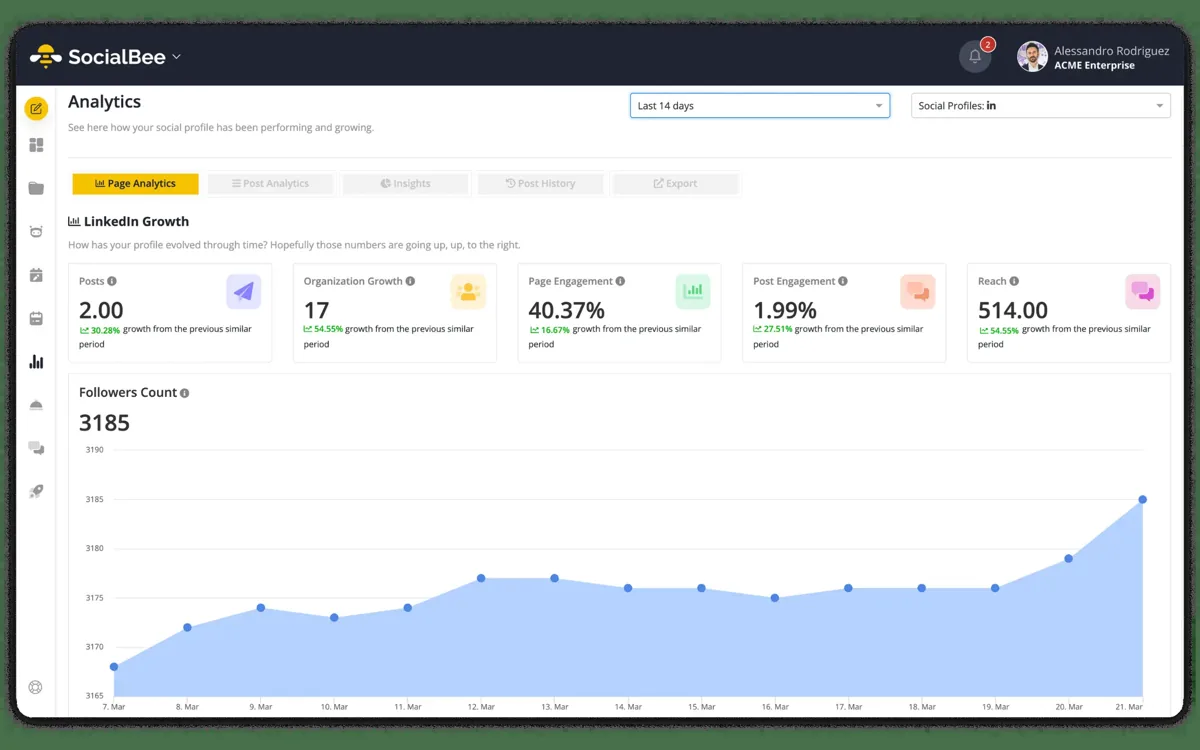
- Teams needing agency-grade analytics
- People who want to start without any learning curve
- Entry price
- From $29 / month
- Free to start?
- Yes — 14-day free trial, no credit card
- Stands out for
- Category-based scheduling plus evergreen recycling — your content keeps working instead of vanishing in the feed
SocialBee is a social media scheduler that stands out with one clear idea: content categories plus automatic recycling. Instead of dumping a post into the feed once and forgetting it, you build a recurring content pipeline — exactly what freelancers and small businesses need to stay consistent without posting manually every day.
Start SocialBee free trial (14 days)
What is SocialBee?
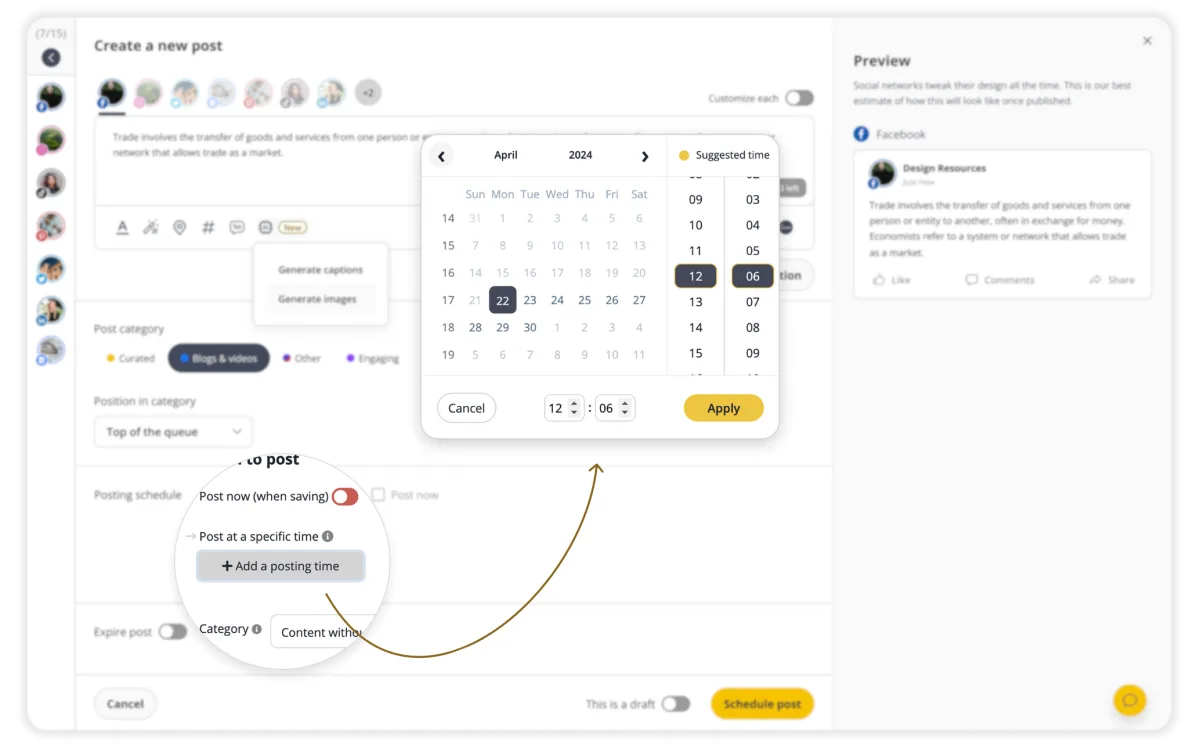
SocialBee is a tool for planning and automating social media posts. You connect your channels — Facebook, Instagram, LinkedIn, X, TikTok, Pinterest, YouTube, Threads, Bluesky and Google Business — and schedule posts in advance. The core is content categories: you sort your posts into topic buckets (e.g. "tips", "offers", "quotes") and set fixed time slots per category. SocialBee then automatically pulls the next post from the right bucket — your feed stays thematically balanced without you filling every slot by hand.
The real advantage: recycling
The strongest feature is evergreen recycling. Good content disappears on social media within hours — SocialBee re-publishes timeless posts on a schedule automatically instead of posting them once and forgetting them. For freelancers who can't produce something new every day, that's the decisive lever: one well-written post keeps working for weeks. It's also the clearest difference from Buffer's simple queue.
AI and integrations
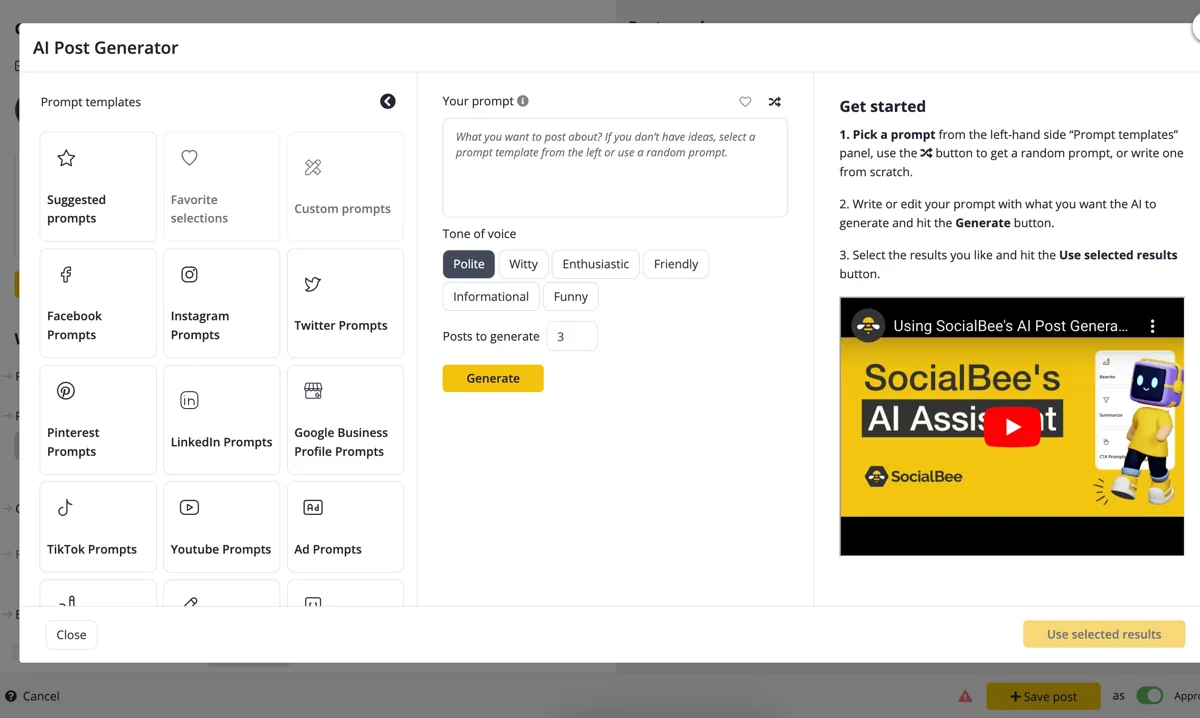
SocialBee includes an AI post generator that creates captions, hashtags and variations from keywords or images, plus an AI copilot for posting times and categorization. Notably, AI content generation is unlimited on every plan — even the cheapest. On top of that are integrations with Canva (design), Unsplash (stock photos) and GIPHY right in the editor, plus RSS import to pull blog articles into categories automatically.
Inbox, team & concierge
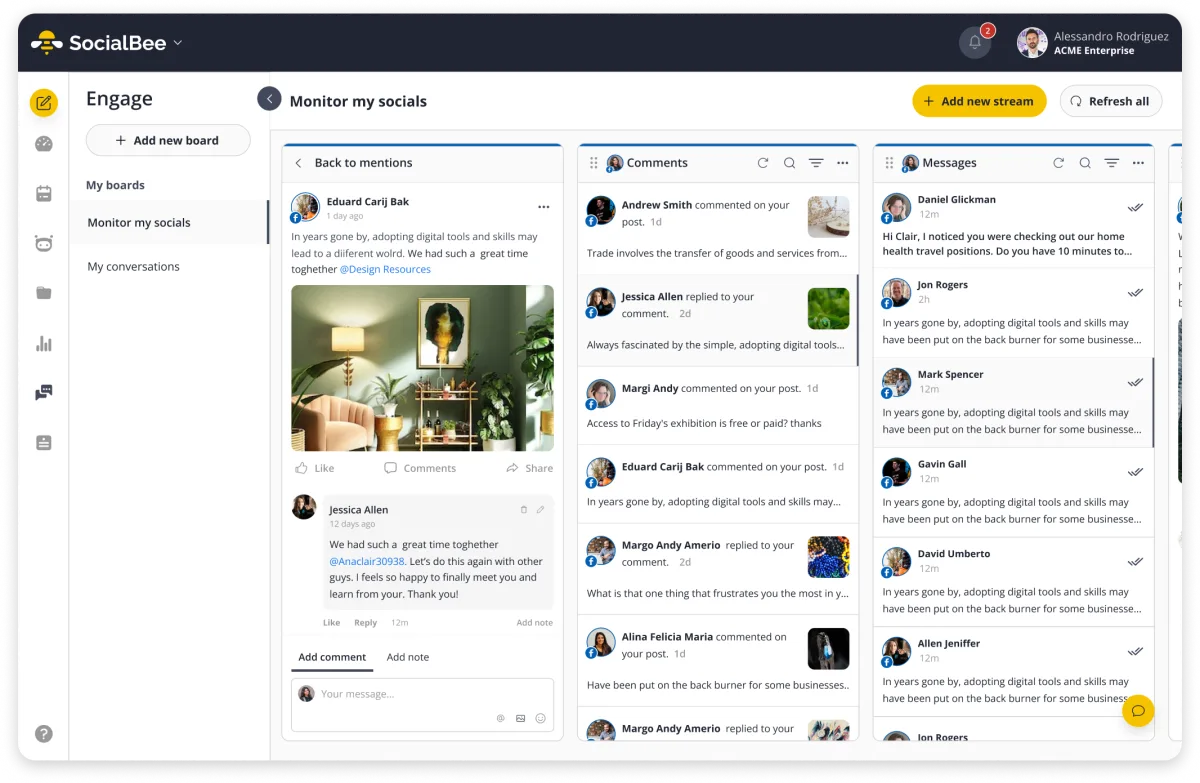
Comments and mentions from all channels flow into one social inbox — you reply in one place instead of checking five apps. Teams get separate workspaces, roles and approval workflows on the Pro plan, which makes SocialBee viable for small agencies too. And then there's the differentiator: Concierge Services. SocialBee's own done-for-you team takes over content creation or community management from around $129/month on top — no other scheduler in this price range offers that as an official service. For freelancers who want to hand off social entirely, it's the cheapest step below hiring an agency.
What does SocialBee cost?
SocialBee bills in US dollars, and the ladder follows two numbers: profiles and categories. The entry tier suits a single creator, the middle one is the sweet spot for most small businesses, and only the third brings separate workspaces and multiple users — that is the threshold for agencies with several clients.
There is no forever-free plan; the trial runs 14 days with no credit card.
SocialBee vs. Buffer, Hootsuite & Later
Buffer is simpler and has a free plan, but only knows a linear queue — once posted, a post is gone. Hootsuite offers deeper analytics and social listening, but costs several times more and clearly targets bigger teams. Later is strong for visual Instagram and TikTok planning, but weaker on text-first channels like LinkedIn and X. SocialBee sits right between them: category scheduling and evergreen recycling that Buffer lacks, at a fraction of Hootsuite's price. Solo freelancers and small teams posting consistently across several channels are best served here.
Who is SocialBee worth it for?
SocialBee suits anyone who wants to show up regularly across several channels without posting manually every day: freelancers, creators and small businesses with a clear content strategy. The recycling approach earns its keep once you have a base of good content. If you only post to a single channel sporadically, you don't need a tool like this — and large teams needing very deep analytics or complex approval chains will hit the limits of the cheaper plans.
The fastest way to find out is to try it yourself: 14 days free, no credit card — then from $29/month.
Pros & Cons
Pros
- Category scheduling with automatic evergreen recycling
- Unlimited AI content generation on every plan
- Cheaper than Hootsuite for comparable features
- Direct posting to nearly all networks
- Responsive support, rated 4.8/5 on G2
Cons
- No forever-free plan, only a 14-day trial
- Learning curve from broad feature set
- Stalled post can block its timeslot
Pricing
Bootstrap
$29
per month · $24.20 annually
- 5 social profiles, 1 workspace
- 10 content categories
- Unlimited AI content generation
Accelerate
$49
per month · $40.80 annually
- 10 social profiles
- 50 content categories
- Canva, Unsplash & GIPHY integration
Pro
$99
per month · $82.50 annually
- 25 social profiles, 5 workspaces, 3 users
- Unlimited content categories
- Approval workflows & roles
Pro100
$274
new since Sep 14, 2026
Pro50
$149
new since Sep 14, 2026
Prices may change — check the official website for current plans.
Price history
Checked Oct 19, 2026 · 2 changes since Sep 14, 2026
- Sep 20, 2026Pro100 from $228.50 to $274 (+20%)
- Sep 20, 2026Pro50 from $124.93 to $149 (+19%)
Alternatives by use case
- Later If channels are image-led and the grid matters
- Vista Social If reviews and unusual networks come with it
- Zoho Social If there is only one brand to post for
- SupaBird If writing the posts is the real bottleneck


Frequently Asked Questions
What is SocialBee?
SocialBee is a social media scheduler that lets you plan posts in advance for Facebook, Instagram, LinkedIn, X, TikTok, Pinterest, YouTube, Threads, Bluesky and Google Business. Its signature feature is content categories: you sort posts into topic buckets and SocialBee publishes from them on a fixed schedule — including evergreen recycling that re-posts good content automatically.
How much does SocialBee cost in 2026?
Three tiers scaled by profiles and categories, billed in US dollars. The entry suits a single creator, the middle one most small businesses; separate workspaces for several clients arrive only on the third. There is no free plan, and the trial runs 14 days without a credit card.
SocialBee vs Buffer/Hootsuite — which is better?
SocialBee is cheaper than Hootsuite and stronger on recycling than Buffer: its category-based scheduling and automatic evergreen posting go beyond Buffer's simple queue. For solo freelancers and small businesses SocialBee is usually the best value. Larger teams that need very deep analytics may outgrow it.
Does SocialBee have AI?
Yes. SocialBee includes an AI post generator (captions, hashtags and variations from keywords or images) plus an AI copilot that suggests posting times and content categories. AI content generation is unlimited on every plan — including the cheapest Bootstrap tier.
Which networks does SocialBee support?
Direct posting is available for Facebook, Instagram, LinkedIn, X, TikTok, Pinterest, YouTube, Threads, Bluesky and Google Business. For API-restricted channels like Facebook Groups, WhatsApp, Telegram or Mastodon, SocialBee uses notification-based "Universal Posting" instead of fully automated publishing.
Verdict
SocialBee is one of the strongest social media schedulers on value: if you want to post consistently across several channels and re-share good content through recycling, you get a well-thought-out content pipeline at a fair price. For solo freelancers, creators and small businesses it's usually the smarter pick over the pricier Hootsuite. Only if you need very deep analytics or enterprise workflows should you look further. Find more marketing tools in our <a href="/en/marketing-tools-freelancer/">marketing overview</a>.