Webflow Review 2026: Build Websites Visually — New Pricing, Tested
Fastlancer Team · Updated: Oct 19, 2026
Short verdict
Ideal for
- Designers and freelancers building and hosting client websites without a developer
- Independents with design standards that Wix and Squarespace can't meet
- Web freelancers offering Webflow development as a service (an in-demand skill)
- Marketing teams shipping landing pages without dev resources
Not ideal for
- Anyone wanting fast results without HTML and CSS basics
- Freelancers running many small sites — that gets expensive
- People who need a content-driven site without the mid tier
- Entry price
- Free plan · paid from $15 / month
- Free to start?
- Yes — Starter plan free forever (on a webflow.io subdomain)
- Stands out for
- Visual building with real production code: design freedom like Figma, but the output is a live, hosted website with a CMS
What is Webflow?
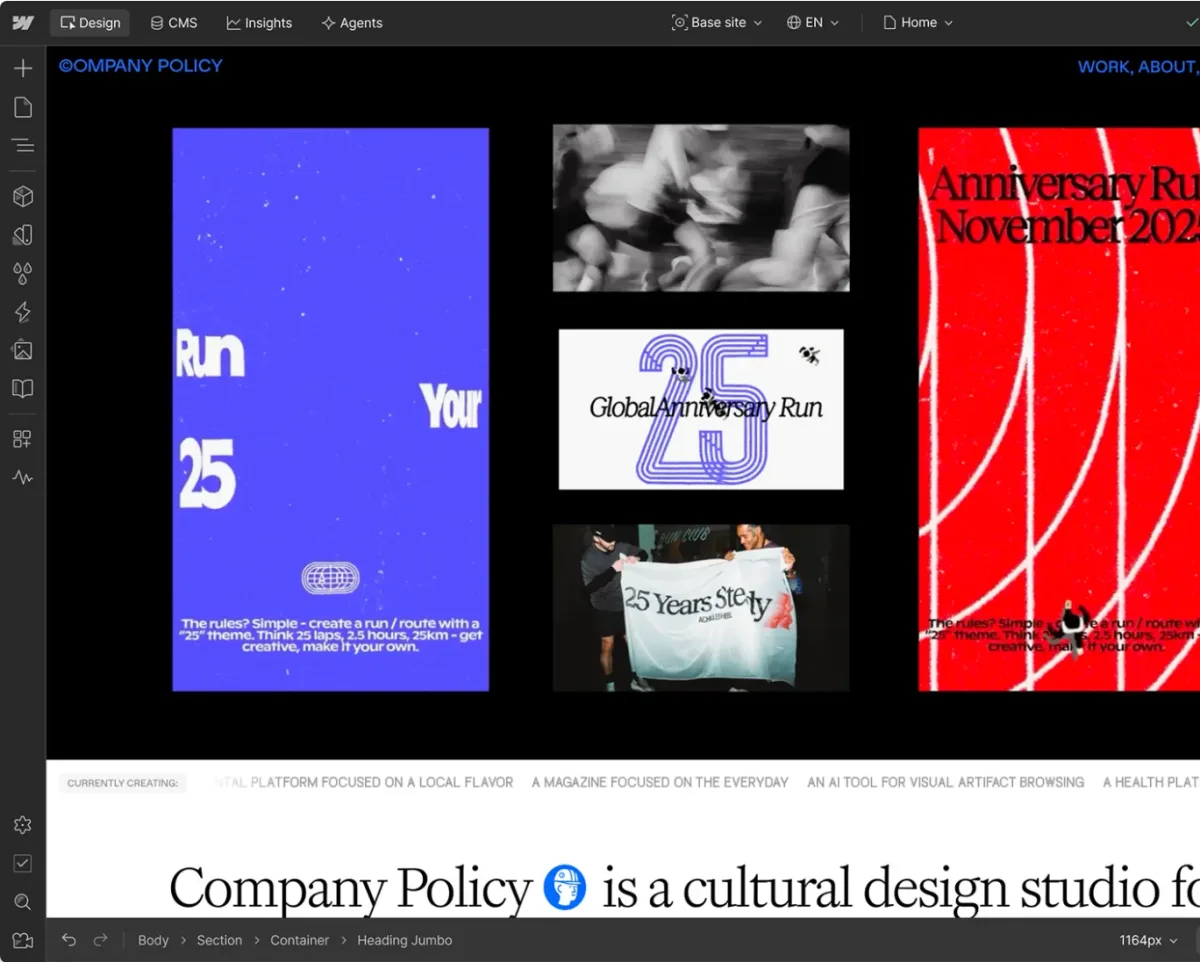
Webflow is a visual website builder that fills a gap: more design control than Wix or Squarespace, without the developer that hand-coding requires. In the Designer you build layouts using the same concepts CSS uses — boxes, classes, flexbox, grid — just visually. The output is not a site-builder compromise but production-ready code running on Webflow's hosting with CDN and SSL.
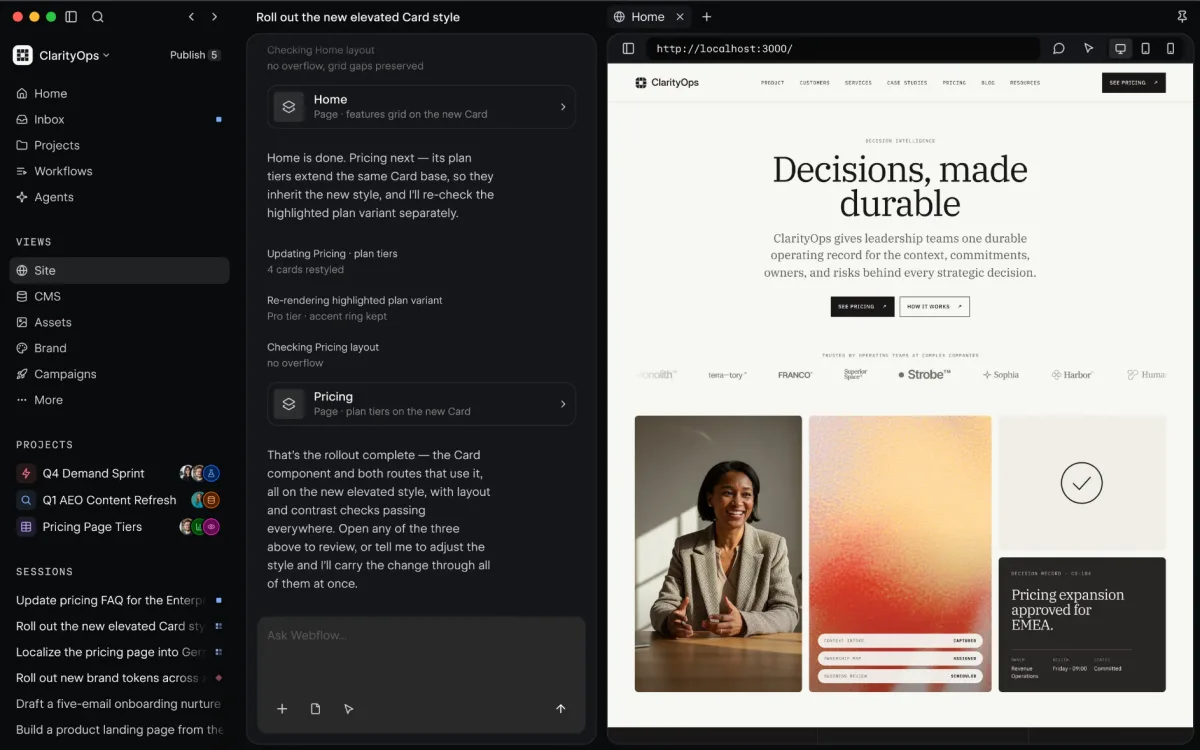
For freelancers, Webflow matters twice: as a tool for building your own and client websites — and as a skill. Webflow development is one of the most in-demand no-code services; many freelancers have specialized in it entirely.
Designer, CMS and interactions
The Designer is the heart: pixel-perfect layouts, responsive breakpoints, reusable classes and components. On top come animations and interactions (scroll effects, hover states, Lottie) that other builders simply can't do. The built-in CMS manages dynamic content — blog posts, project portfolios, team pages — via collections that you style freely in the design. Clients can later maintain content in a clean editor without breaking the layout.
Pricing: the May 2026 overhaul
Webflow fundamentally restructured its pricing in May 2026. Instead of the old ladder of CMS and Business plans there are now three site plans: a free one on a Webflow subdomain, one with a custom domain but no CMS, and one with the CMS. For teams, workspace seats come on top, tiered as full, limited and review access; review seats are free.
The consequence of the overhaul: any site with a blog or dynamic content now needs the upper plan. That is cheaper for former Business customers and pricier for former CMS customers. Work it through before migrating an existing site.
Webflow vs. Wix, Squarespace and Framer
The honest comparison: for getting your own business site online quickly, Wix or Squarespace are the pragmatic picks — faster to learn and good enough; they are not cheaper (Wix Light $17, Squarespace Basic $19 vs. Webflow Basic $15). Webflow wins as soon as design makes the difference or you build sites for clients: no other builder delivers this control with clean code. Framer is the modern challenger — easier to start and stronger at AI design generation, but with a weaker CMS. If you come from design (Figma background), you'll find your way in both — Webflow is the more mature platform with the bigger ecosystem.
Who is Webflow worth it for?
The biggest winners are design-minded freelancers who build websites as part of their offer — from portfolios to client sites with a CMS. It's also worth it for your own site if your presence should radiate design quality that template builders can't. If you have no web background and just want to get online, you'll fight the learning curve and pay for control you don't use. The free Starter plan makes trying it risk-free.
What we like about Webflow and what we don't
Pros
- Design freedom beyond Wix and Squarespace
- Clean production code with hosting included
- Built-in CMS for blogs and dynamic content
- Webflow skills in high demand
- Free Starter plan forever for learning
Cons
- Steep learning curve without HTML/CSS basics
- Dynamic sites now require Premium plan
- Pricier than classic hosting at scale
Pricing
Starter
Free
free forever
- Webflow.io subdomain for testing
- Full access to the Designer
- Great for learning and prototypes
Basic
$15
per month billed yearly · $25 billed monthly
- Custom domain and hosting
- No CMS — for static sites
- Right for portfolios and brochure sites
Premium
$25
per month billed yearly · $39 billed monthly
- CMS with 20,000 items and 40 collections
- 300 static pages, 50 GB bandwidth
- Site search and code components
Prices may change — check the official website for current plans.
Price history
Checked Oct 19, 2026 · 1 plan unchanged since Sep 26, 2026
Alternatives by use case


Frequently Asked Questions
How much does Webflow cost?
Since the May 2026 overhaul there are three site plans: a free one on a Webflow subdomain, one with a custom domain but no CMS, and one with the CMS. The consequence: any site with a blog or dynamic content needs the upper plan. For teams, workspace seats come on top, with review seats free.
Is Webflow free?
Yes, to start: the Starter plan is free forever with full access to the Designer — your site runs on a webflow.io subdomain. A custom domain requires at least Basic; CMS content like a blog requires Premium.
What changed about Webflow's pricing in 2026?
In May 2026 the old CMS and Business plans were replaced by a single Premium plan, while Basic stays without a CMS. Anyone running a content-driven site therefore moves up a tier. Former Business customers pay less than before, former CMS customers pay more — worth working through before migrating an existing site.
Webflow or Wix/Squarespace — which fits freelancers?
Wix and Squarespace are faster to learn and perfectly fine for simple business websites. Webflow pays off when design control makes the difference: pixel-perfect layouts, animations, and a CMS that adapts to client projects. Rule of thumb: your own site online fast = Wix/Squarespace; building client sites or high design standards = Webflow.
Do you need to code for Webflow?
No coding, but a basic grasp of HTML structure and CSS logic (boxes, classes, flexbox) helps enormously — the Designer works with exactly these concepts, just visually. Complete beginners without web knowledge will find the start much harder than Wix; the payoff is a far more professional result.
Verdict
Webflow remains the website builder with the most design freedom short of hand-coding — and for freelancers it's doubly interesting: as a tool for your own and client projects, and as an in-demand skill that sells itself. The May 2026 pricing overhaul made the old Business plan cheaper but pushes every CMS site onto Premium from $25. If you just need your own site online quickly, simpler builders serve you better; if you build websites for a living, Webflow is hard to avoid.