tl;dv Review: AI Meeting Notes for Freelancers
Tim Wittke · Updated: Oct 7, 2026
Short verdict
Ideal for
- Freelancers who want client calls recorded and summarised
- Anyone who needs meeting notes without taking them
- Teams that want call outcomes searchable afterwards
Not ideal for
- Anyone needing accurate summaries of non-English calls
- Fields where recording is sensitive — legal, health, HR
- Entry price
- Free plan · paid from €18 / month
- Free to start?
- Yes — a free plan with limited recordings
- Stands out for
- Recording, transcript and timestamped highlights without lifting a finger
If you work as a freelancer in the digital or IT space, a large part of your week likely plays out in video calls. tl;dv automatically records meetings, transcribes them, and generates smart summaries. Fully integrated with Zoom, Google Meet, and Teams, everything runs in the background — so you can stay focused and never lose track of what was said.
What is tl;dv? (and how is it spelled?)
The name is written tl;dv — lowercase, with a semicolon — and it stands for "too long; didn't view". It is a play on tl;dr ("too long; didn't read"), moved from text to video: the tool watches the meeting so you do not have to.
People reasonably write it several ways, and all of them mean the same product: tldv without punctuation, tl dv with a space, or TLDV in capitals. The company itself styles it in lowercase with the semicolon, and the website is tldv.io — the domain drops the semicolon because URLs cannot carry one. If you searched for any of these spellings, you are in the right place.
tl;dv is an AI-powered meeting recorder and transcription service founded in 2020.
The software is fully cloud-based and requires no complex installation or admin permissions. It supports transcription in over 30 languages and can automatically populate CRM systems and over 6,000 other tools. The free-forever plan makes professional meeting documentation accessible to freelancers and small teams from day one.
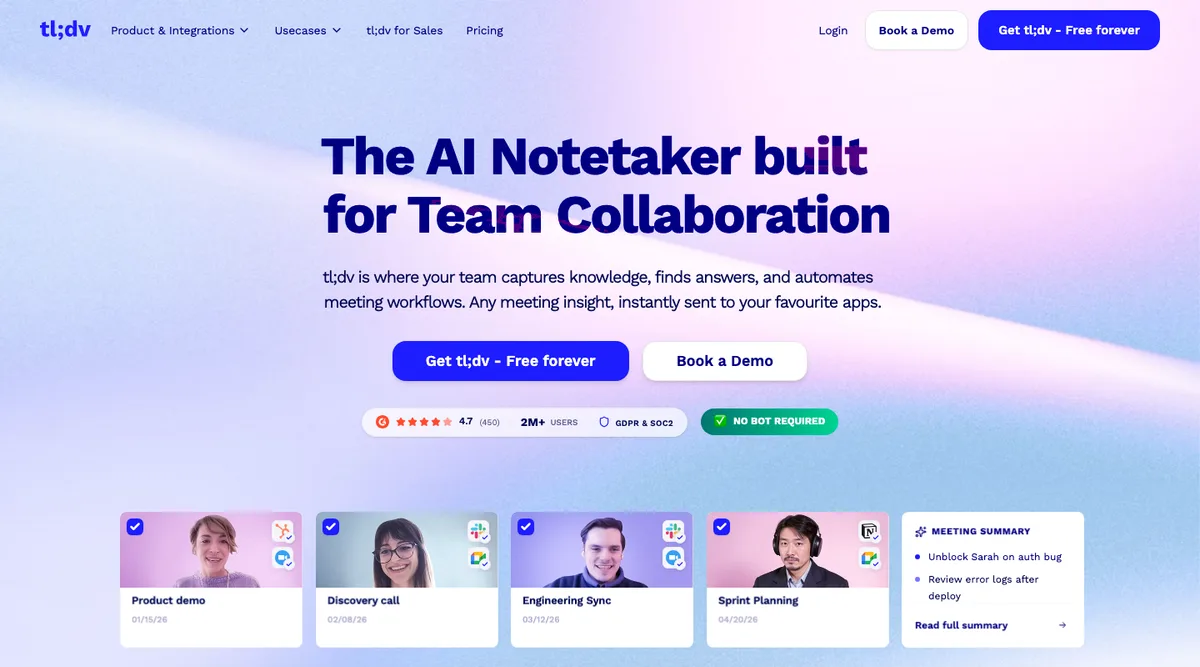
Key Features of tl;dv
Automatic HD meeting recording
AI transcription in 30+ languages with speaker recognition
Automatic meeting summaries and action items
Moment markers and highlight functionality
CRM integrations including Salesforce, HubSpot, Notion, and Slack
Powerful search across all past meetings
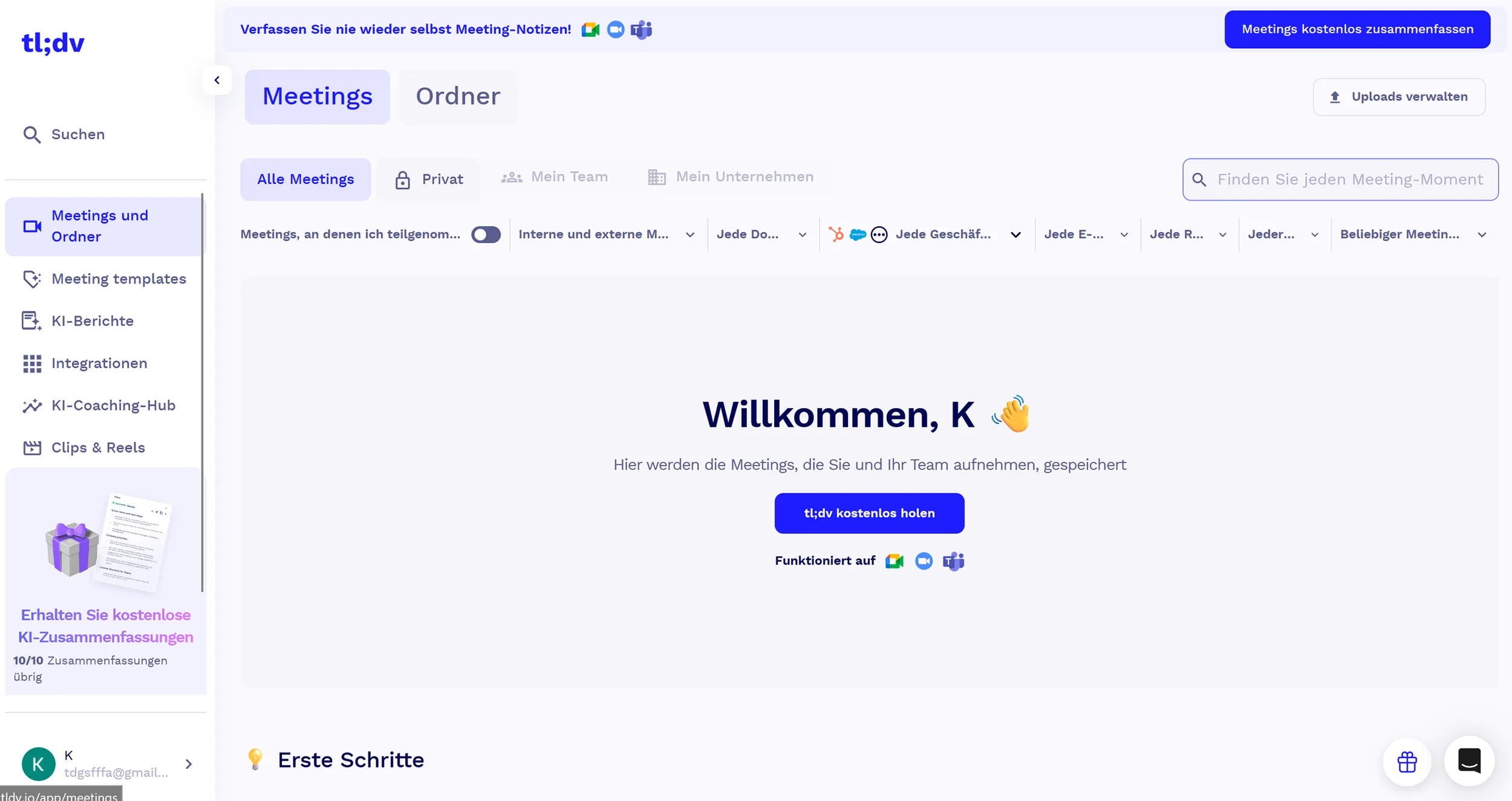
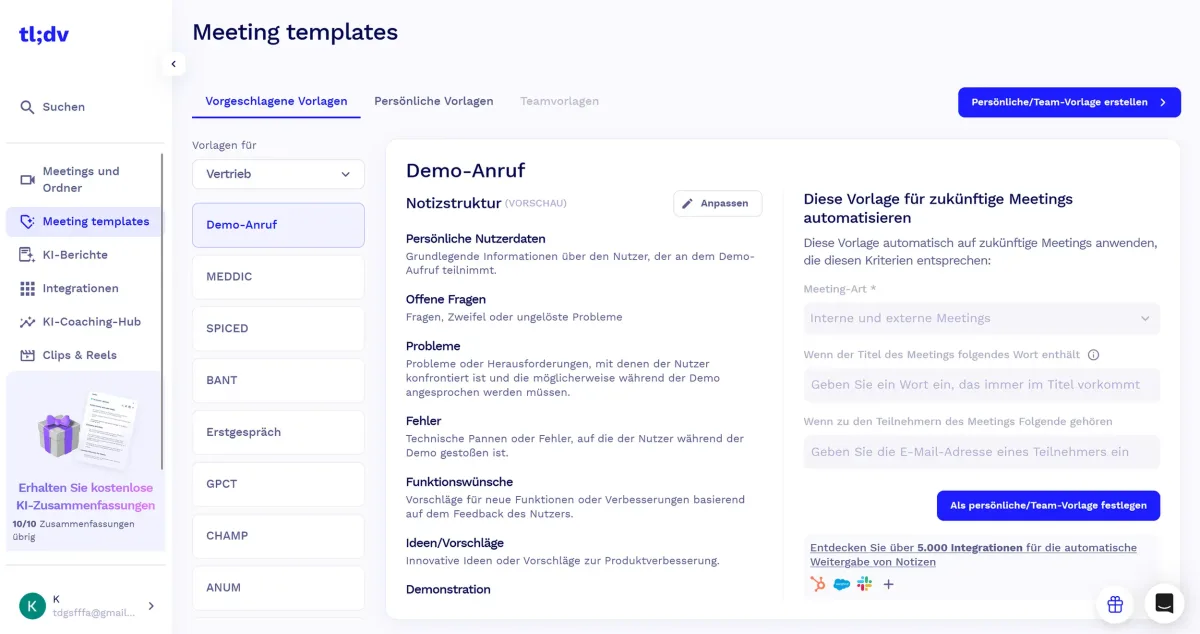
Why tl;dv Works Well for Freelancers and Online Business Owners
During client meetings, you're simultaneously listening, processing, responding, and trying to note everything important — key details slip through. tl;dv removes that burden by handling all documentation automatically, letting you give the conversation your full attention.
Automatic summaries eliminate post-meeting write-ups. The ability to search specific client requests or project details across past recordings saves time scrubbing through old footage. CRM integrations keep client information current and prevent follow-up tasks from falling through the cracks.
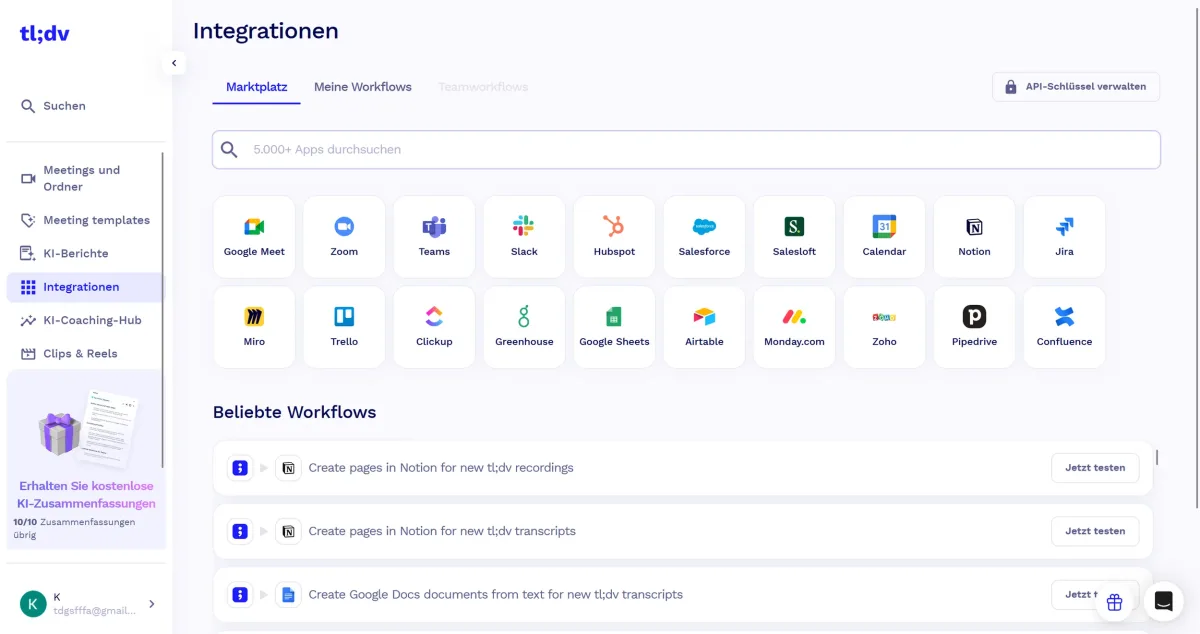
What We Like — and What We Don't
Pros
- Automatic meeting recording and AI transcription
- Timestamped highlights for quick access
- Free plan with unlimited recordings available
- Supports Zoom, Google Meet, and Microsoft Teams
Cons
- AI summaries less accurate for non-English meetings
- Privacy concerns when recording client meetings
- CRM integration only in expensive plans
tl;dv Pricing
tl;dv offers a genuine free-forever plan with unlimited recordings and transcripts — often entirely sufficient for solo freelancers.
The Pro plan ($18/recording user/month) adds Salesforce and HubSpot integration, global meeting search, and expanded customization. Business ($36/month) adds capabilities for scaling sales and customer success teams. An Enterprise plan with custom pricing covers larger teams and includes dedicated customer success management and enhanced security. Annually billed plans receive a 40% discount.
Note: Prices reflect the date of publication and may have changed. Always check current pricing on the official tl;dv website.
Verdict: Is tl;dv Worth It for Freelancers?
tl;dv solves one of the core challenges of remote work: the cognitive split between running a conversation and documenting it. The free plan lets you test — and in many cases use it indefinitely — at no cost. For freelancers running client calls, coordinating complex projects, or working with international teams, it fits naturally into the workflow without adding admin overhead. If you have more than two meetings a week, it pays for itself in saved time alone.
Pricing
Free
Free
free forever
- Unlimited recordings
- Unlimited transcription
- Zoom, Meet and Teams
Pro
€18
per recording user/month
- Salesforce and HubSpot integration
- Global meeting search
- Custom templates
Business
€36
per recording user/month
- For growing sales teams
- Advanced analytics
- Permission management
Prices may change — check the official website for current plans.
Alternatives by use case


Frequently Asked Questions
What does tl;dv stand for?
tl;dv stands for 'too long; didn't view' — a play on the internet shorthand tl;dr ('too long; didn't read'), adapted for video. The idea: meetings and calls are often too long to rewatch, so tl;dv records, transcribes and summarises them and marks the key moments — you get the substance without viewing the whole thing. It's also the name of the AI meeting-notes tool reviewed here, which does exactly that for Zoom, Google Meet and Microsoft Teams.
Is tl;dv free?
Yes — tl;dv's Free plan includes unlimited meeting recordings, unlimited transcription, AI summaries and works with Zoom, Google Meet and Microsoft Teams. For solo freelancers documenting client calls, the free plan is genuinely usable long-term. Pro ($18/user/month annual) adds custom AI prompts, CRM integration (HubSpot, Salesforce, Pipedrive), unlimited AI prompts and template summaries. Business ($59/user/month annual) adds team analytics and dedicated success management. The fact that the free plan has unlimited recordings is unusual in this category — competitors like Otter.ai and Fireflies cap free-plan meeting minutes.
tl;dv vs Otter.ai vs Fireflies — which is best for freelancers?
For freelancers documenting individual client meetings: tl;dv. The free plan's unlimited recordings give it the strongest value proposition. Otter.ai is the strongest in pure transcription accuracy but caps free-tier minutes (300/month) and is primarily English-focused. Fireflies shines for team meeting analytics and CRM workflows but the free tier is limited. For multilingual meeting documentation (German, French, Spanish client calls), tl;dv's 30+ language support edges ahead of Otter. For teams of 5+: Fireflies. For solo: tl;dv.
Is it legal to record client meetings with tl;dv?
Depends on jurisdiction and consent. In the US, most states are 'one-party consent' (only one participant needs to know — typically the recorder). However, 12 states require all-party consent (California, Florida, Pennsylvania, Washington and others). In the EU and UK under GDPR, you must inform all participants and have a legal basis for the recording. tl;dv displays a recording notification by default which helps with consent compliance. Practical rule: always announce verbally at the start of the meeting that you're recording — both for legal coverage and professional courtesy. For sensitive client conversations, get written consent in advance.
What does tl;dv cost in 2026 — full pricing breakdown
tl;dv has three tiers in 2026: Free (unlimited recordings, unlimited transcription, AI summaries, Zoom/Meet/Teams — most usable freemium in the category), Pro ($18/user/month annual, $22 monthly — adds custom AI prompts, CRM integration, unlimited AI prompts, template summaries), Business ($59/user/month annual — adds team-wide analytics, dedicated success manager, advanced security/SSO). For solo freelancers the free plan typically covers the use case; Pro becomes worth it when you need CRM auto-population to skip manual data entry after every call.