Zoom Review 2026: Video Conferencing for Freelancers – Is Free Enough?
Fastlancer Team · Updated: Sep 5, 2026
Short verdict
Ideal for
- Freelancers for client meetings, discovery calls and project check-ins
- Coaches and consultants running paid online sessions and webinars
- Remote teams with regular video meetings
Not ideal for
- Anyone who wants longer calls for free — even one-to-one ends at 40 minutes
- Freelancers who need to be billed in euros
- Entry price
- Free plan · paid from $1,416 / month
- Free to start?
- Yes — permanently free Basic plan (40 minutes per meeting, 1:1 included)
- Stands out for
- The world's most recognized video conferencing tool — clients know Zoom and expect the link
As a freelancer, Zoom is probably the tool you use most often — for discovery calls, project meetings, client presentations and feedback rounds. It's become the standard because clients know the name and can open the link without an account.
What is Zoom?
Zoom is a cloud-based video conferencing platform founded in the US in 2011 and reported over 300 million daily meeting participants in 2020 – Zoom has not published a newer figure. The platform covers video meetings, webinars, team chat, whiteboard collaboration and telephony.
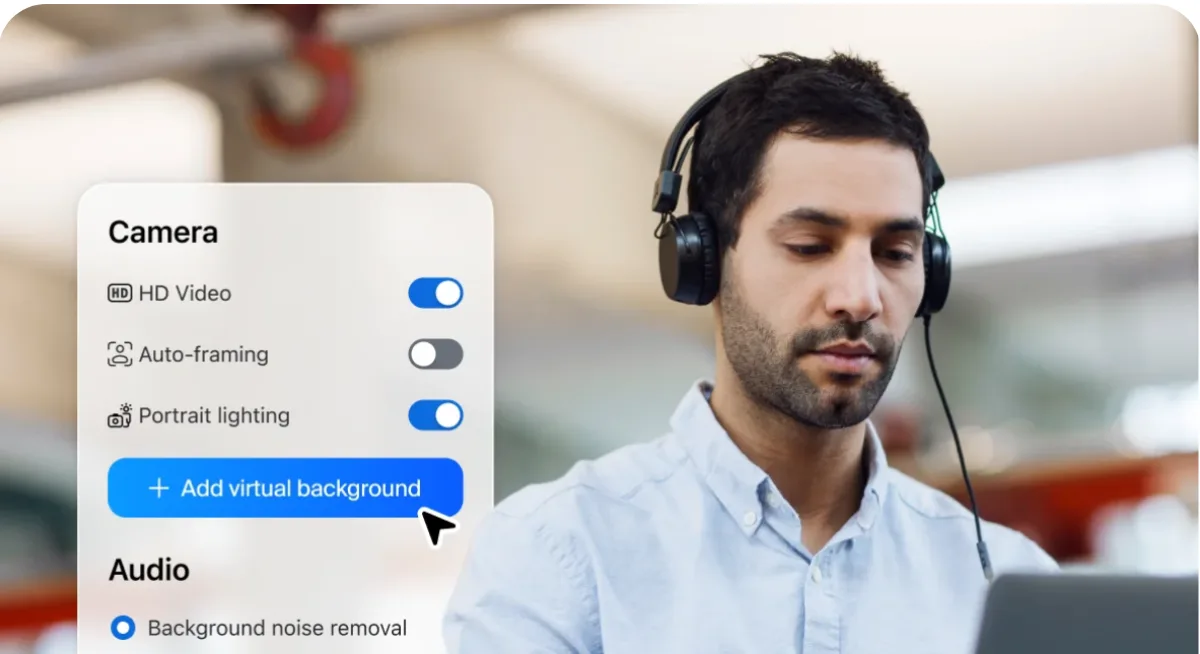
For freelancers, Zoom is primarily the tool for video calls with clients — it runs in the browser or as an app, participants don't need their own account, and connection quality is stable even on poor internet. AI features (transcription, meeting summaries) in Pro save additional time on post-meeting follow-ups.
Pros & Cons
Pros
- Most recognized, reliable video conferencing tool
- No account needed for clients to join
- ZoomMate transcribes and summarizes meetings
- Stable connection even on poor internet
Cons
- 40-minute cap on every meeting, 1:1 included
- USD pricing only, no EUR rates
- US company, privacy risk for sensitive discussions
Key Features
- Video meetings: HD video and audio for 1:1 calls through large group conferences — with screen sharing, virtual backgrounds and breakout rooms.
- Team chat: Integrated messenger with channels, file sharing and directly startable video calls — included in the free plan.
- Whiteboard: Collaborative digital whiteboard for joint brainstorms and visual collaboration.
- Cloud recording (Pro): Automatically record meetings and share as a link — ideal for webinar replays or client documentation.
- ZoomMate (formerly AI Companion): Automatic meeting transcription, summaries and action items — capped at 3 summaries and 20 queries a month on Basic, unlimited from Pro.
- Webinars (add-on): For freelancers hosting online workshops or webinars with a larger audience.
Why Zoom Makes Sense for Freelancers
Zoom's key advantage isn't the technology — it's brand recognition. Clients from companies and agencies know Zoom, often already have the app installed, and know how it works. That reduces the technical friction point before every call to zero.
For solo freelancers, the free plan covers the daily workflow completely: meetings up to 40 minutes with up to 100 participants, team chat and screen sharing at no cost. Since 2022 the 40-minute cap applies to every meeting, 1:1 included – it only starts to hurt once you run longer calls regularly — then Pro at ~$14/month pays for itself quickly.
Pricing
Basic
Free
free forever
- Every meeting up to 40 minutes, 1:1 included
- Up to 100 participants
- Team chat included
Pro
$14.16
per user/month (annual, ~$170/year) · up to 100 participants
- No 40-minute limit
- 10 GB cloud recording
- Unlimited AI features (ZoomMate) – Basic gets 3 summaries/month
Business
$18.33
per user/month (annual), up to 300 participants
- Everything in Pro
- Custom subdomain
- SSO & managed domains
Prices may change — check the official website for current plans.
Alternatives by use case
- MegaMeeting If participants should not install anything
- Airmeet If this is becoming an event
- Proton for Business If European data residency is a condition
- tl;dv If the recording matters more than the call


Frequently Asked Questions
Is Zoom really free?
Yes — the Basic plan is permanently free. Every meeting ends after 40 minutes – since May 2022 that applies to 1:1 calls as well, not just groups. Restart the call or move to Pro. For most freelancers who run individual client calls, this is fully sufficient.
Do my clients need a Zoom account?
No — participants can join via the meeting link without an account. They can also join in the browser without installing the Zoom app if they prefer.
Is Zoom Pro worth it for freelancers?
If you regularly run group workshops or longer team calls: yes. Pro costs $14.16/month billed annually and removes the 40-minute limit, adds cloud recordings and AI meeting transcripts. For pure 1:1 calls, upgrading is rarely worth it.
Is Zoom GDPR-compliant?
Zoom is a US company subject to US law. Zoom offers data processing agreements (DPA) and lets paid accounts pick an EU data center (free accounts cannot), but the legal situation is complex. For highly sensitive conversations, an open-source option like Jitsi Meet or BigBlueButton that you self-host on an EU server is the safer choice.
Verdict
For freelancers whose client calls fit into 40 minutes, the free plan is permanently sufficient — participants need no account, and in a pinch you simply restart the meeting. Anyone who regularly talks longer, runs workshops or needs cloud recordings will find the first paid tier worthwhile. Billing is in US dollars, which means currency conversion for anyone outside the US.