Kinsta Review: Premium WordPress Hosting Worth the Price?
Fastlancer Team · Updated: Aug 18, 2026

Short verdict
Ideal for
- Freelancers managing WordPress projects for demanding clients
- Web designers offering hosting as a premium service
- Agencies running multiple parallel client projects
Not ideal for
- Anyone running a CMS other than WordPress
- Freelancers hosting several small sites on the cheapest plan
- Entry price
- Free plan · paid from $30 / month
- Free to start?
- First month free on the Single 35k & WP 2 plans; 30-day money-back on the rest
- Stands out for
- Managed WordPress hosting on Google Cloud with edge caching, Cloudflare Enterprise, and 24/7 expert support.
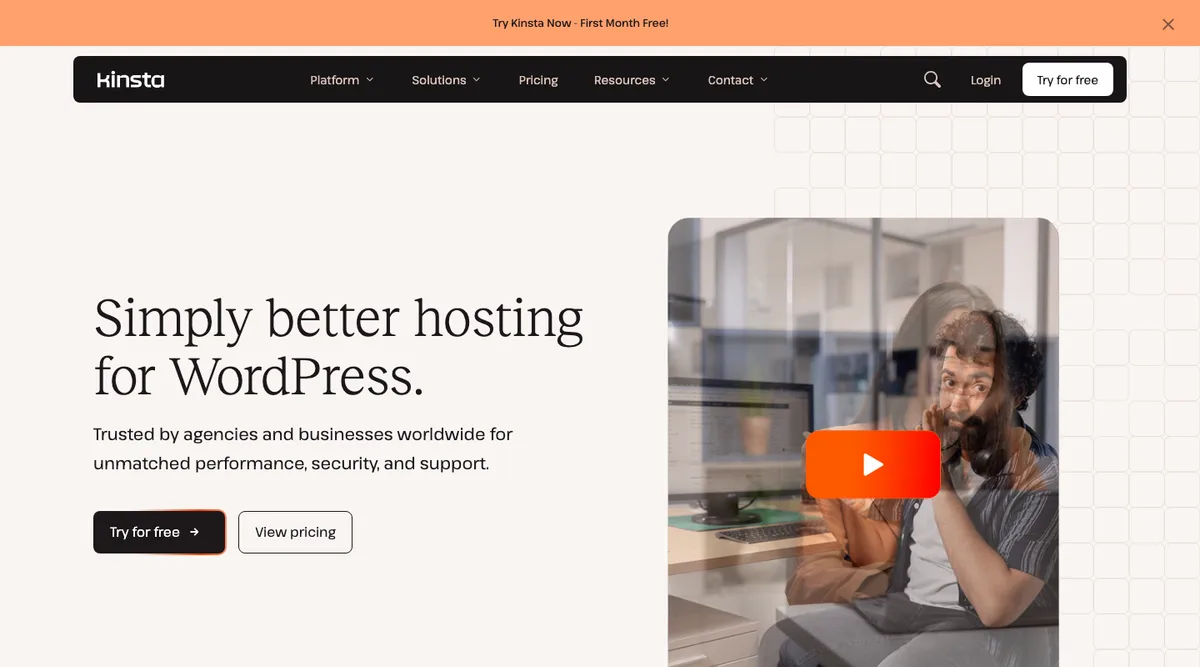
As a freelancer working in the web space, reliable hosting is critical. Downtime, slow load times, or security issues can damage your reputation and put client relationships at risk. Kinsta is a premium WordPress hosting provider running on the Google Cloud Platform, built around speed, security, and top-tier support.
What is Kinsta?
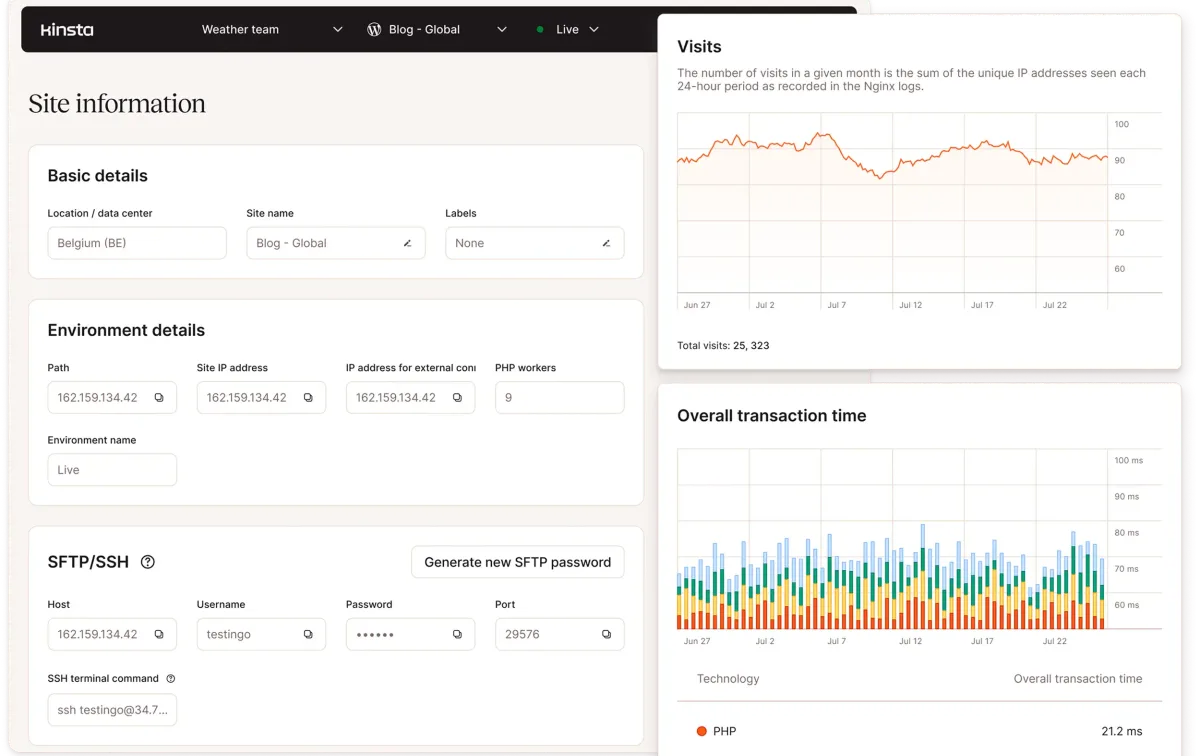
Kinsta is a premium managed WordPress host running on isolated container infrastructure across 27 global data centers on Google Cloud. Founded in 2013, it pairs that infrastructure with Cloudflare Enterprise (WAF + DDoS protection), a CDN with 300+ edge locations, and a dashboard called MyKinsta. Included on all plans: automatic backups (14-day retention), edge caching, Application Performance Monitoring (APM), and 24/7/365 expert support — Kinsta reports under 2-minute response times and a 98% satisfaction rating.
Key Features of Kinsta
WordPress-optimized hosting on isolated container infrastructure (Google Cloud)
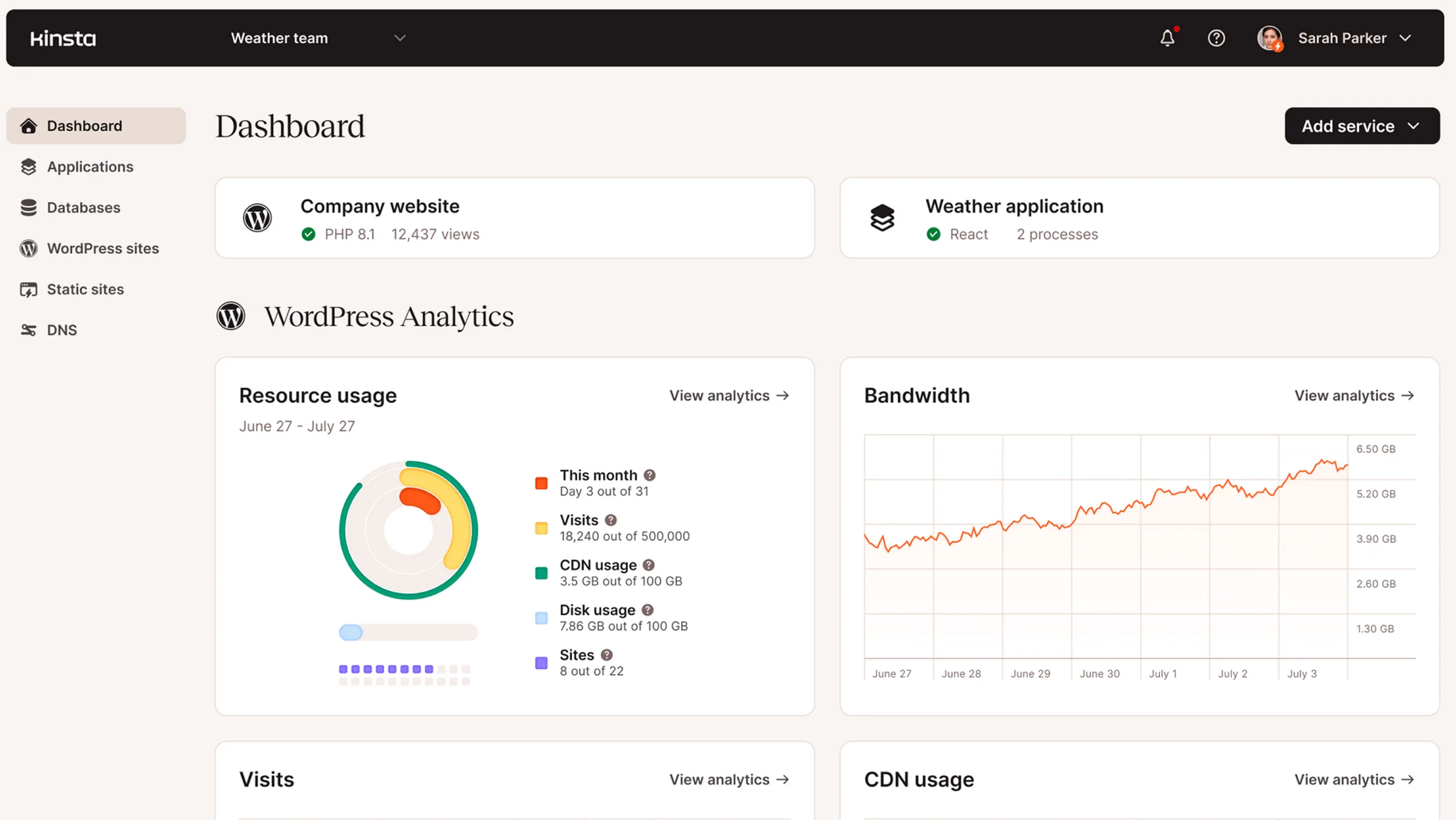
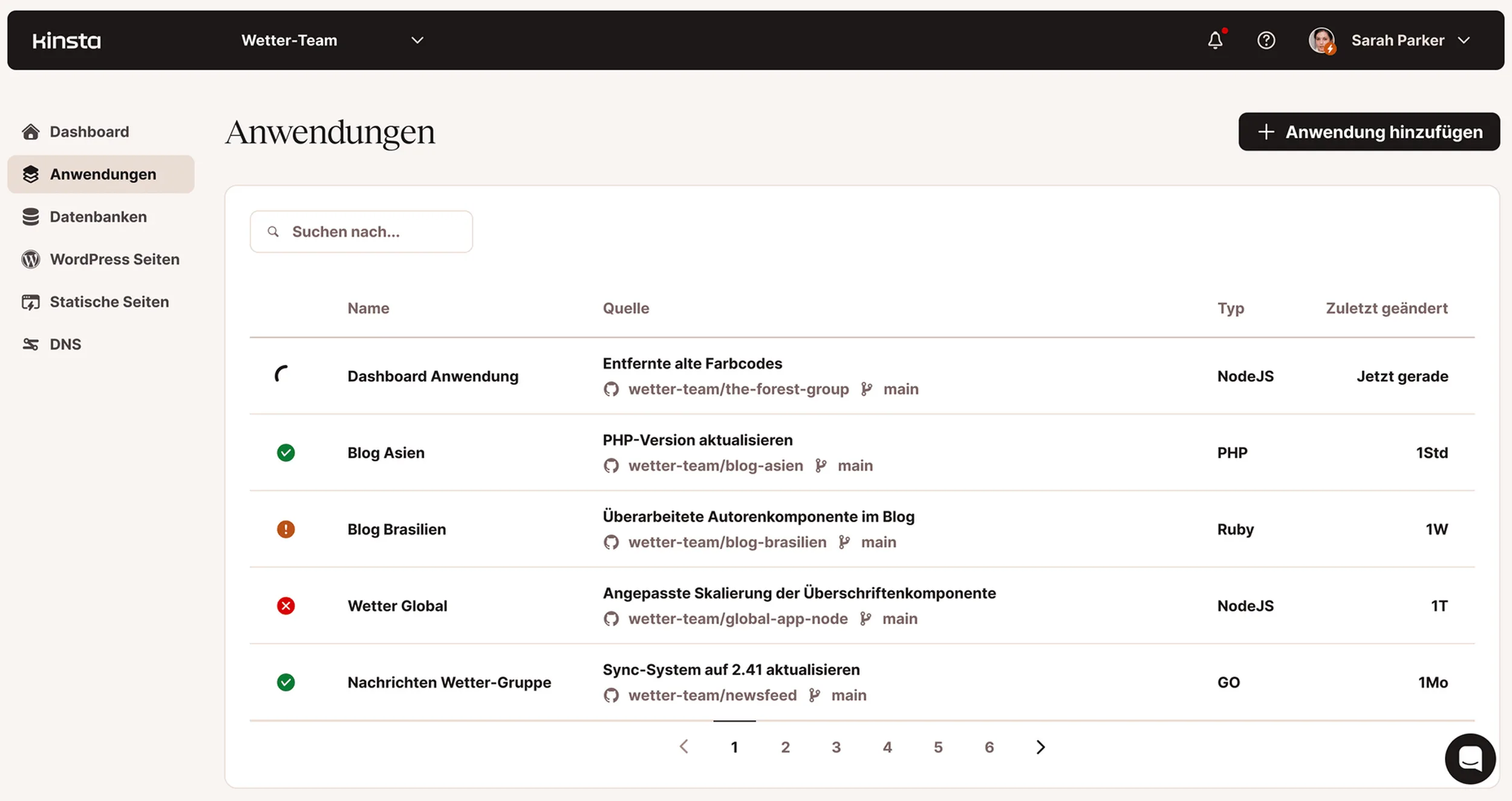
Central dashboard (MyKinsta) for managing all websites in one place
CDN with 300+ edge locations + Edge Caching for static and dynamic content
Cloudflare Enterprise with Web Application Firewall (WAF) and DDoS protection
One-click staging for testing changes before going live
Automatic backups with 14-day retention plus manual backups and point-in-time restore
Free SSL certificate (incl. wildcard) for every website
Application Performance Monitoring (APM) directly in the dashboard
Unlimited free migrations handled by the Kinsta team
SSH access, Git integration, WP-CLI support, and PHP version management
24/7/365 support via chat, email, phone, and WhatsApp
Why Kinsta Works Well for Freelancers
Google Cloud infrastructure delivers fast load times — important for SEO and user experience. The 24/7 WordPress expert support means qualified help when problems arise, not hours in forums. Automatic updates, malware scanning, and DDoS protection keep projects secure. MyKinsta handles multiple client projects from one place, with granular client access when needed.
Pros & Cons
Pros
- Managed WordPress hosting on Google Cloud
- Fast load times via premium CDN
- Automatic daily backups, one-click restore
- Outstanding 24/7 support from experts
Cons
- Pricier than shared hosting providers
- WordPress only, no other CMS
- Cheapest plan limited to 1 site
Is Kinsta Affordable for Freelancers?
Kinsta offers three plan families: Single Site (one installation, tiered by visits/bandwidth), WP plans (multiple installations for freelancers and small teams), and Agency plans (20–60 installations + dedicated account manager). Annual billing saves roughly 15%.
The Single 35k starts at $30/month (yearly) — one installation, 35,000 monthly visitors, 10 GB SSD. For freelancers managing multiple projects, WP 2 at $59/month (yearly) is the natural entry point: two installations, 20 GB SSD, 250 GB CDN bandwidth, scaling up to WP 40. All plans include Cloudflare Enterprise WAF/DDoS, CDN, free SSL, 14-day backups, staging, and unlimited free migrations. Select Single Site plans include a free first month. Current pricing at kinsta.com/de/preise — conditions change regularly.
Note: Prices reflect the date of publication and may have changed. Always check current pricing on the official Kinsta website.
Pricing
Single 20GB
$30
per month billed yearly · $35 monthly
- 1 WordPress site
- Google Cloud premium tier, Cloudflare Enterprise
Single 40GB
$42
per month billed yearly · $50 monthly
- 1 WordPress site
- Google Cloud premium tier, Cloudflare Enterprise
Single 65GB
$75
per month billed yearly · $90 monthly
- 1 WordPress site
- Google Cloud premium tier, Cloudflare Enterprise
Prices may change — check the official website for current plans.
Price history
Checked Sep 15, 2026 · 3 plans unchanged since Sep 15, 2026
Alternatives by use case
- ScalaHosting If dedicated server resources beat WordPress specialisation
- Webflow If design and hosting should come from one place
- Shopify If this is a store rather than a website


Frequently Asked Questions
How much does Kinsta cost in 2026?
Kinsta's managed WordPress hosting starts at $30/month for the Single Site plan (annual billing — monthly is slightly higher). Higher tiers scale by site count, monthly visits and disk space: Single Site plans (1 installation, tiered by visits or bandwidth), WP 2 to WP 40 (multiple installations — WP 2 at $59/mo yearly is the freelancer entry point) and Agency plans (20–60 installations with a dedicated account manager). All plans include Google Cloud Platform infrastructure, Cloudflare Enterprise, 300+ edge locations, free migrations and 24/7 expert support. Check kinsta.com/plans for current pricing — Kinsta runs occasional discounts for first-year customers.
Is there a Kinsta free trial?
Yes — Kinsta offers the first month free on its Single 35k and WP 2 plans (the entry and freelancer tiers), plus a 30-day money-back guarantee on all other plans. So you can either start free on the two most popular freelancer plans, or sign up on a larger plan and request a full refund within 30 days. Combined with the free site migration (Kinsta migrates your existing WordPress site at no charge), it's effectively risk-free either way. A Live Demo is also available on request via the sales team.
Is Kinsta worth the higher price compared to shared hosting?
For client-facing WordPress sites: yes — provided uptime, speed and support actually matter for your work. Shared hosting at $5–10/month becomes a hidden cost the first time a client site goes down during business hours, gets hit with a malware injection or loads a 3-second hero image. Kinsta's premium price buys you Google Cloud infrastructure (the same backbone as YouTube and Gmail), Cloudflare Enterprise, automatic daily backups with one-click restore, and a 24/7 WordPress-expert support team — not a generic ticket queue. For personal blogs or low-traffic projects without a paying client, shared hosting is fine and Kinsta is overkill.
Kinsta vs. WP Engine vs. SiteGround — which managed WordPress host is best?
All three serve the managed WordPress segment but at different price points. SiteGround (from ~$3/mo first year, ~$15/mo renewal) is the entry-level managed option — good performance, less infrastructure flexibility. WP Engine (from $30/mo first-year pricing) sits in the mid-range with strong developer tools and StudioPress themes included. Kinsta (also from $30/mo) runs on Google Cloud with Cloudflare Enterprise and is the premium option for agencies and high-value client sites. For freelancers running paying client work, Kinsta and WP Engine are the realistic options; SiteGround fits hobby projects and small business sites.
Does Kinsta handle the migration from another host for free?
Yes — Kinsta offers unlimited free site migrations on all paid plans. The Kinsta migration team handles the move from your current host (SiteGround, WP Engine, Bluehost, GoDaddy, etc.) at no charge. Typical timeline: 24–48 hours for standard sites; complex multi-site or WooCommerce setups can take 3–5 business days. They handle the database migration, file transfer, SSL setup and DNS guidance — your live site stays online during the move. This is one of the strongest arguments for switching to Kinsta from cheaper hosts: the migration friction that usually keeps people stuck on suboptimal hosting is removed.
Is Kinsta expensive? Cheap WordPress hosting alternatives?
Yes, compared with entry-level shared hosting — Kinsta costs several times what an introductory shared plan does. The honest answer: if the site is a hobby project, that gap is not worth paying. If it is a client site where downtime costs a relationship, managed hosting with daily backups and real support is a different product, not the same one at a higher price.
Does Kinsta support WooCommerce and high-traffic sites?
Yes — Kinsta is optimized for WooCommerce and high-traffic WordPress. WooCommerce-specific optimizations include: bypass-caching for cart and checkout pages (so customers don't see stale carts), object caching via Redis (available on higher tiers), and database optimizations for product catalogs. For high-traffic sites, the larger WP and Agency plans scale to 1M+ monthly visits, isolated container infrastructure scales independently of other tenants, and the 300+ edge location CDN handles traffic spikes globally. Kinsta has reference cases for sites hitting 5M+ monthly visits — but for the typical WooCommerce freelancer client running 10K–100K monthly visits, the WP 2 plan ($59/month yearly) is the sweet spot.
Verdict
If you manage WordPress projects for demanding clients and want to deliver premium performance, security, and reliability, Kinsta gives you the technical foundation to back that up. With Single Site plans starting at $30/month (yearly), entry is more reasonable than often assumed — though for simple private sites the price is still overkill.