Beautiful.ai Review 2026: Pricing and the 3x Monthly Penalty
Fastlancer Team · Updated: Sep 3, 2026

Short verdict
Ideal for
- Freelancers who pitch with decks and want them to look designed
- Anyone who bills a single client project — the $45 month is built for that
- Small teams up to 20 people needing shared branding and templates
- Not for one-off users wanting something permanently free
Not ideal for
- Anyone paying monthly — the monthly rate is far above the annual one
- Occasional users looking for something permanently free
- Teams building many custom themes and templates
- Entry price
- From $40 / month
- Free to start?
- Yes — 14 days, no free plan afterwards
- Stands out for
- Slides that format themselves — you choose the content, the layout adapts on its own.
What it does
Beautiful.ai builds presentations that format themselves. You pick a Smart Slide layout and add content; the slide rearranges spacing, alignment and proportions on its own. Over 300 layouts cover the usual cases, and AI generation, images and translation are included from the entry tier.
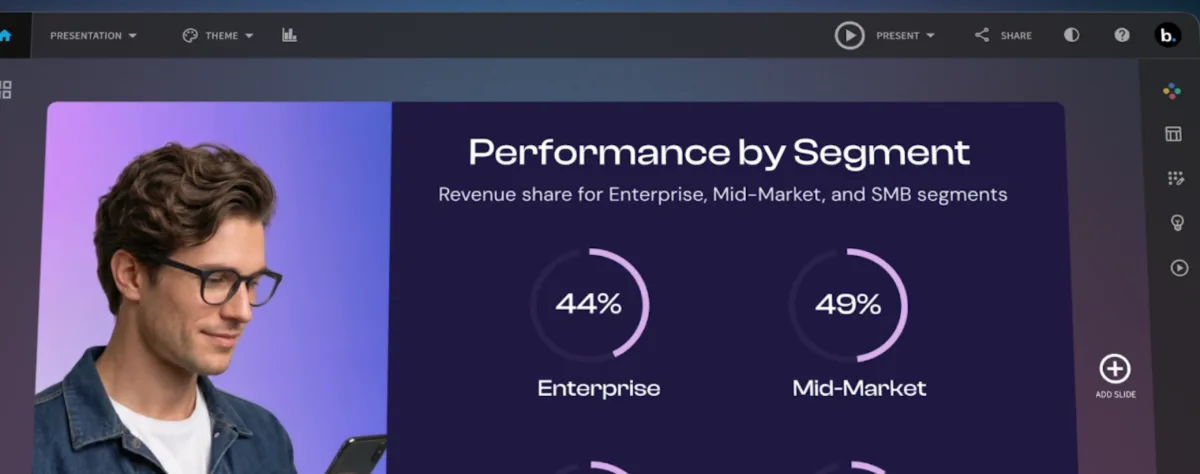
The appeal for freelance work is narrow but real: a pitch deck that looks designed without design time. If you have ever spent twenty minutes nudging text boxes into alignment, that is the twenty minutes this buys back.
Pricing 2026
The billing choice costs more here than the plan choice. Pro is the same product either way, but $540 against $174 is a 68% gap — the widest of any tool in this category we track.
Beautiful.ai does not hide it: the monthly rate is explicitly labelled for ad-hoc projects. That makes it a fair option rather than a penalty. Need decks for one client engagement? Two months at $45 costs $90 and beats committing to a year. Present regularly? Annual is the only rational pick.
Pro's limits sit on workspace content, not on AI: 5 themes, 10 templates, 50 library slides, 100 assets, one member. Comfortable solo, deliberately tight for agencies.
Who it fits
- you pitch with decks and want them to look designed without design time
- you have one client project — take the $45 month, not the year
- a small team needs shared branding and locked slides (Teams from 2 seats)
- you need something permanently free
- you also need social graphics, PDFs and print — that is a broader tool
What we like about Beautiful.ai and what we don't
Pros
- Auto-formatting slides while you type
- $45 monthly plan for single projects
- AI generation, images, translation included
- Teams plan starts at two seats
Cons
- 3x monthly cost vs. annual rate
- No free plan after trial
- Workspace caps: 5 themes, 10 templates
Pricing
Pro
$14.50
per month billed annually · $45 monthly
- Unlimited AI content generation, AI images, translation
- 300+ Smart Slide layouts with auto-formatting
- Custom theme builder, brand styling
Team
$40
per user/month billed annually · $50 monthly · 2–20 seats
- Live collaborative editing, version control, locked slides
- Shared asset library, live data linking
- Viewer and slide analytics, engagement alerts
Enterprise
On request
billed annually
- SSO, SCIM provisioning, audit logs, SOC 2 Type II
Prices may change — check the official website for current plans.
Price history
Checked Oct 16, 2026 · 2 plans unchanged since Sep 14, 2026
Alternatives by use case


Frequently Asked Questions
How much does Beautiful.ai cost in 2026?
The billing choice costs more than the plan choice: booked monthly you pay roughly three times the annual rate for the same product. Beautiful.ai labels the monthly rate explicitly for ad-hoc projects — for a single client engagement two months beat a year, for regular use annual is the only rational pick. There is no free plan after the trial.
Why is monthly three times the annual price?
Because Beautiful.ai sells it as a different product, and says so: the monthly rate is aimed at ad-hoc projects. That framing is fair. If you need decks for one client engagement over six weeks, $45 twice beats $174 locked in for a year. If presentations are part of your normal work, the annual rate is the only sensible choice — the gap is 68%.
What does the Pro plan limit?
Not the AI features — those are unlimited from the entry tier, including content generation, images and translation. The caps are on workspace content: 5 themes, 10 presentation templates, 50 library slides and 100 assets, with one member. For a solo freelancer those ceilings are comfortable; they exist to push agencies onto Teams.
Beautiful.ai or Canva?
Different problems. Canva is a general design tool that also does slides, and it has a genuine free tier. Beautiful.ai does one thing: decks that format themselves as you type. If you build a deck every week and resent nudging text boxes, the auto-layout earns its $14.50. If you need social graphics and PDFs too, Canva covers more ground for less.
Verdict
Beautiful.ai is a narrow tool that does its one job well: slides that lay themselves out while you write. For anyone who pitches with decks regularly, the annual rate is fair. The number to notice is the monthly one — it runs at three times as much. Beautiful.ai labels it openly as an option for one-off projects, which is honest, but it means the billing choice matters more here than with almost any comparable tool.