Pixlr Express & Pixlr Editor Review 2026: Free Photo Editor vs Photoshop
Tim Wittke · Updated: Sep 3, 2026
Short verdict
Ideal for
- Freelancers who need quick crops, colour fixes and social graphics without installing anything
- Anyone who wants layers, masks and selections in the browser for occasional retouching
- Creators who use AI generation regularly — Plus is the entry point, Premium the realistic tier
- Teams working across several devices: one account covers web, desktop and mobile
Not ideal for
- Anyone who needs vector artwork or print prepress
- Creators with heavy AI use on the entry plan
- People expecting an ad-free interface on the free tier
- Entry price
- Free plan · paid from $1.99 / month
- Free to start?
- Yes — 7-day Premium trial with 250 AI credits, offered inside the app; the editors are free anyway
- Stands out for
- Free browser editor with layers and masks — the paid plans from $1.99/month mostly buy AI credits, not editing features.
Pixlr is a browser-based image editor with a growing layer of AI tools on top. The editors are free; the paid plans start at $1.99 a month and mostly buy AI credits. That split is the whole story of this review: what you get without paying, where the paywall actually sits, and which tier is worth it.
Two editors and a layer of AI
Pixlr is not one product, and the names changed — which is why so many people arrive searching for a tool that has been renamed. Pixlr Editor (the old Pixlr E) is the advanced editor with layers, masks, selection tools and curves. Pixlr Express (the old Pixlr X) is the quick editor: one-click adjustments, filters, templates, social formats. The former Pixlr Designer is gone as a separate product; its URL redirects to the home page. Both editors run in the browser with no installation, share one account and work on desktop and in the iOS and Android apps.
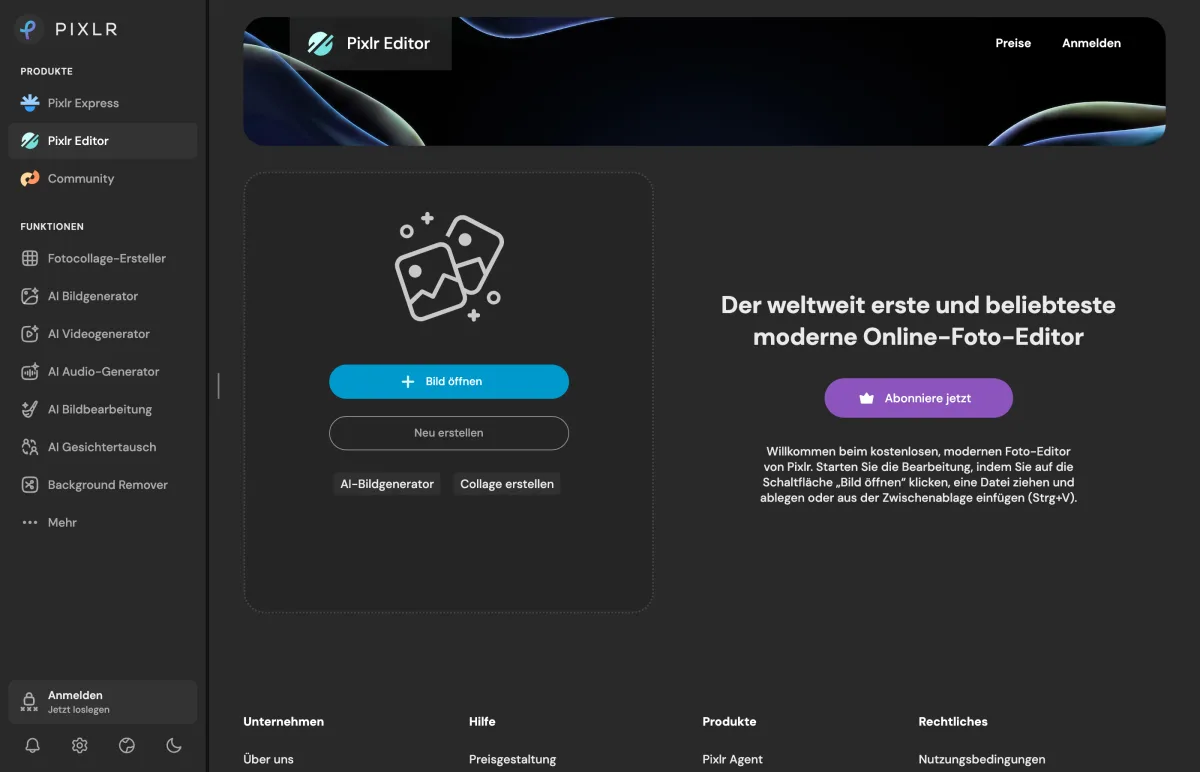

Around the editors Pixlr has built the AI tools it now promotes hardest: image generator, instruct editor, video generator, background and object remover, upscaler, face swap — running on third-party models such as Flux, Kling and Google Veo. These are what AI credits are spent on, not the editing itself.
Which one you want: if the job is "crop this, fix the colours, post it", Express is faster and you won't miss the extra tools. If the job involves layers, precise selections or retouching, Express will frustrate you within minutes and Editor is the right entry point. Most freelancers end up in Express daily and open Editor a few times a month.
Is Pixlr still free? Where the paywall sits
Yes — the editors are free, and that has not changed. Cropping, layers, masks, filters, retouching and exports all work without paying. What the free tier carries is ads, a daily cap on saves and a starter allowance of 20 AI credits for new users; a 7-day Premium trial with 250 credits is offered inside the app. The pricing page lists no free column at all — it only says that Plus removes the ads and lifts the save cap, and the size of that cap is published nowhere.
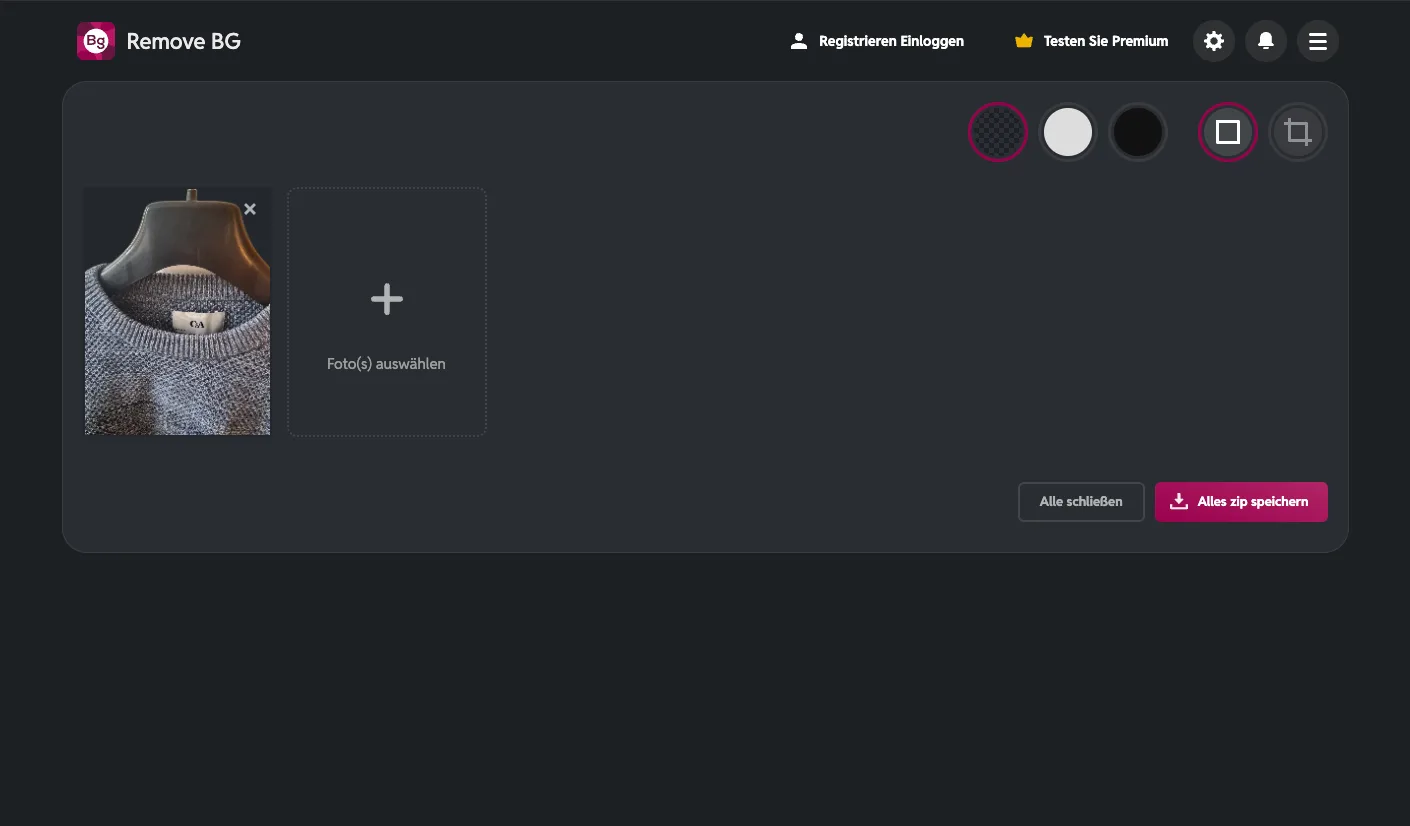
That credit system is why people search whether Pixlr is "not free anymore". Nothing was taken away from the editing tools. The features added since — generation, generative fill, background and object removal, upscaling — consume credits, and 20 starter credits are gone after a handful of generations. If your mental model of Pixlr is "the free browser Photoshop", it still is. If you arrived expecting free AI generation, that is where the paywall sits.
Pixlr pricing 2026
Yearly billing saves about 20 %. Pixlr shows the same figures in your local currency — a visitor in the EU sees €1.99 where a US visitor sees $1.99. Payment is by card or PayPal, cancellation any time, and a subscription covers web, desktop and mobile with one account. Compared with Adobe Creative Cloud at roughly $70 a month, every Pixlr tier is a different order of magnitude — but the comparison only holds for the workflows Pixlr covers.
Who should pay, and for what
The practical line: for editing existing images, free is enough and always has been. Plus is worth $1.99 the moment the ads or the save cap get in the way. For AI generation as a regular part of the workflow, Plus is the honest minimum but its 80 credits are modest — real AI volume starts at Premium, and Ultra's unlimited fast generations only pay off if you generate all day.
The decision in three lines
- crops, colour fixes, social posts: stay on free, or take Plus to lose the ads and the daily save cap
- AI images or video several times a week: Premium — the 80 Plus credits won't last
- print production, CMYK, Camera Raw or vector work: Affinity or a desktop editor, not Pixlr
Alternatives worth a look: Canva for template-led design and team work, Photopea for Photoshop-style retouching without a subscription, Figma for UI and vector work. The design tools overview lists editors, UI tools and AI image generators side by side.
What we like about Pixlr and what we don't
Pros
- Free editor with layers and masks
- Plus removes ads for $1.99
- One account across web, desktop, mobile
- Unlimited fair-use image generations on Ultra
Cons
- No vector editor or CMYK support
- 80 AI credits run out fast
- Free tier has ads, undisclosed save cap
Product names, redirects and prices verified on pixlr.com on 3 September 2026: /x/ resolves to /express/, /e/ to /editor/, /designer/ to the home page.
Pricing
Free
Free
Express and Editor in the browser
- Full editing toolset: layers, masks, filters, retouching
- Ads in the interface and a daily cap on saves
- 20 AI credits as a new user; a 7-day Premium trial adds 250
Plus
$1.99
per month billed yearly, $2.49 monthly
- Ad-free and unlimited saves
- 80 AI credits per month, 1 concurrent generation
- Same access on web, desktop and mobile apps
Premium
$7.99
per month billed yearly, $9.99 monthly
- 1,000 AI credits per month, 4 concurrent generations
- All image, video and audio models, private generation mode
- Big library of fonts, templates and elements
Ultra
$19.99
per month billed yearly, $24.99 monthly; Ultra MAX $39.99
- Unlimited fast image generations (fair use), 8 concurrent
- 5,000 AI credits per month, 10,000 with Ultra MAX
- Priority queue, extended high-res exports
Prices may change — check the official website for current plans.
Alternatives by use case


Frequently Asked Questions
Is Pixlr free in 2026?
Yes — Pixlr Editor (formerly Pixlr E) and Pixlr Express (formerly Pixlr X) are free to use in the browser, no account needed for basic editing. The free tier shows ads and caps the number of saves per day; new users get 20 AI credits for background removal, generation and similar tools, and a 7-day Premium trial with 250 credits is offered inside the app. The daily save cap itself is published nowhere. Plus at $1.99/month billed yearly removes the ads and the save cap and adds 80 AI credits a month.
What is the difference between Pixlr Editor and Pixlr Express?
Pixlr Editor (the old Pixlr E) is the advanced editor: layers, masks, selection tools, curves — the closest thing to a browser Photoshop. Pixlr Express (the old Pixlr X) is the quick editor for one-click adjustments, filters and social formats. Both share one account and one free tier. The former Pixlr Designer is no longer a separate product; its URL redirects to the Pixlr home page.
How much does Pixlr cost in 2026?
Four paid tiers, monthly or yearly with roughly 20 % off annually, plus an ad-supported free tier. The ladder follows AI credits rather than image features — anyone generating regularly moves past the entry tier fast. Pixlr shows the amounts in the visitor's local currency.
What are Pixlr AI credits and which plan do I need?
Credits pay for the AI tools — image and video generation, generative fill, background and object removal, upscaling — not for editing. Plus gives 80 credits a month (about 80 fast images), Premium 1,000 credits plus access to all image, video and audio models, Ultra 5,000 credits with unlimited fast image generations under fair use, Ultra MAX 10,000. Subscription credits are valid for one month; yearly plans grant the full year's credits up front.
Is Pixlr a good Photoshop alternative for freelancers?
For quick edits, social graphics and basic retouching: yes. Pixlr Editor covers layers, masks, blend modes, filters and selections — most of what freelancers actually open Photoshop for — and it opens simple layered PSD files — complex ones with masks often fail, and there is no PSD export. It doesn't replace Photoshop for client-grade print work: no CMYK workflow, no soft proofing, no Camera Raw, no Creative Cloud libraries. Realistic positioning: the best free browser editor for content marketing and ad-hoc client requests, not for print production or high-end retouching.
Pixlr vs. Canva vs. Photopea — which is best?
Pixlr sits between the two: stronger photo editing than Canva, more template support than Photopea. Canva wins for templates, brand kits and team collaboration but is weaker at pixel-level retouching. Photopea is the closest free Photoshop clone — native PSD support and Photoshop shortcuts, weaker templates. Pick Canva for brand-led design, Photopea for Photoshop-style retouching without a subscription, Pixlr for AI-assisted quick edits.
Verdict
Pixlr is still the free browser Photoshop it was known for — the editors cost nothing, and that has not changed. What costs money is AI: the first paid tier removes the ads and the save cap, the second is where regular AI generation becomes practical, the third is for people who generate all day. For crops, colour fixes and social graphics, stay on free. If AI is part of the daily workflow, budget for the second tier, not the first. For print production or heavy retouching it is not the tool — Photopea or a desktop editor is.