Norton 360 Review 2026: Antivirus, VPN and Backup in One Subscription
Fastlancer Team · Updated: Nov 17, 2026
Short verdict
Device protection with VPN and backup built in
- Freelancers who handle client files, online banking and tax accounts on a laptop and a phone
- Anyone working from cafés or coworking spaces who wants VPN, passwords and antivirus under one bill
- Windows users who want important project folders backed up to the cloud automatically
- Anyone who compares prices every year and doesn't want to track a renewal date
- Mac-only users, since the cloud backup runs on Windows only
What Norton 360 does for you
A freelancer's laptop holds almost everything worth stealing: client files, business bank logins, tax accounts, email inboxes. Norton 360 is built to protect exactly that. It scans files and downloads for malware, blocks fake websites, and warns you about scam messages arriving by email, text or social media.
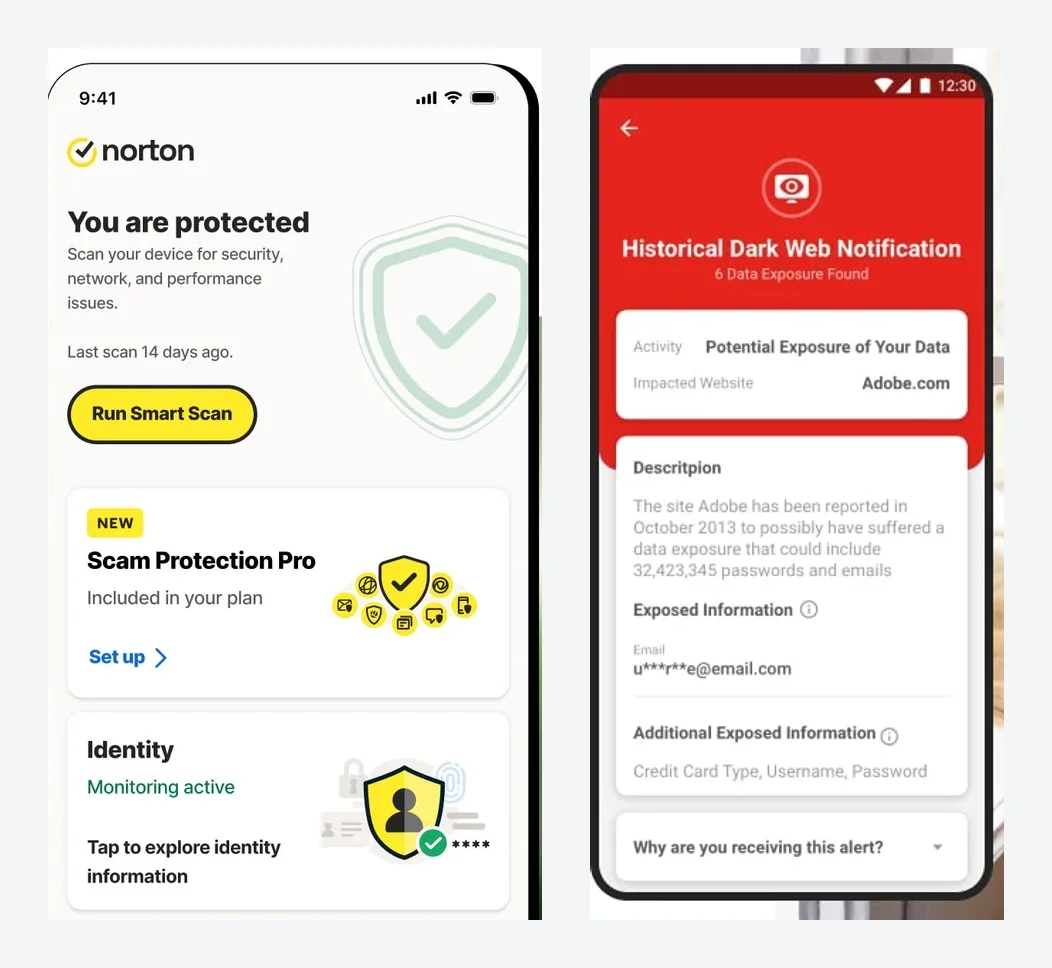
What sets it apart from plain antivirus is the bundle. One subscription covers Windows, Mac, Android and iPhone, and it includes a VPN, a password manager and cloud backup. If you currently juggle three services and three bills, Norton can fold them into one.
Protection, VPN and backup: what's in the bundle
On the core job there's little to fault. Norton 360 regularly earns full marks for protection, performance and usability from AV-TEST, where it's listed as a Top Product, and AV-Comparatives has recognized it as well. On top of that comes scam protection that flags suspicious messages and deepfake videos, plus an AI assistant you can ask about a sketchy email before you click.
The VPN is included in every Norton 360 plan and covers everyday use in coworking spaces and hotel Wi-Fi. If you need specific server locations or advanced features, a dedicated service like NordVPN gives you more control. The password manager handles the basics but doesn't match a specialist like 1Password.
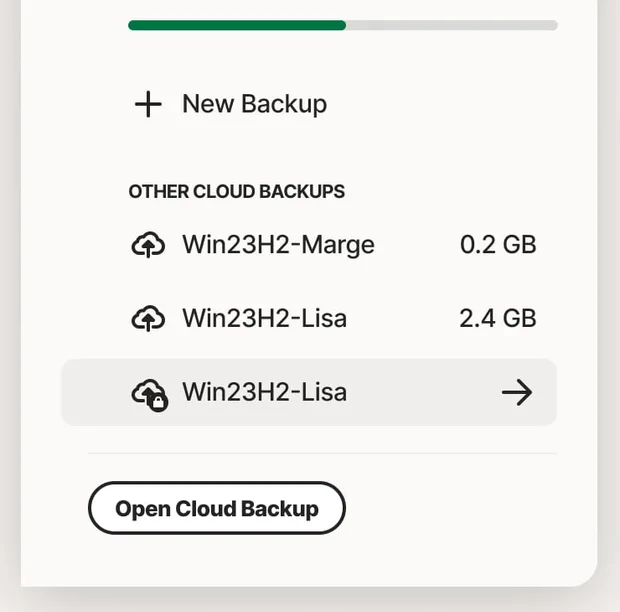
Read the backup fine print before you buy: it works on Windows only, not on a Mac and not on Windows machines with ARM processors. For Mac users, one of the main reasons to choose the bundle drops away.
Norton 360 pricing: the intro price isn't the price
The plans differ mainly by device count. A laptop, a phone and a tablet already fill Standard, while Deluxe costs only slightly more in year one and covers five devices. The catch sits in the fine print: every plan renews automatically at the regular rate. On Standard, $39.99 in year one becomes $94.99 from year two, and Norton may bill the renewal up to 35 days before the renewal date. Turn off auto-renewal in your account and decide each year whether the full price is worth it. For small teams there's Norton Small Business, where only the Premium tier adds a VPN.
Identity protection and privacy
Norton belongs to Gen Digital, a US company based in Arizona, which also owns LifeLock. That's why the higher US plans add identity theft protection with credit alerts and reimbursement for stolen funds, something Norton doesn't sell in Europe. If you'd rather keep your data with a European vendor, ESET or G DATA are the obvious alternatives.
What we like about Norton 360 and what we don't
Pros
- Top scores from AV-TEST and AV-Comparatives
- VPN and password manager in every plan
- One plan covers Windows, Mac, phones
- 60-day money-back guarantee
Cons
- Renewal costs more than double
- Cloud backup is Windows-only
- Renewal can be charged weeks early
Norton 360 isn't a company-wide security platform. It's a strong all-in-one bundle for the handful of devices you work on. More tools for privacy and device security are in our privacy tools overview.
Pricing
Standard
$39.99 / year
- Renews at $94.99 per year automatically
- 3 devices: PC, Mac, phone or tablet
- VPN, password manager, dark web monitoring, 2 GB backup
Deluxe
$49.99 / year
- Renews at $124.99 per year automatically
- 5 devices, 50 GB cloud backup
- Adds Privacy Monitor and parental control
360 with LifeLock Select Plus
$99.99 / year
- Renews at $189.99 per year automatically
- 10 devices, 250 GB cloud backup
- LifeLock identity theft protection and credit alerts
Small Business
$59.99 / year
- Renews at $119.99 per year automatically
- Up to 3 employees, 2 devices each, 250 GB backup
- No admin dashboard, VPN only in Small Business Premium
Prices may change — check the official website for current plans.
Alternatives by use case
- Bitdefender If you want a similar bundle with a hardened banking browser
- ESET If you want lightweight antivirus that won't slow an older laptop
- G DATA If you prefer a European vendor based in Germany
- NordVPN If all you're really missing is a VPN for public Wi-Fi


Frequently Asked Questions
How much does Norton 360 cost?
Norton 360 is sold as an annual subscription, and the price scales with the number of devices: Standard covers three, Deluxe five, and the LifeLock Select Plus plan ten. What matters most is the gap between the first-year price and the renewal price. Year one is heavily discounted; from year two the plan renews automatically at the regular rate, which is more than double on Standard and Deluxe. For a freelancer with a laptop, a phone and a tablet, Deluxe is usually the sensible pick because it costs only a little more than Standard. Exact prices are in the plan cards, checked November 2026.
Is there a Norton 360 free trial?
Yes. Norton offers a 7-day free trial for Standard, Deluxe and the LifeLock Select Plus plan. You need a payment method on file, and the paid subscription starts when the trial ends unless you cancel first. If you buy outright, annual plans come with a 60-day money-back guarantee. There is no permanently free version of Norton 360.
Norton 360 vs Bitdefender: which is better?
On raw protection both sit at the top of AV-TEST and AV-Comparatives results year after year, so the choice comes down to the bundle. Norton includes a VPN and Windows cloud backup even on its entry plan. Bitdefender adds a hardened browser for online banking and caps the VPN on its cheaper plans. If you want backup and VPN from one vendor, Norton fits; if banking protection is your main concern, look at Bitdefender.
How do I turn off Norton auto-renewal?
Sign in at my.norton.com, open your subscriptions under the account menu and switch off automatic renewal. Protection keeps running until the end of the paid term. Annual subscribers get an email with the renewal price beforehand. The 60-day refund window applies to renewal payments on annual plans too, so if a charge catches you off guard, you can still get your money back.
Do I need Norton 360 if I have Windows Defender?
Microsoft Defender protects a Windows PC well these days and costs nothing. Norton earns its price when you need more than one Windows machine covered: Macs and phones, protection against scam texts and fake websites, a VPN for public Wi-Fi, a password manager and cloud backup. If you run a single Windows PC and already have a VPN and password manager, Defender is enough.
Verdict
Norton 360 takes away the worry that one fake link, an infected attachment or an open café network exposes the laptop holding your client files and bank logins. Independent labs have rated its protection highly for years, and the VPN, password manager and backup come without extra subscriptions. The catch is the price from year two, which is more than double the first-year rate and is charged automatically. If you set a reminder before renewal and are willing to switch or negotiate, you get a well-rounded security bundle for little money.