Bitdefender Review 2026: Antivirus for Work Laptops and Phones That Stays Out of the Way
Fastlancer Team · Updated: Nov 17, 2026
Short verdict
Top-rated protection that won't slow you down
- Freelancers who handle client files and online banking on a Windows laptop and a phone
- Small offices that need to cover several devices without an IT person
- Anyone who wants protection that runs in the background and needs almost no setup
- Mac-only users, since Safepay and several extras are Windows-only
- Anyone expecting the first-year price to stay the same at renewal
What Bitdefender does for you
Your work laptop holds proposals, invoices and client files; your phone holds the banking app and your inbox. Bitdefender makes sure a fake invoice attachment, an infected file from a client project or a cloned bank login page never gets to any of it. Protection runs in the background, handles most decisions on its own and only interrupts you when you actually need to act.
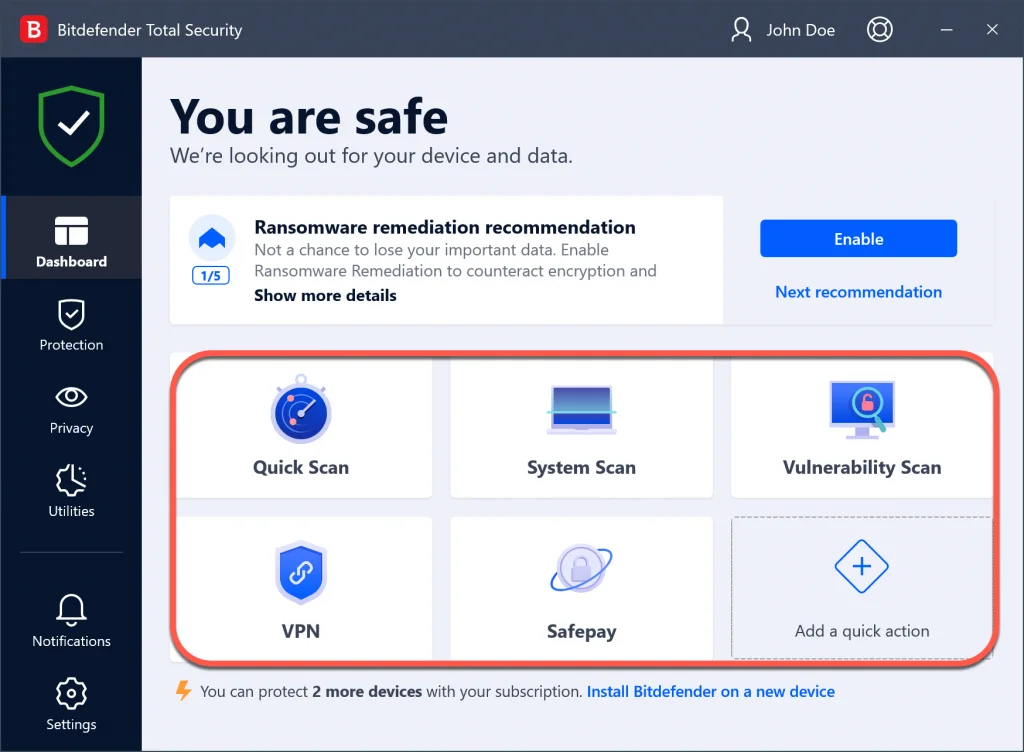
One license covers Windows, macOS, Android and iOS. You install and manage everything through Bitdefender Central, an online account that shows which devices are protected and which aren't.
Protection and speed according to the test labs
Bitdefender has been in the top group of independent testing labs for years. In August 2026, AV-TEST gave it full marks for protection, performance and usability on Windows 11, along with a Top Product award. In AV-Comparatives' Real-World Protection Test (February to May 2026), it blocked nearly every live attack with fewer false alarms than average.
If your worry is a slower machine, AV-Comparatives' performance test is the better guide: copying files, installing apps, archiving and browsing ran at the top speed rating in almost every category. Bitdefender itself notes that devices with very old processors may slow down noticeably.
Safepay and VPN in daily work
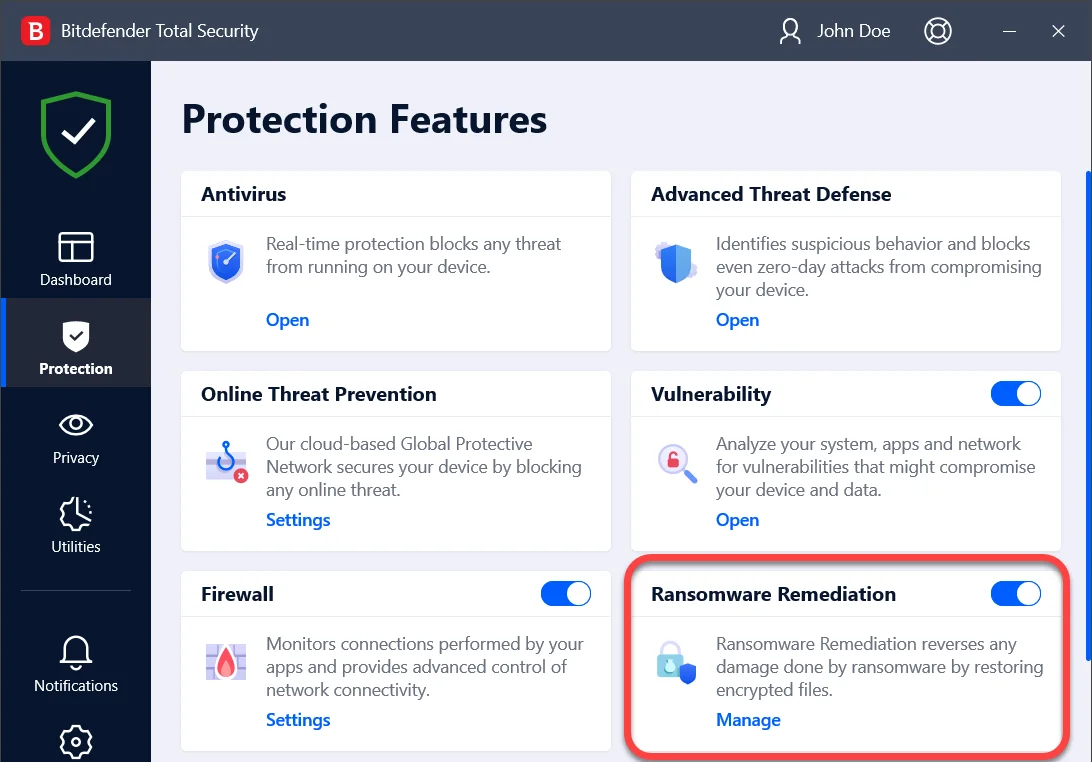
Safepay is a shielded browser for online banking and payments. When you open a banking site, Bitdefender offers to load it in Safepay, where keyloggers can't record what you type and other programs can't take screenshots. Safepay is Windows-only.
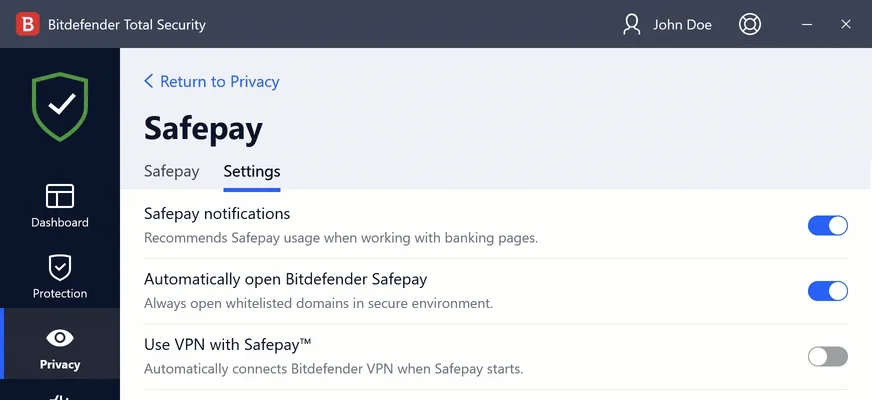
Every plan includes the VPN, but up to Total Security it comes with a small daily allowance: enough to check email on coffee-shop Wi-Fi, not enough for video calls. It's unlimited from Premium Security up.
Bitdefender pricing: the renewal jump
Two questions decide the plan: how many devices do you need to cover, and do you use a VPN regularly? Total Security is the sensible choice for most freelancers because it adds the firewall and anti-theft tools. Premium Security only pays off if you often work on public Wi-Fi.
The catch is in the fine print: every price applies to the first year only, then the subscription renews automatically at the regular rate. Total Security goes from $49.99 to $109.99 a year. If you turn off auto-renewal in Bitdefender Central and buy a new subscription before yours expires, you can often get the intro price again.
Try Bitdefender free for 30 days
For small teams: Ultimate Small Business Security
For offices with a few employees there's Ultimate Small Business Security. It covers the team's devices, adds protection for Windows servers and runs from the same Bitdefender Central dashboard, kept separate from your personal devices. No IT background required. Once a team grows to the point where policies have to be pushed out centrally, Bitdefender's GravityZone business line is the better fit.
Bitdefender is headquartered in Bucharest, Romania, which puts it under the EU's GDPR. To detect threats, the software checks suspicious files and websites against Bitdefender's cloud.
What we like about Bitdefender and what we don't
Pros
- Top scores from AV-TEST and AV-Comparatives
- Barely slows your machine in lab tests
- One license for Windows, Mac and phones
- Safepay walls off online banking
- Unlimited VPN from Premium Security up
Cons
- Renewal costs about twice the intro price
- VPN capped on the two cheaper plans
- Safepay is Windows-only
Bitdefender is the antivirus for people who don't want to think about security but keep client data on more than one device. To compare it with other options, see our privacy and security tools overview and our guide to the best security software for small business.
Pricing
Antivirus Plus
$24.99 / year
- Renews at $49.99; 3 devices $39.99, then $69.99
- Windows, macOS, Android and iOS
- Ransomware protection, Safepay, VPN capped at 200 MB a day
Total Security
$49.99 / year
- Renews automatically at $109.99 per year
- Adds firewall and anti-theft
- VPN still capped at 200 MB a day per device
Premium Security
$59.99 / year
- Renews automatically at $129.99 per year
- Unlimited VPN
- Scam protection for email, chat and texts
Ultimate Security
$69.99 / year
- Renews automatically at $159.99 per year
- Dark web monitoring and breach alerts
- Ultimate Security Plus adds $1M identity theft insurance
Ultimate Small Business Security
$169.99 / year
- Renews automatically at $269.99 per year
- 5 team members, 2 Windows servers, 10 email addresses
- Central dashboard, no IT skills needed
Prices may change — check the official website for current plans.
Alternatives by use case
- ESET If you also need to cover Linux machines on the same license
- Norton 360 If you want cloud backup bundled into the security suite
- Avast If free basic protection for Mac and Android is enough
- G DATA If you prefer a vendor that builds its software in Germany


Frequently Asked Questions
Do freelancers really need Bitdefender?
Windows already ships with Microsoft Defender, which covers the basics. Bitdefender earns its place when your devices hold client files, you bank online or you want one license for several devices: it scores higher in independent lab tests, can restore files encrypted by ransomware, opens banking sites in a shielded browser and also covers your phone and Mac. If you use a single Windows PC with nothing sensitive on it, the built-in tools often do the job.
How much does Bitdefender cost?
Bitdefender sells annual subscriptions priced by number of devices and feature set. The number that matters is the renewal: the first-year price is a discount, from year two you pay considerably more, up to more than twice as much, and the subscription renews automatically. Exact prices are in the plan cards, checked November 2026, plus applicable sales tax.
Bitdefender vs Norton: which one fits better?
Both regularly land at the top of independent lab tests and use the same pricing model of a cheap first year and a pricier renewal. Bitdefender tends to have the lighter footprint in performance tests and includes Safepay, a shielded browser for banking. Norton bundles cloud backup, which Bitdefender doesn't offer, and US plans add identity theft features. If you already handle backups elsewhere, Bitdefender is the leaner pick.
Is there a free version of Bitdefender?
Yes. Bitdefender Antivirus Free is free forever, but it only runs on Windows. It finds and removes malware, includes basic ransomware protection and a VPN with a small daily allowance. It lacks Safepay, the firewall, anti-tracking and protection for phones and Macs. The paid plans also come with a 30-day free trial, no credit card required.
How do I turn off Bitdefender auto-renewal?
Every Bitdefender subscription renews automatically at the renewal price. You can switch that off anytime in your Bitdefender Central account or by emailing cancel@bitdefender.com. Bitdefender emails you before it charges the renewal. If you missed the date, you can get a refund by contacting refunds@bitdefender.com within 30 days of the automatic renewal.
Verdict
Bitdefender takes care of a worry most freelancers push aside: that one bad attachment costs them client data, bank access or weeks of work. Independent labs rank its protection among the best, and your machine stays fast. The weak spot is the steep jump at renewal. Buy Total Security for the first year, put the renewal date in your calendar, and you get one of the best antivirus suites around at a fair price.