Elementor Review 2026: Build WordPress Sites by Drag and Drop, No Code
Fastlancer Team · Updated: Nov 17, 2026

Short verdict
Design WordPress sites by drag and drop, no code
- Freelancers and small business owners who want to design and update their own WordPress site
- Web freelancers and small agencies building client sites that clients can edit later
- Anyone who needs landing pages, lead forms and popups without hiring a developer
- People who don't want to deal with hosting and WordPress updates and prefer an all-in-one builder
- Anyone who wants to pay month to month or avoid being tied to one page builder
What Elementor does for you
Elementor is a WordPress plugin that replaces the default editor with a visual page builder. You drag headings, images, buttons or forms onto the page, move them around with your mouse and see right away how visitors will see the result. For freelancers and small business owners, that means building your own site without an agency or code, and updating it yourself when you add a new service or change your rates.

If you build sites for clients, Elementor is above all a handoff tool. Clients can swap text and images later without breaking the layout, and global colors and fonts keep every new page consistent with the rest of the site.
Free vs Pro: where the line is
The free version isn't a trial; it's a complete editor. Building pages, setting spacing and fonts, adjusting mobile and tablet views separately: all of that works without a license. The line falls where a website is supposed to bring in business.

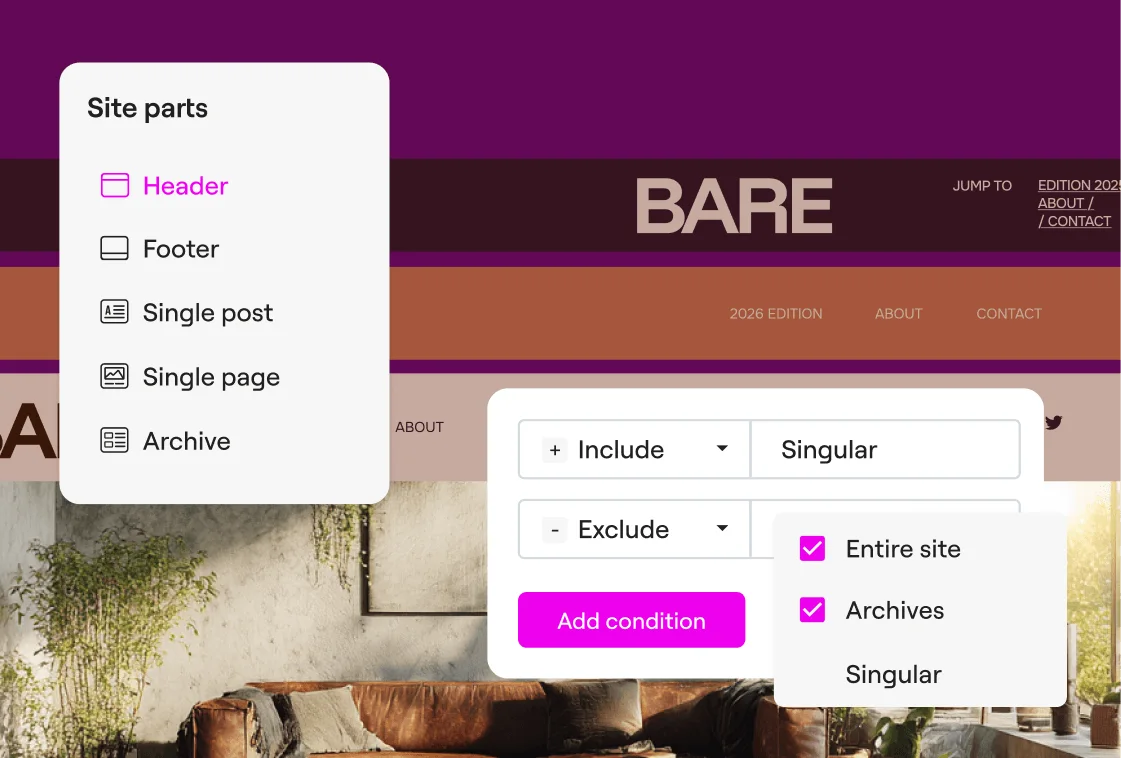
Pro unlocks the Theme Builder for headers, footers and blog templates, forms that actually collect leads, popups for newsletter sign-ups and WooCommerce widgets for online stores. Elementor One adds services many people otherwise buy as separate plugins: image optimization, a cookie consent banner, accessibility scans, reliable transactional email and AI features, all drawn from a monthly credit pool. Elementor also offers Angie, an AI assistant it describes as free with daily credits.
Elementor pricing: annual licenses by features and sites
The tiers come down to two questions: do you need forms, popups and store features, and on how many sites? Essential doesn't accept form submissions, so the small step up to Advanced Solo is almost always worth it. If you build client sites, look at Advanced or Expert. One only pays off if you'd otherwise buy image optimization, cookie consent and email delivery anyway. The plan cards can't show the catches: you always pay a full year up front, prices exclude sales tax, promo prices apply only to the first term, and hosting is extra on every plan. Even Elementor's own hosting doesn't include a Pro license.
Up to 40% off on Editor Pro and Elementor One, until December 1 — see the deal
Speed, hosting and switching: what to watch
Elementor long had a reputation for bloat because pages generate a lot of nested containers. The container layout and the new editor have made the markup leaner; today, page speed depends mostly on your host, caching and how many extra add-ons you install. If you're after fast managed WordPress hosting, our Kinsta review covers one option.
Lock-in matters more than speed. Pages, headers and templates are stored in Elementor's format; deactivate the plugin and you're left with unstyled content, so moving to another builder later means a rebuild. On privacy, your site runs on your own hosting, and Elementor can load Google Fonts locally from your server instead of Google's. Elementor itself is an Israeli company; if you serve EU clients, Israel is covered by an EU adequacy decision.
What we like about Elementor and what we don't
Pros
- Free version is genuinely usable
- Visual editor with a true live preview
- Huge choice of templates and add-ons
- Fully custom headers and footers
- Plans for one site or many
Cons
- Annual billing only, no monthly option
- Switching builders means rebuilding pages
- Too many add-ons slow sites down
Elementor is the obvious pick if your site already runs on WordPress and you want to design it yourself. If you'd rather skip WordPress entirely, take a look at Webflow. More site builders and content management systems are in our overview of website builders and CMS.
Pricing
Free
$0
- Drag-and-drop editor with the basic widgets
- Separate desktop, tablet and mobile views
- Use it on as many sites as you like
Essential
$5 / month
- 1 website
- Theme Builder for headers, footers and post templates
- No form submissions, popups or custom CSS
Advanced Solo
$7 / month
- 1 website
- All Pro widgets, including forms and Popup Builder
- WooCommerce widgets and custom CSS
Advanced
$9 / month
- 3 websites
- Everything in Advanced Solo
- 30 cloud templates shared across your sites
Expert
$17 / month
- 25 websites
- Everything in Advanced
- 5,000 cloud templates for reusable client layouts
One
$19 / month
- 1 website with every Pro feature
- 25,000 monthly credits for AI, image optimization and email
- Cookie consent, accessibility scans and site management
One Agency
$45 / month
- Unlimited websites
- 350,000 monthly credits, usable across client sites
- One dashboard for updates, performance and security
Prices may change — check the official website for current plans.
Alternatives by use case


Frequently Asked Questions
How much does Elementor cost?
The editor itself is free. You only pay for Elementor Pro or Elementor One. The tiers come down to two questions: which features you need (forms, popups, WooCommerce, AI) and how many sites you'll use them on. For a single site with a contact form, Advanced Solo is the sensible starting point; if you build client sites, pick a multi-site plan. Hosting and a domain come on top either way. Exact prices are in the plan cards, checked November 2026.
Is Elementor free?
Yes. The Elementor plugin for WordPress is free forever and works on as many sites as you like. You can build pages by drag and drop, fine-tune them for mobile and tablet, and use the basic widgets. That covers a simple brochure site; once the site is meant to bring in leads, you need Pro.
Elementor vs Divi: which is better?
Both build WordPress sites visually. Elementor has a free version you can try without buying anything, plus the bigger ecosystem of templates, add-ons and tutorials. Divi bundles a theme with the builder and offers a one-time lifetime license for unlimited sites alongside its annual plan, which pays off over the years for freelancers with lots of client sites. If you want to try before you commit, start with Elementor; if you've settled on a builder and manage many sites, run the numbers on Divi.
What happens if I don't renew Elementor Pro?
Your site stays online and everything from the free version keeps working. According to Elementor's help center, though, Pro features stop working until you renew, and Pro no longer receives updates. If you build client sites on Pro, agree up front on who pays for the license long term.
Verdict
Elementor solves the problem that trips up so many small business owners on WordPress: making a site look the way you want without code or a developer. The free version is enough to try it and for simple sites, but forms and custom headers effectively require Pro. The weak spots are in the business model: renewals at list price and a lock-in that makes switching builders later expensive. If you already run WordPress and want to design your own or your clients' sites yourself, Elementor is a solid choice.