Calendly Review 2026: Free Appointment Scheduling?
Tim Wittke · Updated: Sep 4, 2026
Short verdict
Ideal for
- Freelancers and consultants with regular client calls
- Coaches and therapists who need appointment booking
- Self-employed people who want to automate discovery calls
Not ideal for
- Anyone who needs more than one event type for free
- Freelancers who want to take payment at booking
- Entry price
- Free plan · paid from $10 / month
- Free to start?
- Yes — permanently free plan available
- Stands out for
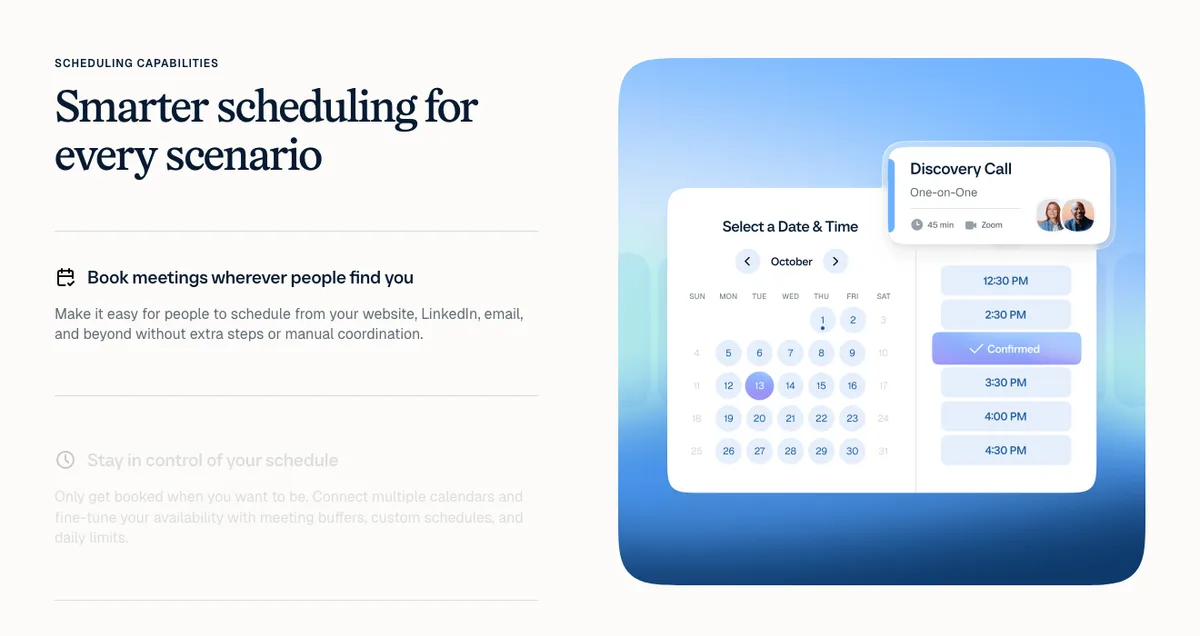
- Clients book directly into your calendar — you share the link once, no more email back-and-forth
You and your client exchange five emails before finding a time that works. Calendly solves this: share your booking link once, the client picks a free slot, and the appointment lands in both calendars.
What is Calendly?
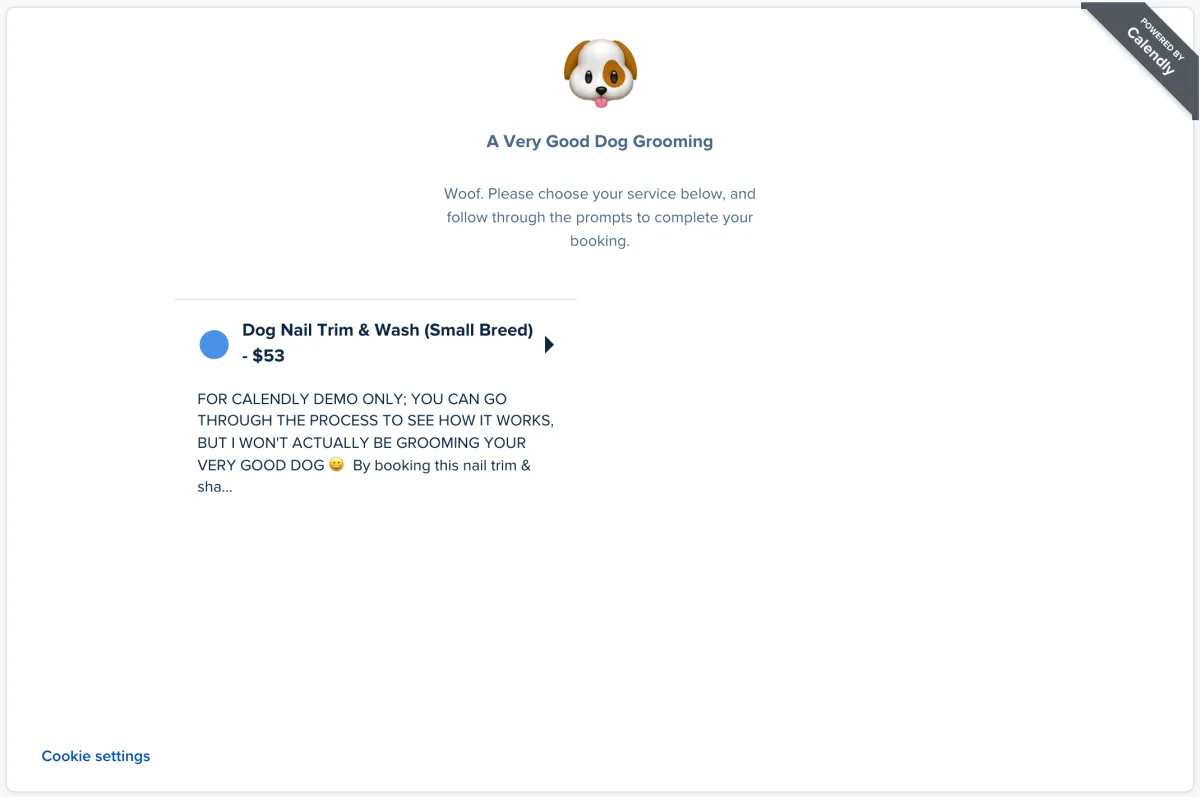
Calendly is a web-based scheduling tool launched in 2013, now used by over 20 million people. Set your availability and appointment types once, share a booking link, and clients book directly into your calendar — no back-and-forth. Available as a web app and iOS/Android apps, it integrates with Google Calendar, Outlook, iCloud, and 100+ other tools.
Pros & Cons
Pros
- Permanently free plan for appointment booking
- Quick setup with a shareable link
- Calendar integration with Google, Outlook, iCloud
- Automatic confirmation and reminder emails
- Embeddable on your own website
Cons
- Free plan limited to 1 event type
- Payment processing only on paid plans
- Calendly branding on free-plan booking pages
Key Features
- Event types: Define appointment formats — e.g. "15-min intro", "60-min project call", "workshop booking" — each with its own duration, buffer time, and link.
- Calendar integration: Syncs availability in real time; blocked times are automatically excluded.
- Automatic notifications: Confirmation, reminder, and follow-up emails sent to both parties automatically.
- Buffer times: Set automatic breaks before and after appointments.
- Website integration: Embed your booking calendar via widget — no coding required.
- Zoom / Teams integration: Video conference links generated automatically and included in confirmations.
Is Calendly Free? What the Free Plan Includes in 2026
Yes — Calendly has a permanently free plan: 1 active event type, unlimited bookings, 1 calendar connection and automatic confirmation emails, with no time limit and no credit card. For a solo freelancer running one type of discovery call, that is genuinely enough. The paid Standard plan ($10/month) unlocks multiple event types, payment collection via Stripe/PayPal, removal of the Calendly branding and automated reminder workflows — the realistic threshold once appointments become part of how you earn.
Why Calendly Makes Sense for Freelancers
For freelancers running discovery calls, client calls, or consulting appointments, Calendly automates the entire flow: client books → both get confirmation → reminder before → appointment happens. You can add pre-screening questions to the booking form, so clients arrive prepared with key info. The embeddable widget lets coaches and consultants offer bookings directly on their website.
Pricing
Free
Free
free forever
- 1 active event type
- Unlimited bookings
- 1 calendar connection
Standard
$10
per month billed annually
- Unlimited event types
- Payments via Stripe & PayPal
- No Calendly branding
Teams
$16
per month billed annually
- Round-robin booking
- Team availability
- Salesforce integration
Prices may change — check the official website for current plans.
Price history
Checked Sep 25, 2026 · 2 changes since Sep 14, 2026
- Sep 15, 2026Standard from $8.30 to $10 (+20%)
- Sep 15, 2026Teams from $12.80 to $16 (+25%)
Alternatives by use case



Frequently Asked Questions
Is Calendly really free?
Yes — Calendly has a permanently free plan that's sufficient for most solo freelancers. You get 1 active event type (e.g. a 30-minute call), unlimited bookings, 1 calendar connection, and automatic confirmation emails. There's no time limit and no credit card required. For multiple event types (e.g. 15-min intro + 60-min project call) you need a paid plan from $10/month (billed annually, $12 monthly).
What are the limits of the Calendly free plan?
The free plan caps at: 1 active event type, 1 calendar connection (Google, Outlook, iCloud, or Exchange), Calendly branding on your booking page, no payment collection, no email workflows, no SMS reminders, no team features like round-robin, and limited integrations (Zoom, Google Meet, and Microsoft Teams are included; Salesforce and HubSpot require paid tiers). For a solo freelancer running one type of discovery call, the free plan is genuinely enough. For anything more nuanced — paid bookings, multi-step intake forms, or multiple appointment lengths — Standard at $10/month is the realistic threshold.
Is Calendly free for personal use?
Yes — Calendly's Free plan is fully free for personal use with no expiration. You can use it for personal scheduling (catching up with friends, scheduling tutoring sessions, etc.) or for solo freelance client booking. The free plan covers individual use; the moment you bring in a teammate who needs their own booking link or you want to set up round-robin assignment, you need Teams at $16/user/month.
Is Calendly worth paying for as a freelancer?
It depends on how much money you leave on the table by not collecting payment at booking. Standard ($10/month) makes sense if you do any of: (1) offer multiple call types like a free intro plus a paid consultation, (2) want to charge for discovery calls or consultations and collect via Stripe or PayPal directly in the booking flow, (3) want to remove Calendly branding for a more polished client experience, (4) need automated email workflows for confirmation, reminders, and follow-up. If you do one 30-min call type, get paid on a project basis after the call, and the Calendly branding doesn't bother you — the free plan is genuinely fine.
Calendly free vs paid: which should I pick?
Start with Free, upgrade only when you hit a specific limit. The most common reasons people upgrade from Free: needing a second event type (intro + main call), wanting to collect payment at booking, needing branded booking pages, or needing email workflows (reminders, follow-ups, no-shows). If none of those apply to your week, the free plan is enough. Most freelancers stay on free for 6-18 months before upgrading.
Which calendars can be connected to Calendly?
Calendly supports Google Calendar, Outlook/Office 365, Exchange, and iCloud. Availability is automatically synced with your calendar — already blocked times are excluded automatically. On the Free plan you can connect 1 calendar; paid plans allow connecting multiple calendars so you can avoid conflicts between work and personal.
Can I accept payments through Calendly?
Payments via Stripe or PayPal are only available on the Standard plan ($10/month) and above. On the free plan you cannot charge booking fees — appointments are booked at no cost. Calendly takes no commission on bookings; you keep the full amount minus Stripe/PayPal processing fees (~2.9% + $0.30 per transaction).
What's the best Calendly alternative if I want free forever?
Cal.com is the strongest free-forever alternative — open-source, self-hostable, with unlimited event types on the free individual plan; team features start at $12 per user and month. TidyCal is a strong one-time-payment option ($29 lifetime) for people who hate subscriptions. Google Calendar's Appointment Schedules feature is free with any Google account but limited to one booking page per free account — unlimited pages, reminders and payments need Google Workspace or Google One Premium. For most solo freelancers, Calendly Free is still the lowest-friction choice — the others trade setup time for flexibility.
What happens if I need to cancel an appointment?
Calendly automatically sends cancellation and rescheduling emails to your client. As the host you can cancel or reschedule directly from your dashboard — the client receives an immediate notification. You can also let clients self-reschedule via a link in the confirmation email, which reduces the back-and-forth significantly.
Verdict
If you regularly coordinate client appointments, Calendly is worth trying at minimum — the free plan costs nothing and saves meaningful time from day one. The tool is ready in 10 minutes and makes a professional impression on clients. Upgrading to Standard makes sense once you need multiple event types, want to charge at booking, or want automated follow-up workflows.