WhatConverts Review 2026: Call & Lead Tracking Tested
Fastlancer Team · Updated: Sep 5, 2026
Short verdict
Ideal for
- Performance marketers and consultants attributing Google Ads or SEO budgets to actual leads
- Agencies serving service businesses (legal, home services, healthcare) where calls are the main conversion
- Solo operators who need to know exactly which campaign produces which lead
Not ideal for
- Businesses where calls are not a conversion
- Freelancers on a tight budget — call fees come on top
- Teams needing form and chat tracking without the mid tier
- Markets outside the US where local numbers are limited
- Entry price
- Free plan · paid from $30 / month
- Free to start?
- Yes – 14-day free trial, card on file (cancel free before it ends)
- Stands out for
- Captures every lead type (calls, forms, chats, transactions) and attributes them down to the marketing channel – not just clicks
WhatConverts is a lead and call tracking platform that solves the exact problem Google Analytics falls short on for performance marketers and agencies: who called, where did the call come from, and what's that lead actually worth? For service businesses – law firms, contractors, consultants, healthcare – calls are often the most common conversion. Without call tracking, every marketing optimisation stops at the click, not the revenue.
When does WhatConverts make sense?
- If you do performance marketing for service clients – law firms, contractors, coaches with initial-call conversions.
- If you need to attribute Google Ads to real leads – without call tracking, many campaigns are unmeasurable.
- If you need multi-channel attribution – calls, forms, chats and transactions in one dashboard.
- If your business is purely digital – SaaS, e-commerce and content sites usually don't need call tracking.
- If you have very high call volume – usage fees scale fast; at that scale, in-house may be cheaper.
Pros & Cons
Pros
- Multi-channel attribution: calls, forms, chats, transactions
- 14-day trial with free cancellation
- Solid integrations with Google Ads, GA4, HubSpot
- Call recording and transcript review
- AI lead scoring on Elite plan
Cons
- Call usage fees billed separately, scale fast
- Form and chat tracking require Plus plan
- Local numbers limited in non-US markets
What does WhatConverts offer?
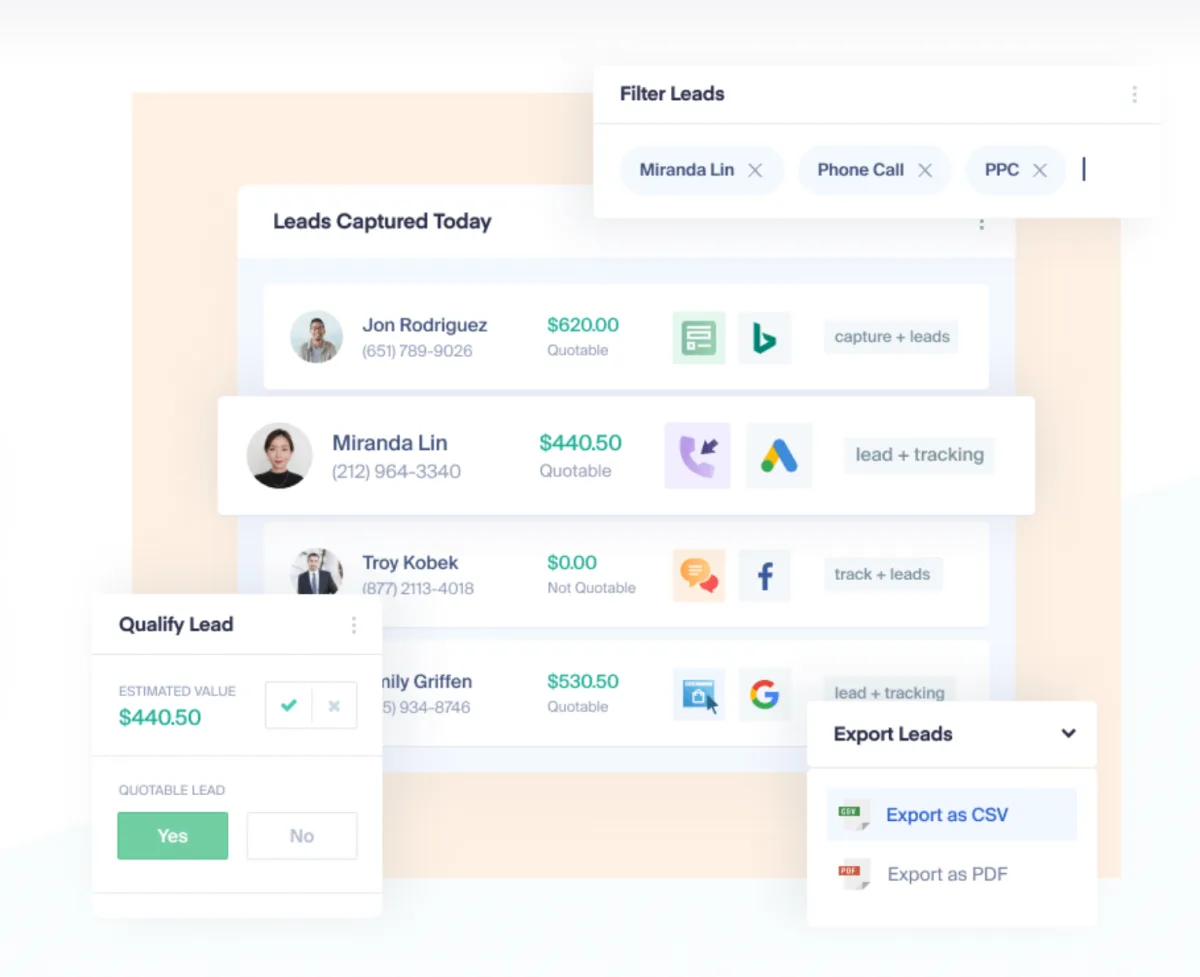
WhatConverts captures and attributes all four major lead types in one platform:
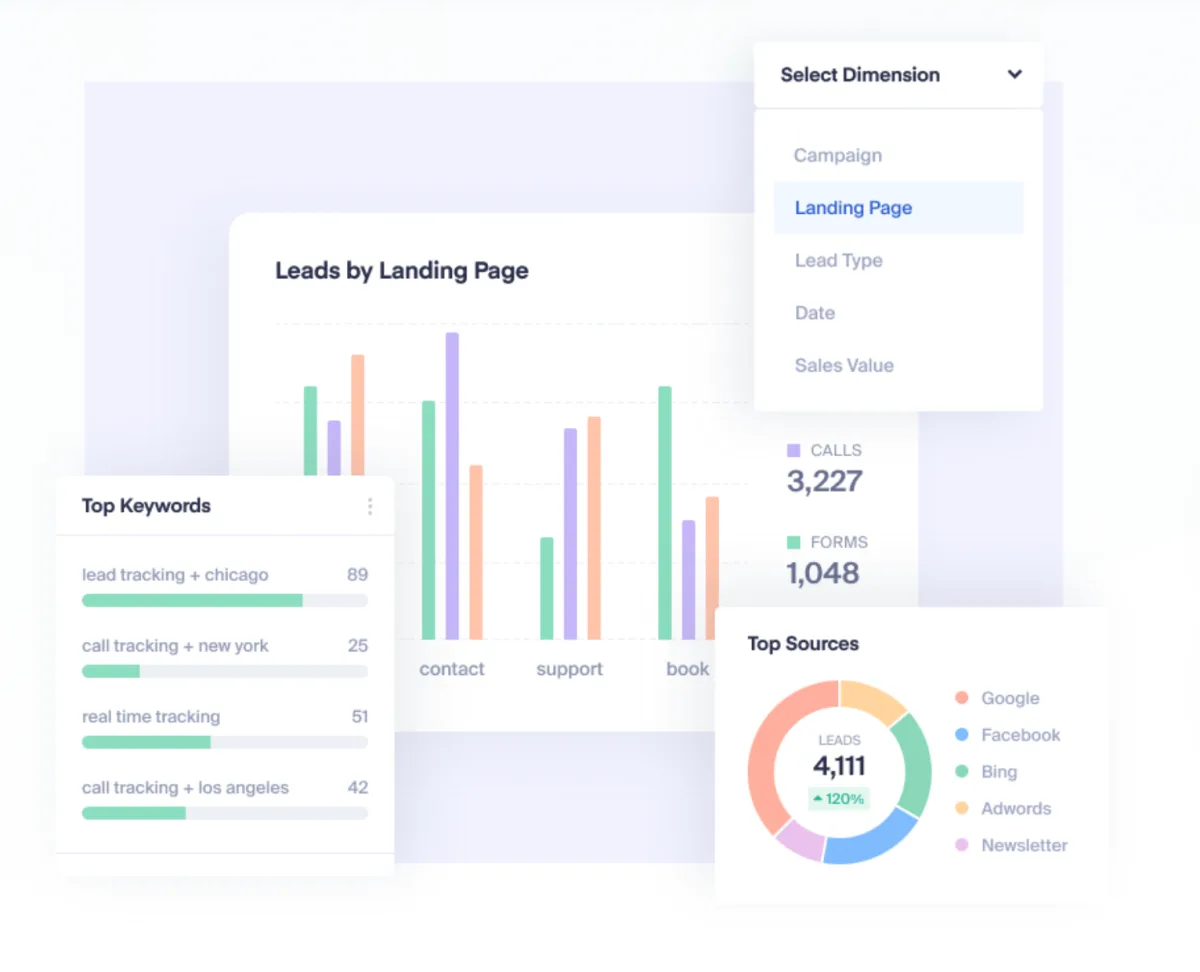
- Call Tracking: Dynamic phone numbers that swap based on source (Google Ads, SEO, print). Call recording and transcription (2¢ per minute); AI lead scoring only on Elite.
- Form Tracking: All web forms are captured and linked to source, campaign and keyword. Works with external form builders (Typeform, Gravity Forms).
- Chat Tracking: Integrates with major live-chat tools so chat leads are attributed too.
- Transaction Tracking: E-commerce transactions can be linked to the original marketing source.
- Lead Manager: Central dashboard for every incoming lead – manual qualification, scoring and routing.
How WhatConverts works in practice
The typical workflow: you create a tracking number for a Google Ads campaign. WhatConverts dynamically swaps the ad's phone number with the tracking number. Callers dial that number; the tool records, tags the call with the campaign and keyword, and reports the conversion back to Google Ads – where you can then see which ad drove which calls.
WhatConverts vs. CallRail
CallRail is the best-known competitor. The comparison:
| WhatConverts Plus | CallRail Lead Tracking Complete | |
|---|---|---|
| Price | $60/mo | ~$95/mo (call + form tracking) |
| Call Tracking | ✓ | ✓ (specialised) |
| Form Tracking | ✓ included | ✓ (add-on) |
| Chat Tracking | ✓ | ✗ |
| Transaction Tracking | ✓ | ✗ |
| UI polish | Functional | More polished |
Pricing
Call Tracking
$30
per month, single account · includes $30 usage credit for minutes and numbers
- Track phone calls and text messages, instant tracking numbers
- Dynamic number insertion (number swaps by source)
- Call recording
Plus
$60
per month · calls, forms and chat in one lead manager
- Everything in Call Tracking
- Form and chat tracking
- Campaign and keyword reporting
Pro
$100
per month · pro tools for agencies
- Everything in Plus
- Call flows (rule-based routing)
- Report builder and scheduled reports
Elite
$160
per month · attribution across the whole customer journey
- Everything in Pro
- Customer journey and multi-click attribution
- Pages visited per lead
Prices may change — check the official website for current plans.
Alternatives by use case
- Databox If metrics rather than leads are the need
- Diginius If SEO and ads belong in one report
- Lucky Orange If on-page behaviour is the question


Frequently Asked Questions
How much does WhatConverts cost?
Four plans for a single account, all in US dollars. The entry tier covers call tracking only; form and chat tracking arrive on the second. Important for the maths: call usage fees are billed separately from the plan and grow with volume.
Can I try WhatConverts for free?
Yes. WhatConverts offers a 14-day trial with a card on file — cancelling before it ends is free. The trial runs on whichever plan you pick (Plus by default), and you can test call tracking, form tracking and attribution in your own setup before committing.
WhatConverts vs. CallRail – what's the difference?
CallRail specialises in call tracking and has a slightly more polished UI. WhatConverts is broader – calls, forms, chats and transactions in one tool. If you only track calls, CallRail is simpler. If you want multi-channel attribution, WhatConverts is the right pick.
Does WhatConverts work outside the US?
Yes, but with caveats. Local tracking numbers are available across major English-speaking and European markets, but the selection of area codes is smaller than in the US. The platform is clearly built for US/UK markets first, with international support layered on top.
Verdict
WhatConverts is one of the few tools that honestly solves the conversion problem for service businesses: a marketer optimising Google Ads for law firms, home-service contractors or coaches can't tell which campaign actually drives calls without call tracking. WhatConverts closes that gap – plus form tracking and chat tracking. The Plus plan ($60/mo) covers most solo consultants and small agencies – it is the first tier with form and chat tracking. Weakness: call usage fees are billed on top, and pricing scales fast once many calls or tracking numbers are needed. CallRail is the main alternative and slightly more polished in usage; WhatConverts has the stronger form and multi-channel attribution.