Databox: All-in-One Analytics Dashboard & KPI Tracking
Fastlancer Team · Updated: Sep 21, 2026

Short verdict
Ideal for
- Marketing freelancers who want to automate client reports instead of rebuilding sheets by hand
- Small agencies running several client dashboards from one workspace
- Solo consultants juggling GA4, Meta Ads and Google Ads side by side
- Teams that need KPIs as a live dashboard on TV, phone or an automated report
Not ideal for
- Anyone connecting more than three sources for free
- Analysts who need attribution and deep dives
- Agencies with many clients — source counts add up
- Entry price
- From $71 / month
- Free to start?
- Yes — a forever-free plan (3 sources) plus a 14-day trial of any paid plan, no credit card
- Stands out for
- Pulls GA4, HubSpot, Meta Ads and 130+ other sources into a single dashboard — including a genuinely free forever plan for your own business (sharing with clients starts at Pro)
What is Databox?
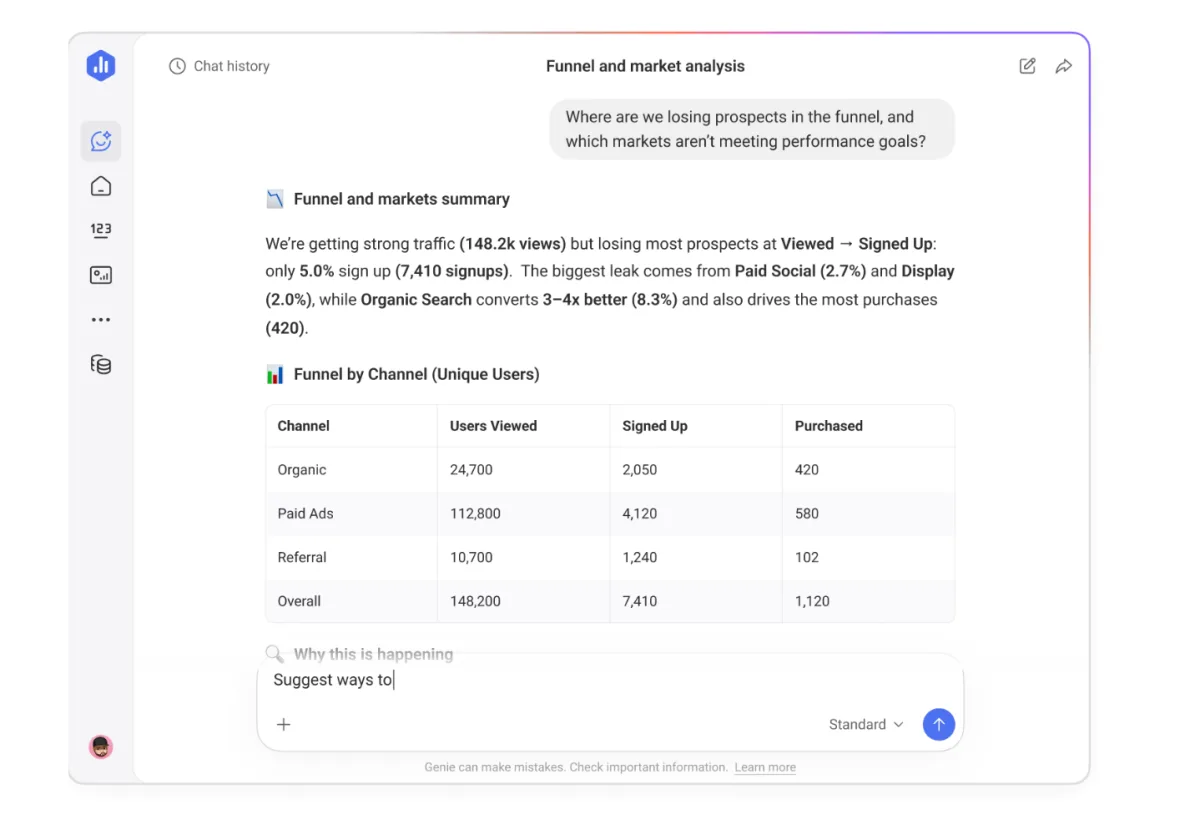
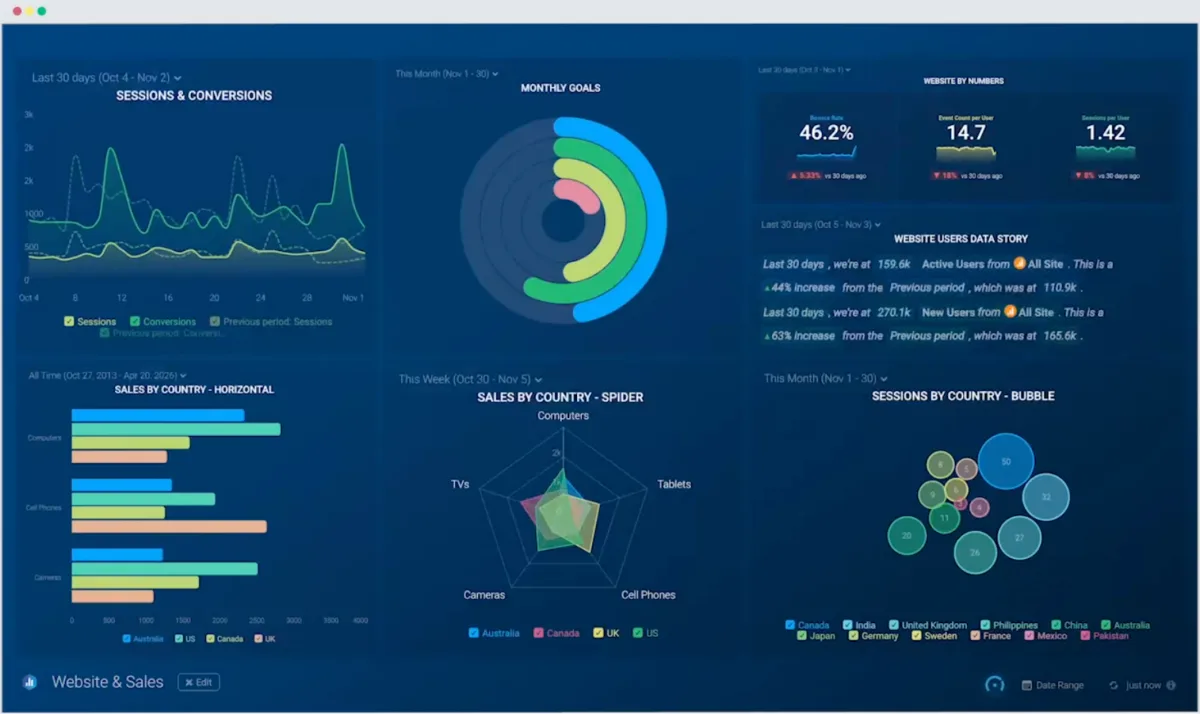
Databox is a dashboard and KPI tool that gathers scattered marketing and business numbers in one place. Instead of exporting GA4, Meta Ads, Google Ads and HubSpot separately every month and copying them into a sheet, Databox connects over 130 data sources in a couple of clicks and shows the key metrics in a single view — in the browser, on an office TV or in the mobile app. The real draw for the self-employed: there is a free forever plan big enough to cover your own business end to end — sharing with clients starts at Pro.
Connecting data sources: the core
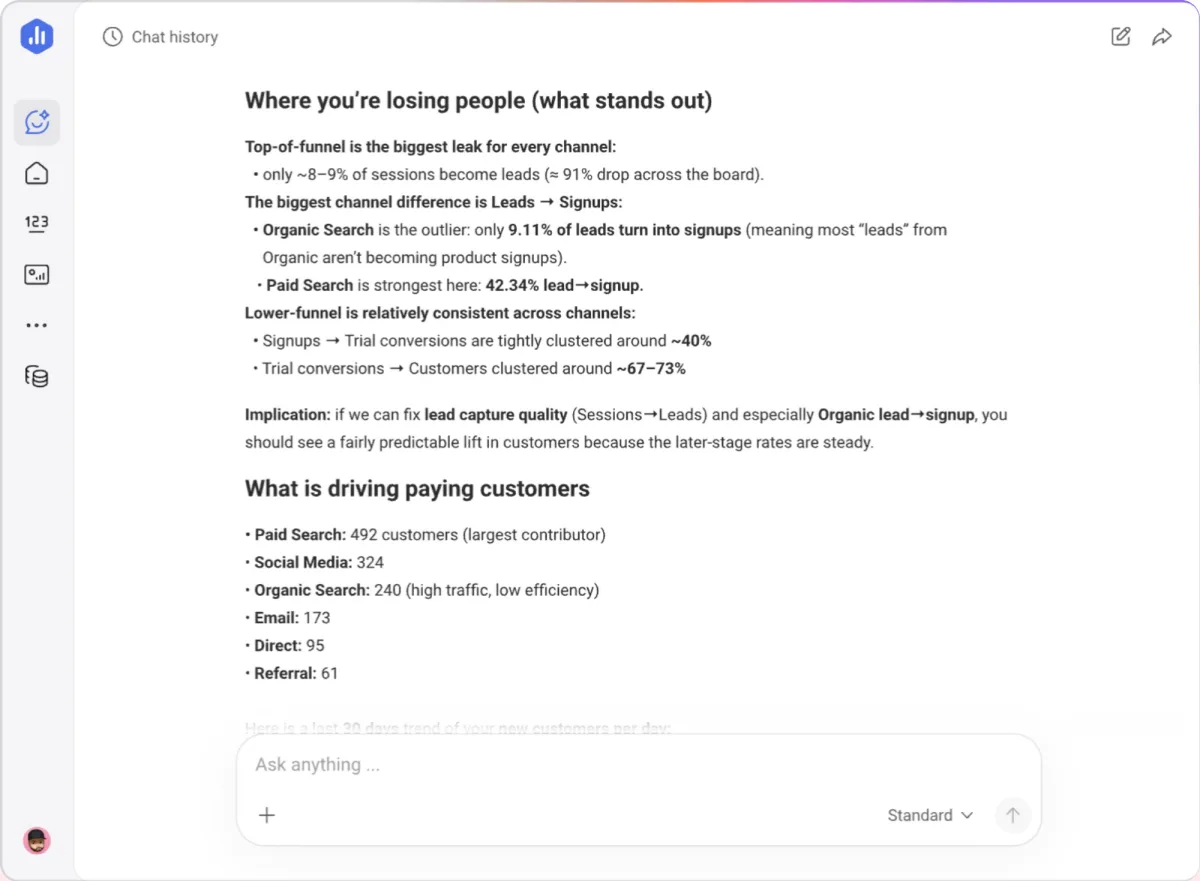
Setup needs no code: pick an account, authorize it, done — Databox fetches the metrics itself. Ready-made integrations cover Google Analytics 4, Google Ads, Meta Ads, HubSpot, Shopify, Stripe, Mailchimp, Search Console and roughly 120 more services. To feed in your own numbers you can use Google Sheets, a database or the open API (from Analyst up). One detail that drives the bill: each individual account counts as its own data source — so three GA4 properties are three of the five sources in the Analyst plan.
Dashboards, reports and goals
You build dashboards by dragging pre-built metric blocks or starting from a template; more than 300 templates cover the usual marketing cases. The value over a spreadsheet is the automation: reports send themselves on schedule via email and Slack, alerts flag outliers (from Pro up), and goals let Databox track progress against a target in every plan. Anomaly detection marks unusual swings inside the app.
Databox free account: what the free plan includes
The free account is a real plan, not a trial: 3 data sources, 50 AI credits a month and the Genie AI analyst, for one user. Custom data integrations, the API and the MCP server are not part of it — those start with the Analyst tier. Signing up also starts a 14-day trial of a paid plan without a credit card; when it ends, all syncing pauses until you pick a plan — the free one or a paid tier. A common misread: each GA4 property or ad account counts as one source, so three client properties already fill the free plan.
Pricing and the honest math
Databox bills exclusively in US dollars. The free plan — three sources, one dashboard, daily data — is free forever. The first paid tier unlocks every integration, unlimited dashboards and hourly data, but it is built for analysing your own numbers: it cannot share dashboards or send reports. That is precisely the reason to move up a tier.
The catch sits in the free plan: it ends at your fourth data source, and anyone serving several clients racks up properties fast. Paying yearly saves 20 % and quarterly 10 % — and those term discounts are the only Databox discount there is. No coupon codes, no seasonal deals.
Who is Databox for?
For marketing freelancers and small agencies that want to automate recurring client reports and watch several channels side by side, Databox is one of the most convenient options going — and the free plan makes testing it risk-free. If you only need a few Google metrics, the free Looker Studio is cheaper; if you need deep attribution or raw-data analysis, you'll want a dedicated analytics tool on top. More options live in our marketing tools overview.
What we like about Databox and what we don't
Pros
- Free forever plan with 3 sources
- 130+ ready-made integrations, no tinkering
- Automated reports via email, Slack, mobile app
- Goals, alerts and anomaly detection built in
- Strong user ratings on G2 and Capterra
Cons
- Free plan limited to 3 sources
- No deep attribution or analysis tools
- Source counts add up across clients
Pricing
Free
Free
free forever · 1 user, 3 data sources
- 50 AI credits per month
- Cloud integrations and AI analyst (Genie)
- Performance summaries
Analyst
$71
per month billed annually · $89 monthly · 1 user, 5 data sources
- 150 AI credits per month
- Custom data integrations and API access
- MCP server and pre-built skills
Team
$199
per month billed annually · $249 monthly · 3 users, 10 data sources
- 500 AI credits per month
- Routines and custom skills
- Sharing and notifications
Agency
from $79
per month billed annually, plus client packs as you grow
- Unlimited users
- Bulk actions and custom templates
- Cross-client reporting
Custom
Variable
on request — Databox builds and runs the setup
- More users, sources and AI credits
- Built and integrated by Databox
Prices may change — check the official website for current plans.
Price history
Checked Oct 21, 2026 · 3 changes since Aug 31, 2026
- Sep 16, 2026Analyst from $64 to $71 (+11%)
- Sep 16, 2026Team added ($199)
- Sep 16, 2026Agency added ($79)
Alternatives by use case
- Diginius If SEO and Google Ads belong in one report
- WhatConverts If leads rather than metrics need attributing
- Lucky Orange If the question is why visitors leave


Frequently Asked Questions
How much does Databox cost?
Databox bills in US dollars. The free plan is free forever but ends at your fourth data source — the usual reason to upgrade. The first paid tier opens every integration but cannot share dashboards or send reports; anyone serving clients needs the tier above. Annual billing saves 20 %, and there are no other discounts.
Is Databox free?
Yes, there is a free forever plan: 3 data sources, 1 user, 1 dashboard, 11 months of history and daily refresh. For a solo business or a single client that is often enough. Once you need a fourth source, hourly data or multiple dashboards, you move up to the Analyst plan.
Databox vs. Google Looker Studio — which is better?
Looker Studio is completely free and strong inside the Google ecosystem (GA4, Google Ads, Sheets), but it needs more manual setup and has no built-in alerts or goals in its free version. Databox costs money from the fourth data source, but gives you 130+ ready integrations, a real mobile app, scheduled reports and goal tracking. Rule of thumb: Google-only data on a zero budget = Looker Studio; mixed sources and automated client reports = Databox.
Which data sources can I connect?
Over 130 native integrations, including Google Analytics 4, Google Ads, Meta Ads, HubSpot, Shopify, Stripe, Mailchimp and Search Console. You can also push your own numbers via Google Sheets, databases or an open API (from Analyst up). One thing that shapes your bill: each individual account or property counts as its own data source — three GA4 properties are three sources.
Who is Databox best for?
Mainly marketing freelancers and small agencies that want to automate recurring client reports and watch several channels side by side. If you only need a handful of Google metrics, Looker Studio does it for free; if you need deep attribution or raw-data analysis, you'll want a dedicated analytics or BI tool as well.
Verdict
Databox takes the most tedious job off a marketing freelancer's plate: the monthly scramble to pull numbers out of GA4, Meta, Google Ads and HubSpot and paste them into a client sheet. Instead every source flows into one dashboard that emails, Slacks or pushes itself on schedule. The free forever plan makes getting started risk-free, and goals, alerts and anomaly detection turn metrics into real takeaways. The limits are clear: billing is USD-only, the free plan ends at your fourth source, and for deep attribution Databox is the wrong tool — it visualizes, it doesn't analyze. For automated reporting across mixed data sources it's still one of the most convenient options out there.