Canva Alternatives 2026: The Best Free & Paid Design Tools Compared
Fastlancer Team · Updated: Aug 18, 2026
Canva is where many freelancers and small businesses start with do-it-yourself design — pick a template, customize, export. Still, there are solid reasons to look for a Canva alternative: Canva Pro costs $120/year and the new Business plan (which replaced Canva Teams) $20 per user/month, photo retouching hits its limits once you need real layer work, true vector design for print projects is missing, and the platform simply is not built for UI or web design. You can find our full take on the original in the Canva review.
This comparison covers the 6 best Canva alternatives in 2026 — and if you are specifically after a free Canva alternative, four of them qualify: Pixlr's core editors are free in the browser, Affinity is a completely free desktop platform, Figma's Starter plan is free forever, and FlexClip's entry plan costs nothing. Selection criteria: free usability, depth in its specialty, fair pricing for solo professionals, and suitability for client work.
Comparison table: Canva alternatives at a glance
| Tool | Free to use | Strength | Best for |
|---|---|---|---|
 Pixlr Pixlr | ✓ (ad-supported) | AI photo editing in the browser | Photo editing & social graphics without a pricey subscription |
 Affinity Affinity | ✓ completely | Vector, layout & photo in one app | Print and vector design without a subscription |
 Figma Figma | ✓ Starter plan | UI/UX standard with real-time collaboration | UI, web and product design |
| Adobe Creative Cloud | – (7-day trial) | Photoshop, Illustrator & co. at pro level | High-end retouching, print & video |
 Adobe Firefly Adobe Firefly | ✓ (limited credits) | Commercially safe AI image generation | AI images for client projects |
| FlexClip | ✓ free plan | Video editor with templates & AI subtitles | Social videos & product clips in the browser |
1. Pixlr — AI photo editing in the browser
Pixlr is the strongest Canva alternative if your day-to-day work is more image editing than template design. The platform bundles three editors in the browser: Pixlr E as a full-featured photo editor with layers, masks, filters and selection tools, Pixlr Express for quick one-click edits, and Pixlr Designer as a template-based design tool with around 10,000 templates for social posts, thumbnails and banners — functionally the most direct Canva replacement in the bundle. On top of that come AI tools like one-click background removal, generative fill, object removal, text-to-image and a batch editor for larger photo sets.
On price, Pixlr sits well below Canva Pro: the core editors are free to use (ad-supported, with limited AI credits), and the Plus tier starts at €1.99/month billed annually — ad-free, with 80 AI credits per month and unlimited cloud storage (Pixlr prices in euros). Heavier AI image and video work lands you on Premium (€7.99/month). Mobile apps for iOS and Android complement the web version.
Best for: Freelancers and small businesses who want to handle photo editing and social media graphics in the browser — without a Photoshop subscription.
Read the Pixlr review Try Pixlr2. Affinity — pro design without a subscription
Affinity picks up exactly where Canva's best-known limitation lies: true vector design. The platform combines vector graphics, layout and photo editing in one desktop application — and it is completely free, with no recurring subscription. For logos, print-ready files and detailed illustration work, you get a professional-grade toolset that carries a recommendation in our design category.
The philosophical difference to Canva: Affinity is a classic desktop application, not a browser tool — and it targets users with some design experience rather than template beginners. If you are willing to invest in the learning curve, you get full control over vector, layout and photo workflows in a single app.
If you would rather have an established professional suite than a free one, CorelDRAW is the second subscription-free route: vector illustration, photo editing (PHOTO-PAINT), page layout and a font manager in one package, available as a one-time purchase at €465. The annual subscription runs €219 in year one and €369 at the regular rate afterwards — meaning the buy-once option wins from year two onward.
Best for: Independents with print and vector needs who want professional design software without a subscription.
Try Affinity3. Figma — the standard for UI and web design
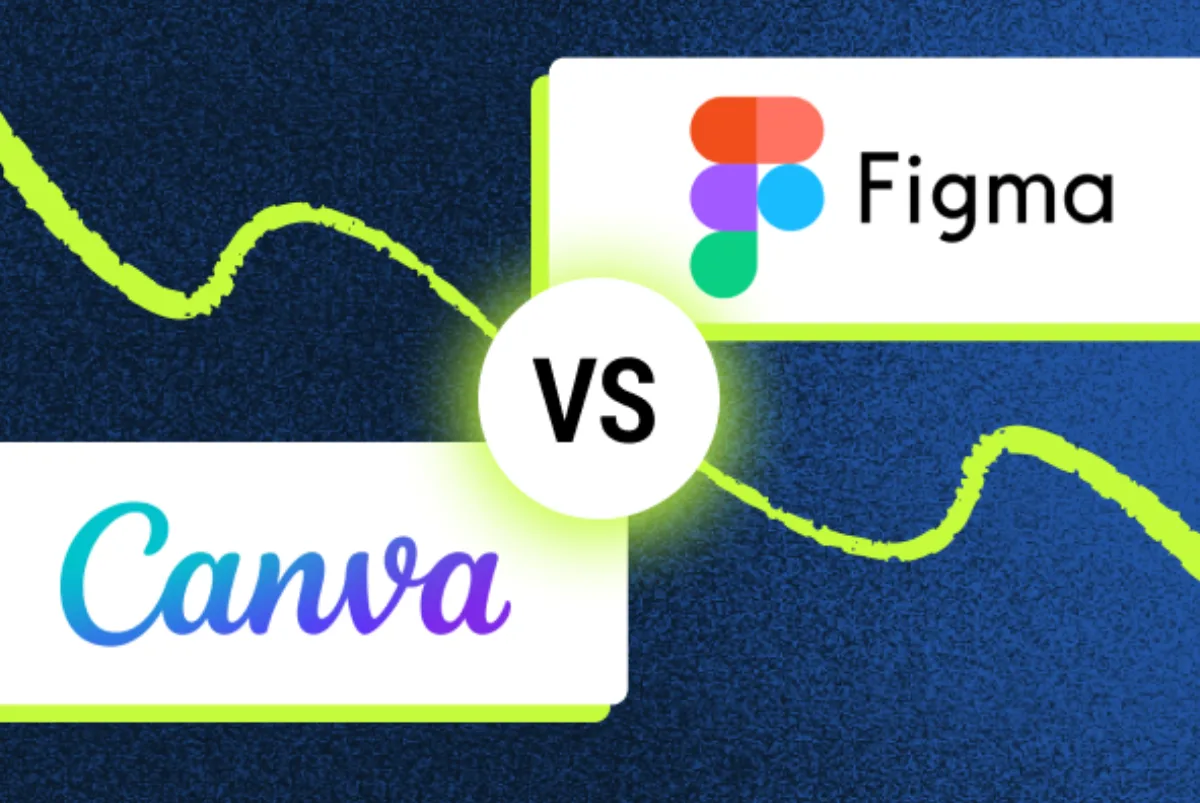
As soon as websites, apps or product design are involved, Figma is the right Canva alternative — here it is the industry standard used by virtually every agency and product team. Real-time collaboration in the browser, auto layout, components and variables for design systems, plus Dev Mode for developer handoff set it apart from Canva's template approach. Clients can view and comment on designs as free viewers — no account required. For a head-to-head of the two tools, see our Canva vs Figma comparison.
The Starter plan is free forever (3 design files, 3 FigJam boards, up to 2 editors, unlimited personal drafts) and covers portfolio work and individual projects. Professional starts at $16/month per full seat (dev seat $12, collab seat $3) and removes all limits. The flip side holds too: for pure template and graphics projects with no UI focus, Canva remains the cheaper choice.
Best for: UI/UX and web design freelancers collaborating with clients and developers.
Read the Figma review Try Figma4. Adobe Creative Cloud — the professional suite
Adobe Creative Cloud is the top end of the Canva alternatives: Photoshop, Illustrator, Premiere and InDesign cover photo editing, vector graphics, video and print layout at a level browser-based tools do not reach — including high-end retouching with Camera Raw, precision tools like Liquify, and professional CMYK workflows. If you regularly deliver print-ready files or cut video projects, this is the fastest route to the result.
Price is the trade-off: at around $70/month for the full suite, Adobe is the most expensive option in this comparison, and there is no permanently free plan — only a 7-day trial. For many standard workflows, Pixlr or Affinity deliver comparable results at a fraction of the cost; the suite earns its keep when clients expect Adobe file formats or the project demands it.
Best for: Design professionals and small businesses with high-end requirements in photo, print and video.
Try Adobe Creative Cloud5. Adobe Firefly — commercially safe AI images
Adobe Firefly is the alternative for one specific Canva use case: AI image generation. Firefly creates images from text prompts and is integrated directly into Photoshop, Illustrator and Adobe Express — while also usable standalone in the browser. The key advantage for independents: Adobe positions Firefly as commercially safe AI image generation, a relevant argument whenever client work is involved.
Firefly can be tried with a free credit quota and sits in the lower price segment. It is not a full Canva replacement — templates and layout tools are not its job. Instead, it adds AI-generated imagery to an existing workflow, whether you otherwise work with Pixlr, Affinity or Creative Cloud.
Best for: Freelancers who want to generate AI imagery for client projects on a legally sound basis.
6. FlexClip — the Canva alternative for video
One area where Canva gets more use than its design reputation suggests is short video — and that is exactly where FlexClip comes in. The video editor runs entirely in the browser, just like Canva, and follows the same template-first approach with over 6,000 video templates: trimming, text overlays, music and transitions work without any editing-software skills. On top come AI tools such as automatic subtitles and text-to-video, plus a built-in screen recorder for tutorials and product demos.
Useful for independents: a stock library with millions of videos, photos and music tracks is built in, exports go up to 4K depending on the plan, and there is a free entry plan. FlexClip deliberately does not compete with the layout and print capabilities of the other tools in this guide — it replaces Canva where graphics turn into motion: social clips, YouTube intros, product videos.
Best for: Social media videos, product clips and tutorials without editing software — right in the browser.
Try FlexClipSpecialists for single Canva jobs
The six tools above compete with Canva as a whole. Alongside them sit tools that go deeper on exactly one Canva discipline — worth adding next to your main tool rather than replacing it:
Piktochart — infographics, reports and posters. A template library plus an AI generator for data-heavy reports that tend to look like stock templates in Canva. Free plan available, Pro from $10/month billed annually.
Beautiful.ai — presentations. Slides re-adjust their own layout the moment the content changes — useful for pitch decks that get reordered three more times the night before. Pro from $12/month billed annually, 14-day trial.
OpenArt AI — AI images across many models. Text-to-image across multiple models and styles, including character consistency and image editing. Free to start — the option when Adobe Firefly's house style gets too narrow.
PixVerse — AI video. Generates clips from text or image prompts, with lip-sync and character consistency. It picks up where FlexClip stops: FlexClip edits footage you already have, PixVerse creates new footage. Free credits to try it.
Rewarx Studio — product photography for stores. Generates product shots from text prompts instead of setting up a studio, lighting and backdrop. No free plan here.
Which Canva alternative fits you?
Photo editing & social graphics in the browser, small budget: Pixlr
Vector and print design without a subscription: Affinity
UI, web and product design with clients and developers: Figma
High-end photo, print and video at pro level: Adobe Creative Cloud
Commercially safe AI image generation: Adobe Firefly
Short videos, social clips and tutorials in the browser: FlexClip
Conclusion: replace Canva — or complement it deliberately
The honest answer: for template-driven everyday designs, Canva's free plan remains hard to beat. An alternative pays off where Canva hits structural limits — Pixlr for deeper image editing at a small price, Affinity for vector and print without a subscription, Figma for anything UI and web. Many independents do best with a combination of one free base tool and one specialist for their core work.
For more options, browse our overview of design tools for freelancers — from image editing to UI prototyping.
Want the bigger picture? The hub guide The Best Tools for Freelancers 2026 covers top picks per category — accounting, banking, project management and more.
Frequently Asked Questions
Which Canva alternative is completely free?
Three of the tools in this guide can be used free of charge indefinitely: Pixlr offers its core editors (Pixlr E, Pixlr Express, Pixlr Designer) free in the browser — with ads and a limited monthly AI credit quota. Affinity is a completely free desktop platform for vector, layout and photo editing. And Figma includes 3 design files, 3 FigJam boards and up to 2 editors in its permanently free Starter plan.
What is the best Canva alternative for photo editing?
Pixlr E — Pixlr's advanced editor brings layers, masks, filters and selection tools right into the browser, covering far more photo retouching than Canva does. For high-end work such as CMYK workflows, Camera Raw or precision retouching, Photoshop in Adobe Creative Cloud remains the reference (around $70/month for the full suite, 7-day trial).
Is there a Canva alternative without a subscription?
Yes — Affinity combines vector, layout and photo editing in one free desktop platform, with no recurring subscription cost. Pixlr can also be used on its free plan; the cheapest paid tier (ad-free, more AI credits) starts at €1.99/month billed annually — Pixlr prices its plans in euros.
What is better than Canva for UI and web design?
Figma is the industry standard for UI/UX and web design: real-time collaboration in the browser, auto layout, components and a Dev Mode for developer handoff. The Starter plan is free forever, Professional starts at $16/month per full seat. Clients can view and comment on designs as free viewers — see our Figma review for details.
When is it worth switching away from Canva?
Typical triggers: you need true vector design for professional print projects (Canva's known weak spot — go with Affinity), deeper photo retouching with layers and masks (Pixlr or Photoshop), UI and prototyping features (Figma) — or cost: Canva Pro runs $120/year, and the new Business plan (which replaced Canva Teams) $20 per user/month — with no seat minimum. For occasional designs, Canva's free plan remains perfectly sufficient.