WebCatalog Review 2026: Run Web Apps as Desktop Apps
Tim Wittke · Updated: Sep 4, 2026
Short verdict
Ideal for
- Freelancers with multiple client accounts (Slack, Notion, Gmail) needing separated profiles
- Power users running 15+ web apps daily and wanting to organise their tab chaos
- Solo operators and small teams switching between spaces without mental friction
Not ideal for
- Anyone using only a handful of web apps
- Users on machines with limited memory
- People who need more than two apps for free
- Entry price
- Free plan · paid from $5 / month
- Free to start?
- Yes – permanent free plan with basic features
- Stands out for
- Turns any web app into a standalone desktop app with isolated profiles – multiple Slack workspaces, Google accounts or Notion workspaces side by side, no browser-switching
WebCatalog is a desktop tool that turns web apps into standalone applications – with their own windows, their own accounts and their own dock icons. Instead of juggling 30 tabs in a single browser, every web app gets its own desktop presence. That solves exactly the problem freelancers with multi-account workflows (multiple client Slacks, several Google accounts, Notion workspaces per client) deal with daily.
When does WebCatalog make sense?
- If you manage multiple Slack/Notion/Gmail accounts in parallel – cleanly separated profiles instead of browser-profile chaos.
- If you use 15+ web apps daily – tab hell becomes structured spaces.
- If you run many client accounts in parallel – unlimited profiles and spaces from the Pro plan.
- If you only use 2-3 web apps regularly – browser tabs are perfectly fine.
- If your machine has little RAM – every Electron instance adds 100-200 MB.
Pros & Cons
Pros
- Real separation between multiple account profiles
- Permanent free plan for trying it
- Setup syncs across macOS and Windows
- Global keyboard shortcuts save daily clicks
- Pro plan undercuts most competitors
Cons
- Free plan too tight for multi-client freelancers
- Higher memory usage than browser tabs
- Not worth it for casual users
What is WebCatalog?
WebCatalog is a desktop application that turns any website into a standalone app. Instead of opening Slack, Notion, Gmail and Figma as tabs inside one browser, each gets its own window, its own dock or taskbar icon, and — the part that matters most — its own signed-in session. It runs on Mac and Windows and draws from a catalogue of 50,000+ apps, though you can point it at any URL that is not in the list.
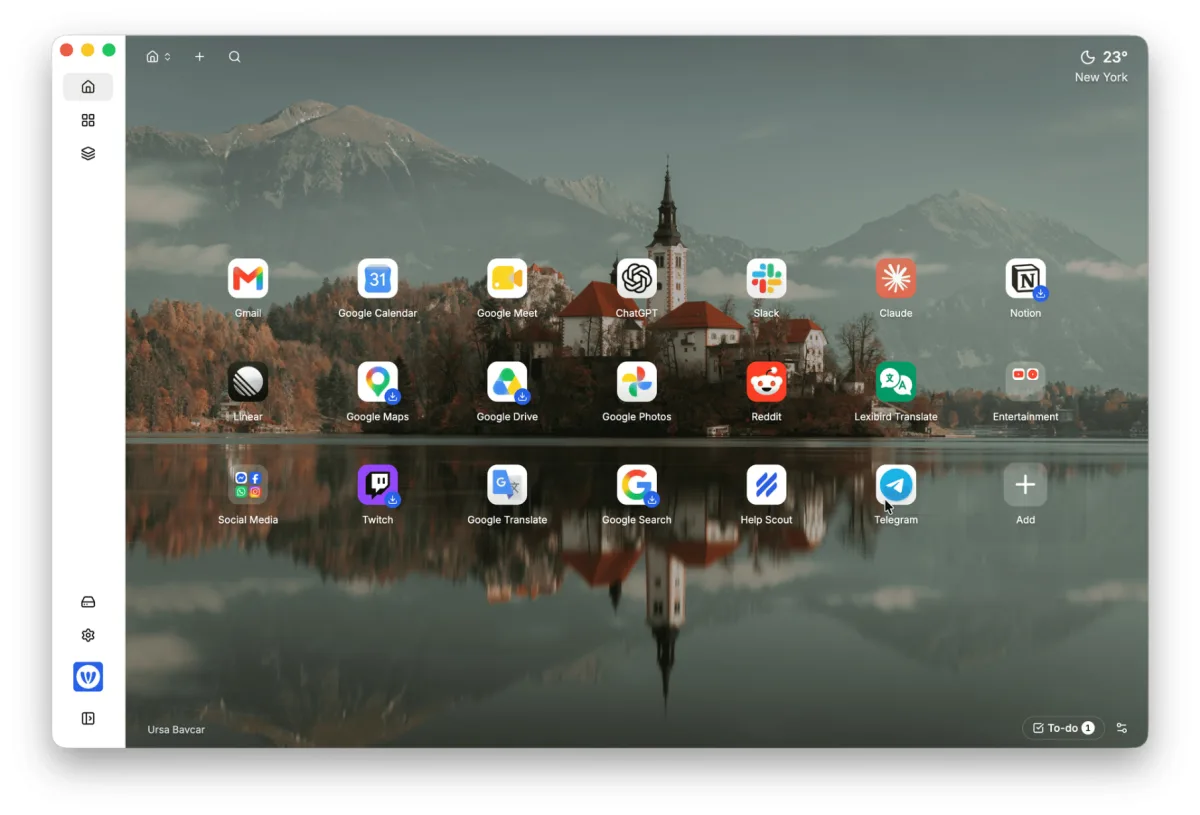
The mechanism is worth understanding, because it explains both the strengths and the one real drawback. WebCatalog wraps each site in its own isolated container. That isolation is why you can be signed into three different Google accounts or four client Slacks simultaneously without a single logout — something browser profiles handle clumsily and browser tabs cannot do at all. It is also why memory use is higher than tabs: every wrapped app is a separate instance, not a tab sharing one browser process.
WebCatalog wraps the web app as it is: no offline mode, no added features. Slack in WebCatalog is the same Slack — it simply lives in its own window with its own login. If your problem is "too many tabs", a tab manager is lighter. If your problem is "too many accounts", that is precisely the gap WebCatalog fills.
How does WebCatalog work in practice?
You install the desktop app, pick services from the catalogue or paste a URL, and WebCatalog creates a launchable app for each. Apps are grouped into spaces — a sensible unit for freelancers, because one space per client keeps that client's Slack, Drive and project tool together and separate from everyone else's. Spaces and installed apps sync across your machines, so a new laptop reproduces the setup rather than requiring you to rebuild it.
What does WebCatalog offer?
WebCatalog combines three concepts that exist separately but in this combination cleanly solve the multi-account problem:
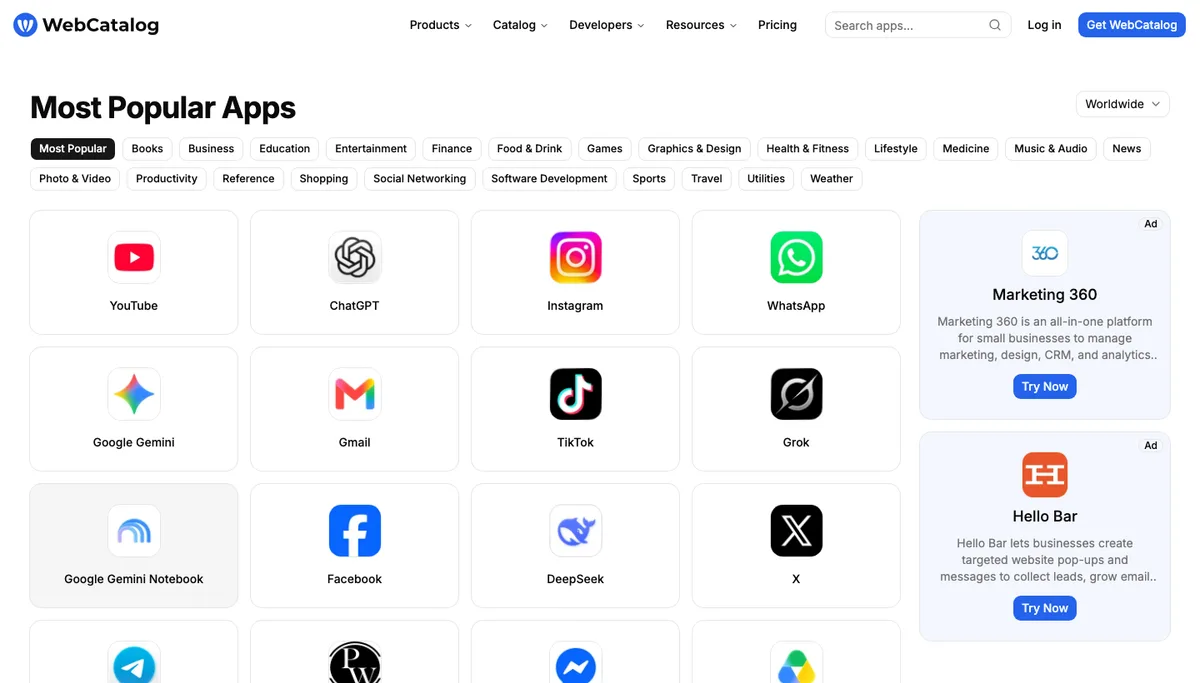
- Web apps as desktop apps: Every installed app gets its own window, dock/taskbar icon and notification permission. Behaves like a native app.
- Spaces with profiles: profiles isolate logins and cookies (like a separate browser); spaces bundle apps and profiles per client or project, optionally with subspaces.
- App catalog with 50,000+ preconfigured apps: Slack, Notion, ChatGPT, Linear, Figma, Gmail, Trello, Loom, Airtable and many more are available as one-click installs.
- Global keyboard shortcuts: one hotkey per app opens or switches to its window – saves daily clicks and tab-switches.
- Notification management: switchable per app and per profile, badge counters optional, mute per app.
Who benefits from WebCatalog?
The tool isn't for every user – but if you fall into one of the following groups, it saves real time:
Freelancers with multiple clients: If three client Slacks, two Notion workspaces and four Google accounts are part of daily life, profile separation is gold. No more confusion about which account you're logged into.
Web-app power users: Anyone using 15+ web apps daily (Linear, GitHub, Figma, ChatGPT, Loom, Notion, Gmail, Calendly, Stripe, Plausible…) gains significant clarity through structured organisation.
Solo operators with focus discipline: Space separation enables clear focus modes – a "Client A" space vs. an "Own marketing" space.
Pricing models in detail
Three tiers, all per user. The free tier allows two desktop apps, two profiles and one space — enough to try the concept, too little for a working day across several client accounts.
The middle tier is the right one for practically every freelancer juggling multiple logins: unlimited apps, profiles and spaces, plus the ads and tracker blocker, app lock, pages and widgets. The top tier adds shared spaces, team management, centralised billing, an activity log and SAML single sign-on for small teams and agencies. Both paid tiers come with a 7-day trial. WebCatalog raised its prices in 2026, so older comparisons still quote the lower figures.
Pricing
Basic
Free
free forever, 2 apps
- 2 desktop apps
- 2 profiles
- 1 space
Pro
€5
per user/month (annual)
- Unlimited apps, profiles & spaces
- Ads & tracker blocker, app lock
- Pages, wallpapers and widgets
Business
€8
per user/month (annual)
- Everything in Pro
- Shared spaces and pages, team management
- Centralized billing, activity log, SAML SSO
Prices may change — check the official website for current plans.
Alternatives by use case


Frequently Asked Questions
What is WebCatalog?
WebCatalog is a desktop application that turns any website into a standalone app. Instead of running Slack, Notion, Gmail and Figma as tabs in one browser, each gets its own window, its own dock or taskbar icon, and its own signed-in session. It runs on Mac and Windows and draws from a catalogue of 50,000+ apps, though you can point it at any URL. The isolation is the point: you can stay signed into three Google accounts or four client Slacks at once, which browser profiles handle clumsily and tabs cannot do at all. The trade-off is memory — each wrapped app is a separate instance rather than a tab sharing one browser process. What it is not: it does not make web apps work offline and it adds no features to them. If your problem is too many tabs, a tab manager is lighter; if your problem is too many accounts, this is the tool for it.
How much does WebCatalog cost?
The Basic plan is free forever (limited to 2 apps, 2 profiles, 1 space). Pro costs $5/user/month billed annually ($6 monthly) with unlimited apps, profiles and spaces, Business $8/user/month ($10 monthly) with team features; both exclude local taxes. As of September 2026 – check the official pricing page for current rates.
What's the difference between WebCatalog and browser tabs?
WebCatalog isolates every web app: own profiles, own notifications, own keyboard shortcuts. Browser tabs share login cookies and notification permissions. For multi-account users (different client Slacks, multiple Google accounts), the separation is the main benefit.
Does WebCatalog work with every web app?
Practically every modern web app can be installed as a desktop app – Slack, Notion, ChatGPT, Linear, Figma, Gmail, Trello, and hundreds more. The app catalog includes over 50,000 preconfigured apps; custom URLs can also be added.
WebCatalog vs. Franz, Stack, Rambox – what's the difference?
All four tools solve a similar problem (web apps as desktop apps). WebCatalog has the largest app catalog (50,000+) and the strongest profile separation. Franz costs about the same on subscription (Pro €5/month billed yearly), adds a lifetime licence for €149 and focuses on messengers. Stack has a free Starter plan, but its Pro tier is far pricier at $15/month ($144/year). Rambox: Basic free, Pro $70/year. For most multi-account users, WebCatalog is the most balanced pick.
Verdict
WebCatalog is one of those tools you don't think you need – until you've tried it. Freelancers juggling multiple Slack workspaces, three Google accounts and half a dozen Notion workspaces know the friction: tabs always open, wrong profile logged in, notification chaos. WebCatalog solves this by giving every web app its own desktop instance with its own login and notification channel. The free Basic plan is enough to try the concept (2 apps); anyone managing more moves to Pro. At $5/mo it's a clear productivity upgrade for multi-account workflows.