Dribbble: Portfolio Platform and Job Board for Designers
Tim Wittke · Updated: Jun 29, 2026
Short verdict
Ideal for
- Designers who want to be visible in the international community
- Clients hiring a senior UI/UX designer for a specific project
- Freelancers regularly scouting shots for inspiration and trends
Not ideal for
- Anyone looking for work through a bidding system
- Designers without time for their own outreach
- Entry price
- Free plan · paid from $4 / month
- Free to start?
- Free account forever — Pro Lite upgrade from $4/month (annual)
- Stands out for
- Global designer community with portfolio hosting, inspiration and a direct hiring channel.
If you want to be seen in the international design community in 2026, you can hardly avoid Dribbble. The platform has been the most prestigious showcase for UI/UX designers, illustrators and visual designers for 15+ years — and at the same time the most important direct-recruiting channel for clients looking for a senior designer. The question: free account or Pro? And is the hiring package starting at $150/month worth it for clients?
As of June 2026. Verify pricing on the official Dribbble pricing page — annual-bundle promotions run periodically.
What is Dribbble?
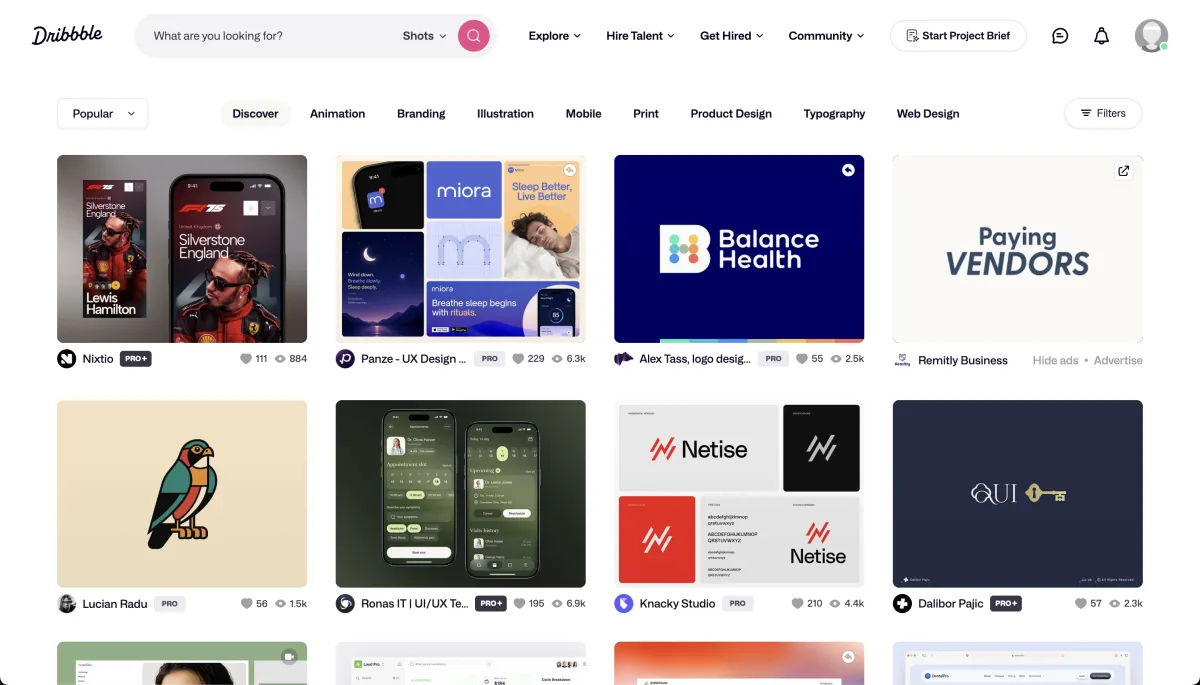
Dribbble is an online community founded in 2009 in Salem, Massachusetts by Dan Cederholm and Rich Thornett. Majority-owned by Tiny (Andrew Wilkinson) since January 2017. Designers post shots (image snapshots of their work in 4:3 format, today 1600×1200 px or higher — legacy spec was 800×600 px), other designers and prospective clients like, comment and follow. Community experience: early engagement in the first hours strongly drives a shot's reach.
Video: "Dribbble InstantMatch" — official feature intro from the Dribbble YouTube channel on AI-assisted designer matching.
Core features
Shots and boards: Unlimited shots on the free tier, Pinterest-style boards for collections and inspiration sets.
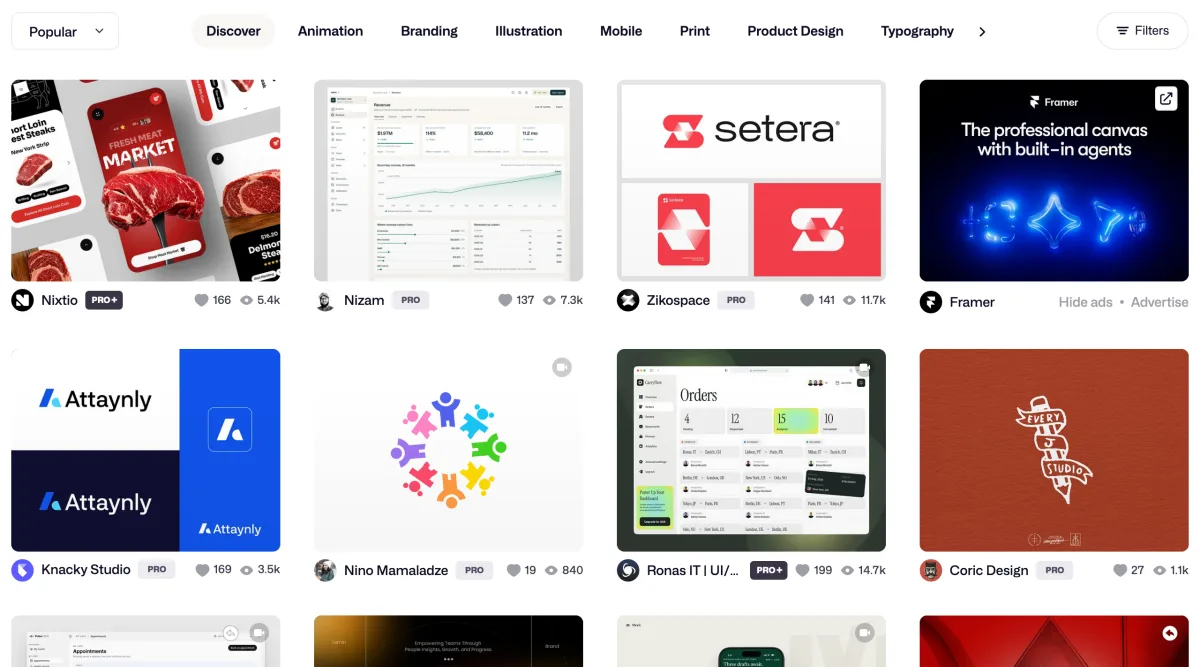
Discover feed with categories: Filter by discipline (UI/UX, branding, illustration, animation, print, product design, typography, web design) and popularity.
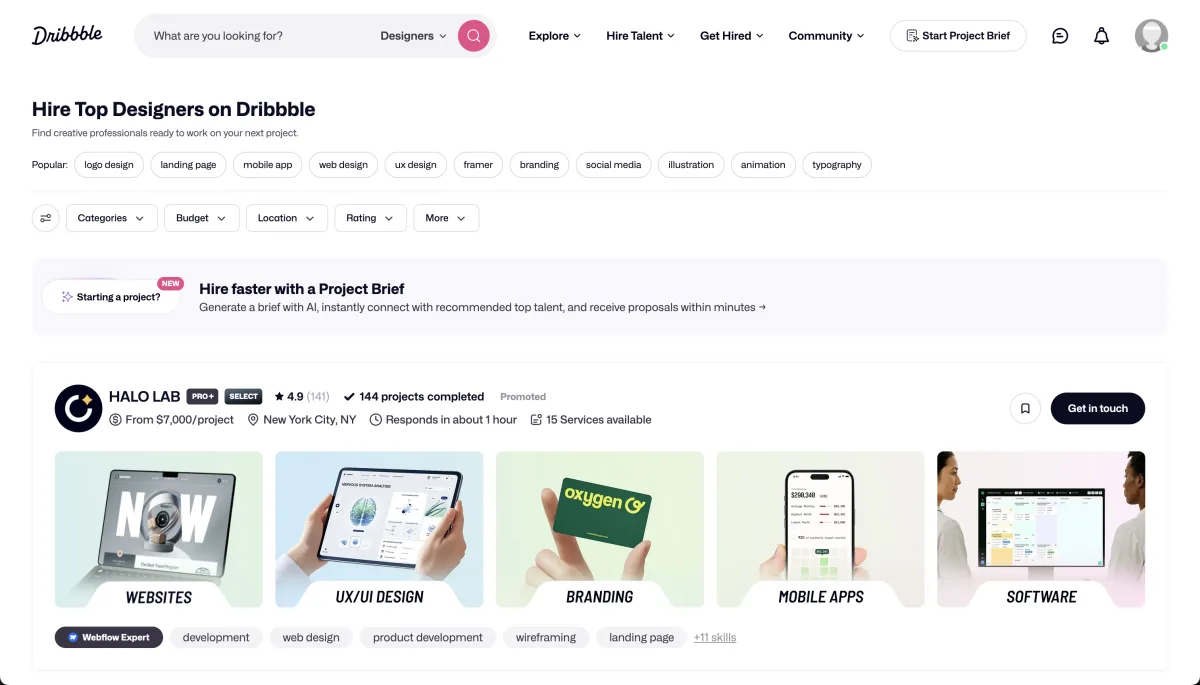
Hiring pool and job postings: Verified designer pool with skill/location/availability filters.
Pro analytics (Pro Lite+): Profile visitors, shot reach, follower growth, inbound clicks on profile links.
Mobile apps: Native iOS and Android apps with touch-friendly browsing and direct shot upload from the photo library.
Dribbble pricing 2026
Two separate pricing worlds: three Pro tiers for designers and two hiring packages for clients. Annual billing saves noticeably.
For designers the free tier is enough in most cases — full portfolio, unlimited shots, community visibility, direct messages. The first paid step adds only the badge and profile analytics. The tier that actually pays for itself is the middle one: its Services profile drops the platform fee on paid work from 3.5 % to zero, so anyone selling through Dribbble earns the subscription back on a single project. The agency tier targets team profiles and case-study pages.
For clients hiring there is a monthly package for one job posting with hiring-pool access, and a larger one with a pinned posting and VIP support.
Pros & Cons
Pros
- Most prestigious portfolio in global design
- Free tier has full portfolio features
- Shots for inspiration across all disciplines
- Hiring pool with direct designer access
- Native iOS/Android app, touch-friendly browsing
Cons
- Polished shots, limited as portfolio proof
- Pro features pay off with inbound focus
- No bid system, requires own outreach
Who is Dribbble for?
Pays off for UI/UX designers, illustrators and visual designers building an international network; for senior freelancers with acquisition focus using Pro Lite/Pro Standard as a systematic inbound channel; and for clients with senior needs (UI Lead, Brand Designer) using a Hiring package. Less suitable for junior designers without polished shots, for industrial design or architecture, and for clients with budgets under $5,000 — the pool expects senior-level engagement.
Pricing
Free
Free
free forever
- Portfolio with unlimited shots
- Up to 3 boards
- Profile visibility in the community
Pro Lite
$4
per month (annual)
- Pro badge on your profile
- Extended profile analytics
- Shot reach stats
Pro Standard
$8
per month (annual)
- Everything in Pro Lite
- 0% platform fee on Services (vs. 3.5%)
- Services profile to sell paid work
Pro Plus
$99
per month (annual) — agency tier
- Team profiles with multiple members
- Priority visibility in the hiring pool
- Dedicated project page with case studies
Hiring (for clients)
$150
per month (Post a Job) or $300/mo (Hiring Suite)
- Job posting in the designer community
- Access to the hiring pool with verified profiles
- Direct messaging channel to designers
Prices may change — check the official website for current plans.
Alternatives by use case


Frequently Asked Questions
What is Dribbble and who uses the platform?
Dribbble is an online community for designers founded in 2009 in Salem, Massachusetts, primarily for UI/UX designers, illustrators, branding specialists and visual designers. The platform works as a portfolio showcase: designers publish shots (image snapshots of their work in 4:3 format, today 1600×1200 px or higher — legacy spec was 800×600 px), and other designers and prospective clients like, comment and follow profiles. Several million registered designers (Dribbble hasn't published a current figure). Within design, Dribbble is regarded as the most prestigious portfolio platform alongside Behance — many senior designers maintain both a Dribbble and a Behance profile.
What does Dribbble cost in 2026? Is Pro worth it?
The free account covers about 90 % of use cases: portfolio, shots, community visibility. The first paid step adds only the badge and profile analytics. The one that pays for itself is the middle tier, where the Services profile drops the platform fee on paid work from 3.5 % to zero — one project and the subscription is back.
Dribbble vs. Behance — what's the difference?
Dribbble centers on shots: individual image snapshots, fast to consume, fast to publish. Strong in UI/UX, illustration and visual design. Premium Pro features cost extra. Behance (owned by Adobe) centers on full project cases with storytelling, process and descriptions. Strong in branding, industrial design and photography. Fully free and deeply integrated into Adobe Creative Cloud. Many designers maintain profiles on both — Dribbble for daily shots, Behance for fleshed-out case studies. Pair both with a personal portfolio site for serious acquisition.
How does hiring on Dribbble work?
Clients pick between two packages: Post a Job ($150/month, cancel anytime) for a standard listing in the Dribbble community or Hiring Suite ($300/month) with a pinned posting, VIP support and priority hiring-pool access. Designers see the posting in a dedicated job board and may get notified via push notifications. The hiring pool exposes verified designer profiles filterable by skills, location and availability — clients reach out directly via message, no application flood. For senior needs (UI Lead, Design System Architect), significantly more efficient than an open posting — and cheaper than a recruiter (often 25-30% of annual salary).
Which design disciplines are represented on Dribbble?
2026 focus areas: UI/UX design (app and web interfaces, design systems, dashboards), illustration (vector, editorial, character), branding (logo, identity, brand guidelines), web design (landing pages, marketing sites), mobile design (iOS, Android, cross-platform), 3D and motion (renderings, animations, AR/VR), print and editorial, and typography. Weaker representation: industrial design, photography, architecture — Behance or Are.na are better fits there.
Free account or Pro — which do I need?
The free account is enough for most designers: build a portfolio, become visible in the community, gather inspiration, network with peers. Pro Lite ($4/mo) pays off if the profile serves as an active acquisition channel — the Pro badge signals seriousness, and analytics show reach and profile visitors. Pro Standard ($8/mo) becomes attractive once you accept paid work via the Services profile (0% instead of 3.5% platform fee). Pro Plus ($99/mo) is primarily for agencies with team profiles. Rule of thumb: use Free actively for 6 months, then decide.
How do I improve my visibility on Dribbble?
Four levers: 1) Quality over quantity — better few highly-polished shots than many mediocre ones; community wisdom is that early engagement (likes, comments) in the first hours strongly drives reach. 2) Consistency — 1-2 shots per week beats 10 in one week then 3 months silent. 3) Community engagement — give feedback on others' work, join challenges, contribute to open-source design repos. 4) Tag and title optimization — clear shot description, relevant tags (#ui, #darkmode, #fintech), description with project context. For systematic acquisition, see our guide to freelance platforms.
Verdict
Dribbble in 2026 remains one of the most established portfolio platforms in design — especially for UI/UX, illustration, branding and visual design. The free account covers about 90 % of use cases: build a portfolio, post shots, become visible in the community. A paid tier only pays off when you actively acquire work through the platform, and then specifically the middle one: it removes the platform fee on paid work, earning the subscription back on a single project. For clients, the hiring package is the fastest path to senior designers — cheaper than a recruiter, more targeted than an open role. The most common criticism: shots show polished concepts without real constraints — as portfolio evidence, Dribbble should always be paired with Behance, a personal site or case studies.