Xero: Cloud Accounting for Freelancers and Small Businesses
Tim Wittke · Updated: Sep 1, 2026
Short verdict
Ideal for
- UK, Australian and New Zealand freelancers (Xero is the regional default)
- Growing remote teams and small agencies with unlimited users
- Service businesses with a complex tool stack (Stripe, Gusto, Shopify, CRM)
Not ideal for
- Freelancers filing German taxes — no ELSTER, DATEV or GoBD
- US businesses needing built-in payroll
- Entry price
- From $25 / month
- Free to start?
- Yes — 30 days free, no credit card required
- Stands out for
- Cloud accounting with unlimited users on every plan and 1,000+ app integrations — the market leader in the UK, Australia and New Zealand.
Cloud accounting for small businesses comes down to a handful of names worldwide — and Xero is one of the strongest. Across all markets, the unlimited-users policy and the massive 1,000+ app ecosystem are the two features people consistently single out. Let's look at where Xero really shines — and where it has clear gaps.
As of August 2026. Xero's plan names and prices vary by region (US: Early/Growing/Established; UK + AU: Ignite/Grow/Comprehensive/Ultimate). Verify on your regional xero.com site before subscribing, since promotional discounts of 80–90% off the first three months are common.
What is Xero?
Xero is a cloud accounting platform built for small businesses, accountants and bookkeepers. It launched in 2006 in Wellington, New Zealand, and has grown into one of the largest pure-play accounting SaaS companies in the world — over four million subscribers and a public listing on the Australian Securities Exchange. In the UK, Australia and New Zealand, most accountants and bookkeepers default to Xero; in the US, it competes with QuickBooks Online for share of the SMB market.
Functionally, Xero covers the full small-business accounting stack: invoicing and quotes, receipt capture via Hubdoc, automated bank reconciliation, double-entry bookkeeping, financial reporting (P&L, balance sheet, cash flow), project tracking, expense claims and multi-currency accounting across 160+ currencies (on the Established/Comprehensive tier).
Video: "Accounting that turns complexity into clarity" — official @Xero YouTube channel. 90-second product overview.
Xero's core features
Bank reconciliation: Xero's signature feature. The AI-assisted matching engine auto-matches the bulk of routine transactions — generally faster and more accurate than competitors per user reports.
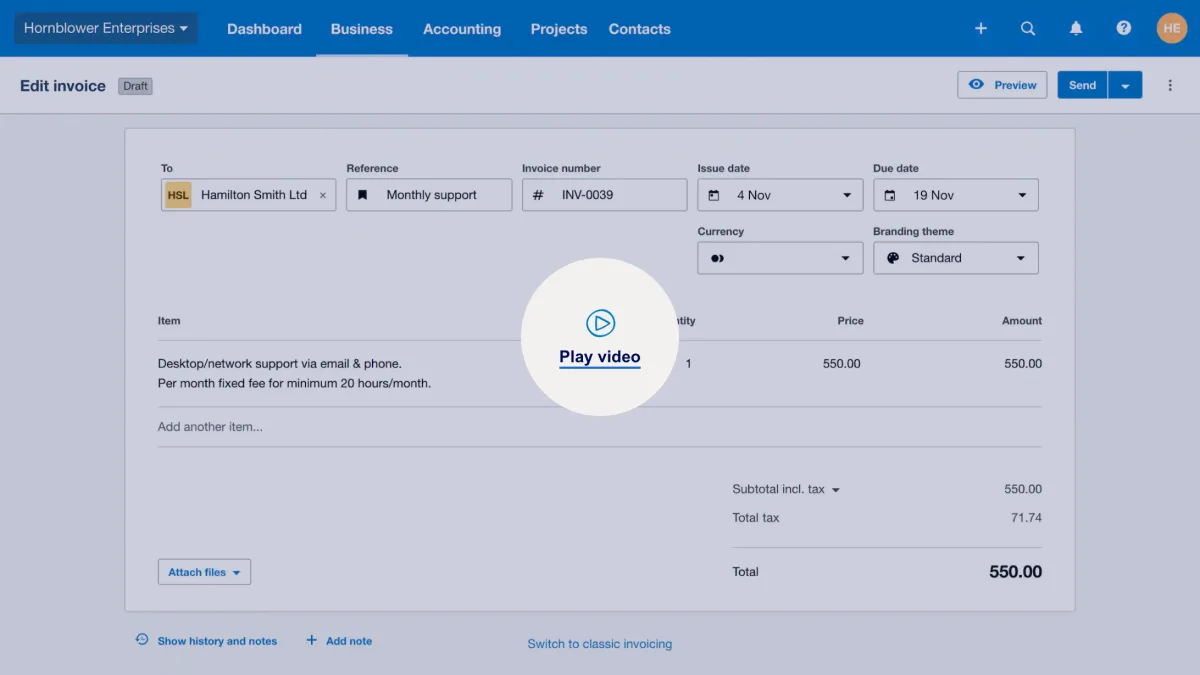
Invoicing and quotes: Branded templates, automated payment reminders, online payment buttons (Stripe, GoCardless, PayPal), recurring invoices.
Hubdoc receipt capture: Snap a photo or upload a PDF, OCR extracts the data, the receipt posts automatically. Included on every plan.
Unlimited users: Unlike QuickBooks (per-seat pricing) or Sage (tier-based seats), Xero never charges extra for additional users — employees, accountants and contractors all get access at no marginal cost.
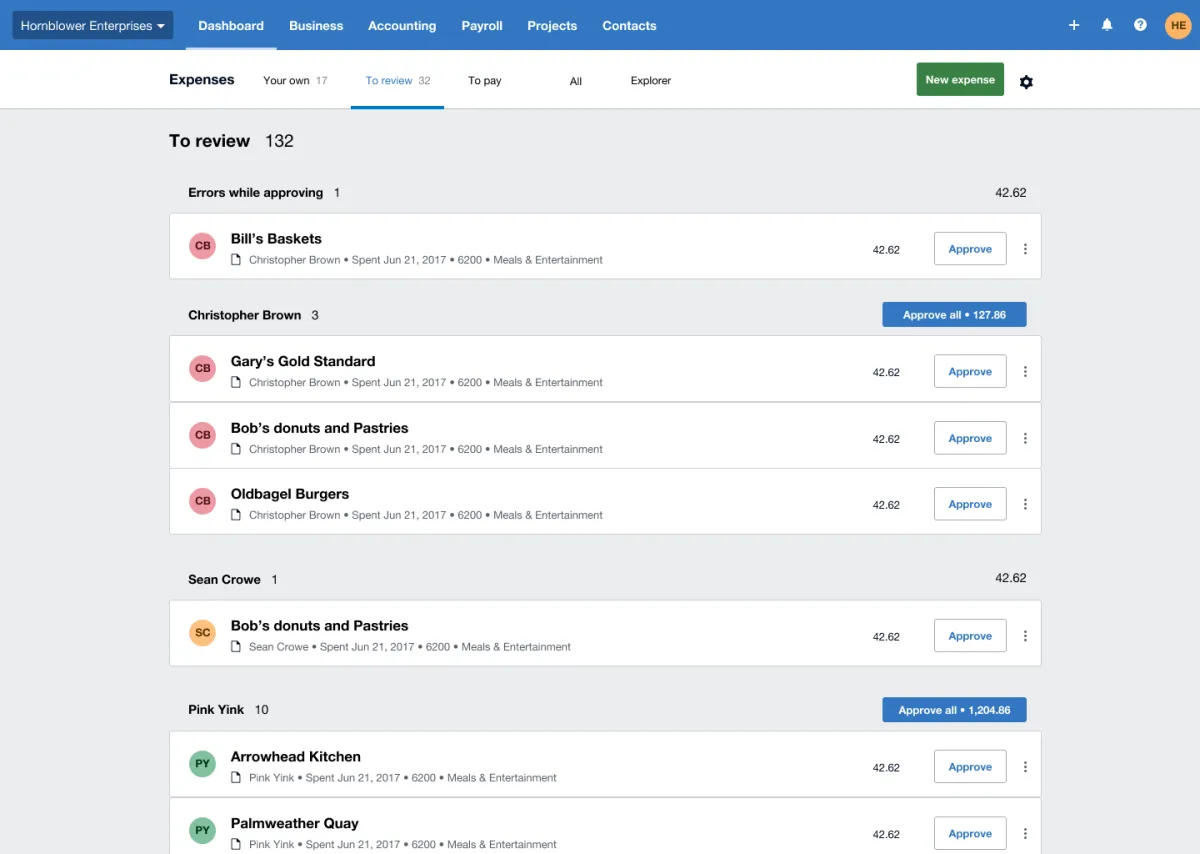
Reporting: P&L, balance sheet, cash flow, budget vs actual, 180-day cash-flow forecasting (Established) — all real-time and exportable to PDF or Excel.
Multi-currency: Available on the Established/Comprehensive tier. Automatic exchange rates, transactions in 160+ currencies — important for freelancers with international clients.
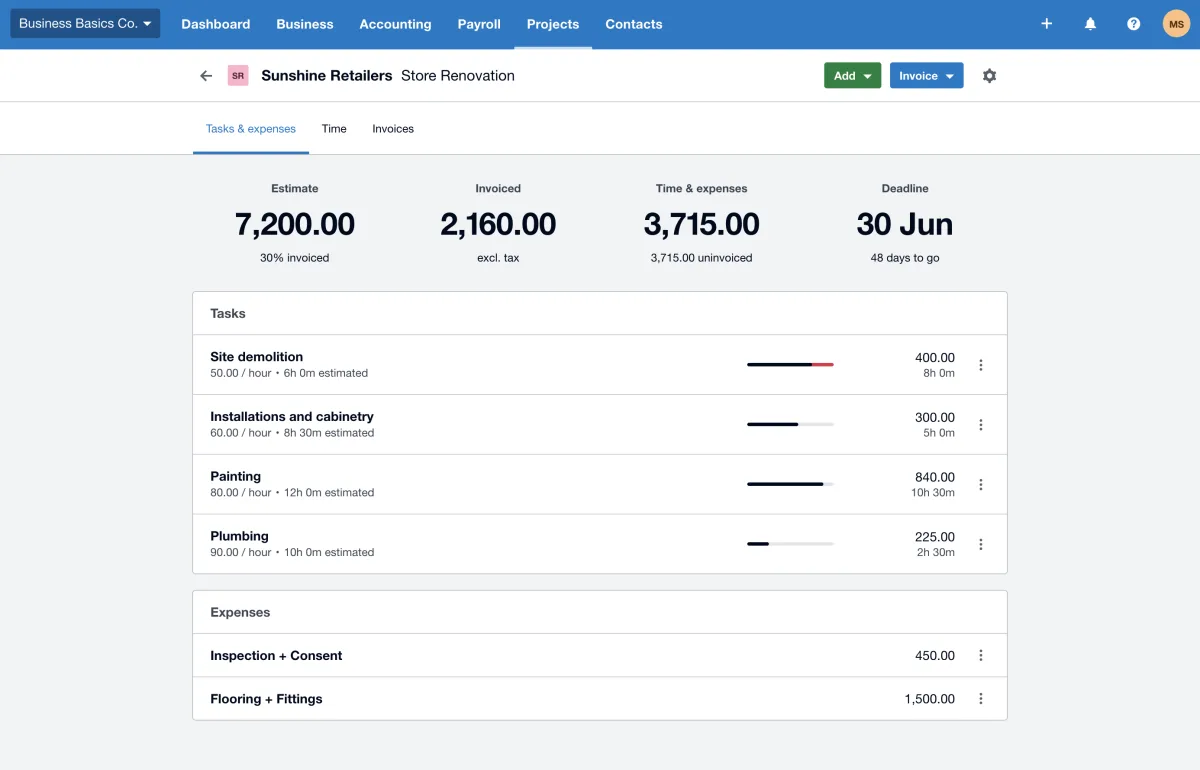
Project tracking: Time, costs and profitability per project, linked directly to invoices.
App ecosystem (1,000+ apps): Stripe, Gusto, Shopify, Square, HubSpot, Toggl, Harvest, Clockify, Calendly, and hundreds more — well-documented APIs and active marketplace.
Mobile apps: iOS and Android with receipt capture, invoicing and bank reconciliation on the go.
Who is Xero best for?
Xero is the strongest fit for three groups. First: Freelancers and small businesses in the UK, Australia or New Zealand — the regional defaults. If you live in any of these markets, your accountant almost certainly uses Xero, your banks integrate cleanly, and the local features (UK Making Tax Digital, AU Single Touch Payroll) are all native. Second: Growing remote teams and small agencies — the unlimited-users policy is a real cost advantage. Adding a fifth or tenth user costs nothing extra on Xero, while QuickBooks would charge for each seat. Third: Service businesses with a complex tool stack — Stripe for payments, Gusto for payroll, Shopify for ecommerce, HubSpot for CRM, Toggl for time.
Xero is a weaker fit for two scenarios. A US solo freelancer who mainly needs invoicing and basic tax reports often finds FreshBooks simpler. And businesses that lean heavily on native US payroll often prefer QuickBooks, since Xero relies on a separate Gusto subscription in the US.
One data point worth anchoring the usability claim: on G2, Xero scores 9.0/10 for ease of use, compared to 8.2/10 for QuickBooks Online — a meaningful gap in a category where most churn comes from interfaces people dread opening.
Customer story: "Growing a high performance business with Revo Fitness" — how a scaling business runs Xero plus connected apps for bookkeeping, reports and cash flow. From the official Xero App Store Customer Stories series.
Pros & Cons
Pros
- Unlimited users on every plan
- Fast, AI-assisted bank reconciliation
- 1,000+ third-party app integrations
- Multi-currency support across 160+ currencies
- Modern, polished UI
Cons
- Entry-tier cap: 20 invoices, 5 bills
- No native US payroll
- Customer support widely criticised
Xero pricing 2026: which plan fits which user?
Xero prices by region, and the plan names change with it — the cards show the US line-up. The tier decision is the same everywhere: the entry plan caps invoices and bills per month (20 and 5 in the US), which is too tight for most active freelancers; the second tier, with unlimited transactions, is where the product actually starts, and that is the jump worth paying for. The top tier only pays off if multi-currency, project tracking or expense claims are central to your workflow. What the cards cannot show: the frequent 80–90 %-off promotions apply to the first three months only, after which the list price kicks in; the UK line-up was raised on 1 September 2026 and charges payroll as an add-on, while Australian plans include payroll and Auto Super. Every plan includes unlimited users and a 30-day trial.
Xero alternatives at a glance
FreshBooks — purpose-built for solo freelancers and service businesses. Stronger time tracking and project profitability, weaker double-entry accounting. Best for US/Canada-based solo freelancers.
Zoho Books — affordable cloud accounting with a free tier (up to $50K annual revenue). Best if you already use other Zoho products.
QuickBooks Online — Xero's biggest competitor, dominant in the US. Deeper tax features and native US payroll, smaller app ecosystem, per-user pricing scales expensively.
Wave — free cloud accounting for very small businesses. Limited features but a genuine $0 plan if you only need invoicing and basic bookkeeping.
Sage — UK and US small-business accounting with a longer enterprise heritage. Generally less modern UX than Xero, stronger in mid-market.
For the full landscape, see our accounting software comparison for startups.
Pricing
Early
$25
USD/month — 20 invoices, 5 bills
- 20 invoices and quotes per month
- 5 bills (vendor invoices) per month
- Bank reconciliation
Growing
$55
USD/month — most popular
- Unlimited invoices, quotes and bills
- Bulk reconcile for fast bank matching
- Advanced reporting
Established
$90
USD/month — multi-currency, projects
- Multi-currency (160+ currencies)
- Project tracking and job costing
- Expense claims (employee reimbursements)
Prices may change — check the official website for current plans.
Price history
Checked Sep 24, 2026 · 3 plans unchanged since Sep 14, 2026
Alternatives by use case
- Zoho Books If multi-currency invoicing matters but the budget is tighter
- Accountable If the business files taxes in Germany
- Norman If unlimited free e-invoices are the actual need



Frequently Asked Questions
What is Xero?
Xero is a cloud accounting platform founded in New Zealand in 2006. It now has over four million subscribers worldwide and is the de facto standard for small business accounting in the UK, Australia and New Zealand. Xero covers invoicing, bank reconciliation, receipt capture (via Hubdoc), reporting and project tracking, and it has the largest app ecosystem in the category — 1,000+ integrations with tools like Stripe, Gusto, Shopify and HubSpot.
How much does Xero cost in 2026?
Xero prices differently by region, and the plans carry different names there too. The pricing table on this page shows one region; the UK, Australia and New Zealand have their own tiers, amounts and scope — payroll is included in Australian business plans and a paid add-on in the UK. Check which country a quoted figure refers to before comparing.
Is Xero better than QuickBooks for freelancers?
It depends on where you are and what you need. QuickBooks Online dominates in the US (35–40% small-business market share), has deeper tax features and native US payroll — but it charges per user and scales expensively. Xero includes unlimited users on every plan, has a cleaner UI praised across review sites and a larger app ecosystem. For a US solo freelancer who mainly needs invoicing and tax-ready reports, QuickBooks Self-Employed is often simpler. For international or multi-user setups, Xero is usually the stronger fit. We break down current pricing, user limits and payroll in detail in Xero vs QuickBooks 2026.
Xero vs FreshBooks — which is better for freelancers?
FreshBooks is purpose-built for solo freelancers and service businesses: invoicing, time tracking, project profitability — minimal learning curve. Xero is deeper double-entry accounting with bank reconciliation, multi-currency and multi-entity setups — better suited to growing businesses than to pure invoice-senders. If you mainly track hours and send invoices, FreshBooks is the easier fit. If you already need inventory, multi-currency or accountant collaboration, Xero is the stronger long-term tool.
Does Xero include payroll?
It depends on the region. In Australia and New Zealand, payroll (and Auto Super in AU) is built into all Xero business plans. In the UK, payroll is available as a paid add-on (£1.50/employee/month on most plans). In the US, Xero does not include its own payroll — it partners with Gusto, which requires a separate subscription. That two-product setup actually works well in practice (Gusto is widely considered the best US payroll tool), but it's worth budgeting an extra $40+/month if you have employees.
Does Xero have a free trial?
Yes — Xero offers a 30-day free trial in every region and on every plan, no credit card required. The trial includes full functionality of the plan you choose (including multi-currency and reporting on Established). It ends automatically — you won't be billed unless you actively subscribe. Many regions also run promotional discounts of 80–90% off the first 3 months for new customers. As of July 2026.
Verdict
Xero is one of the cleanest, most modern cloud accounting platforms available — and for UK, AU, NZ and growing US small businesses, it's a top pick. The unlimited-users policy alone makes it the obvious choice over QuickBooks for teams. Solo US freelancers who mainly need invoicing might find FreshBooks simpler; complex US-only operations that lean heavily on native payroll often default to QuickBooks. But for almost any other small-business scenario — especially international, multi-currency or multi-user — Xero delivers the best balance of usability, integrations and price.