LearnWorlds Review 2026: Sell Online Courses With Your Own Site, Checkout and Certificates
Fastlancer Team · Updated: Nov 17, 2026
Short verdict
Sell your course with site, checkout and certificates
- Coaches, consultants and trainers who want to sell what they know as a course with their own site and checkout
- Course creators who want interactive video, assessments and certificates instead of plain video hosting
- Small teams that build courses together and plan to train corporate clients in separate groups
- Sellers who want the platform to act as merchant of record and handle sales tax and VAT
- Anyone who wants to test a course idea without paying a monthly base fee
What LearnWorlds does for you
Selling what you know as a course usually turns into a side project of its own: WordPress, a course plugin, a payment plugin, something for certificates. LearnWorlds rolls all of that into one platform. You build the course site, add lessons, connect checkout and start selling without touching hosting or updates.
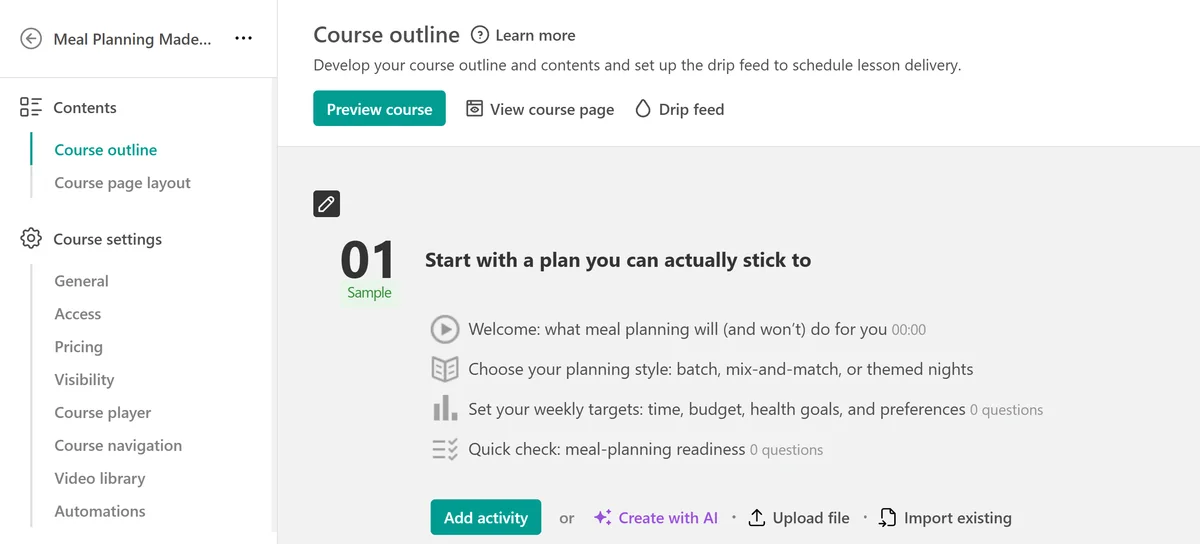
Courses are built from sections and learning activities: video, PDFs, ebooks, audio, assessments, surveys and, from Pro Trainer up, live sessions over Zoom and Teams. Drip feed releases lessons on a schedule, so nobody binges the whole course on night one and then drops off.
Interactive video, quizzes and certificates
The learning experience is where LearnWorlds stands out. From Pro Trainer up, the video editor lets you place questions, buttons, images and chapter markers right on the timeline. The video pauses at that point, learners answer and can jump back to the part they missed. From Pro Trainer up, AI translates uploaded subtitles; auto-generated subtitles start with Learning Center.
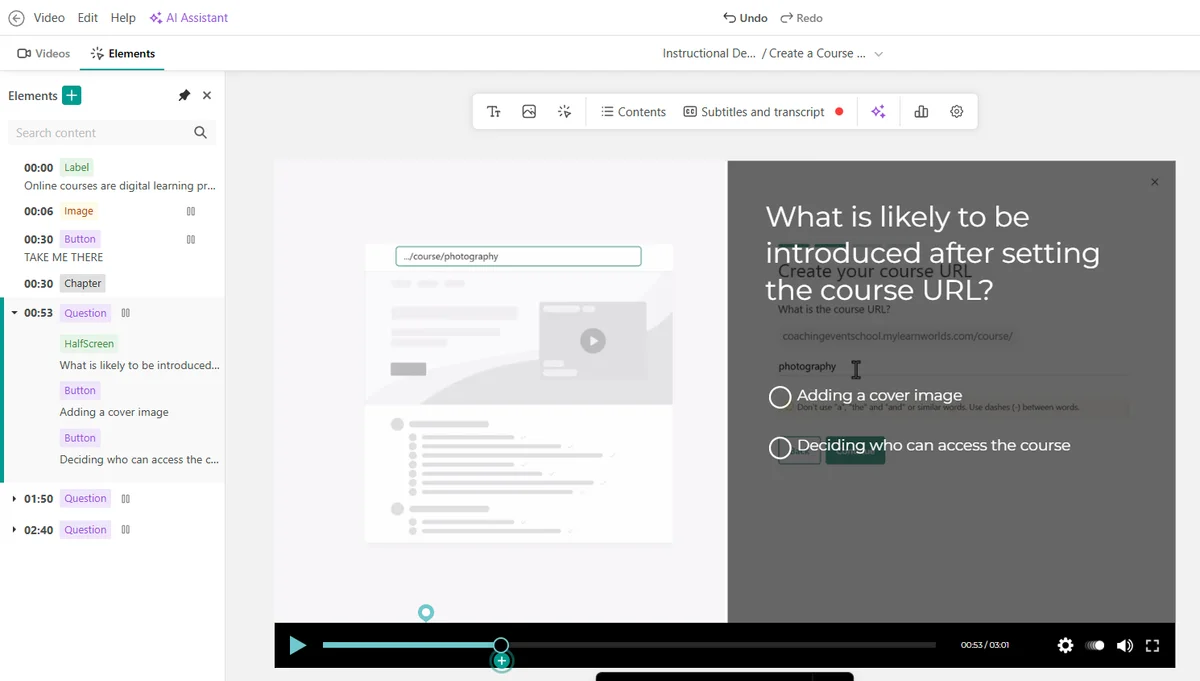
On top of that come assessments with a wide range of question types and certificates that issue automatically on completion or a passing grade. For trainers whose learners need proof for an employer or a licensing body, that's often what closes the sale.
Course website and checkout
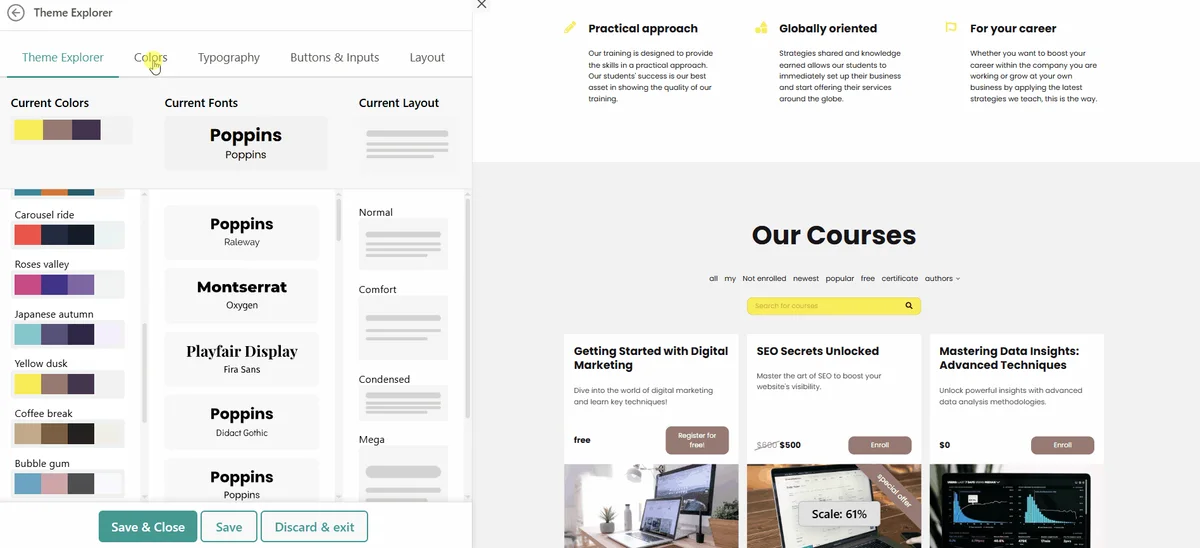
You build the site from templates and ready-made sections, including a course catalog; the blog, more pop-ups and standalone sales pages come with Pro Trainer. It runs on your own domain. Payments go through Stripe, PayPal or Shopify, and through Stripe also Apple Pay, Google Pay, Klarna and Afterpay. Coupons and order bumps are included on every plan.
Taxes, data and languages
One thing to know before you launch: LearnWorlds is the platform, you are the seller. If you sell to buyers in states or countries that tax digital products, you collect and file that tax yourself. Integrations with Stripe Tax or Quaderno handle the calculation, each as a separate paid service. Platforms that act as merchant of record take that job off your hands in exchange for a cut of each sale.
LearnWorlds is based in Cyprus and hosts data on Google Cloud in the US, Europe, Brazil and Singapore, with a ready-made data processing agreement for clients who ask. The learner-facing interface switches to 19 languages, and you can rewrite any label, which helps if you sell to audiences outside the US.
LearnWorlds pricing: enrollment fees and annual billing
The tiers hinge on enrollment volume. Starter charges a fee on every paid enrollment, and on annual billing Pro Trainer costs $35 more a month. From eight paid enrollments a month, Pro Trainer is the cheaper plan, and it adds certificates, free lead-magnet courses and payment plans. Learning Center only pays off once you want to drop LearnWorlds branding or train corporate clients in separate groups. The catch beyond the fee: Stripe or PayPal charge their processing fees on top, and annual plans renew automatically unless you cancel before the term ends.
Up to 39% off for 12 months on annual plans, until November 23 — see the deal
What we like about LearnWorlds and what we don't
Pros
- Interactive video with in-video questions
- Site builder on your own domain
- Certificates, subscriptions and payment plans built in
- Unlimited video hosting on every plan
- School interface in 19 languages
Cons
- Many features start at Pro Trainer
- Branded mobile app costs significantly extra
- More settings to learn than simpler rivals
LearnWorlds isn't a platform for a quick test. It's for coaches and trainers who sell courses seriously and for the long run, and it gives them a learning experience that goes well beyond plain video hosting. More platforms are in our courses and memberships overview.
Pricing
Starter
$44 / month
- $5 fee per course enrollment
- Paid courses only, no certificates
- 1 admin, up to 1,000 active learners a month
Pro Trainer
$79 / month
- No enrollment fees
- Certificates, subscriptions, memberships and payment plans
- 5 admins, up to 2,000 active learners a month
Learning Center
$249 / month
- Full white-label, 25 admins
- Client groups of up to 200 users each
- Automations and scheduled course reports
Corporate
Custom quote
pricing on request
- Custom learner, admin and client-group limits
- AI tutor that answers learners' questions
- Dedicated success manager and 24/7 phone support
Prices may change — check the official website for current plans.
Alternatives by use case


Frequently Asked Questions
What does LearnWorlds do for a coach or trainer?
LearnWorlds puts everything you need to sell an online course in one place: a course website on your own domain, checkout through Stripe, PayPal or Shopify, and a learning area with video, quizzes and certificates. Instead of wiring WordPress, a course plugin, a payment plugin and a certificate tool together, you run one platform.
How much does LearnWorlds cost?
The tiers come down to how many enrollments you expect. Starter is the cheapest plan but charges a fee on every course enrollment and leaves out certificates and free courses. Pro Trainer drops the fee and adds subscriptions and payment plans, while Learning Center is built for teams and corporate training. Stripe or PayPal processing fees come on top. Exact prices are in the plan cards, checked November 2026.
Is there a LearnWorlds free trial?
Yes, 30 days, and you sign up with just an email address. During the trial you can build courses and your site, but you can't connect a payment gateway or a custom domain, so selling only starts once you pick a plan. If you don't choose a plan before the trial ends, the trial school is deleted.
LearnWorlds vs Thinkific: which is better?
Thinkific is quicker to set up and has a large app marketplace. LearnWorlds goes further on the learning experience, with interactive video, deeper assessments, certificates and a full site builder. Pick Thinkific for a simple course store, LearnWorlds once courses are a real part of your business and you want learners to finish them.
Does LearnWorlds handle sales tax and VAT, and can I cancel?
No, LearnWorlds isn't the merchant of record, so you stay the seller and file the tax yourself. Integrations with Stripe Tax or Quaderno calculate sales tax and EU VAT by buyer location, each as a separate paid service. You can switch plans or cancel any time before your next billing term renews.
Verdict
LearnWorlds solves the problem that stalls a lot of course ideas: the website, the checkout and the learning area never quite fit together. Its strengths are interactive video, assessments and certificates; the weak spots are features locked above Starter and a branded app that costs extra. If you sell regularly, start on Pro Trainer; if you only want to see whether a course sells at all, look at platforms without a base fee first.