
CorelDRAW Review: A Professional Design Tool and Real Photoshop Alternative?
As a creative freelancer — whether you're a designer, illustrator, or visual content creator — you need powerful design tools that deliver professional results without breaking the budget. Adobe Creative Suite is expensive, and free alternatives are often too limited. CorelDRAW Graphics Suite offers a smart middle ground: buy once instead of paying forever, full professional features, and a lower price point than the competition. Ideal for graphic designers, illustrators, and creatives who value quality and cost efficiency.
Affiliate link — if you purchase through this link, you support our work at no extra cost to you.
What is CorelDRAW?
CorelDRAW Graphics Suite is an established design package that has been around since 1989, combining vector illustration, page layout, photo editing, and font management in one suite. It includes CorelDRAW for vector graphics, Corel PHOTO-PAINT for image editing, Font Manager, and CorelDRAW Web. Available for Windows, Mac, and as a browser-based version. A strong fit for professional designers looking for a cost-effective alternative to Adobe.
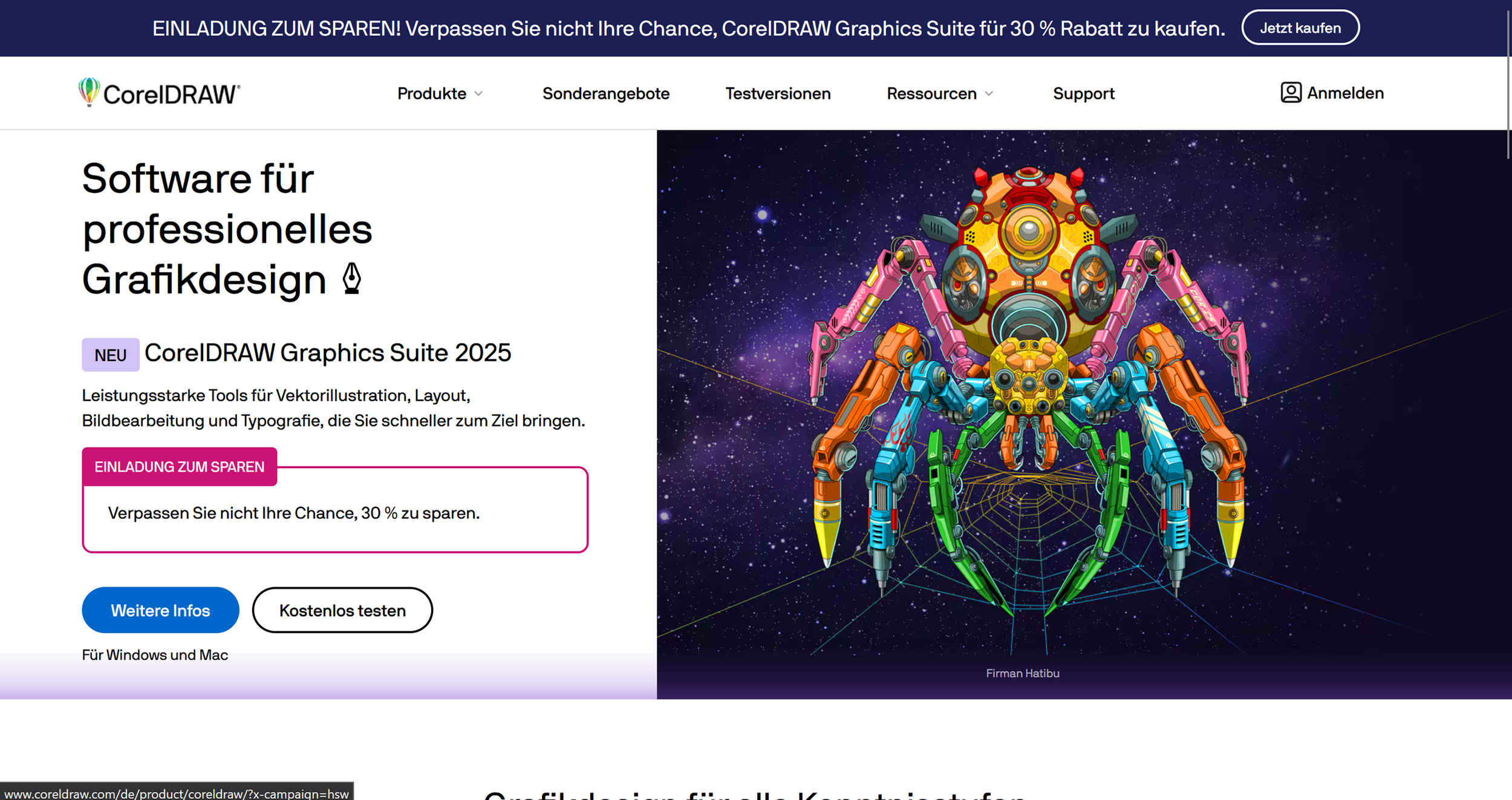
CorelDRAW landing page (excerpt from coreldraw.com)
Key Features of CorelDRAW
Precise vector illustration tools
Page layout for multi-page documents (flyers, brochures, etc.)
AI-powered vectorization with PowerTRACE
Image editing with Corel PHOTO-PAINT
Multipage View: edit multiple pages simultaneously
Perspective drawing in 3D
Object Styles for consistent formatting
Non-destructive effects (fully reversible)
Built-in Pantone color palettes at no extra cost
Wide support for common file formats
Font Manager with 1,000+ professional fonts
LiveSketch: freehand drawing with stylus or touch input
CorelDRAW Web: browser-based working from any device
Multi-asset export for a more efficient workflow
Native support for Windows 11 and macOS Sequoia

CorelDRAW offers a clean UI for digital image editing. (Own screenshot from CorelDRAW)
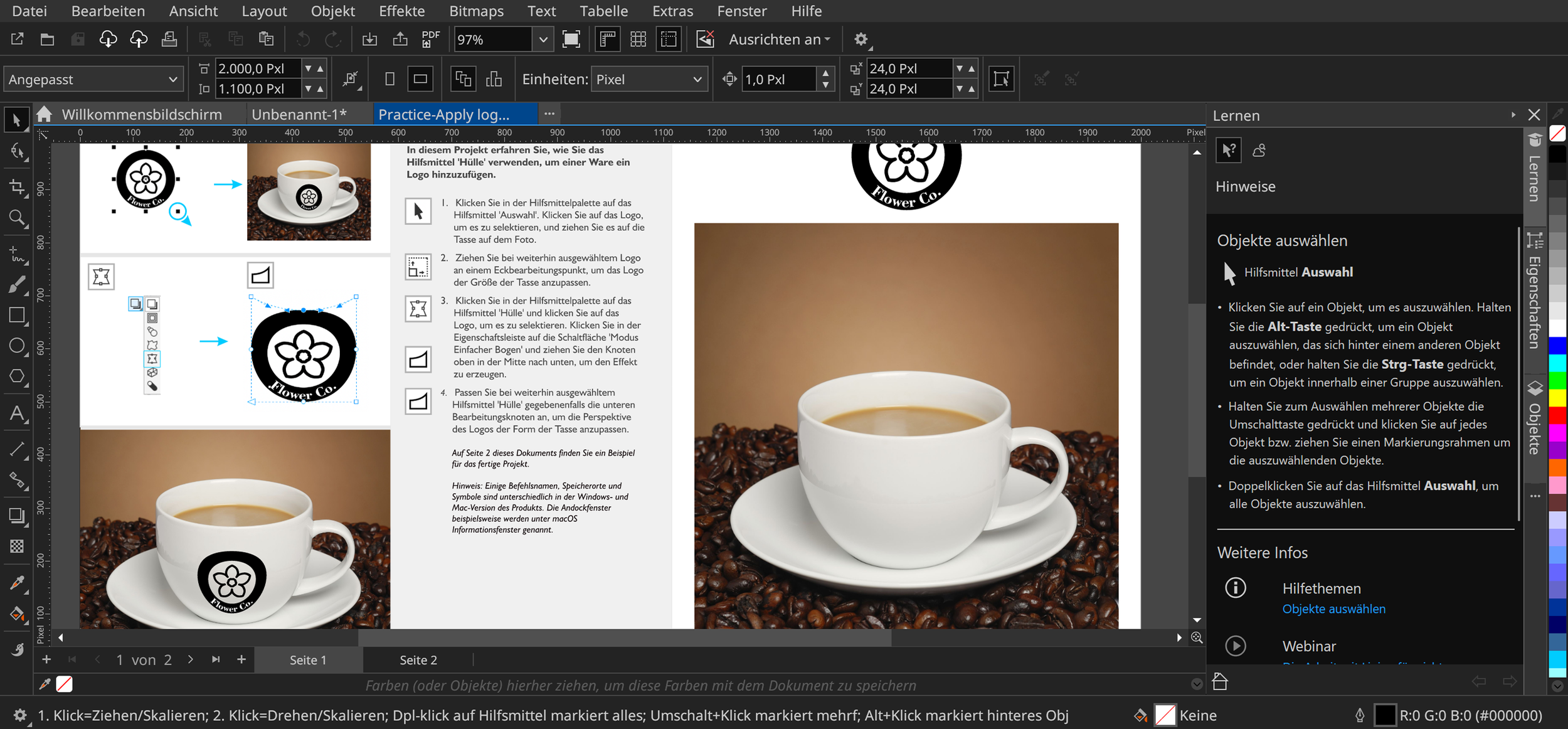
A wide range of standard features, settings, and templates makes designing accessible and efficient. (Own screenshot from CorelDRAW)
Why CorelDRAW Works Well for Freelancers
Creative freelancers need to work cost-efficiently while still delivering professional results. CorelDRAW offers clear advantages over subscription-based models like Adobe Creative Cloud. The one-time purchase price means predictable costs with no recurring monthly charge — particularly well-suited to freelancers with variable income.
The comprehensive suite replaces several specialized tools: vector illustration, image editing, layout, and font management all in one package. The intuitive interface allows for a fast learning curve without weeks of training. Built-in Pantone colors save money that Adobe charges extra for. Strong compatibility with common file formats makes collaboration with clients using other software seamless. CorelDRAW Web adds flexibility for working on the go or across multiple devices. For freelancers who need professional design software but don't want to commit to ongoing subscription costs, CorelDRAW — alongside the Affinity suite — is one of the most economical options on the market.

Digital drawing is one of the tool's strongest features. (Own screenshot from CorelDRAW)
What We Like — and What We Don't
-
One-time purchase instead of a subscription model
All essential design tools in a single suite
Beginner-friendly, intuitive interface
Pantone colors included at no extra cost
Powerful vectorization with PowerTRACE
Good compatibility with Adobe file formats
Web version for browser-based work
Regular updates and new features
Significantly cheaper than Adobe alternatives
-
Less industry-standard than Adobe — collaboration with Adobe-heavy teams can require extra steps
The interface feels dated compared to newer tools like Figma or Affinity
The full suite can feel overwhelming for users who only need one or two features
macOS version lags slightly behind the Windows release in terms of feature parity
CorelDRAW Pricing
CorelDRAW offers flexible purchase options for different budgets and needs.
The full CorelDRAW Graphics Suite 2025 is available as a one-time purchase for $499 — permanent ownership, significantly cheaper than years of Adobe subscriptions.
Alternatively, a subscription is available at $20.75/month or $249/year, including access to all premium features like CorelDRAW Web, cloud storage, and exclusive content.
A Maintenance option at $169/year for perpetual license holders guarantees ongoing updates and support.
Compared to Adobe Creative Cloud (from $60/month), CorelDRAW saves you several hundred dollars in the first year alone. A 15-day free trial lets you test all features risk-free. Education discounts are available for students and teachers, and upgrade pricing is available for owners of older versions.

CorelDRAW pricing overview (excerpt from coreldraw.com)
Note: Prices reflect the date of publication and may have changed. Always check current pricing on the official CorelDRAW website.
Verdict: Is CorelDRAW Worth It for Freelancers?
CorelDRAW Graphics Suite is a solid choice for freelancers who need professional design software but don't want to pay ongoing subscription fees. The one-time investment pays for itself within a few months compared to Adobe Creative Cloud. The comprehensive functionality covers all major design areas — from logo development and print design to image editing.
For freelancers with variable income in particular, the purchase model offers real financial predictability. The intuitive interface gets you productive quickly. For budget-conscious creatives who still want professional-grade features, CorelDRAW is a sound investment. The free trial makes it easy to explore risk-free before committing.
Alternatives to CorelDRAW
Adobe Creative Cloud — industry-leading with vast resources, but significantly more expensive
Affinity Suite — free, but less comprehensive than the full CorelDRAW suite
Canva Pro — browser-based and beginner-friendly, but fewer professional features
Inkscape — free open-source alternative, but a steeper learning curve
Figma — excellent for UI/UX design , but not optimized for print
Make sure to check out these tools too:



Best try for yourself:
Affiliate link — if you purchase through this link, you support our work at no extra cost to you.
Transparency notice: This article contains affiliate links. If you purchase a product or service through one of these links, we earn a commission — at no extra cost to you. Thank you for supporting our work.
Image credits: All screenshots, brand names, and product names used in our articles are the property of their respective owners and are used solely for illustration and review purposes. Screenshots taken within the software show the interface or other elements of the respective tools and remain the intellectual property of the corresponding brands. Unless otherwise noted, images are sourced from the official websites of the providers. We link to original sources where possible and recommend verifying current information and pricing directly on the official product pages.