
Figma Review: The Standard Design Tool for Freelancers & Founders – Pricing + Alternatives
In today's digital world, versatile, intuitive, and collaborative tools are non-negotiable. Figma stands out as the leading cloud-based design and prototyping platform, helping freelancers, entrepreneurs, and design teams work together seamlessly. With a strong focus on real-time collaboration, comprehensive design features, and cross-platform availability, Figma has become an essential tool for modern creatives. Continuous feature updates and a large, active community have made it the go-to design tool across the creative industry.
Affiliate link — if you purchase through this link, you support our work at no extra cost to you.
What is Figma?
Figma is a web-based design and prototyping tool used by UX/UI designers, product designers, and creative teams worldwide. It enables the creation of interactive wireframes, mockups, and prototypes while supporting seamless real-time collaboration. Unlike traditional desktop design tools, Figma runs entirely in the cloud — making it easy to work from any device and share projects with team members or clients without worrying about version control or compatibility issues. It's a fully platform-independent solution that works in any browser on both macOS and Windows.
With features like vector editing, design systems, and plugin support, Figma combines the power of tools like Adobe XD and Sketch with the flexibility of a cloud-based platform. Its intuitive interface makes it accessible to beginners, while its extensive feature set keeps advanced users more than satisfied.
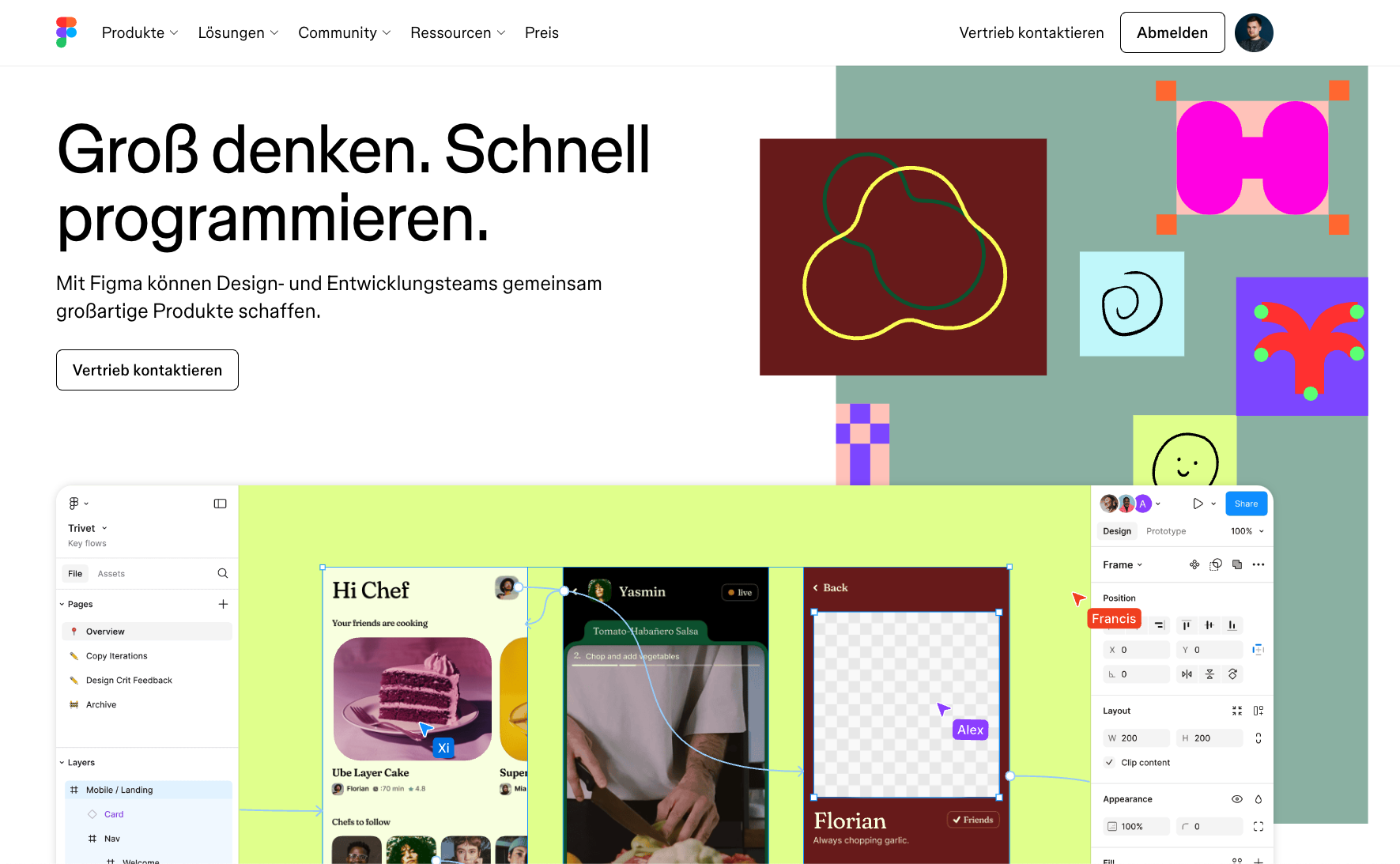
Figma landing page (excerpt from figma.com)
How Does Figma Work?
Figma runs directly in the browser with no installation or updates required. Users can create designs, collaborate with team members, and share projects from one central location. It supports a wide range of workflows — from wireframing and prototyping to handing off finished designs to developers.
Figma's real-time collaboration lets multiple people work on the same file simultaneously, making feedback, brainstorming, and refinements fast and efficient. Version history lets teams track changes and revert to earlier drafts when needed.
Figma also integrates with tools like Slack, Google Drive, and Jira to streamline workflows and ensure smooth developer handoffs. A vast plugin library extends the tool's functionality for virtually any use case imaginable.
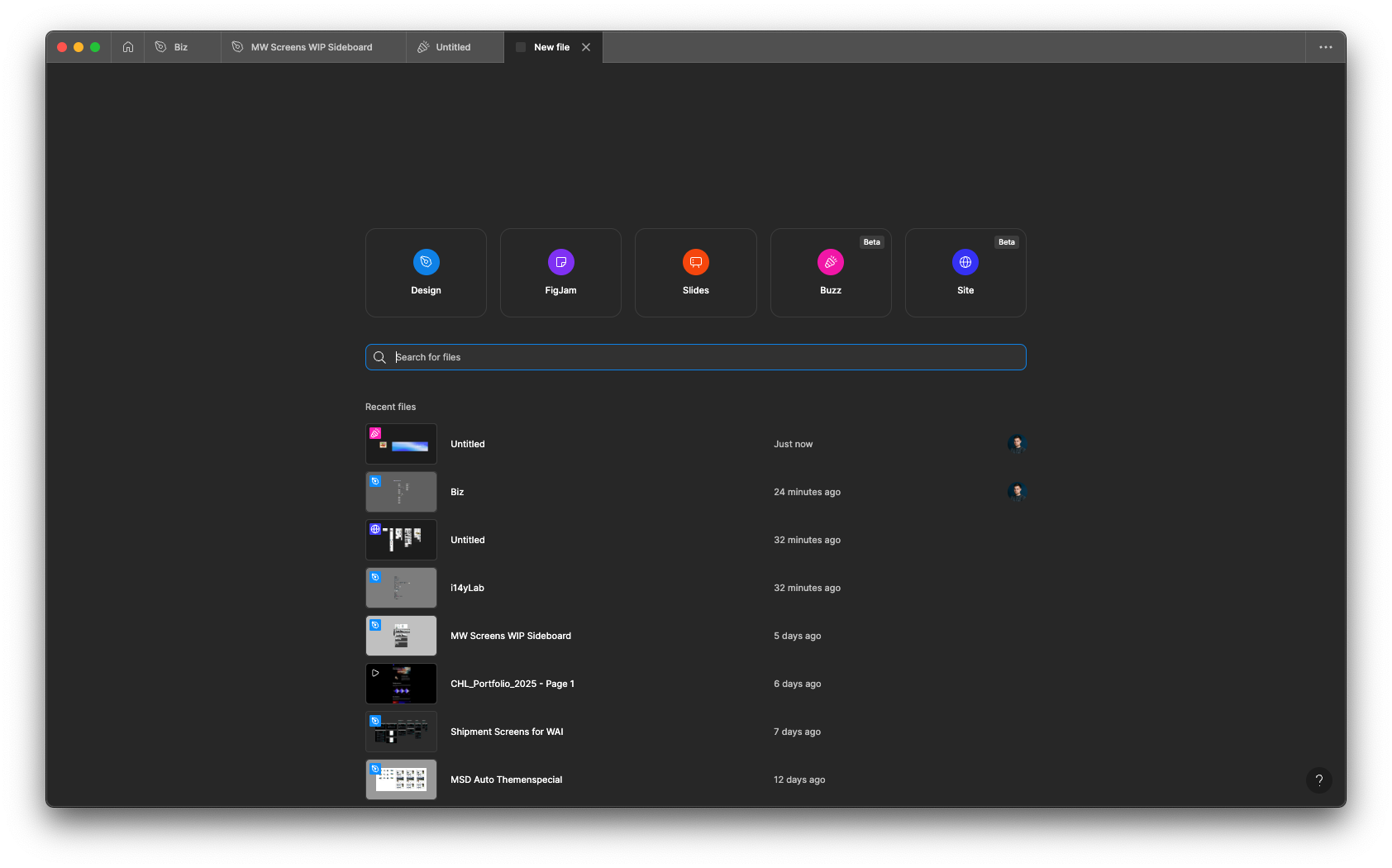
Quick file creation: Figma immediately offers the key functions alongside recently opened projects. (Own screenshot from Figma)
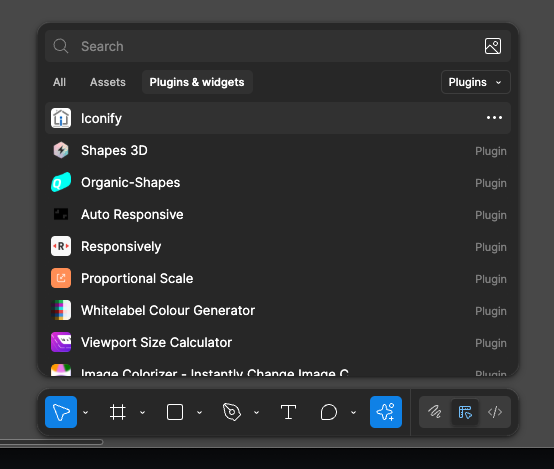
Toolbar and extensive plugin library for every use case. (Own screenshot from Figma)
Why Figma Works Well for Freelancers
Real-time collaboration: Figma lets multiple users edit a file simultaneously — ideal for remote teams or freelancers working closely with clients. Built-in commenting makes communication straightforward.
Cross-platform availability: As a web-based tool, Figma works seamlessly on any device. Desktop apps for macOS and Windows and mobile apps for on-the-go access and feedback are also available.
Easy prototyping: Interactive design features let you build realistic prototypes quickly. Device-specific templates and preview options make testing and presenting to clients effortless.
Design systems and libraries: Teams can create shared design libraries to ensure consistency across projects. Branching and merging features help manage complex workflows.
Extensive plugin support: Figma offers a wide range of plugins for additional functionality including animations, stock images, and workflow automation.
Export options: Designs can be exported in PNG, SVG, JPEG, and PDF formats, making collaboration with all stakeholders easy.
FigJam integration: FigJam, Figma's sister product, is a collaborative whiteboard tool for brainstorming and ideation. Its integration with Figma ensures a seamless path from concept to finished design.
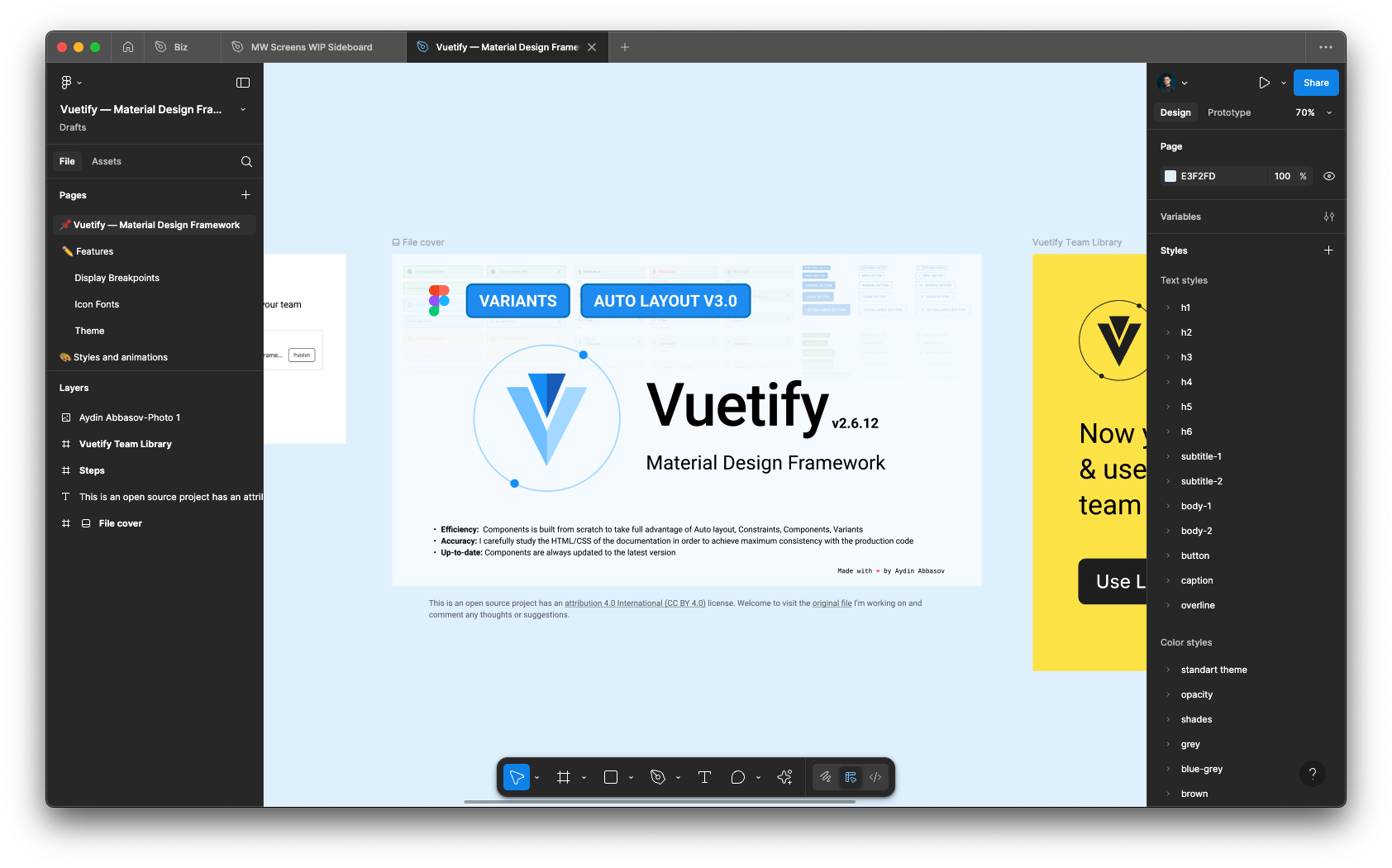
Clean user interface in design mode. (Own screenshot from Figma)
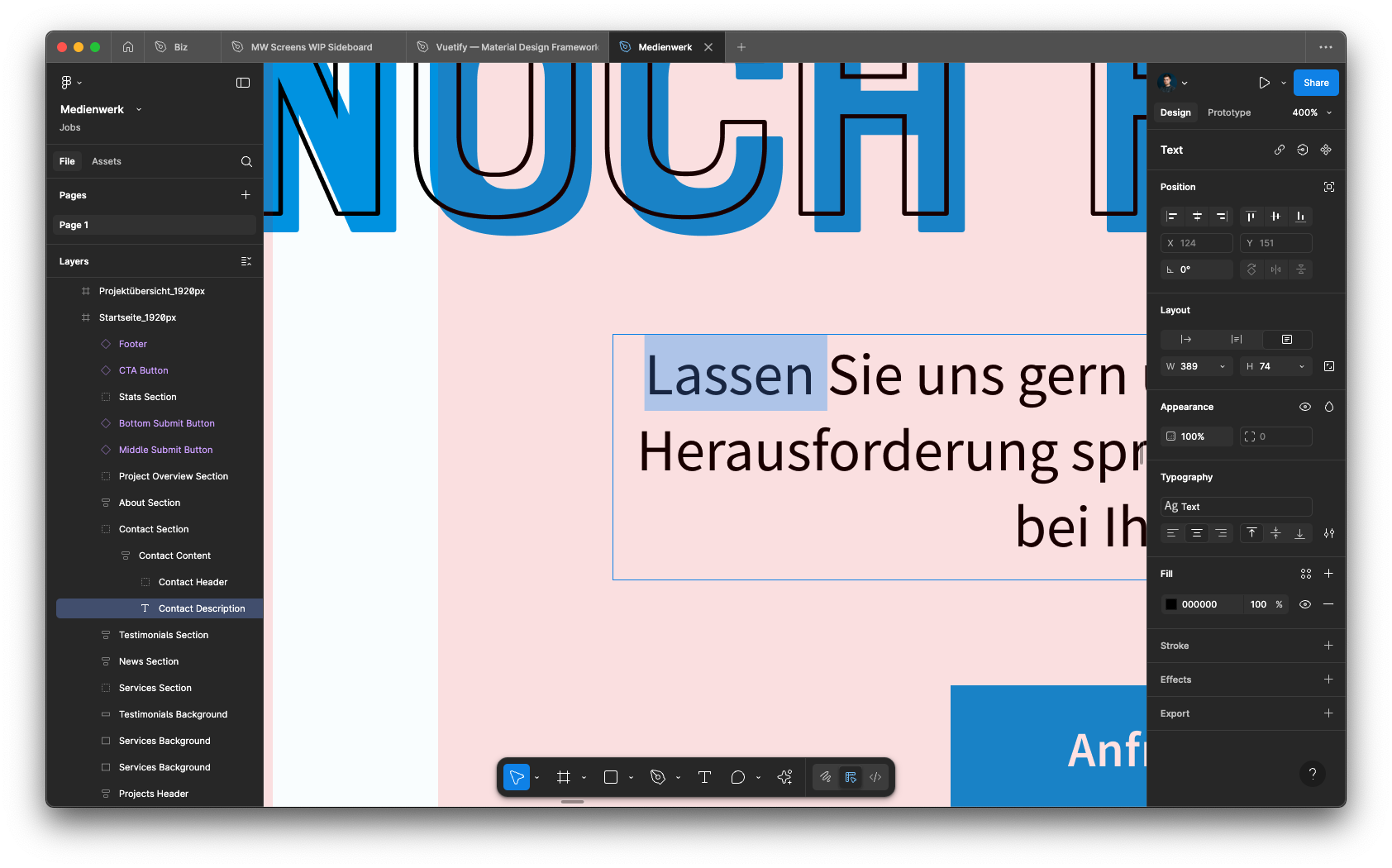
Figma is a professional design tool: endless creative possibilities with layer management, image editing, effects, typography settings, and prototyping for all screen sizes. (Own screenshot from Figma)
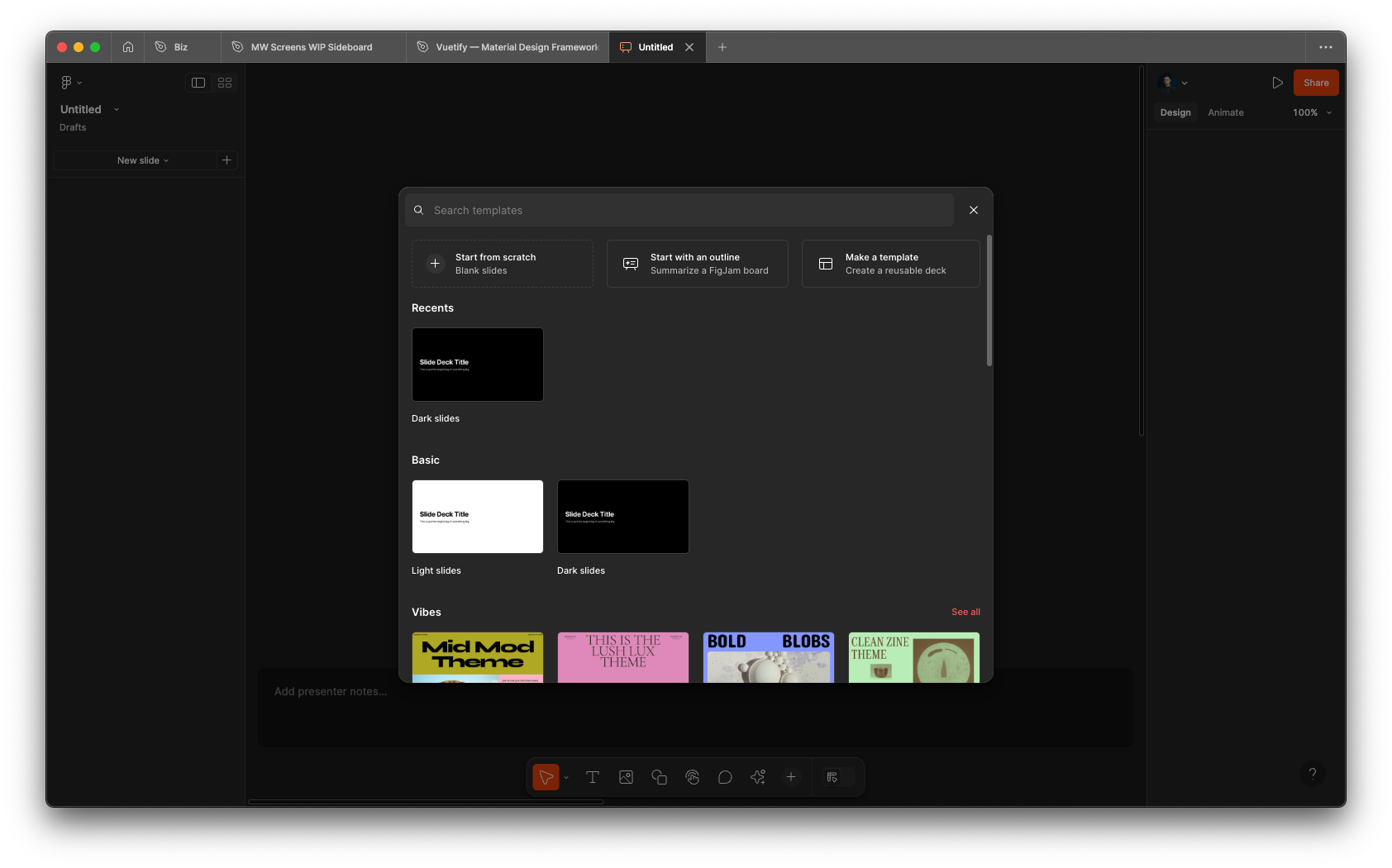
Figma Slides: powerful presentation software with a wide range of templates. (Own screenshot from Figma)
Is Figma the Right Choice for You?
What we like:
Intuitive interface with a low barrier to entry
Outstanding real-time collaboration features
Access from any device, no installation needed
Advanced prototyping and design system capabilities
Generous free plan — ideal for freelancers just starting out
Practical AI features including quick image editing and generation
What we like less:
Pricing can feel opaque when adding multiple seats
Occasional performance issues on larger projects
Limited offline functionality compared to desktop-native tools
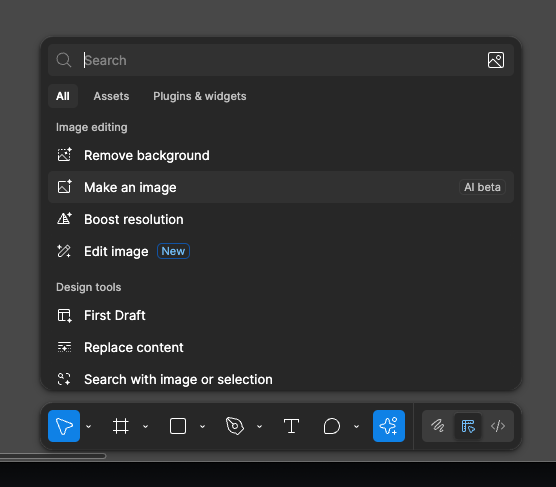
Numerous AI features for workflow optimization including background removal, image generation, resolution enhancement, and layout creation. (Own screenshot from Figma)
Is Figma Affordable for Freelancers?
Figma offers four pricing tiers designed for different needs. The free plan is perfect for individual designers, while the Professional and Organization plans offer scalability for teams and growing businesses. Prices at annual billing:
Free plan: Great for getting started — includes 3 design files, unlimited drafts, and basic collaboration tools.
Professional plan ($18/user/month): Unlimited files, advanced prototyping, team libraries, and a Dev Mode for comments and feedback. Discounts available for students and educational institutions.
Organization plan ($55/user/month): Centralized file management, org-wide libraries, branching and merging, and advanced admin controls.
Enterprise plan ($90/user/month): Includes advanced design theming, REST API support, dedicated team workspaces, and enhanced admin tools.
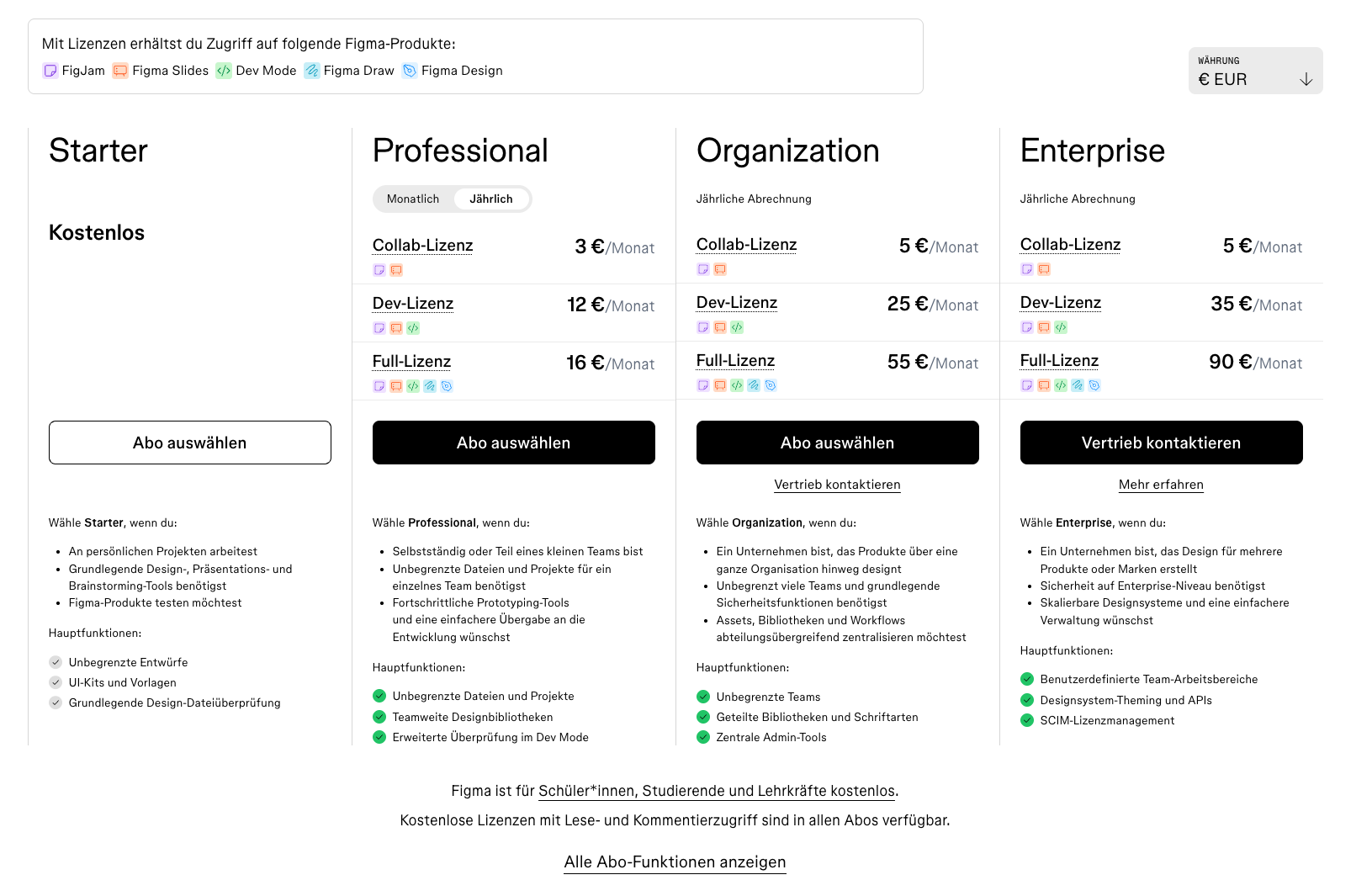
Figma pricing overview (excerpt from figma.com)
Note: Prices reflect the date of publication and may have changed. Always check current pricing on the official Figma website.
Verdict: Why Freelancers and Teams Should Consider Figma
Figma has transformed how designers collaborate by combining real-time teamwork and intuitive tools in one seamless platform. Freelancers benefit from its cross-platform accessibility and ease of use, while teams value the collaboration features and centralized design systems. Design-to-developer handoffs in particular have become significantly more efficient. With newer features like the Figma Sites website builder, the Draw tool, and Buzz for marketing material generation, Figma has become even more powerful. Digital freelancers can often simply be invited into a company project and contribute immediately without any friction.
If you're a freelancer, entrepreneur, or creative professional looking for a reliable, comprehensive design and concepting tool, Figma is an outstanding choice.
Best try for yourself:
Affiliate link — if you purchase through this link, you support our work at no extra cost to you.
More software tools for your needs:



Transparency notice: This article contains affiliate links. If you purchase a product or service through one of these links, we earn a commission — at no extra cost to you. Thank you for supporting our work.
Image credits: All screenshots, brand names, and product names used in our articles are the property of their respective owners and are used solely for illustration and review purposes. Screenshots taken within the software show the interface or other elements of the respective tools and remain the intellectual property of the corresponding brands. Unless otherwise noted, images are sourced from the official websites of the providers. We link to original sources where possible and recommend verifying current information and pricing directly on the official product pages.