
Notion Review: The Most Flexible Workspace for Freelancers & Small Business Owners?
Notion is far more than a note-taking app. It's a flexible digital workspace that brings projects, tasks, databases, and notes together in one place. For freelancers, side business owners, and small teams, Notion can become the central hub for managing client work, business operations, and personal organization all at once. We took a closer look.
Affiliate link — if you purchase through this link, you support our work at no extra cost to you.
What is Notion?
Notion is an all-in-one workspace app that lets you combine text, databases, kanban boards, calendars, and much more in a single tool. The platform is fully customizable, making it suitable for individuals and teams alike. Whether you want to manage clients, plan projects, or build a digital knowledge base for your business — Notion gives you the foundation to do it.
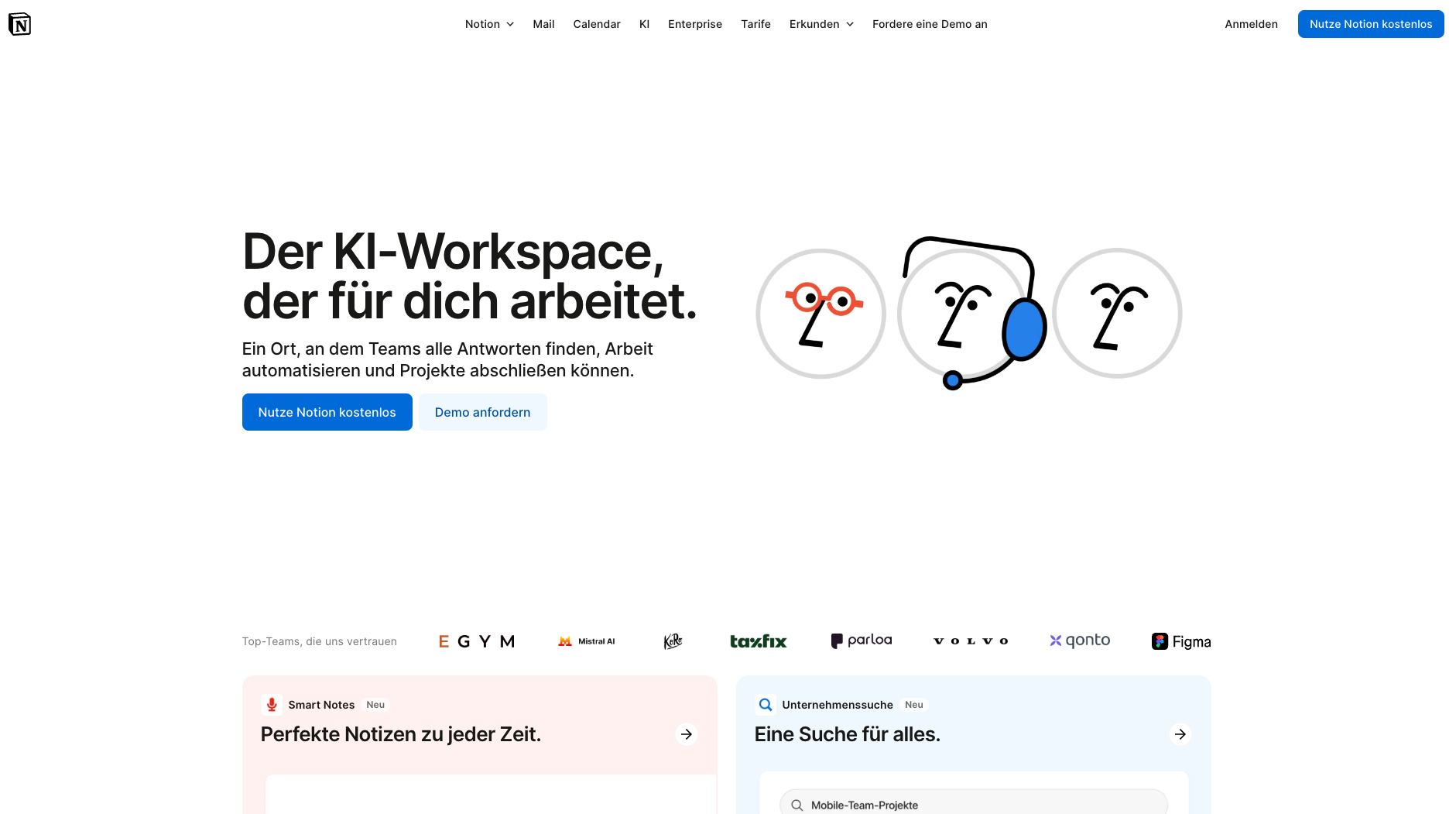
The central Notion homepage: AI-powered workspace for organization, planning, and collaboration. (Excerpt from notion.com)
Key Features of Notion
Customizable workspaces: Dashboards and pages can be freely designed so Notion fits your exact workflow.
Project and task management: Create kanban boards, calendars, and to-do lists that give your projects clear structure.
Databases and relations: Build your own CRM systems, financial overviews, or content plans using database functions and formulas.
Real-time collaboration: Share pages with clients or team members and work together live.
Notion AI: The built-in AI helps with writing, sorting, and automating tasks.
Template gallery: Use community templates or build your own to save time when starting new projects.
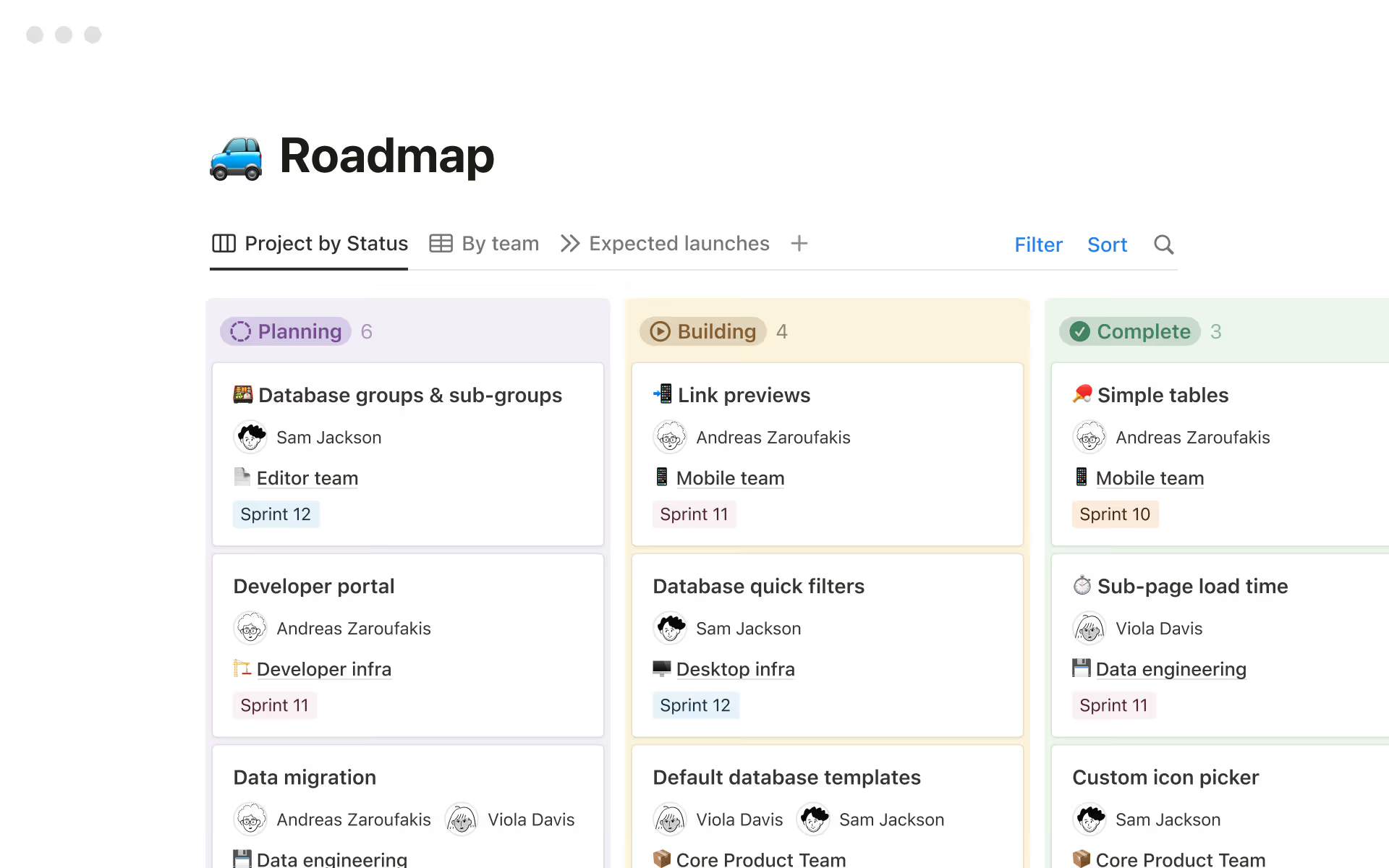
Visual project planning with kanban boards and status tracking in Notion. (Excerpt from notion.com)
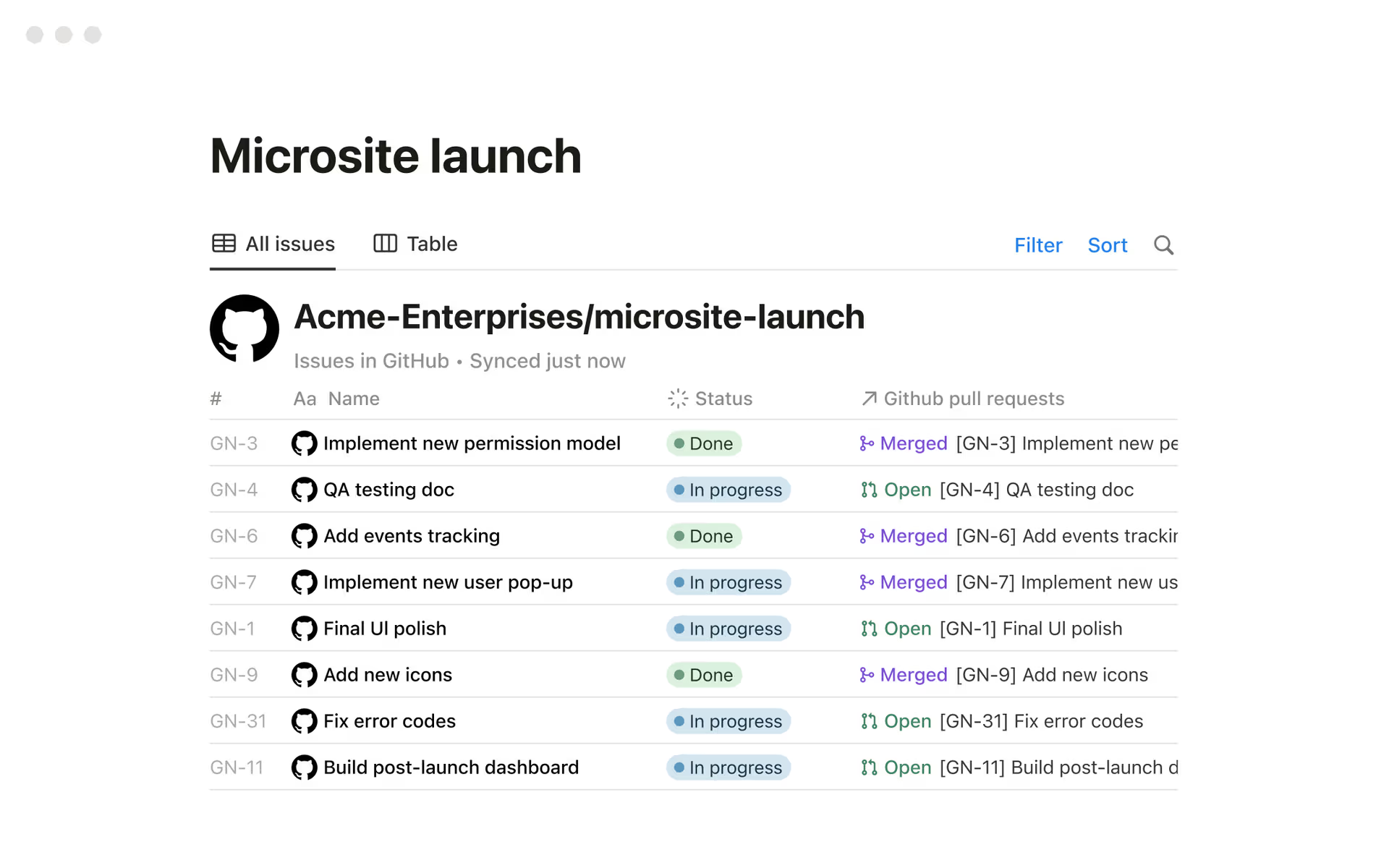
Project management example with Notion and GitHub — tasks, status, and progress at a glance. (Excerpt from notion.com)
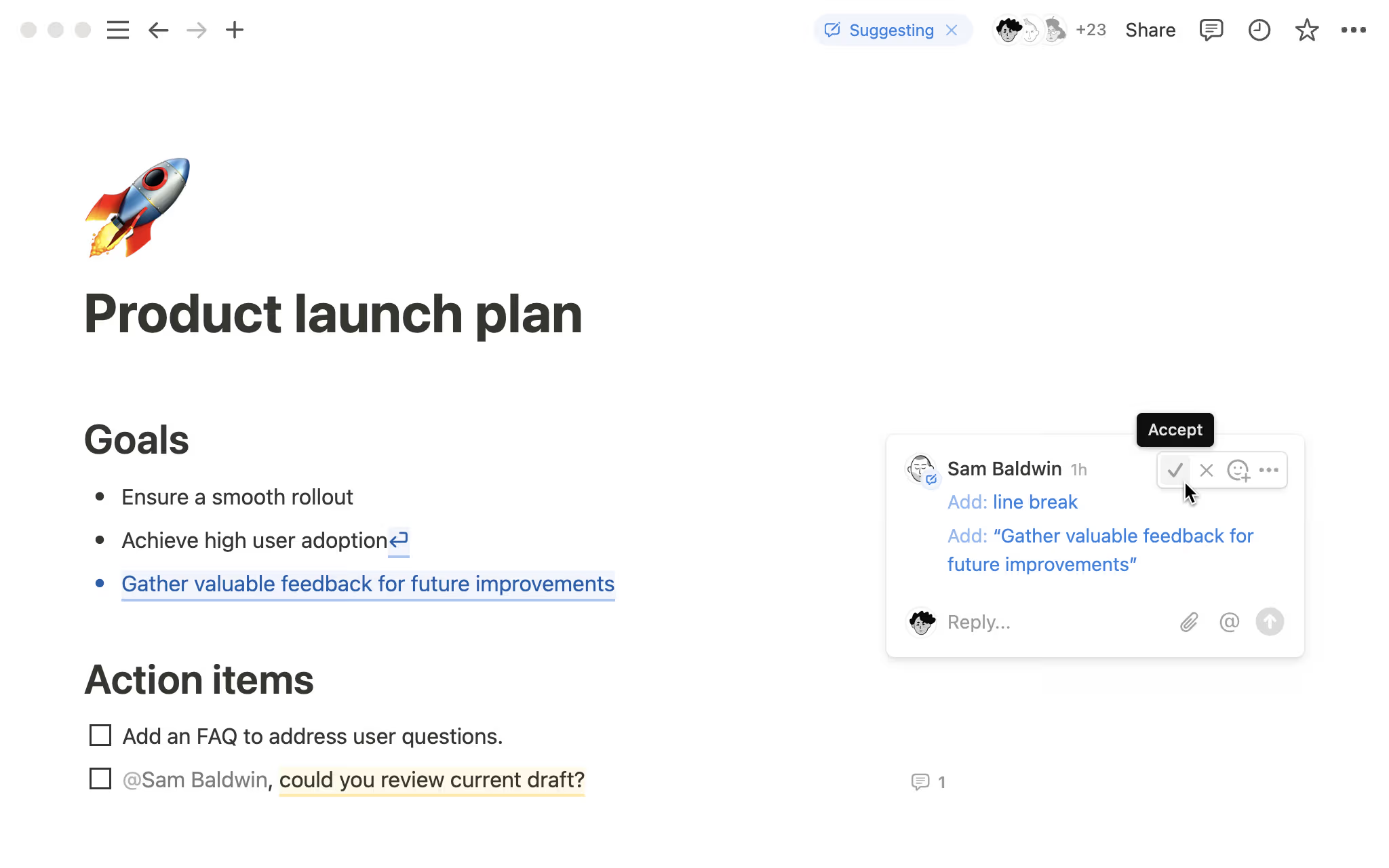
Live document collaboration: comments, feedback, and version tracking in real time. (Excerpt from notion.com)
Why Notion Works Well for Freelancers and Side Business Owners
As a freelancer or online business owner, you're constantly juggling multiple roles: client communication, project management, invoicing — all on top of your actual work. Notion addresses exactly this and helps bring structure to the mix.
Client and project management: Build databases for clients, track deadlines, and stay on top of active work.
Finances and invoices: Use tables and formulas to manage income, expenses, and outstanding payments.
Portfolio: Turn your projects into interactive pages you can use directly as a portfolio.
Content planning: Ideal for creators and service providers planning social media posts, blog content, or campaigns.
Personal organization: To-do lists, journals, and goal trackers all fit naturally into Notion too.
Unlike traditional project management or note-taking apps, Notion combines everything in one interface. You don't need a separate kanban board, an external to-do app, or an additional wiki. For freelancers and small business owners especially, that means less tool-switching and more clarity in a single workspace. A huge range of free and affordable templates makes setting up new projects significantly faster.
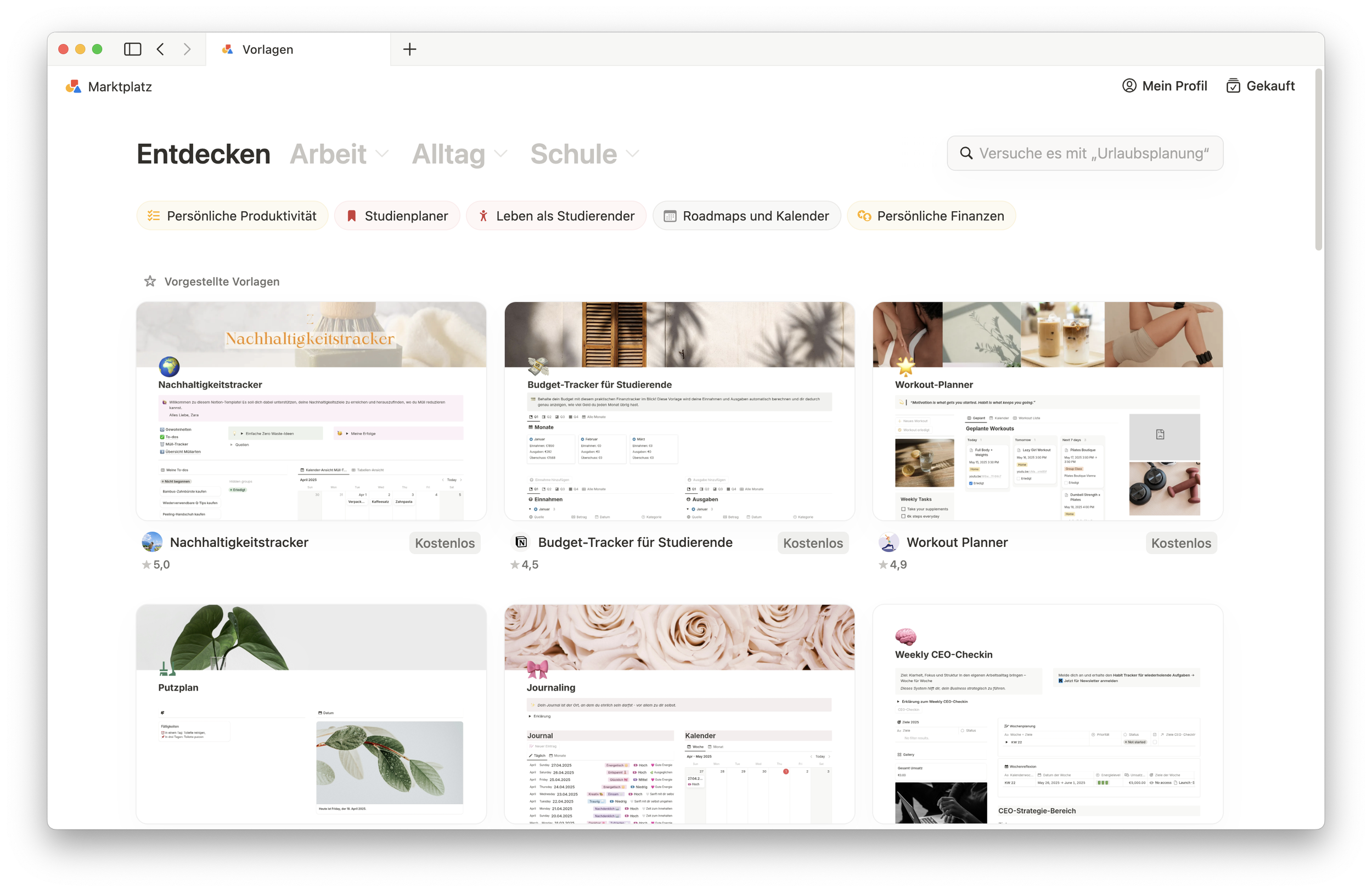
Notion template gallery with templates for work, everyday life, and productivity. (Own screenshot from Notion on macOS)
What We Like — and What We Don't
-
Flexibility and customizability: workspaces, dashboards, and templates adapt to any workflow
All-in-one solution: notes, project management, and databases in a single interface
Visual organization: databases, kanban boards, and calendars make projects and deadlines easy to track
Collaboration: real-time editing and sharing work smoothly for teams and client projects
Notion AI: automated text generation, quick calculations, and content ideas save real time
Integrations: connections to Google Drive, Slack, Zapier, and more streamline your workflow
Value: the free plan covers a lot, and paid plans are well-priced for small teams
-
The learning curve can feel steep at first — Notion's flexibility also means it takes time to set up properly
Offline functionality is limited compared to desktop-native tools
Notion AI is quite restricted on the free plan; full functionality requires an upgrade
Notion Pricing
Notion offers a free plan that already covers a lot for solo freelancers: calendar functionality, basic websites, forms, unlimited pages and blocks, core features, and the ability to collaborate with up to ten guests. It's one of the most generous free plans among the tools we've tested.
The Plus plan starts at around $10 per user/month (billed annually) and is suited for larger workflows with unlimited file uploads, pages, and blocks.
For bigger projects, the Business plan at $20 per user/month adds advanced admin and security features, premium integrations, and full Notion AI access — which is noticeably limited on the free tier.
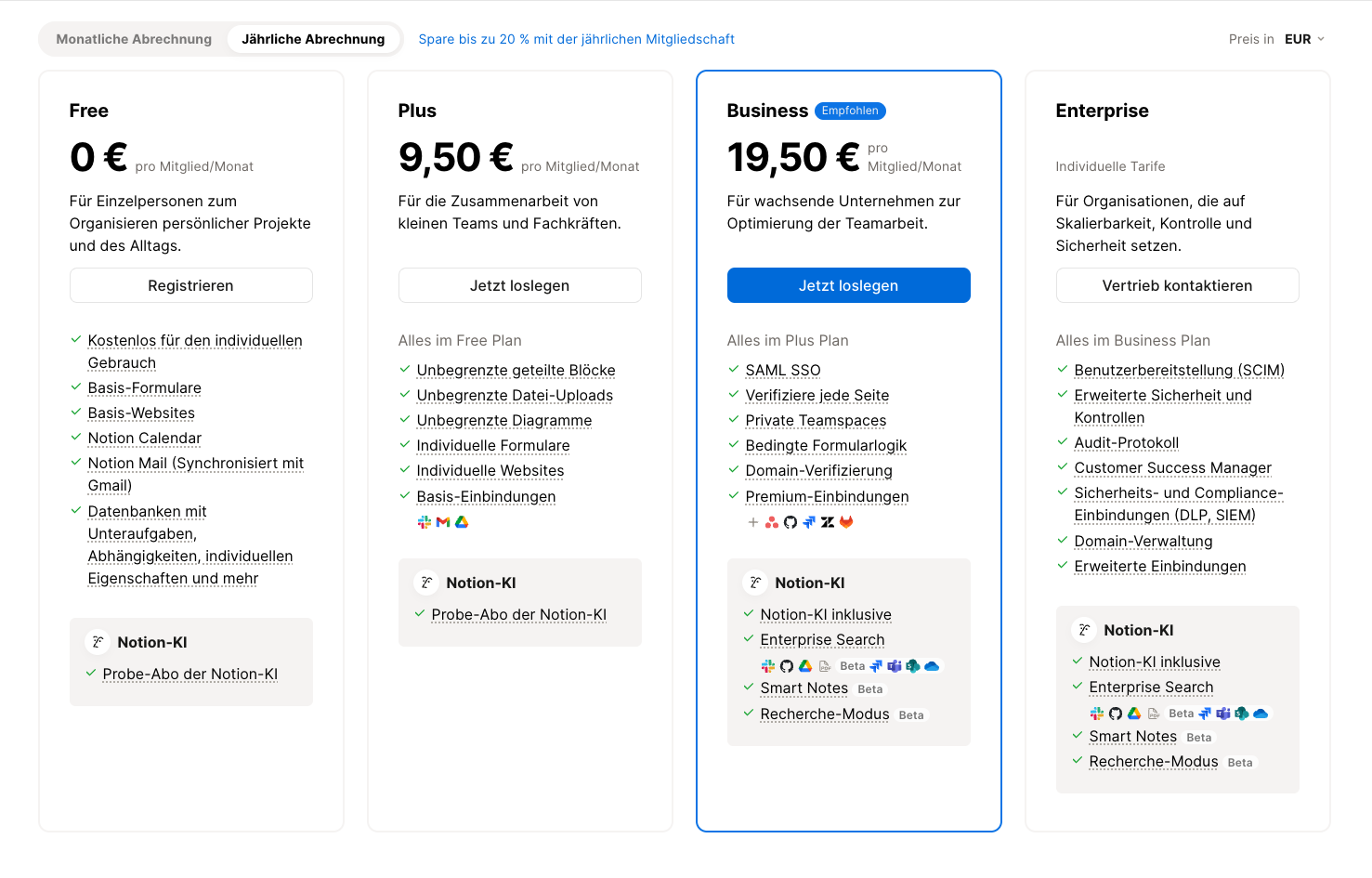
Current Notion pricing overview — from Free to Enterprise for teams of all sizes. (Excerpt from notion.com)
Note: Prices reflect the date of publication and may have changed. Always check current pricing on the official Notion website.
Verdict: Is Notion Worth It for Freelancers and Small Business Owners?
Notion is one of the most flexible platforms available for freelancers, self-employed professionals, and small online businesses. It replaces several tools at once, adapts to any working style, and scales with your business. Real-time collaboration with colleagues and clients is one of its strongest features. If you're looking for a central solution to organize projects, finances, clients, and personal goals, Notion is a genuinely powerful everyday tool.
Alternatives to Notion
Trello — simple kanban boards for task management, ideal for teams that prefer visual workflows
ClickUp — combines tasks, goals, and time tracking in one tool with extensive integrations
Asana — powerful project management with clear workflows and team communication
Evernote — focused on notes and knowledge management, good for simple organization
Coda — flexible combination of documents and databases, similar to Notion but with a stronger spreadsheet focus
Best try for yourself.
Affiliate link — if you purchase through this link, you support our work at no extra cost to you.
More tools for you:


Transparency notice: This article contains affiliate links. If you purchase a product or service through one of these links, we earn a commission — at no extra cost to you. Thank you for supporting our work.
Image credits: All screenshots, brand names, and product names used in our articles are the property of their respective owners and are used solely for illustration and review purposes. Screenshots taken within the software show the interface or other elements of the respective tools and remain the intellectual property of the corresponding brands. Unless otherwise noted, images are sourced from the official websites of the providers. We link to original sources where possible and recommend verifying current information and pricing directly on the official product pages.