
TickTick Review: Tasks, Calendar & Focus – All in One App?
Tick tock — time is always running. Juggling projects, deadlines, and goals is just part of life as a freelancer or self-employed professional. TickTick helps you stay on top of it all. The app combines to-do lists, a calendar, habit tracking, a Pomodoro timer, and collaboration features in one clean interface. The free plan already covers a lot, while the premium plan unlocks everything for maximum productivity — great for focused work and a healthier work-life balance.
Affiliate link — if you purchase through this link, you support our work at no extra cost to you.
What is TickTick?
TickTick is a smart productivity app that combines task management, calendar, habit tracking, and more in one place. Available across all platforms, it supports methodologies like GTD and Kanban. Whether for work or personal life, TickTick brings structure, focus, and balance to your day — synced across all devices, with offline access too.

TickTick landing page (excerpt from ticktick.com)
Key Features of TickTick
Unlimited tasks and projects with flexible organization
Five different calendar views for better schedule management
Built-in Pomodoro timer for focused work sessions
Habit tracking for personal development and routines
Team and client collaboration via shared lists
Smart lists with automatic filters and tags
Voice notes and photo attachments for on-the-go capture
Recurring tasks with flexible repeat patterns
Eisenhower Matrix for priority setting
Offline sync across all devices
White noise and focus modes for deep work
Time tracking for projects and client billing
Multiple reminders including an "Annoying Alert" function
Dark mode and customizable themes
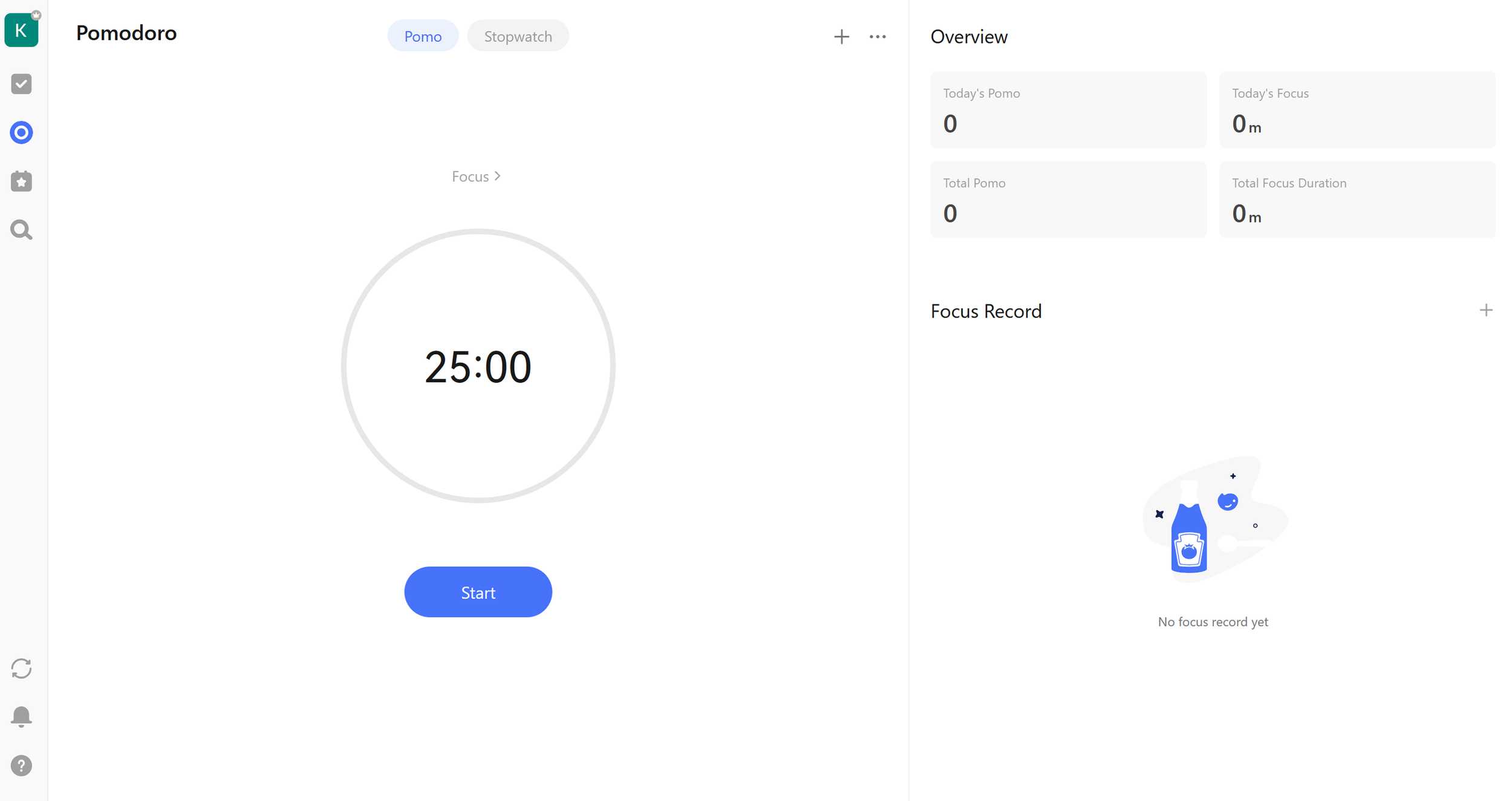
Built-in Pomodoro timer and stopwatch for focused work. (Own screenshot from TickTick)
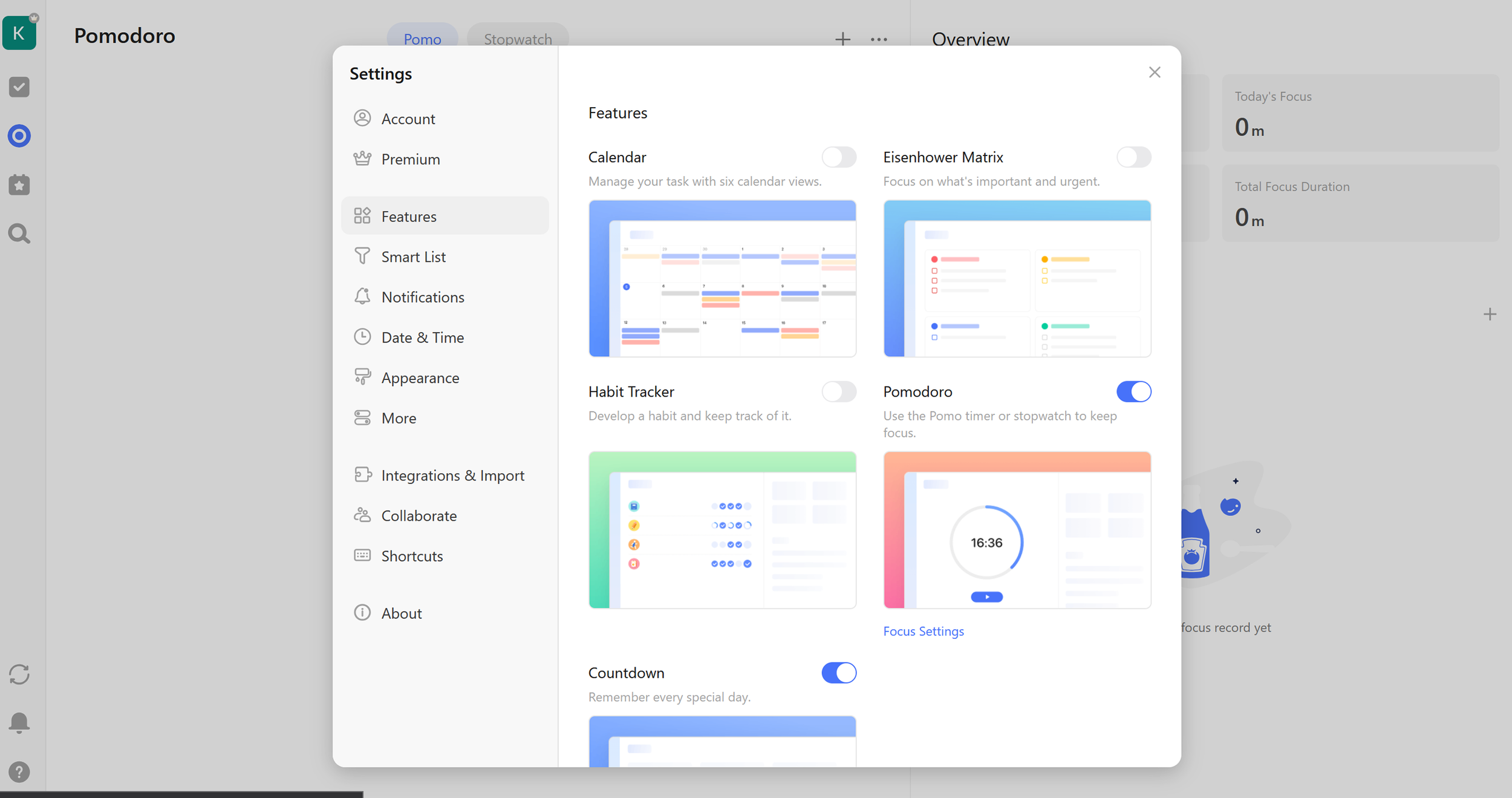
A broad feature set and extensive settings in TickTick. (Own screenshot from TickTick)
Why TickTick Works Well for Freelancers and Side Business Owners
Freelancers need more than a basic to-do list. They need a system that handles projects, deadlines, client work, and personal development all at once. TickTick delivers exactly that through its versatility.
The calendar integration means you can manage tasks and appointments in one place without switching between apps. Time tracking helps with client billing and understanding how long different tasks actually take. The Pomodoro timer promotes focused work and prevents burnout through regular breaks. Habit tracking lets you build both professional and personal routines — from daily marketing activities to exercise and continuous learning.
Collaboration features work well for projects with other freelancers or for working directly with clients. The "Annoying Alert" function makes sure genuinely important deadlines don't get missed. With apps across all devices, you stay organized whether you're working from a home office, a café, or on the road.
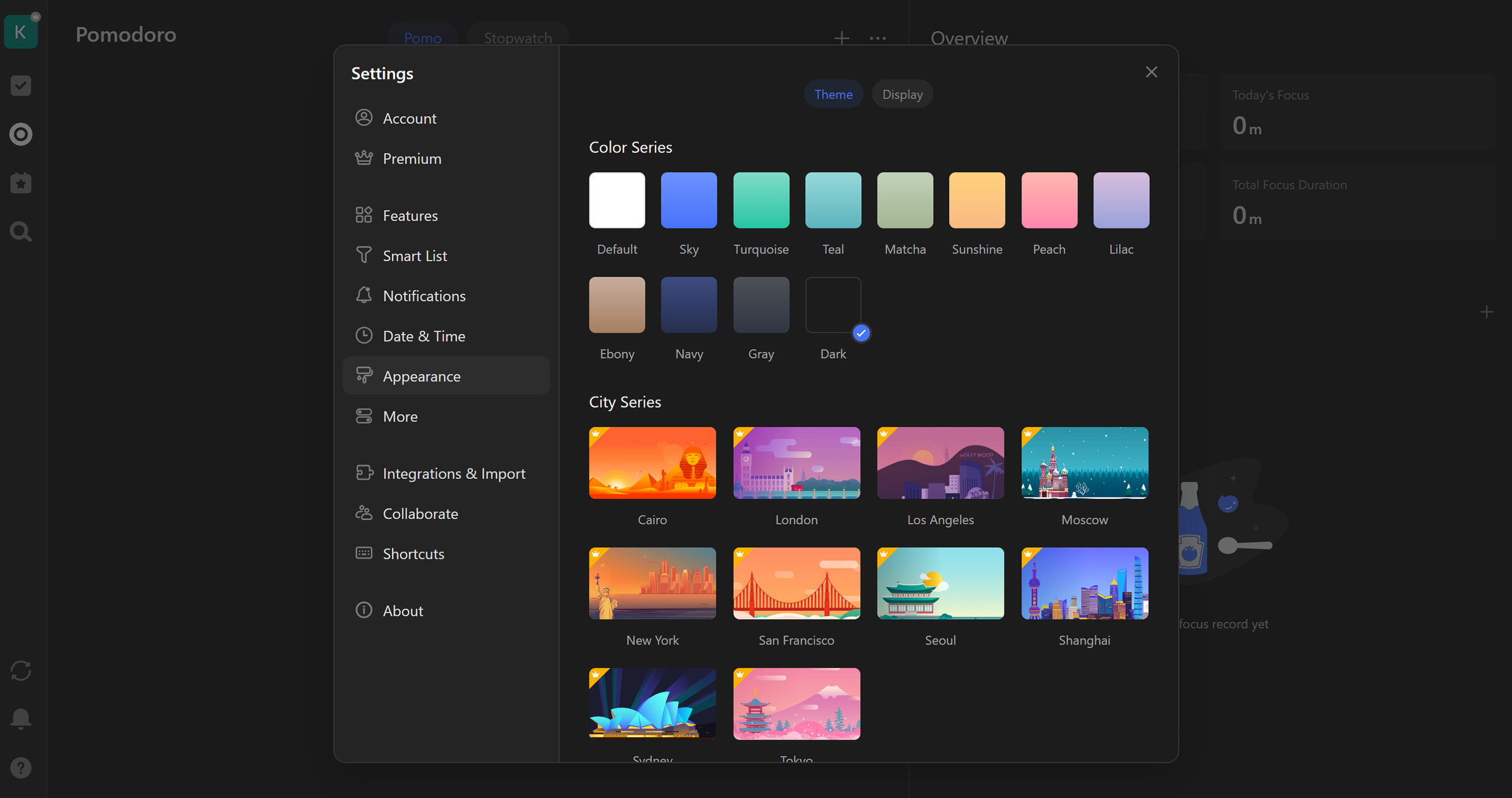
Extensive options for customizing the interface with themes, including dark mode. (Own screenshot from TickTick)
What We Like — and What We Don't
What we like:
Exceptionally generous free plan covering all core features
Very affordable premium plan compared to competitors
Unique combination of productivity tools and habit tracking
Pomodoro timer and focus modes for better concentration
Seamless sync across all devices and platforms
Intuitive interface with minimal learning curve
Flexible organization with lists, tags, and smart filters
Collaboration with up to 29 people on the premium plan
What we like less:
Collaboration very limited on the free plan
The app can feel feature-heavy and slightly overwhelming
Premium features in shared lists aren't visible to free users
Fewer third-party integrations than specialized business tools
TickTick Pricing
TickTick offers a straightforward two-tier pricing structure.
The free plan is already very comprehensive and includes all core features: unlimited tasks, up to 9 lists per project, basic calendar integration, Pomodoro timer, and sync across all devices. For most solo freelancers, the free plan is entirely sufficient.
The Premium plan costs $35.99/year and unlocks advanced features: unlimited lists and projects, expanded calendar features, collaboration with up to 29 people, advanced reminders, themes, and premium support. Compared to competitors like Todoist or Any.do, TickTick offers significantly more on the free tier.
A 30-day free trial for premium features is available so you can test everything before committing.

TickTick premium pricing (excerpt from ticktick.com)
Note: Prices reflect the date of publication and may have changed. Always check current pricing on the official TickTick website.
Verdict: Is TickTick Worth It for Freelancers?
TickTick is one of the smartest productivity investments for freelancers who need more than simple task management. The app excels through its versatility — it's simultaneously a to-do list, calendar, time management tool, and habit tracker. The free plan is generous enough that many freelancers won't need to upgrade at all, while the premium plan at under $3/month offers excellent value.
Particularly valuable is the combination of professional productivity and personal development: you can manage client projects and build healthy working habits in the same tool. Seamless device sync and an intuitive interface make TickTick a reliable companion for day-to-day freelance life. The 30-day trial makes it easy to explore premium features risk-free.
For more time tracking tools, check out our roundup of the 10 best time tracking tools for freelancers.
Alternativen zu TickTick – Was gibt es noch?
Todoist — more specialized in pure task management, but pricier
Clockify — similar scope with comparable features
Toggl Track — comprehensive platform solution with strong reporting
Microsoft To Do — free with Office integration, but more basic overall
Asana — stronger focus on teamwork, often overkill for solo freelancers
Best try for yourself:
Affiliate link — if you purchase through this link, you support our work at no extra cost to you.
Some Time Tracking tools for you:
Transparency notice: This article contains affiliate links. If you purchase a product or service through one of these links, we earn a commission — at no extra cost to you. Thank you for supporting our work.
Image credits: All screenshots, brand names, and product names used in our articles are the property of their respective owners and are used solely for illustration and review purposes. Screenshots taken within the software show the interface or other elements of the respective tools and remain the intellectual property of the corresponding brands. Unless otherwise noted, images are sourced from the official websites of the providers. We link to original sources where possible and recommend verifying current information and pricing directly on the official product pages.