Stripe Review 2026: Online Payments for Freelancers – Is It Worth It?
Fastlancer Team · Updated: Sep 5, 2026

Short verdict
Ideal for
- Freelancers and solopreneurs accepting online payments from clients worldwide
- Self-employed people with recurring invoices or subscription-based models
- Developers and technical freelancers integrating payments into products
Not ideal for
- Anyone only receiving bank transfers from regular clients
- Businesses taking many cards issued outside the EEA
- Entry price
- Free
- Free to start?
- Yes — permanently free (transaction fees only, no monthly fee)
- Stands out for
- No monthly fee — pay only when money flows: 1.5% + €0.25 for European cards, 2.9% + 30¢ for US accounts
As a freelancer you want to get paid quickly, with minimal hassle, and without fixed monthly costs. Stripe delivers: payment infrastructure that only costs money when money flows. But which freelancers actually benefit?
What is Stripe?
Stripe is a US-based payment company founded in 2010 by Patrick and John Collison. It processes payments for millions of businesses worldwide — from startups to Amazon — via an API and dashboard supporting credit card, SEPA direct debit, Klarna, Apple Pay, and more.
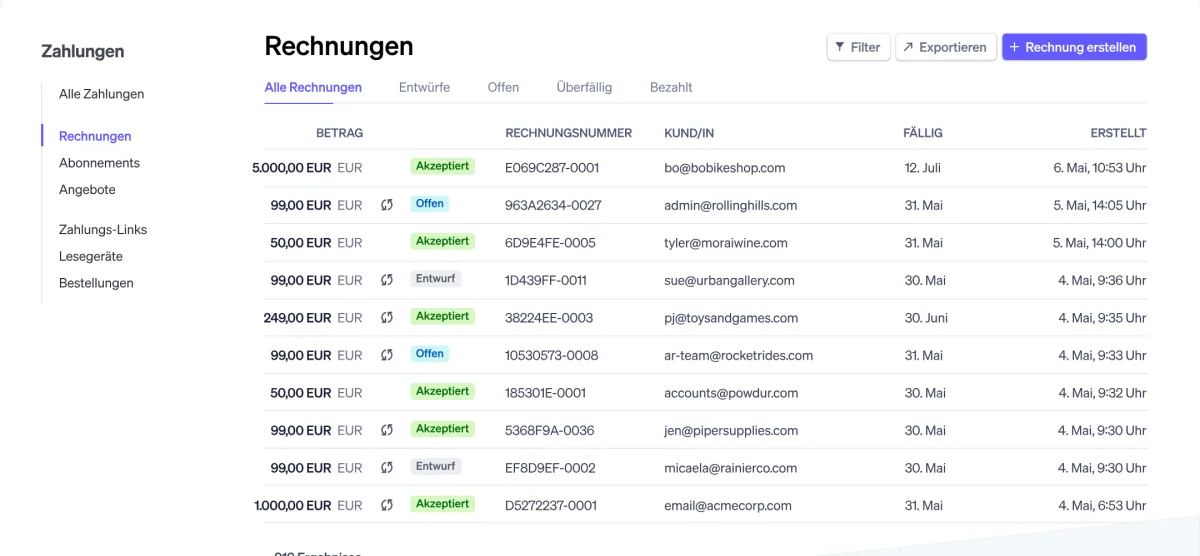
Most relevant for freelancers without developer knowledge: Stripe Invoicing (invoices with payment link), Stripe Payment Links (buy-now button without a website), and the Stripe Dashboard for overview and payouts.
Pros & Cons
Pros
- No monthly fee
- Professional invoices with payment links
- Intuitive dashboard for non-technical users
- Worldwide card acceptance in 135+ currencies
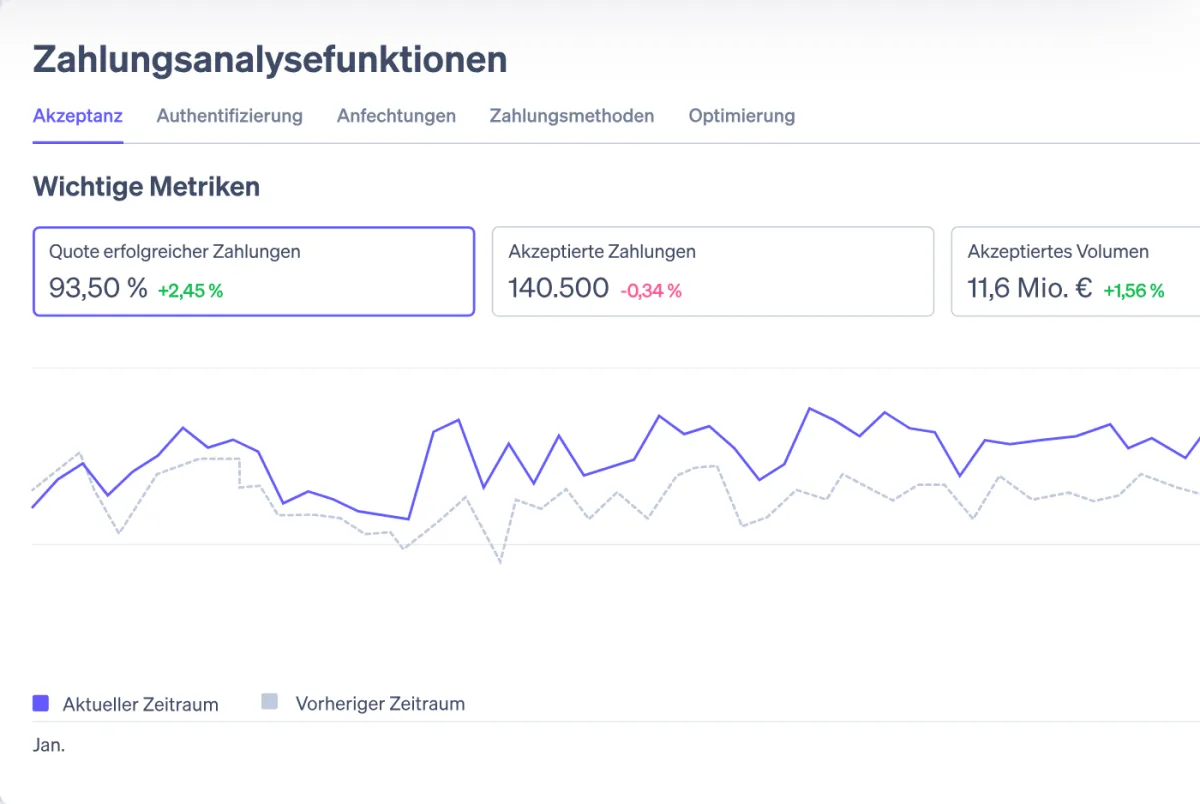
- Automatic tax calculation available via Stripe Tax
Cons
- Higher fees than a plain bank transfer
- Cards outside the EEA cost 3.15%
- Payouts take 2–3 business days
Fees depend on where your Stripe account is registered. The figures on this page are the European (EEA) rates; a US account pays 2.9% + 30¢ per domestic card, +1.5% for international cards, +1% for currency conversion, 0.8% (max $5) for ACH debits and $15 per dispute.
Key Features
- Stripe Invoicing: Create professional invoices directly in Stripe and send them by email with a payment link — clients pay by card, SEPA, or other methods.
- Payment Links: Create a payment page in a few clicks — no code, no website needed. Ideal for one-off payments or simple products.
- Stripe Billing: Automate subscription and recurring payments — for freelancers with retainer models.
- Stripe Tax: Automatic tax calculation in 100+ countries, filing via partners (additional fee).
- Multiple payment methods: Credit card, SEPA direct debit, Klarna, Apple Pay, Google Pay, bank redirect, and more.
- Stripe Connect: Embed payments into marketplaces or apps — for developer and platform freelancers.
Why Stripe Makes Sense for Freelancers
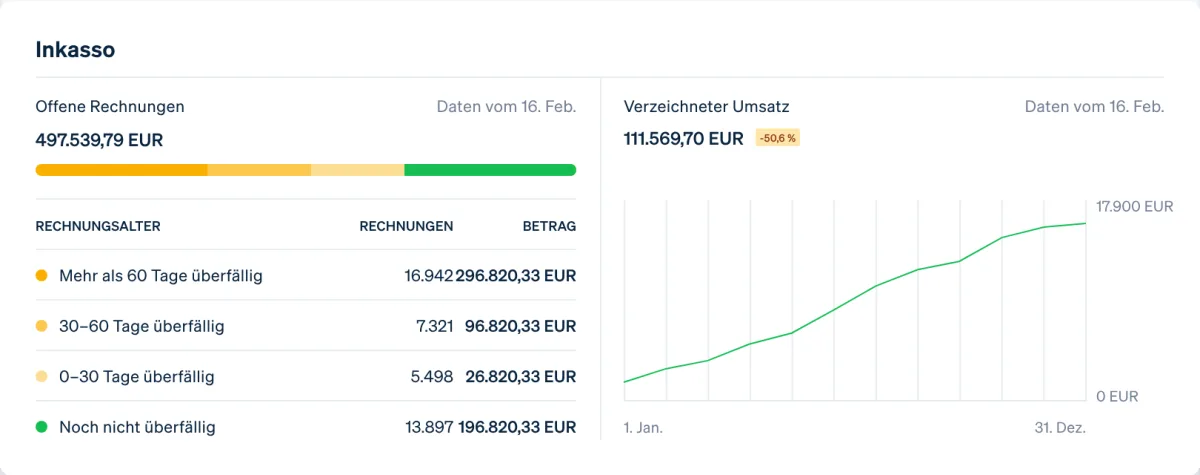
No monthly fee means zero cost in a month without revenue — ideal for freelancers with variable order volumes. Stripe Invoicing lets you send professional invoices with an integrated payment link; clients pay by card and money lands in your account within 3 business days in Europe (2 in the US); Invoicing adds 0.4% per paid invoice. Stripe is strongest for freelancers working with international clients or selling digital products. For those paid exclusively by German corporate clients via SEPA transfer, it adds little value.
Pricing
Pay as you go
Free
no monthly fee, no setup fee
- EEA standard cards: 1.5% + €0.25
- EEA premium cards: 2.8% + €0.25
- Cards issued abroad: 3.15% + €0.25
Additional fees
Variable
depending on features used
- UK cards: 2.5% + €0.25
- Currency conversion: +2%
- Klarna: from 2.99% + €0.35
Custom
Contact sales
for large payment volumes or special business models
- Custom transaction rates
- Volume discounts
- Dedicated account manager
Prices may change — check the official website for current plans.
Alternatives by use case
- Wise If payments arrive as transfers rather than cards
- Payoneer If marketplaces do the paying out
- Zoho Books If invoicing is the gap, not the payment



Frequently Asked Questions
Is Stripe worth it for freelancers without technical skills?
Yes — Stripe Invoicing and Payment Links work entirely without code. Create an invoice, send the link by email, the client pays by card. Technical knowledge is only needed for API integrations into custom products.
How quickly does the money reach my account?
EEA accounts: the first payout 7 calendar days after the first charge, then 3 business days (T+3); US accounts settle in 2 business days. Instant Payouts cost 1% in the EU and 1.5% in the US and are not available to brand-new accounts right away. SEPA direct debits take longer: 6 business days (T+6).
Stripe vs. PayPal — which is better for freelancers?
Stripe has lower transaction fees for card payments and better developer tools. PayPal is better known to end customers and preferred by some. For professional invoices to businesses, Stripe is usually the stronger choice.
Can I use Stripe as a sole trader?
Yes — Stripe is available for sole traders, freelancers, and companies. You need ID verification and bank details. Setup typically takes under 30 minutes.
Verdict
Stripe is the first choice for freelancers who want to handle online payments professionally — with zero fixed monthly costs. The 1.5% + €0.25 fee per EEA transaction is fair and only kicks in when money actually moves. Freelancers paid exclusively via bank transfer don't strictly need Stripe — but once clients pay by card or from abroad, Stripe is hard to beat.