
MegaMeeting Review: Video Conferencing Without App Downloads – When Does It Make Sense?
Daily client calls, project meetings, presentations — Zoom gets expensive, Skype is gone, and Microsoft Teams isn't always the right fit. MegaMeeting offers a smart alternative: fully browser-based with no downloads required, combining video meetings and webinar functionality at an accessible price point. Ideal for freelancers and online business owners who need professional online meetings without investing in expensive enterprise solutions.
Affiliate link — if you purchase through this link, you support our work at no extra cost to you.
What ist MegaMeeting?
MegaMeeting is a web-based video conferencing and webinar platform built on WebRTC technology. The tool combines video meetings and webinar hosting in a single interface. The biggest advantage: attendees don't need to install anything. Everything runs directly in the browser. Hosted on Amazon Web Services for maximum security and reliability, it's a solid choice for freelancers who want a straightforward, professional meeting solution without creating technical barriers for clients.

MegaMeeting landing page (excerpt from megameeting.com)
Key Features of MegaMeeting
100% browser-based — no downloads or installations required
WebRTC technology for secure, encrypted connections
Combined video meetings and webinar features in one platform
Screen sharing for presentations and demos
Recording functionality for all meetings and webinars
White-label options for custom branding
HIPAA compliance for sensitive business areas
Mobile support for iOS and Android via browser
Integrated chat during meetings
Meeting registration and attendee management
API integration for websites and custom applications
Presentation upload and management
Waiting room for controlled attendee admission
Multi-point video display for group conversations
Firewall-friendly — no port configuration required
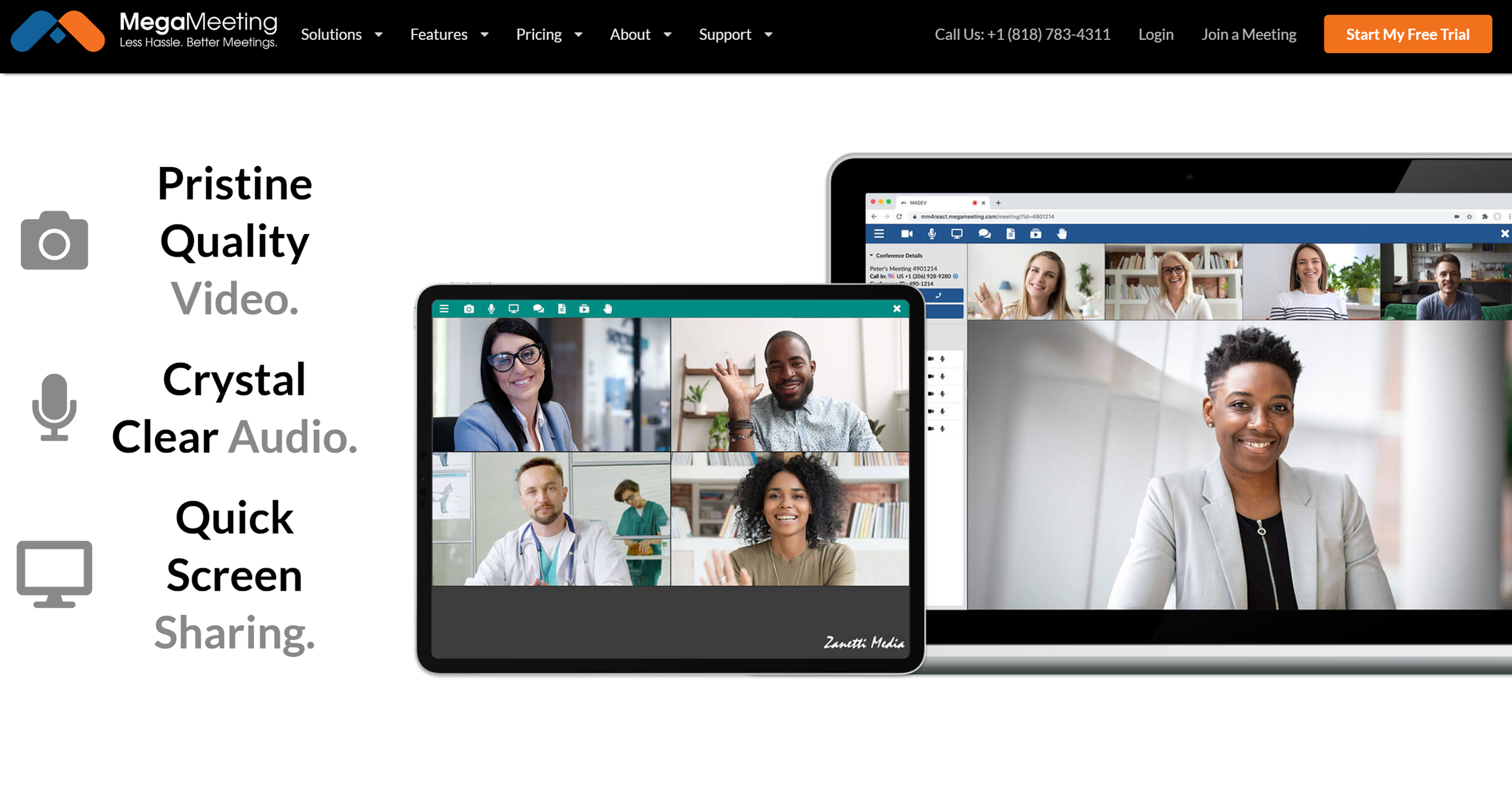
Tool overview and feature highlights. (Excerpt from megameeting.com)
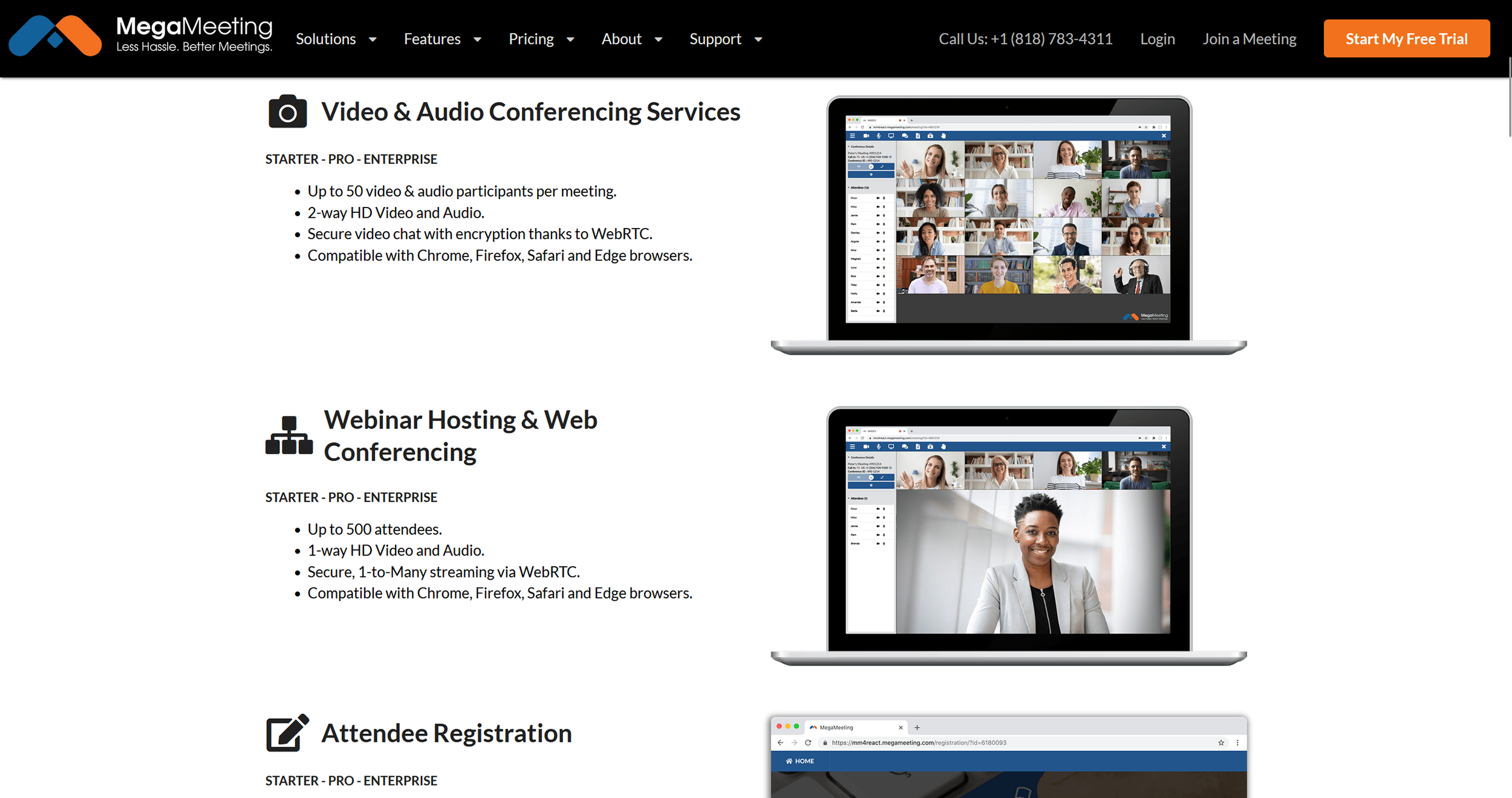
Full feature overview. (Excerpt from megameeting.com)
Why MegaMeeting Works Well for Freelancers
Freelancers constantly communicate with clients, partners, and collaborators across multiple tools. MegaMeeting addresses the biggest pain point of professional video conferencing: the technical barrier for participants. Since everything runs in the browser, clients can join meetings without downloads, installations, or IT support — significantly reducing no-shows and technical friction before calls.
The combination of video meetings and webinar features means you can run both small client conversations and larger presentations from the same platform. The recording function is genuinely valuable: client calls can be documented and presentations shared afterward. White-label options allow professional branding without extra cost. HIPAA compliance makes the tool usable for freelancers operating in sensitive fields like healthcare or finance.

Video conference interface view. (Excerpt from megameeting.com)
What We Like — and What We Don't
-
Fully browser-based — no downloads needed for attendees
Combines video meetings and webinars in one platform
HIPAA compliance for sensitive business contexts
White-label options for professional branding
WebRTC technology for secure, encrypted connections
Firewall-friendly with no port configuration
API availability for custom integrations
Recording function for all meetings
Mobile support via browser
Transparent pricing with no hidden costs
-
Interface feels less polished than market leaders like Zoom
Limited third-party integrations compared to more established tools
The 20-participant limit on the entry plan may feel restrictive for larger sessions
MegaMeeting Pricing
MegaMeeting offers flexible plans for different needs.
The Starter plan costs $19/month and supports video meetings and webinars with up to 20 attendees.
The Pro plan at $29/month scales up participant capacity and adds premium features.
Compared to Zoom Business or GoToMeeting, MegaMeeting includes more webinar features at the entry level. The browser-based approach also saves on IT costs since no software licenses or installations are needed. Enterprise plans with unlimited attendees and white-label features are available on request. A free trial is available for all plans. Billing is available monthly or annually with no hidden fees.
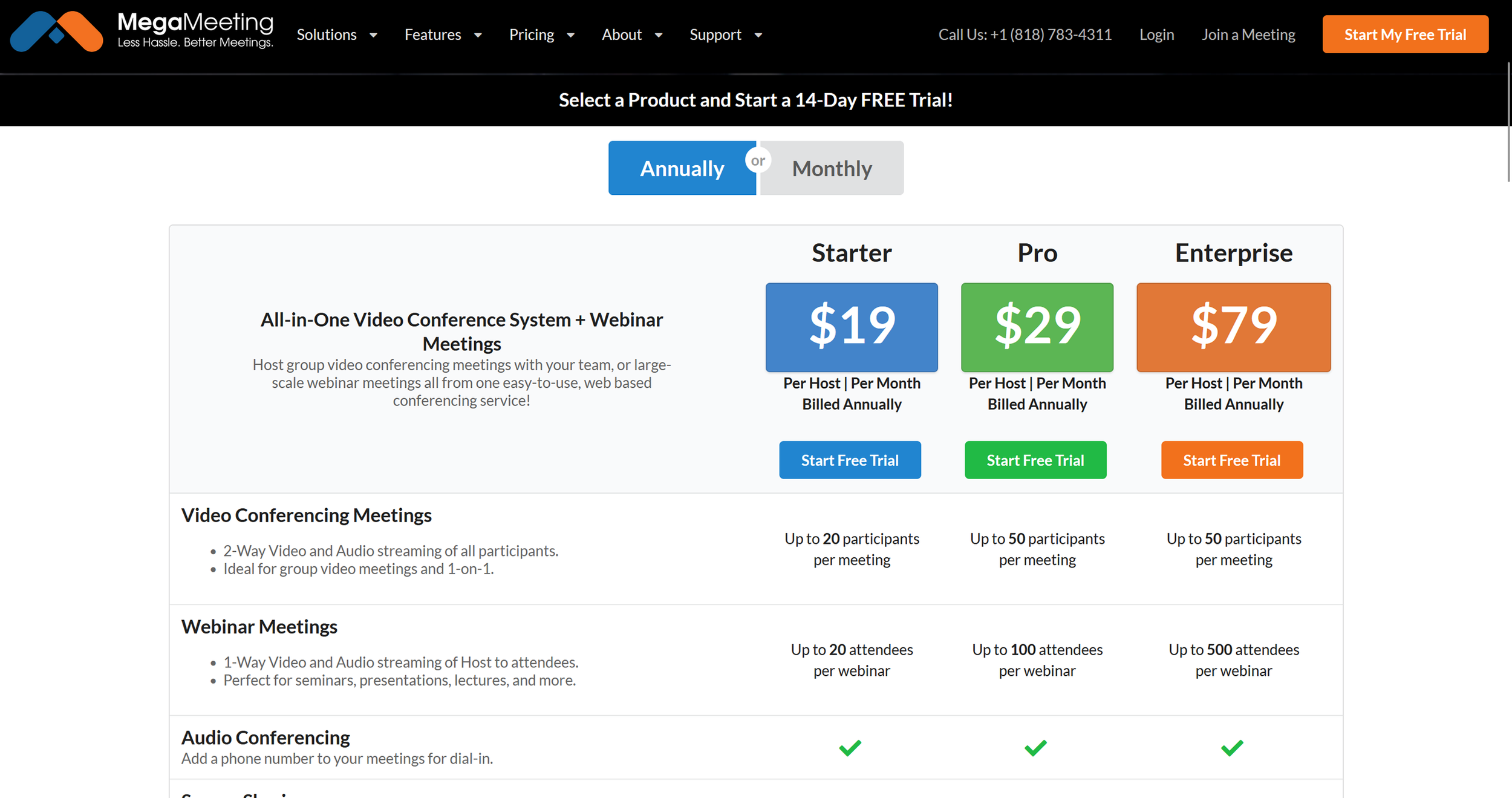
MegaMeeting subscription pricing overview. (Excerpt from megameeting.com)
Note: Prices reflect the date of publication and may have changed. Always check current pricing on the official MegaMeeting website.
Verdict: Is MegaMeeting Worth It for Freelancers?
MegaMeeting is a solid choice for freelancers who need a straightforward, no-friction meeting solution. The browser-based approach removes technical barriers for clients entirely. The combination of video meetings and webinar features in one platform offers strong value for money. For freelancers who regularly present to clients or work in sensitive sectors, the HIPAA compliance is a meaningful advantage.
White-label options allow professional branding without additional cost. For budget-conscious freelancers looking for a reliable alternative to pricier options like Zoom or Teams, MegaMeeting delivers a cost-effective yet professional solution. The free trial makes it easy to test everything before committing.
Alternatives to MegaMeeting
Zoom — market leader with more features, but more expensive
GoToMeeting — established provider from $12/month, but requires a download
Microsoft Teams — the classic choice, works well for Microsoft 365 users
Google Meet — free for up to 100 participants, but limited features
Jitsi Meet — open-source and free, but less polished
Whereby — browser-based like MegaMeeting
Airmeet — focused on digital events and networking
Chanty — all-in-one communication platform
Best try for yourself:
Affiliate link — if you purchase through this link, you support our work at no extra cost to you.
More communication tools here:


Transparency notice: This article contains affiliate links. If you purchase a product or service through one of these links, we earn a commission — at no extra cost to you. Thank you for supporting our work.
Image credits: All screenshots, brand names, and product names used in our articles are the property of their respective owners and are used solely for illustration and review purposes. Screenshots taken within the software show the interface or other elements of the respective tools and remain the intellectual property of the corresponding brands. Unless otherwise noted, images are sourced from the official websites of the providers. We link to original sources where possible and recommend verifying current information and pricing directly on the official product pages.