
1Password Review: The Password Manager for Freelancers
As a freelancer, you juggle multiple clients, tools, platforms, and logins every single day. That’s where 1Password comes in: a smart password manager from Canada that doesn’t just store your credentials but makes your entire digital workflow more secure and efficient.
Especially if you manage multiple client accounts and access to various platforms, a reliable password manager quickly becomes indispensable.
(This is an affiliate link. If you purchase through this link, you support our work at no additional cost.)
What Is 1Password?
With 1Password, you can securely store passwords, credit card details, confidential notes, and even two-factor authentication codes in one centralized, encrypted vault.
If you frequently switch between devices or work remotely, 1Password becomes a real productivity booster.

1Password landing page (excerpt from 1password.com)
Key Features of 1Password
Password Vaults
Create separate vaults for different clients, projects, or categories. Keep personal logins separate from client API keys and business accounts.
Autofill
Automatically fill in logins, forms, and payment details. This saves time and reduces errors, especially for frequently used platforms like project management or accounting tools.
Password Generator
Generate strong, unique passwords instantly. No more reusing passwords or trying to memorize complex combinations.
Two-Factor Authentication (2FA)
Manage your 2FA codes directly inside 1Password instead of using separate apps – a significant convenience upgrade.
Watchtower
Watchtower scans your stored credentials for vulnerabilities, such as reused or compromised passwords. It helps you stay proactive about security.
Cross-Platform Access
Works on Windows, Mac, iOS, and Android. Start working in a café on your iPad and continue later on your desktop.
Together, these features make 1Password more than just a password vault – it becomes your digital keychain for everyday work.
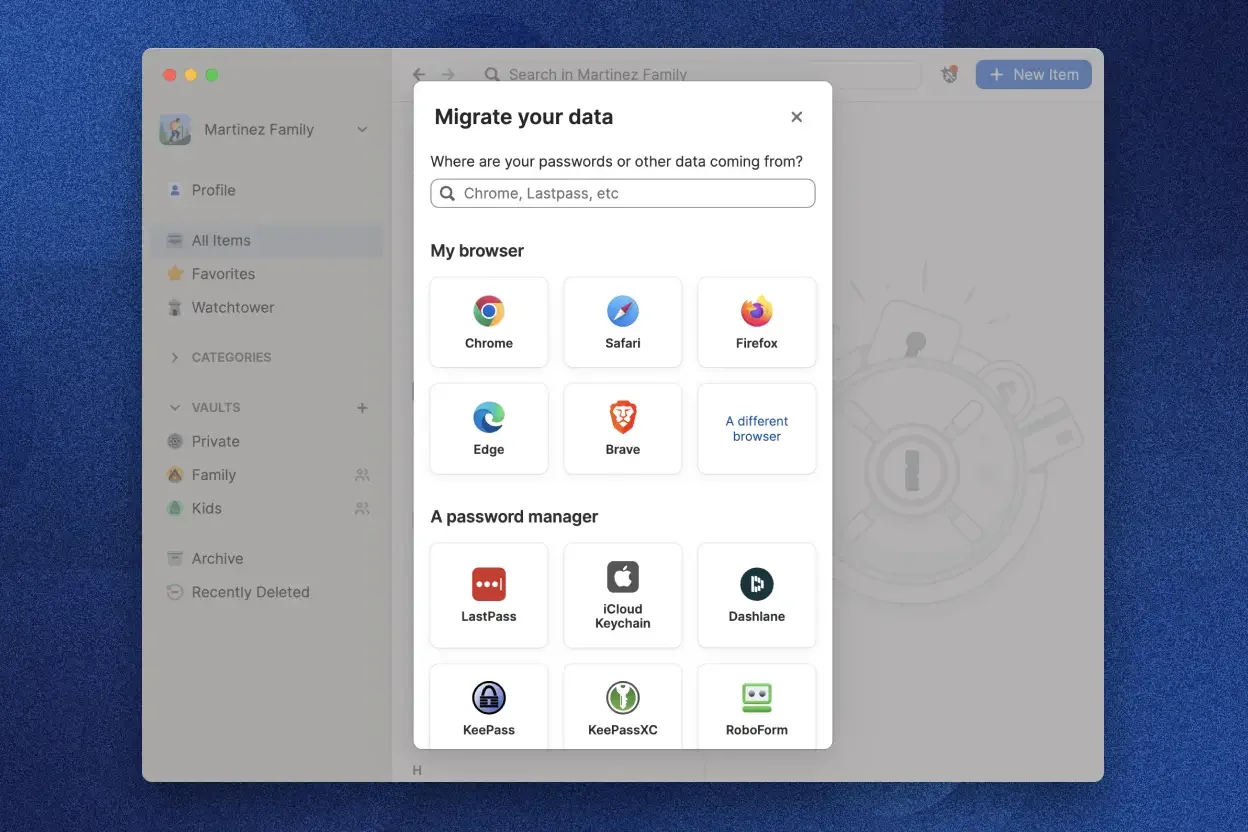
Easy data migration from other applications (excerpt from 1password.com)
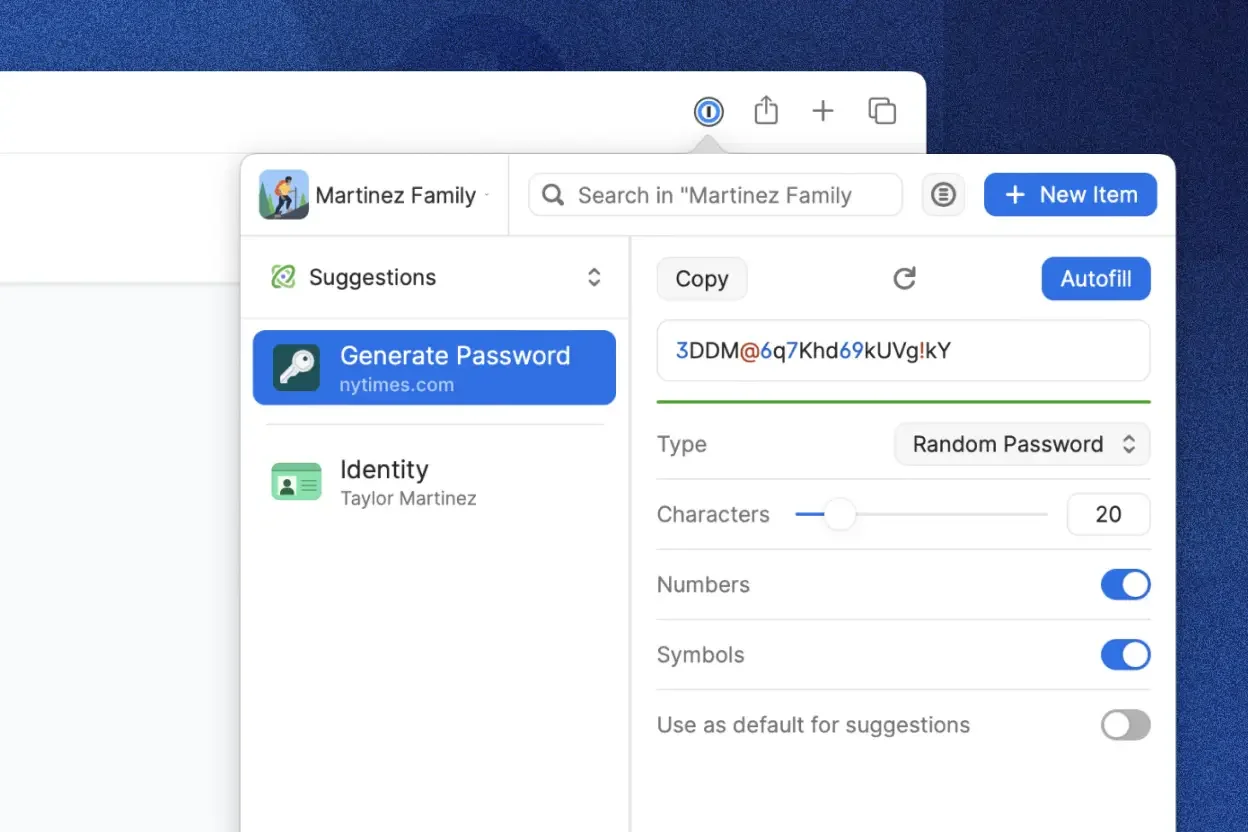
Quick password generation inside 1Password (excerpt from 1password.com)
Why Is 1Password Ideal for Freelancers?
As a self-employed professional, you want to work efficiently and securely without dealing with password chaos.
1Password helps you:
Increase productivity: Spend less time searching, resetting, or managing passwords.
Protect client data: Many clients entrust you with sensitive access credentials – manage them professionally.
Stay organized: Structure logins by client, project, or platform.
Work flexibly: Access your credentials securely from anywhere.
If you frequently switch between tools, roles, and accounts, a password manager like 1Password quickly pays for itself.
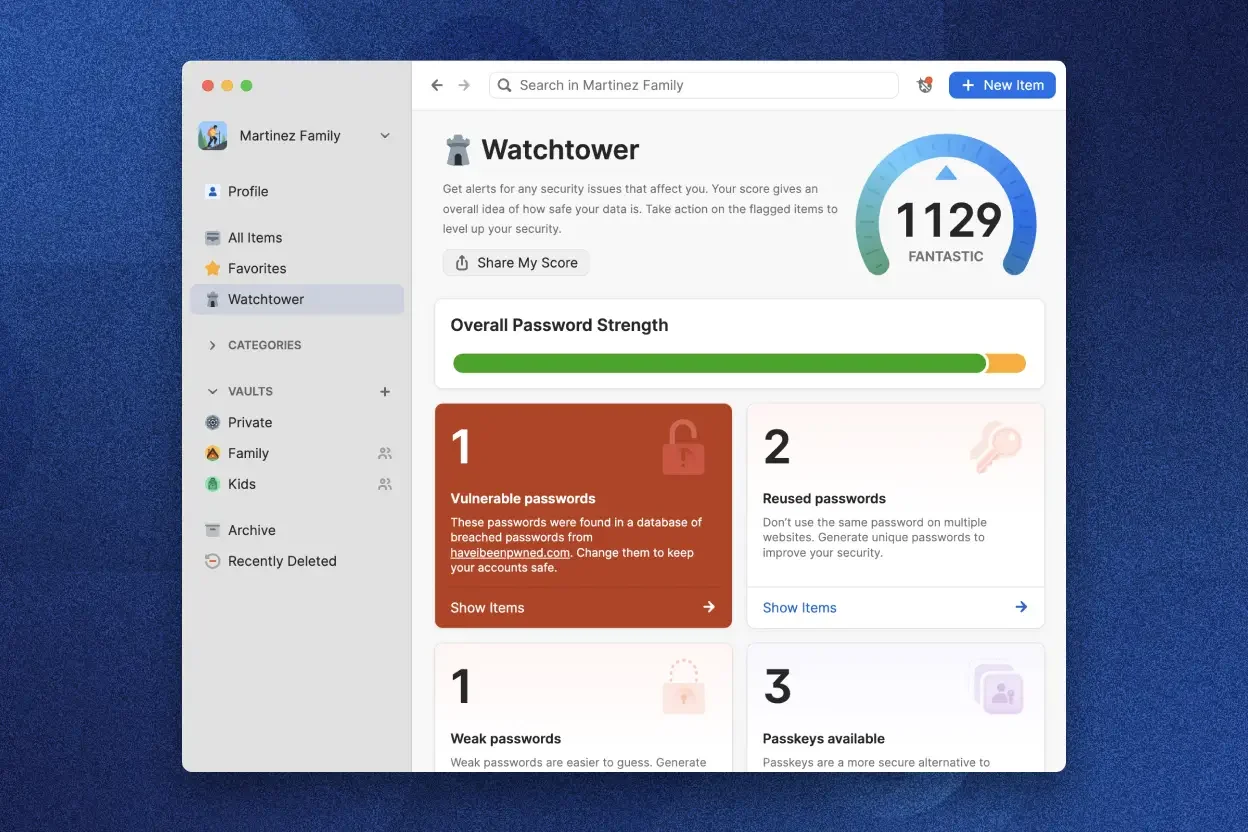
Watchtower security overview (excerpt from 1password.com)
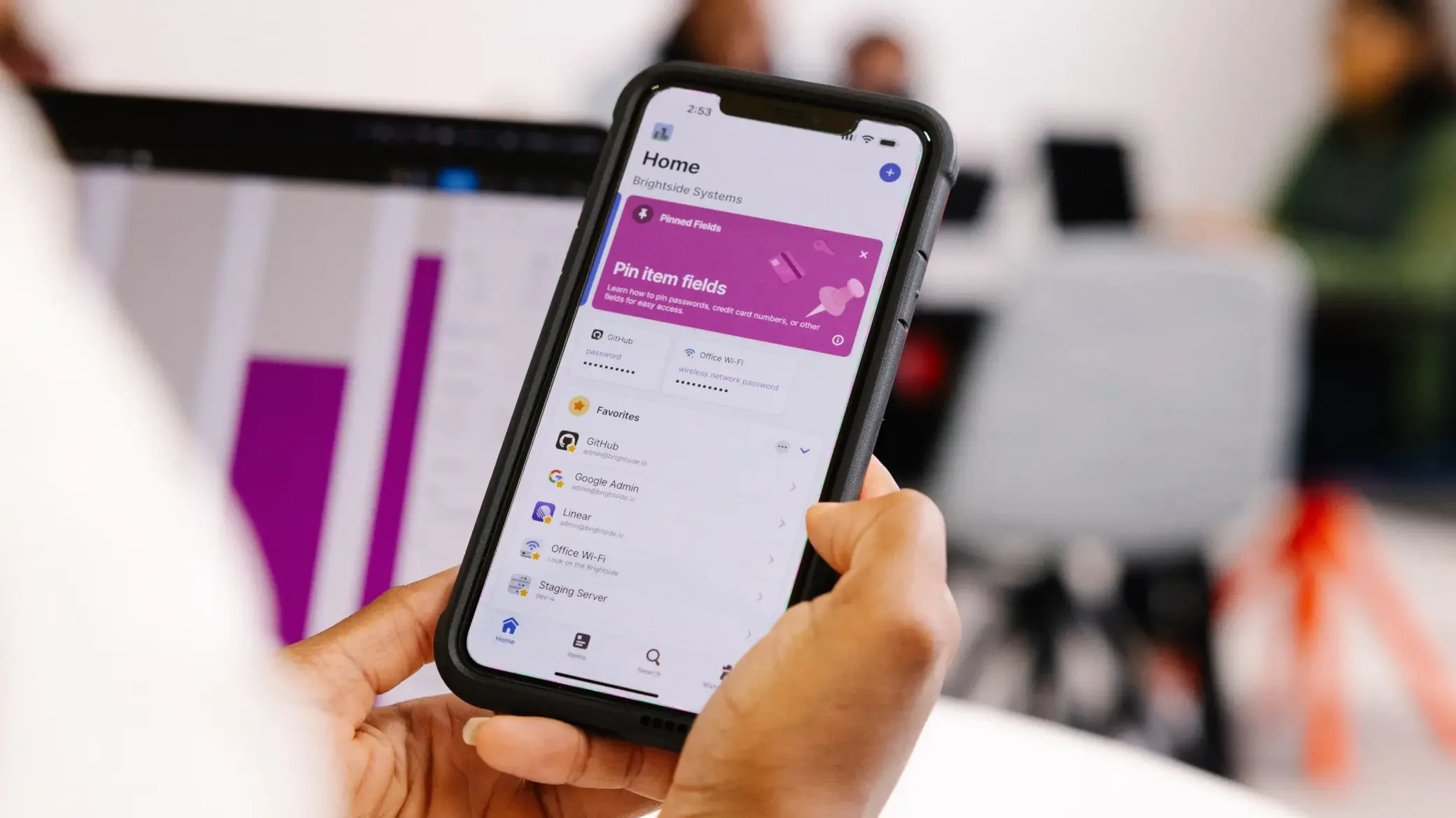
1Password intuitive mobile app (excerpt from 1password.com)
What We Like – and What Could Be Better
What We Like:
Extremely intuitive interface – no technical background required
High-level data security with modern encryption and built-in 2FA
Reliable performance across devices and browsers
Features like Watchtower, 2FA management, and autofill save significant time
Responsive customer support
What Could Be Better:
• No permanently free version – requires a paid subscription
• Feature set may feel overwhelming for minimal users at first
1Password Pricing
1Password isn’t free, but pricing is fair and tailored to different needs:
Individual: $2.99/month (billed annually) – ideal for solo freelancers
Family: $4.99/month – up to 5 users
Teams Starter Pack: $19.95/month for up to 10 users
Business: $7.99 per user/month with advanced admin features
All plans include a 14-day free trial.
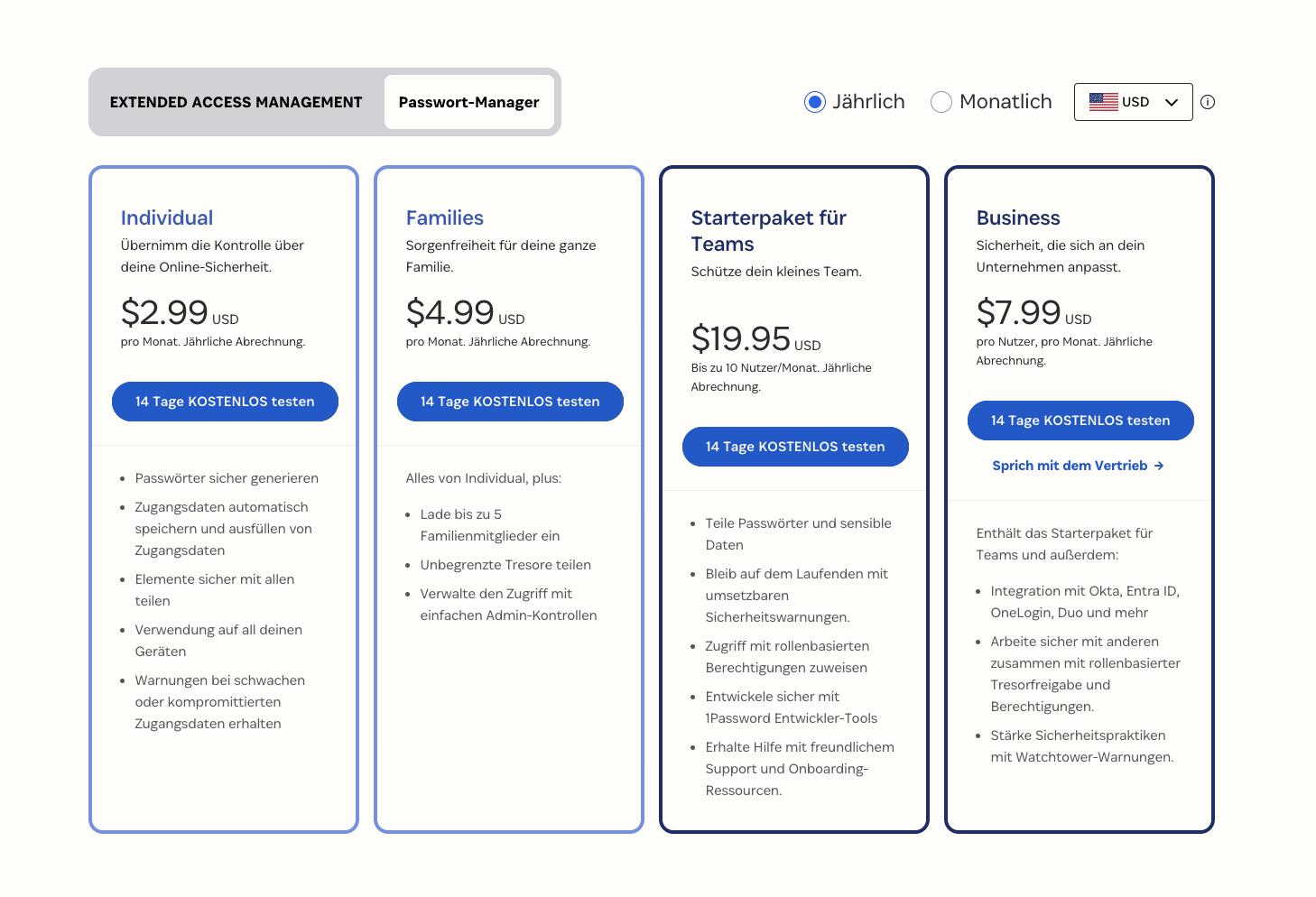
1Password pricing overview (excerpt from 1password.com)
Note: Prices may change. Please check the official website for current details.
Final Verdict: Is 1Password Worth It for Freelancers?
1Password brings order to your digital life. It saves time, reduces errors, protects sensitive information, and allows you to focus on your actual work.
If you work heavily online and manage multiple accounts, the difference becomes noticeable quickly.
And the best part: you can test it risk-free for 14 days.
Investing in digital security is always worth it.
Alternatives to 1Password
If you’re not ready to commit immediately, here are strong alternatives:
Bitwarden: Open-source option with a solid free plan
Dashlane: Includes VPN and modern interface
NordPass: User-friendly and well-priced
KeePassXC: Free and offline, but more technical
Enpass: One-time purchase model with local storage
If you want maximum usability and features, 1Password remains one of the best options available.
Best try for yourself.
(This is an affiliate link. If you purchase through this link, you support our work at no additional cost.)
More freelancer Tools:

Transparency Notice
This article contains affiliate links. If you purchase through one of these links, we may earn a commission at no additional cost to you.
Image Disclaimer
All screenshots, brand names, and product names are the property of their respective owners. Images are used for review and illustration purposes only. Please visit the official websites for the latest pricing and information.