
Smartsheet Review: Spreadsheet-Style Project Management for Freelancers & Small Business Owners
Efficient organization is essential for freelancers and small business owners juggling multiple projects, clients, and deadlines at once. Smartsheet offers a platform that looks like a familiar spreadsheet but does significantly more: real-time collaboration, flexible views, and automation help you structure tasks and maintain a clear overview. For solo freelancers and growing teams alike, it can be a genuine productivity boost. We took a closer look.
Affiliate link — if you purchase through this link, you support our work at no extra cost to you.
What is Smartsheet?
Smartsheet is an online platform for task and project management that combines the familiarity of spreadsheets with modern collaboration tools. Beyond the standard grid view, it offers Gantt charts, kanban boards, and calendars so you can visualize projects in whatever way works best. Document and resource management, real-time dashboards, and file sharing make it a comprehensive solution for planning and executing projects.
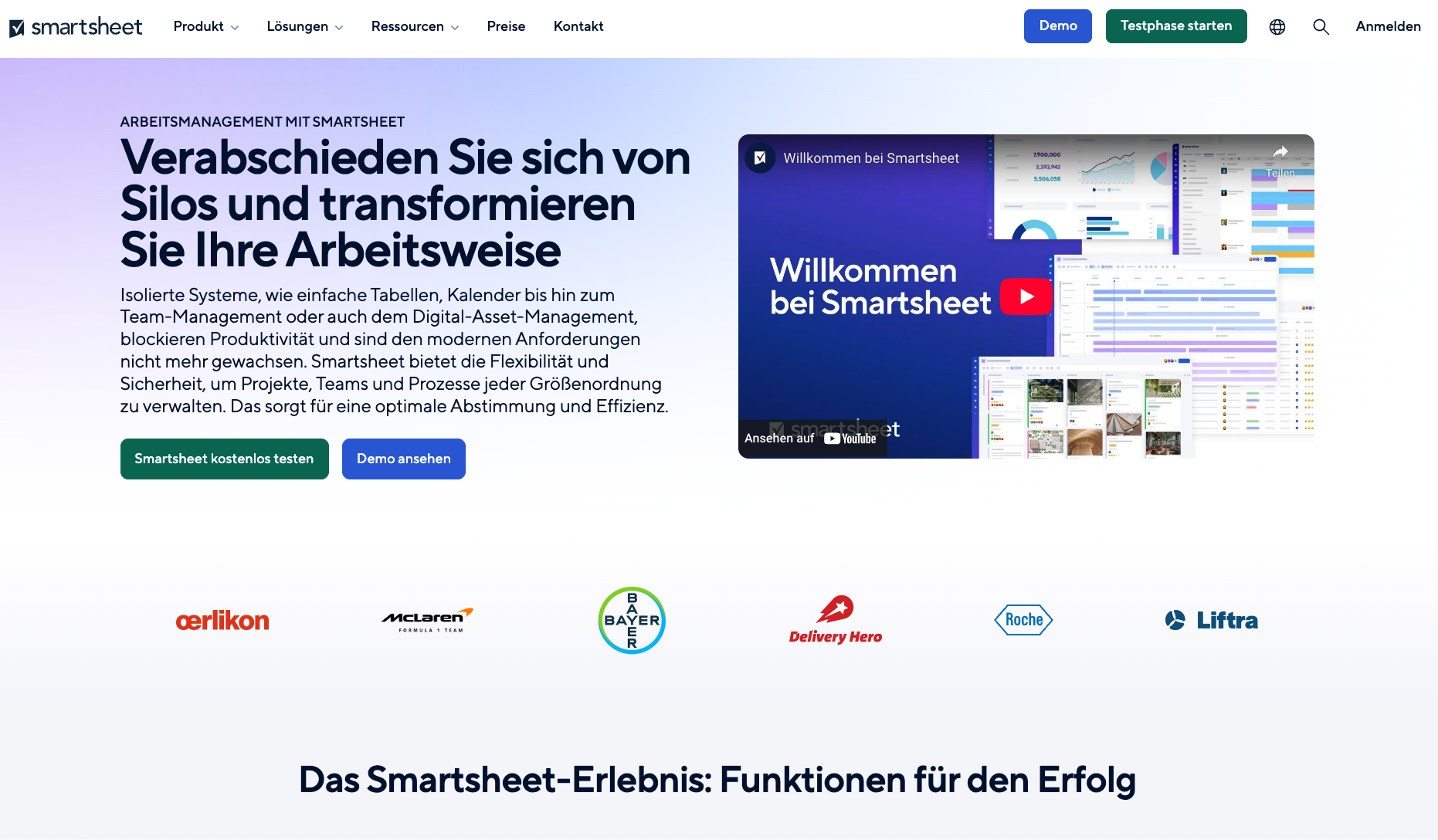
Smartsheet homepage with project management features and flexible workflow tools. (Excerpt from smartsheet.com)
What Does Smartsheet Offer?
Flexible views: Grid, kanban, Gantt, and calendar views let you manage projects from different angles depending on what you need.
Real-time dashboards: Everyone involved gets an instant overview of status, tasks, and progress.
Automations: Recurring tasks and processes can be automated to save time and reduce errors.
Collaboration: Files, updates, and comments can be shared directly within the project.
Mobile app: Access your projects on the go for both Android and iOS.
Task management overview in Smartsheet with assignments, start dates, and AI features. (Excerpt from smartsheet.com)
Why Smartsheet Works Well for Freelancers and Small Business Owners
Solo freelancers and small teams benefit particularly from the clear structure and automation capabilities. You can share projects transparently with clients, standardize workflows, and provide real-time updates without back-and-forth emails. The mobile app keeps your projects accessible wherever you work. For freelancers managing multiple parallel client projects, or small businesses that need a central coordination tool, Smartsheet can meaningfully simplify daily operations.
Smartsheet kanban board for visually managing tasks across different status columns. (Excerpt from smartsheet.com)
Smartsheet timeline view for project planning and dependency tracking. (Excerpt from smartsheet.com)
Resource planning in Smartsheet for optimizing workload and time management. (Excerpt from smartsheet.com)
What We Like — and What We Don't
What we like:
Intuitive spreadsheet-style interface with multiple task view options
Powerful project tracking features with real-time transparency
Automations that simplify processes and reduce manual errors
Versatile across use cases — from marketing plans to software projects
Good, functional mobile app for flexible work on the go
Very competitive entry price at around $9/month on the Pro plan
What we like less:
The broad feature set has a learning curve for newcomers
Some advanced features require time to fully understand and configure
The user model with different "seat types" and member roles can be confusing at first
Is Smartsheet Affordable for Freelancers?
Smartsheet offers several plans:
Pro plan: around $9/user/month — ideal for individuals and small teams with core project management needs.
Business plan: around $19/user/month — adds advanced reporting, dashboards, and expanded automation capabilities.
Enterprise: custom pricing for larger organizations requiring additional control and support.
For most freelancers, the Pro plan is likely sufficient. Small businesses with team-based workflows will benefit more from the Business plan.
Smartsheet pricing plans comparison: Pro, Business, Enterprise, and Advanced Work Management. (Excerpt from smartsheet.com)
Note: Prices reflect the date of publication and may have changed. Always check current pricing on the official Smartsheet website.
Verdict: Why Smartsheet Is Worth Considering for Freelancers
Smartsheet is a versatile project management tool that's especially well-suited for freelancers and small online businesses. The combination of familiar spreadsheet logic, automation, and collaboration tools makes it a strong platform for bringing more structure and efficiency to your working day. If you're managing multiple projects simultaneously and need a central solution to keep everything running smoothly, Smartsheet is definitely worth testing.
Alternatives to Smartsheet
Asana — intuitive project management with task lists, kanban, and automations; great for teams that value clear workflows
Trello — simple kanban boards for smaller projects and quick organization; very user-friendly with a solid free plan
ClickUp — comprehensive all-in-one tool with task management, docs, time tracking, and automations; scales from solo to team
Monday.com — visual project management with flexible boards and strong integrations; ideal for teams that want custom processes
Airtable — mix of database and project tool, perfect for structured content and data-heavy workflows
Best try for yourself
Affiliate link — if you purchase through this link, you support our work at no extra cost to you.
More tools needed?
Transparency notice: This article contains affiliate links. If you purchase a product or service through one of these links, we earn a commission — at no extra cost to you. Thank you for supporting our work.
Image credits: All screenshots, brand names, and product names used in our articles are the property of their respective owners and are used solely for illustration and review purposes. Screenshots taken within the software show the interface or other elements of the respective tools and remain the intellectual property of the corresponding brands. Unless otherwise noted, images are sourced from the official websites of the providers. We link to original sources where possible and recommend verifying current information and pricing directly on the official product pages.