
Kinsta Review: Premium WordPress Hosting for Freelancers – Is the Price Justified?
As a freelancer working in the web space, you know how critical reliable hosting is for your projects. Downtime, slow load times, or security issues can damage your reputation and put client relationships at risk. Kinsta is a premium WordPress hosting provider running on the Google Cloud Platform, built around speed, security, and top-tier support. With modern technology and a well-designed management system, Kinsta helps you manage WordPress projects professionally — and mostly without technical headaches.
Affiliate link — if you purchase through this link, you support our work at no extra cost to you.
What is Kinsta?
Kinsta is a premium hosting provider exclusively focused on WordPress, running its infrastructure on the Google Cloud Platform. Founded in 2013, it has established itself as one of the leading managed WordPress hosting providers. Kinsta combines modern technologies — including Google Cloud infrastructure, Nginx, PHP 8.1+, and MariaDB — with a user-friendly dashboard called MyKinsta. The result is exceptional performance for WordPress websites alongside comprehensive management tools, automatic backups, built-in CDN functionality, and 24/7 support from WordPress experts.
Kinsta landing page (excerpt from kinsta.com)
Key Features of Kinsta
WordPress-optimized hosting with professional-grade features
Central dashboard (MyKinsta) for managing all websites in one place
Performance analytics directly within the dashboard
One-click staging for testing changes before going live
Automatic daily backups plus manual backup options
Point-in-time restoration to any previous backup
Free SSL certificate for every website
Built-in CDN (Kinsta CDN) for fast global delivery
SSH access, Git integration, and WP-CLI support for developers
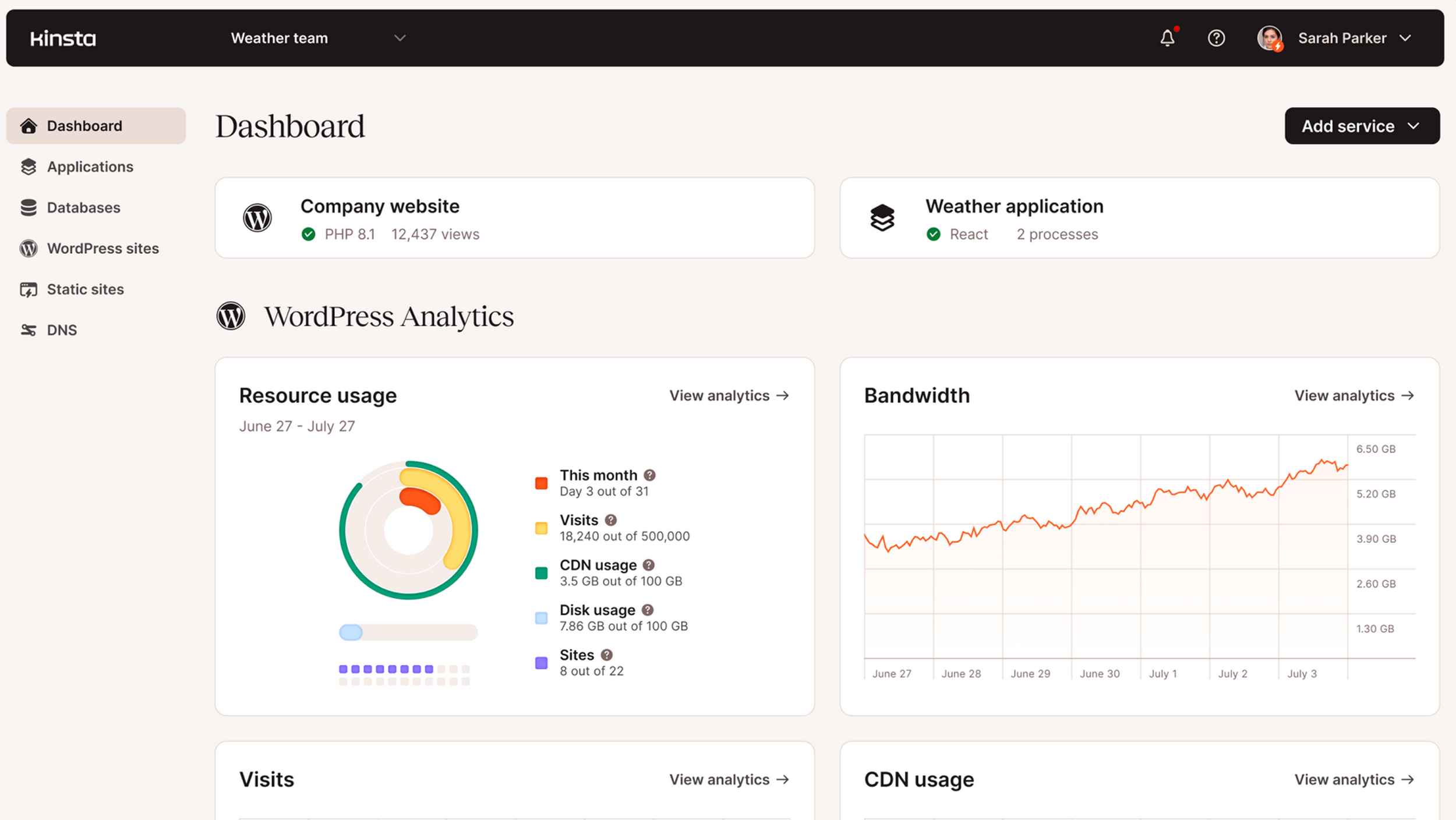
Clean, intuitive dashboard overview. (Excerpt from kinsta.com)
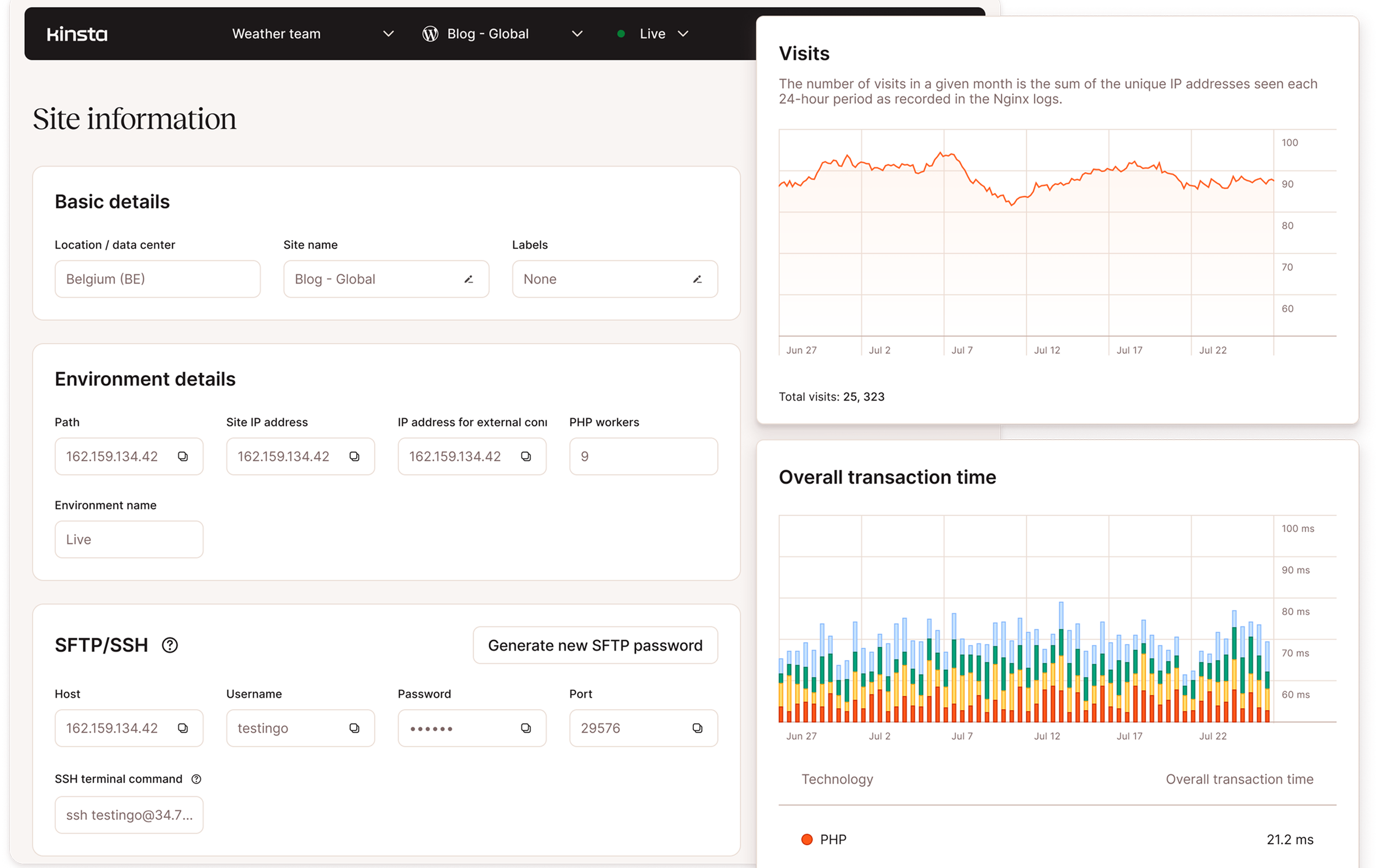
Detailed page information with visitor statistics. (Excerpt from kinsta.com)
Why Kinsta Works Well for Freelancers
As a freelancer, you're often juggling multiple client projects simultaneously and need a hosting partner you can genuinely rely on. Hosting should be a quiet background solution that doesn't eat into your time. Kinsta takes the technical worry off your plate so you can focus on your creative and strategic work.
The Google Cloud infrastructure ensures fast load times for your clients' websites — a critical factor for both SEO and user experience. The 24/7 support from WordPress experts means that when problems arise, you get qualified help immediately rather than spending hours digging through forums. Automatic updates, malware scanning, and DDoS protection keep your projects secure and current. The MyKinsta dashboard makes managing multiple client projects efficient, and you can grant clients access to their own specific areas when needed.
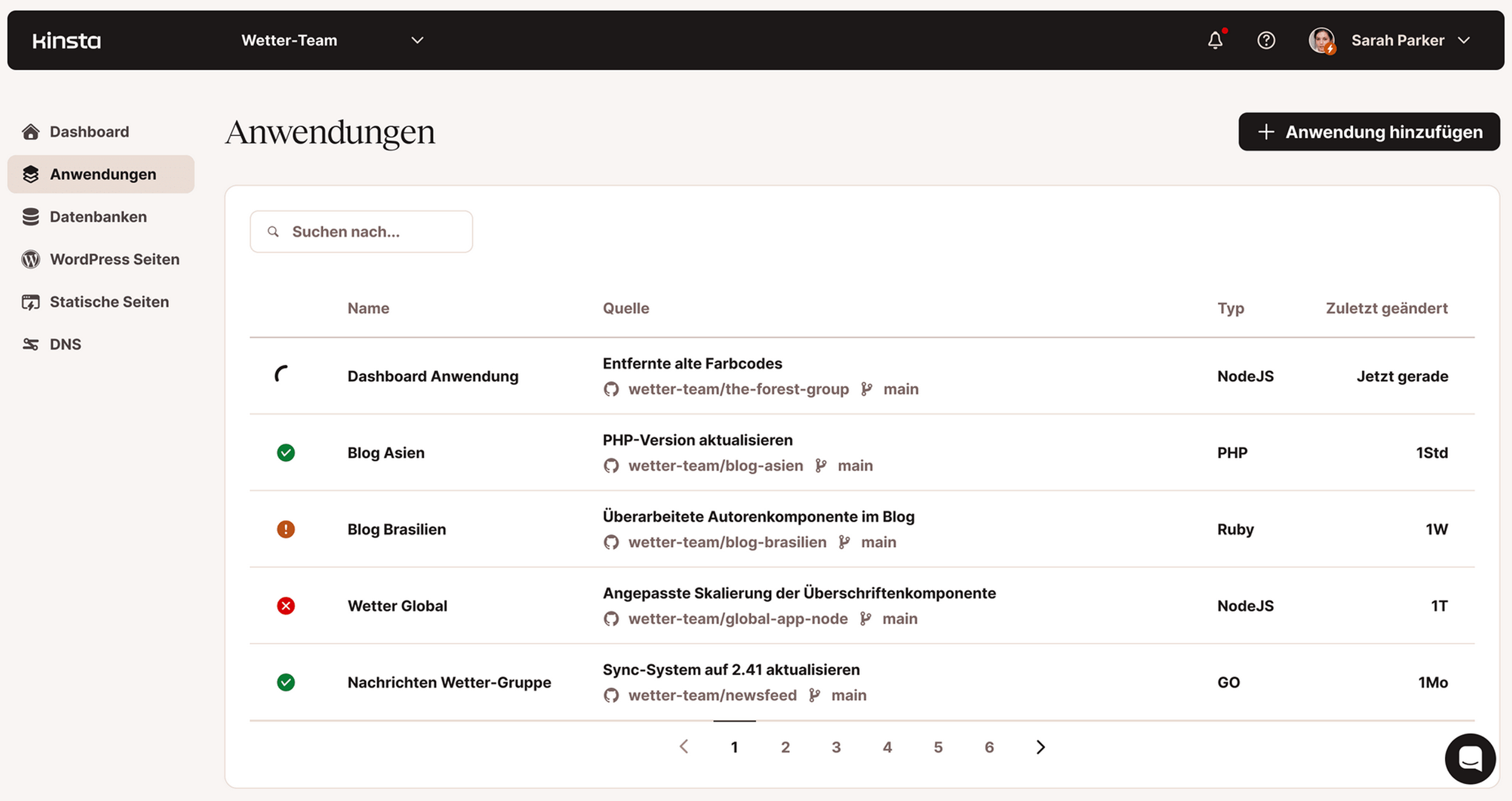
Overview of individual applications within Kinsta. (Excerpt from kinsta.com)
What We Like — and What We Don't
What we like:
Excellent performance thanks to Google Cloud and modern hosting technology
Intuitive MyKinsta dashboard for centralized project management
24/7 support from real WordPress experts
Automatic backups and staging environments save time and reduce risk
One-click SSL and built-in CDN for security and speed
Developer-friendly: SSH, Git, and WP-CLI support for professional workflows
What we like less:
Relatively high price compared to standard hosting providers
No email hosting included — needs to be handled separately
Monthly visitor limits can be reached quickly as traffic grows
Often overkill for simple websites, making it less cost-effective at the entry level
Is Kinsta Affordable for Freelancers?
Kinsta offers several hosting plans based on the number of WordPress installations, monthly visitors, and storage needed.
The Starter plan begins at $30/month and includes one WordPress installation, 35,000 monthly visitors, and 10 GB SSD storage.
For freelancers managing multiple projects, the Pro plan at $59/month offers two installations, 50,000 visitors, and 20 GB storage.
All plans include the Kinsta CDN, SSL certificates, daily backups, staging environments, and premium support.
Kinsta also offers a 30-day money-back guarantee, so you can test the service risk-free. Enterprise solutions with custom pricing are available for agencies and larger projects.
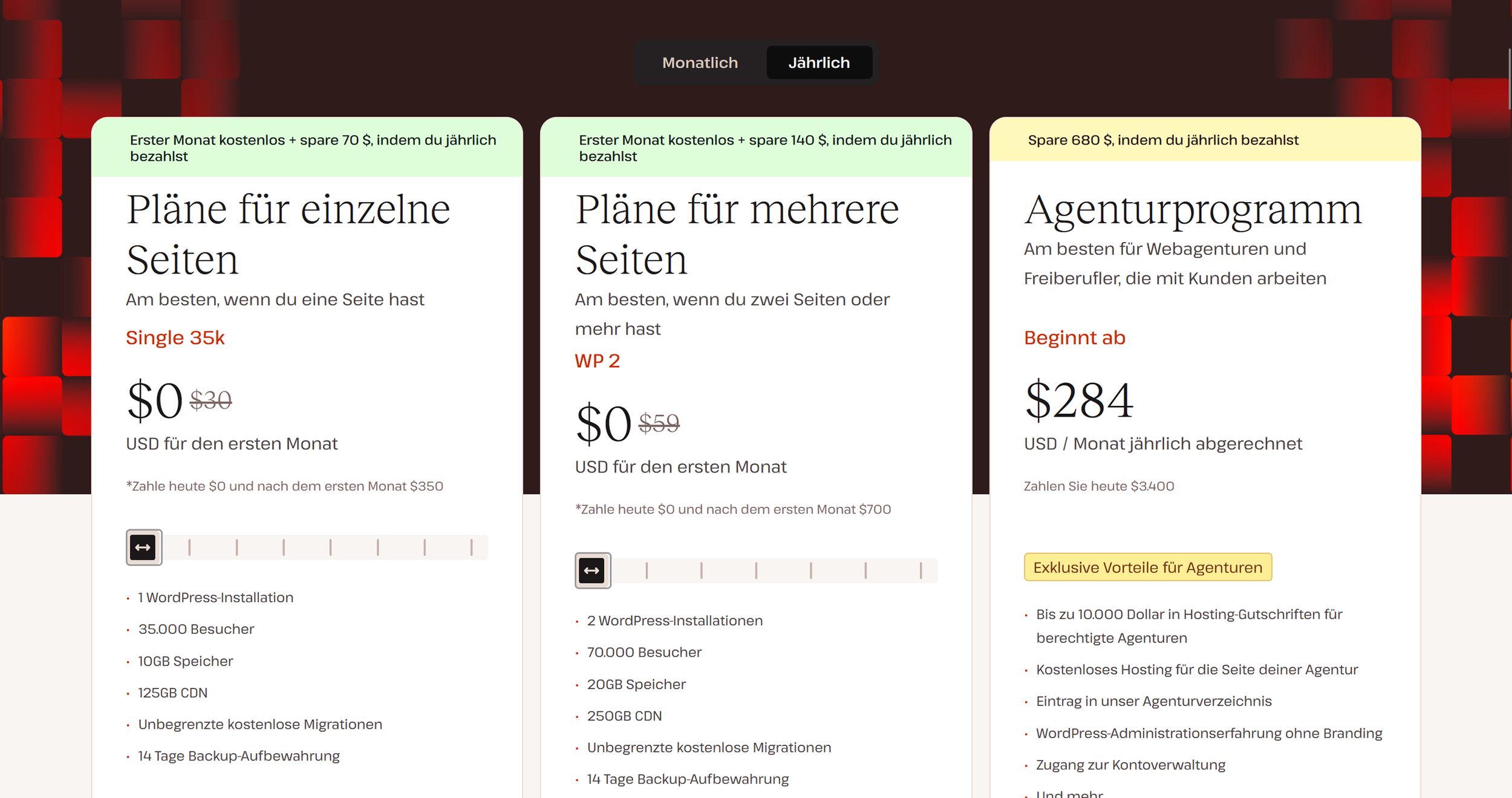
Kinsta pricing overview (excerpt from kinsta.com)
Note: Prices reflect the date of publication and may have changed. Always check current pricing on the official Kinsta website.
Verdict: Is Kinsta Worth It for Freelancers?
Kinsta is an investment in the professionalism of your freelance practice. If you manage WordPress projects for demanding clients and want to deliver on performance, security, and reliability, it's a strong choice. The higher cost pays for itself relatively quickly through time saved on technical maintenance, exceptional performance, and first-class support.
For freelancers who want to position their services as premium, Kinsta provides the technical foundation to back that up. You can confidently promise clients that their websites will run fast, securely, and reliably. The 30-day money-back guarantee lets you test the hosting risk-free and see whether it fits your workflow and projects.
Alternatives to Kinsta
WP Engine — premium WordPress hosting with similar features, often cheaper at entry level
SiteGround — solid value for money, WordPress-optimized, but less high-end
Cloudways — managed cloud hosting with more flexibility, but requires more technical know-how
Flywheel — built specifically for designers and freelancers, with simple client workflows and staging
Best try for yourself.
Affiliate link — if you purchase through this link, you support our work at no extra cost to you.
Tested project-management tools for you:



Transparency notice: This article contains affiliate links. If you purchase a product or service through one of these links, we earn a commission — at no extra cost to you. Thank you for supporting our work.
Image credits: All screenshots, brand names, and product names used in our articles are the property of their respective owners and are used solely for illustration and review purposes. Screenshots taken within the software show the interface or other elements of the respective tools and remain the intellectual property of the corresponding brands. Unless otherwise noted, images are sourced from the official websites of the providers. We link to original sources where possible and recommend verifying current information and pricing directly on the official product pages.